
Community listing page, reviews may not be monitored by the author.


Community voices
Reviews
No reviews yet. Be the first to review this project!
Get it on
Available Platforms
Compatibility
Supported Environments
Must be installed on both the client and the server.
About
Project Details
For authors
Embed Badge
If you're the author of this project, you can embed a live badge anywhere that supports HTML or Markdown. It updates automatically whenever ratings change.
Use HTML for any page that supports it, or Markdown for README files and Markdown-based descriptions.
Identifiers
Platform IDs
About
Description
Good Flags



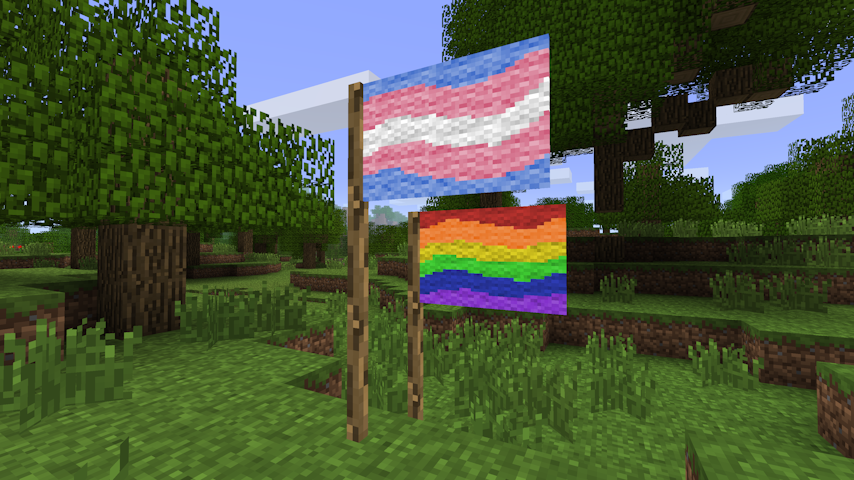
Beta 1.7.3 mod to add flags to the game. Flags have a 48×32 canvas supporting the 16 colours of wool, and can be painted on by players by right-clicking the flag.
Items
Flag
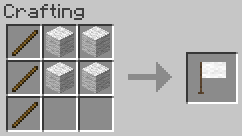
3x Stick + 4x Wool → 1x Flag. Any wool can be used.
Painting
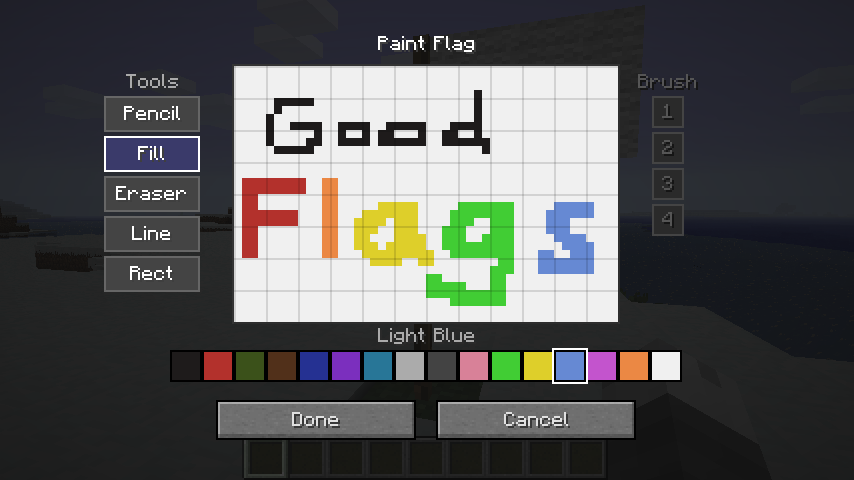
Right-clicking a placed flag pole opens the paint editor.
Canvas
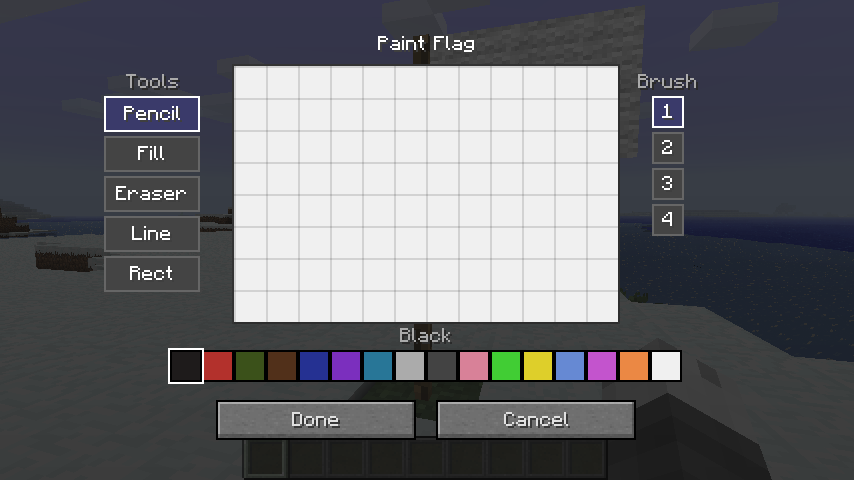
The flag's canvas is 48 × 32 pixels using the 16 wool colours as a palette.
Tools
| Tool | Description |
|---|---|
| Pencil | Freehand drawing. Respects brush size. |
| Eraser | Erases pixels back to white. Respects brush size. |
| Fill | Flood-fills a contiguous region with the selected colour. |
| Line | Draws a straight line between two points. Respects brush size. |
| Rect | Draws a filled rectangle. |
| Circle | Draws a filled ellipse. |
Undo / Redo
The paint screen supports up to 32 levels of undo/redo history.
| Action | Shortcut |
|---|---|
| Undo | Ctrl+Z |
| Redo | Ctrl+Y or Ctrl+Shift+Z |
Flag Item
Design Preserved on Break
Breaking a painted flag drops it as an item that carries the full pixel data. Placing the item down restores the original design exactly.
Inventory Preview
A downsampled miniature of the flag's design is rendered on top of the item icon in inventory slots, giving you a quick visual reference without needing to place the flag.
Copying a Flag
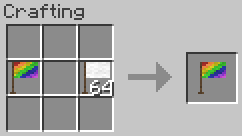
Place a blank flag and a painted flag together anywhere in the crafting grid to produce a copy of the painted flag. The painted source is not consumed.
Clearing a Flag
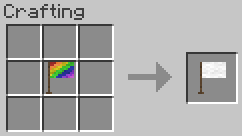
Place a painted flag alone in the crafting grid to receive a blank flag back.
Configuration
Configuration is exposed via Glass Config API and can be edited in-game with Mod Menu Babric.
| Option | Default | Description |
|---|---|---|
| Item Renderer Enabled | true |
Draw the flag preview on the item icon in inventory. |
| Item Texture Resolution | 16 |
Base icon resolution in pixels; increase for HD texture packs. |
| Flag Preview X | 3 |
X offset of the preview region within the item icon. |
| Flag Preview Y | 0 |
Y offset of the preview region within the item icon. |
| Flag Preview Width | 12 |
Width of the preview region (item pixels). |
| Flag Preview Height | 8 |
Height of the preview region (item pixels). |
Compatibility
This mod has no known compatibility issues. It adds explicit compatibility with Always More Items and Entity Culling.
Requirements
- Minecraft Beta 1.7.3
- Babric
- StationAPI
- Fabric Language Kotlin
- Glass Config API
- Glass Networking
Recommended
- Mod Menu Babric (for in-game configuration)
License
This mod is licensed under the MIT license.
Screenshots
Gallery
-
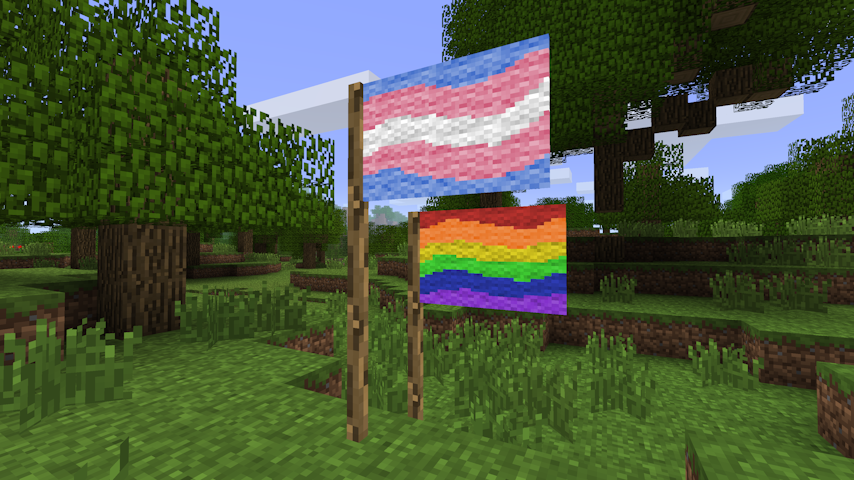 Placeable, paintable flags! Flags can be placed anywhere in the world, and players can paint anything they like on them! Flags are 48x32 canvases with the 16 colours of wool.
 -
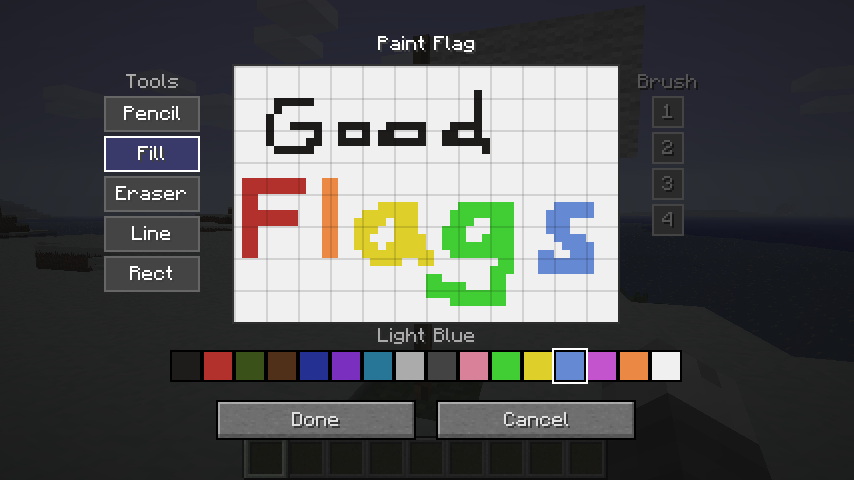 Paint flags in-game! The flag painting screen has multiple tools: pencil, fill, eraser, line, and rectangle. The brush radius is 1-4 pixels, and 16 colours are available.
Versions
Files
Relations
Project Relations
More like this
Similar Mods
Suggestions use data such as tags, dependencies, dependents, descriptions, titles, and more to rank how much they overlap with this mod.
On ModDex
Community snapshot
By the numbers
Statistics


Get it on
Available Platforms
On ModDex
Community snapshot
By the numbers