Community listing page, reviews here may not be monitored by the author.
Grab Villager


No reviews yet
This mod adds the possibility to grab villager, easy transportation no more boat or minecart.
Community voices
Reviews
No reviews yet. Be the first to review this project!
Get it on
Available Platforms
Compatibility
Supported Environments
Must be installed on both the client and the server.
About
Project Details
For authors
Embed Badge
If you're the author of this project, you can embed a live badge anywhere that supports HTML or Markdown. It updates automatically whenever ratings change.
Use HTML for any page that supports it, or Markdown for README files and Markdown-based descriptions.
Identifiers
Platform IDs
Resources
External Links
About
Description


Grab Villager is a highly practical and immersive Minecraft mod that solves one of the game's oldest frustrations: moving villagers. No more struggling with boats or minecarts! With this mod, you can simply pick up villagers, carry them on your back, and drop or throw them wherever you need.
Features
Easy Transport: Pick up any villager seamlessly by sneaking and interacting with them.
- Immersive Carrying: The villager visually rides on your back while you navigate the world.
- Drop or Throw Mechanic: Press the dedicated keybind to drop the villager gently at your feet, or hold the keybind to charge up and throw the villager across the room!
- Smart Configuration: Customize your experience, including whether players can still use tools and weapons while carrying a heavy villager.
- Multi-Loader Support: Built for modern Minecraft, available for both Fabric and NeoForge.
How to Use
1. Grabbing a Villager
- Approach any villager.
- Make sure your main hand is empty (or allowed by your config).
- Sneak (default `Shift`) and Right-Click (Interact) on the villager.
- The villager is now securely on your back!
2. Dropping and Throwing
The mod introduces a custom keybind for handling the villager you are carrying. Check your Minecraft Controls menu to see or rebind the Drop/Throw Villager key.
- To Drop: Tap the keybind once. The villager will safely dismount at your current location.
- To Throw: Hold down the keybind to build up throw power (charge). Release the key to launch the villager in the direction you are looking. The longer you hold, the further they fly!
Configuration
You can tweak the mod's behavior to fit your playstyle. Access the configuration menu via the in-game Mod Menu or by typing the command:
/grabvillager
Installation
- Ensure you have the correct mod loader installed for your instance: Fabric Loader or NeoForge.
- Download the appropriate version of Grab Villager for your Minecraft version.
- (Fabric Users Only) Ensure you have the Fabric API installed in your mods folder.
- Drop the Grab Villager
.jarfile into your Minecraftmodsfolder. - Launch the game and start hauling!
Technical Details & Compatibility
This mod has been carefully optimized to handle server-client synchronization smoothly, ensuring that dropping and throwing villagers feels responsive without rubberbanding issues. It is compatible with most other mods, provided they do not aggressively alter the native Minecraft passenger mechanics.
Bug Reports & Feedback
If you encounter any issues, strange behavior, or if you have suggestions for future updates, please feel free to open an issue on the GitHub repository.
Grab Villager is a highly practical and immersive Minecraft mod that solves one of the game's oldest frustrations: moving villagers. No more struggling with boats or minecarts! With this mod, you can simply pick up villagers, carry them on your back, and drop or throw them wherever you need.
Features
- Easy Transport: Pick up any villager seamlessly by sneaking and interacting with them.
- Immersive Carrying: The villager visually rides on your back while you navigate the world.
- Drop or Throw Mechanic: Press the dedicated keybind to drop the villager gently at your feet, or hold the keybind to charge up and throw the villager across the room!
- Smart Configuration: Customize your experience, including whether players can still use tools and weapons while carrying a heavy villager.
- Multi-Loader Support: Built for modern Minecraft, available for both Fabric and NeoForge.
How to Use
1. Grabbing a Villager
- Approach any villager.
- Make sure your main hand is empty (or allowed by your config).
- Sneak (default
Shift) and Right-Click (Interact) on the villager. - The villager is now securely on your back!
2. Dropping and Throwing
The mod introduces a custom keybind for handling the villager you are carrying. Check your Minecraft Controls menu to see or rebind the Drop/Throw Villager key.
- To Drop: Tap the keybind once. The villager will safely dismount at your current location.
- To Throw: Hold down the keybind to build up throw power (charge). Release the key to launch the villager in the direction you are looking. The longer you hold, the further they fly!
Configuration
You can tweak the mod's behavior to fit your playstyle. Access the configuration menu via the in-game Mod Menu or by typing the command:
/grabvillager
Installation
- Ensure you have the correct mod loader installed for your instance: Fabric Loader or NeoForge.
- Download the appropriate version of Grab Villager for your Minecraft version.
- (Fabric Users Only) Ensure you have the Fabric API installed in your mods folder.
- Drop the Grab Villager
.jarfile into your Minecraftmodsfolder. - Launch the game and start hauling!
Technical Details & Compatibility
This mod has been carefully optimized to handle server-client synchronization smoothly, ensuring that dropping and throwing villagers feels responsive without rubberbanding issues. It is compatible with most other mods, provided they do not aggressively alter the native Minecraft passenger mechanics.
Bug Reports & Feedback
If you encounter any issues, strange behavior, or if you have suggestions for future updates, please feel free to open an issue on the GitHub repository.
Screenshots
Gallery
-
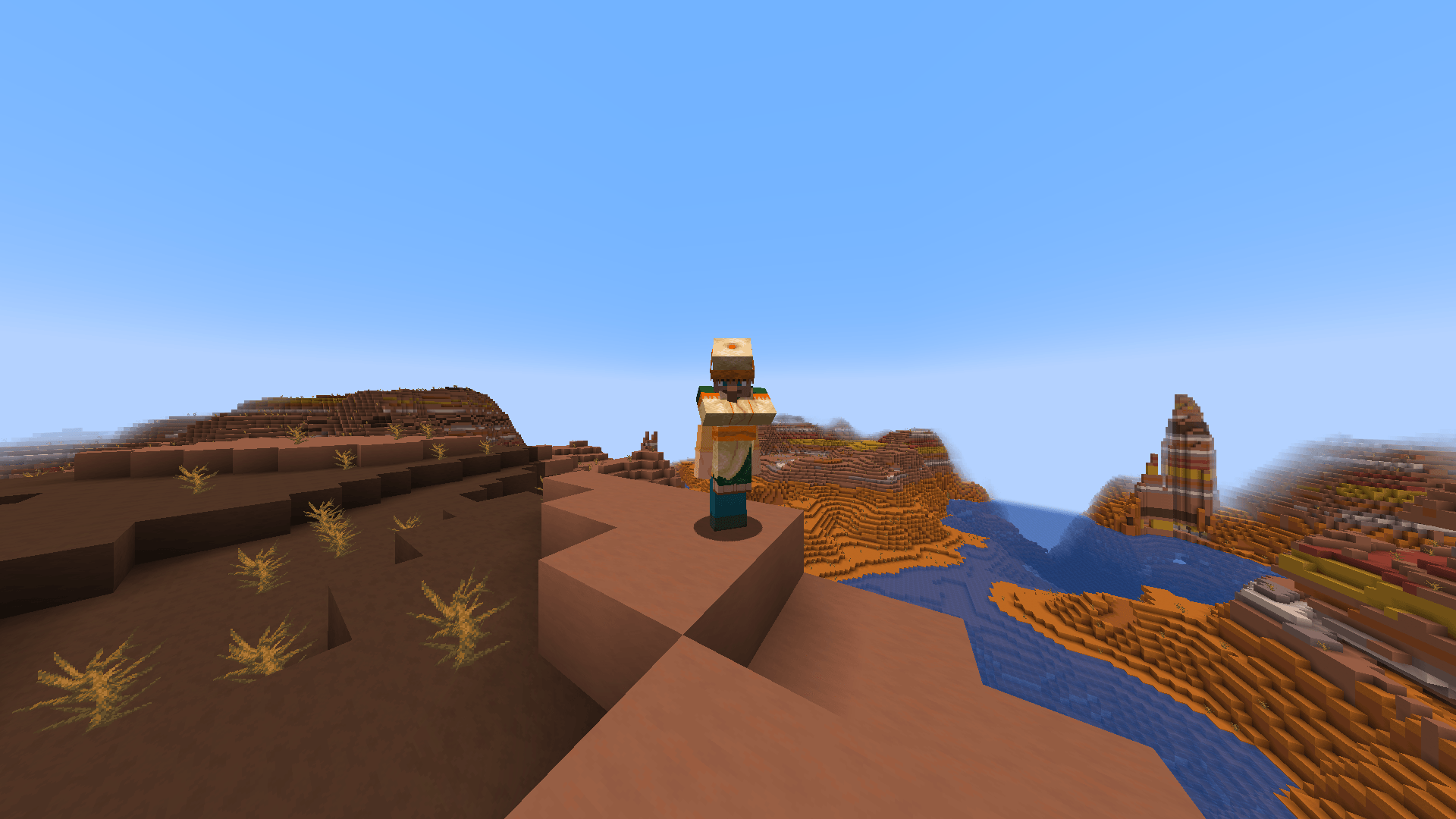 Villager on the back. (Back view) Villager on the back. (Back view)
 -
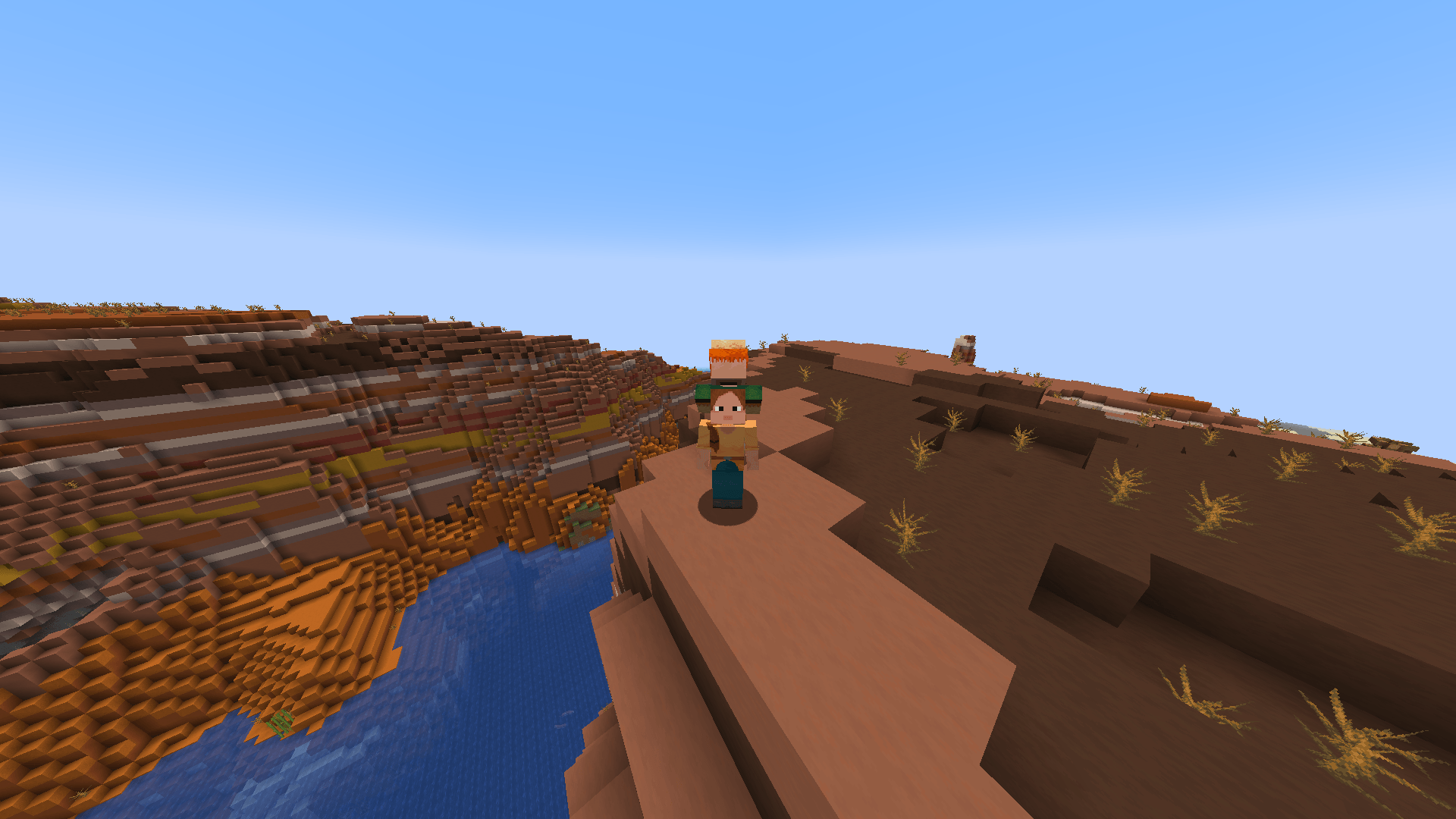 Villager on the back. (Front view) Villager on the back. (Front view)
 -
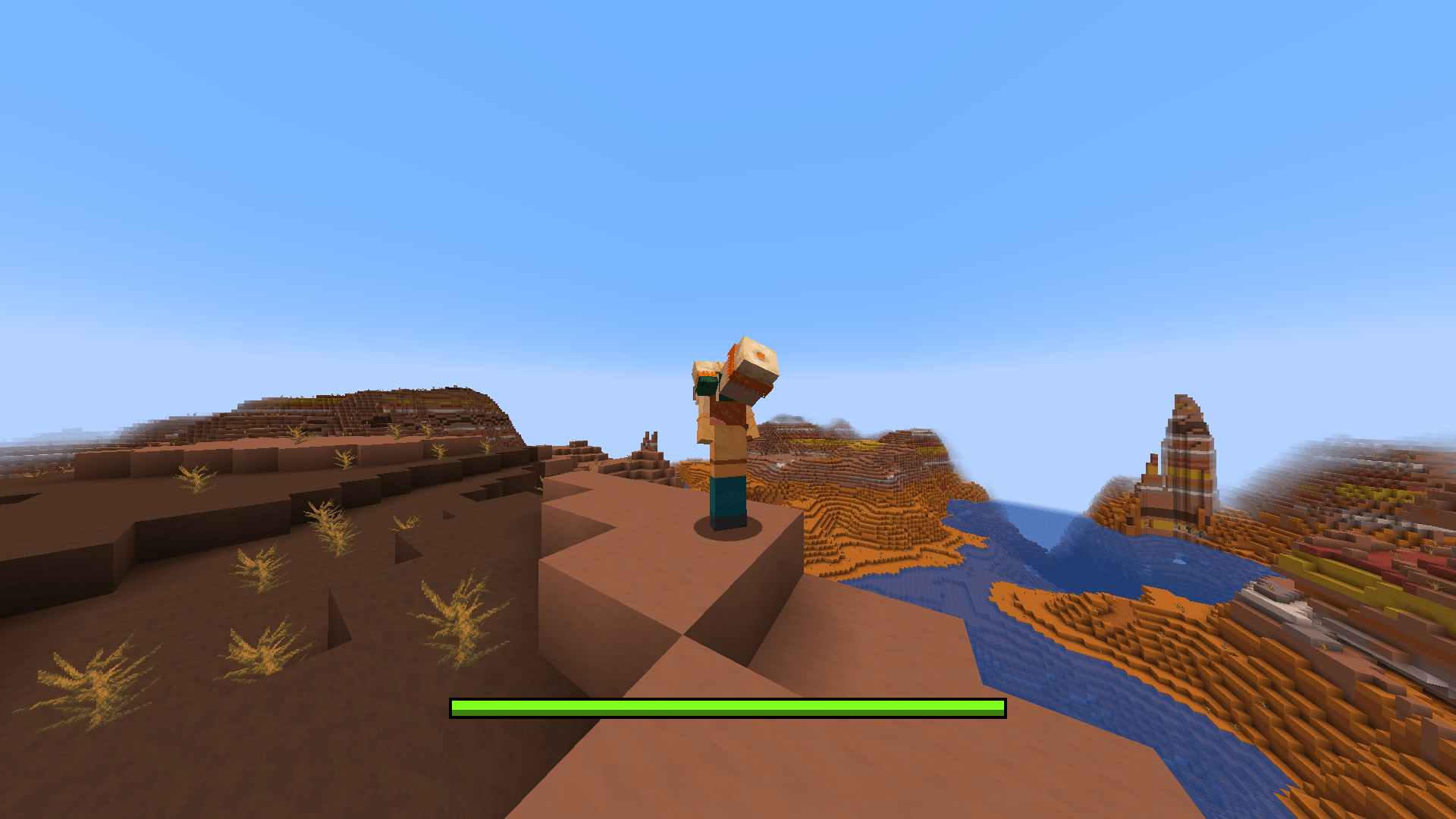 Throw position. Throw position.
-
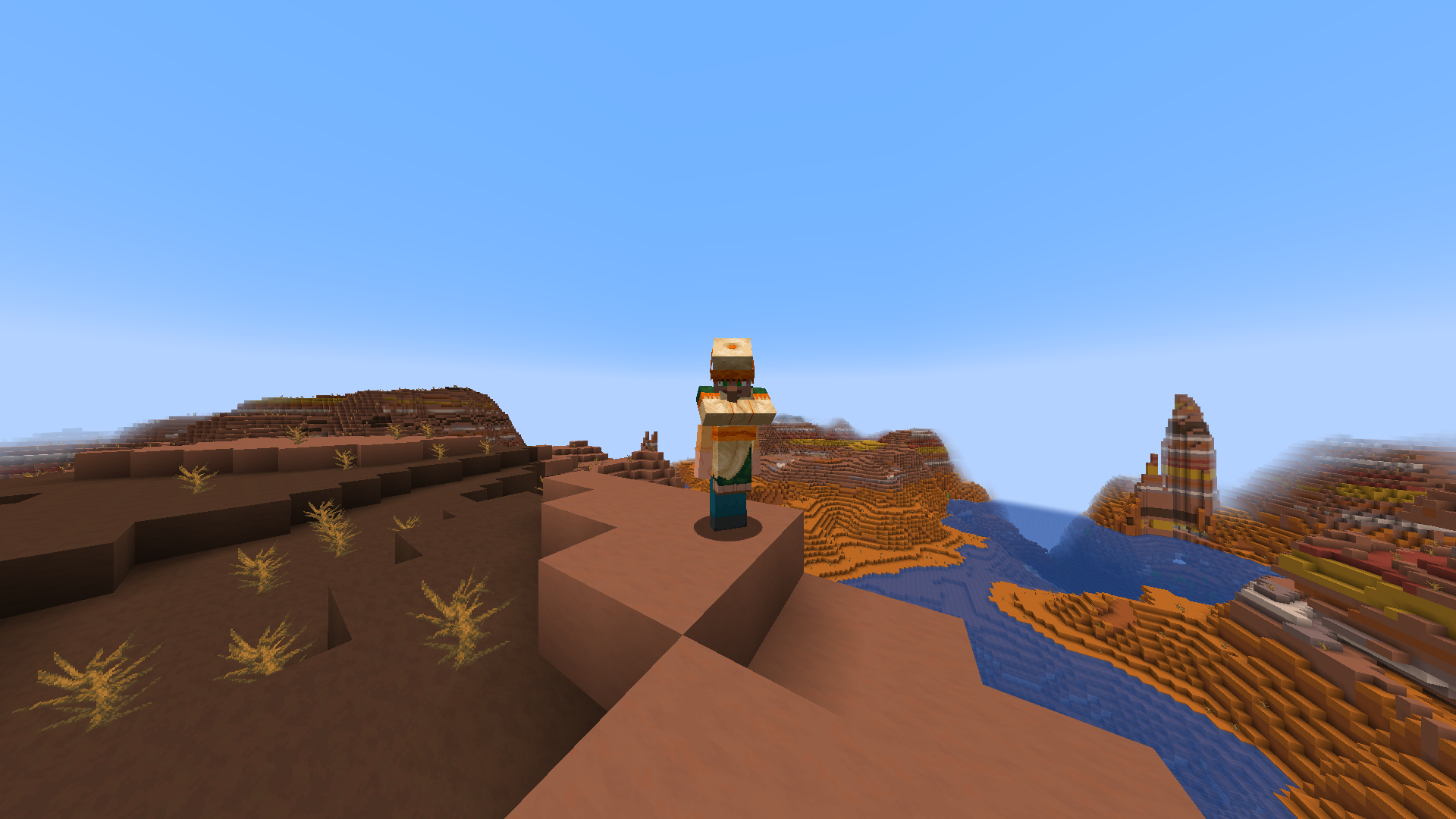 Villager on the back. (Back view)
 -
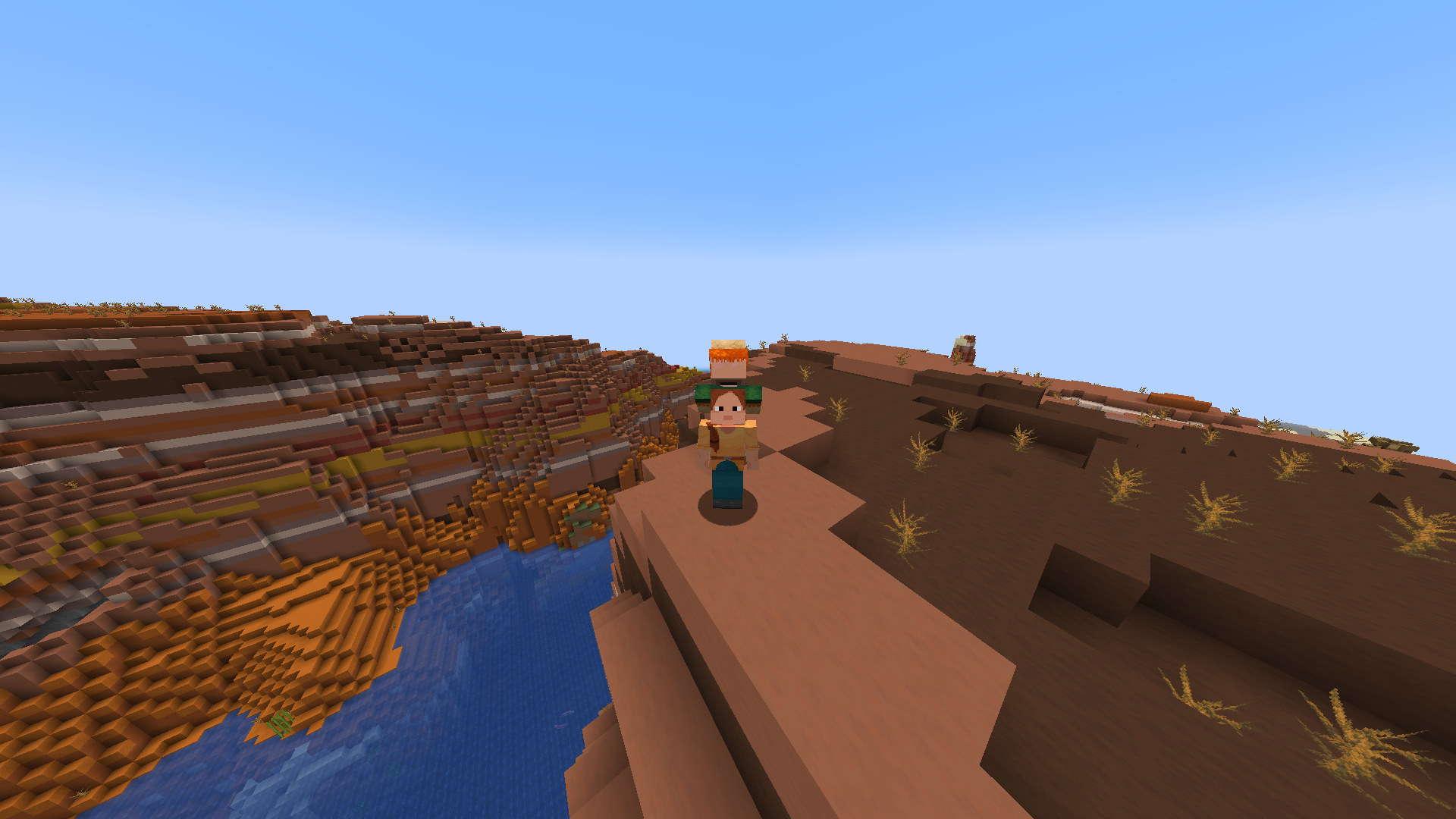 Villager on the back. (Front view)
 -
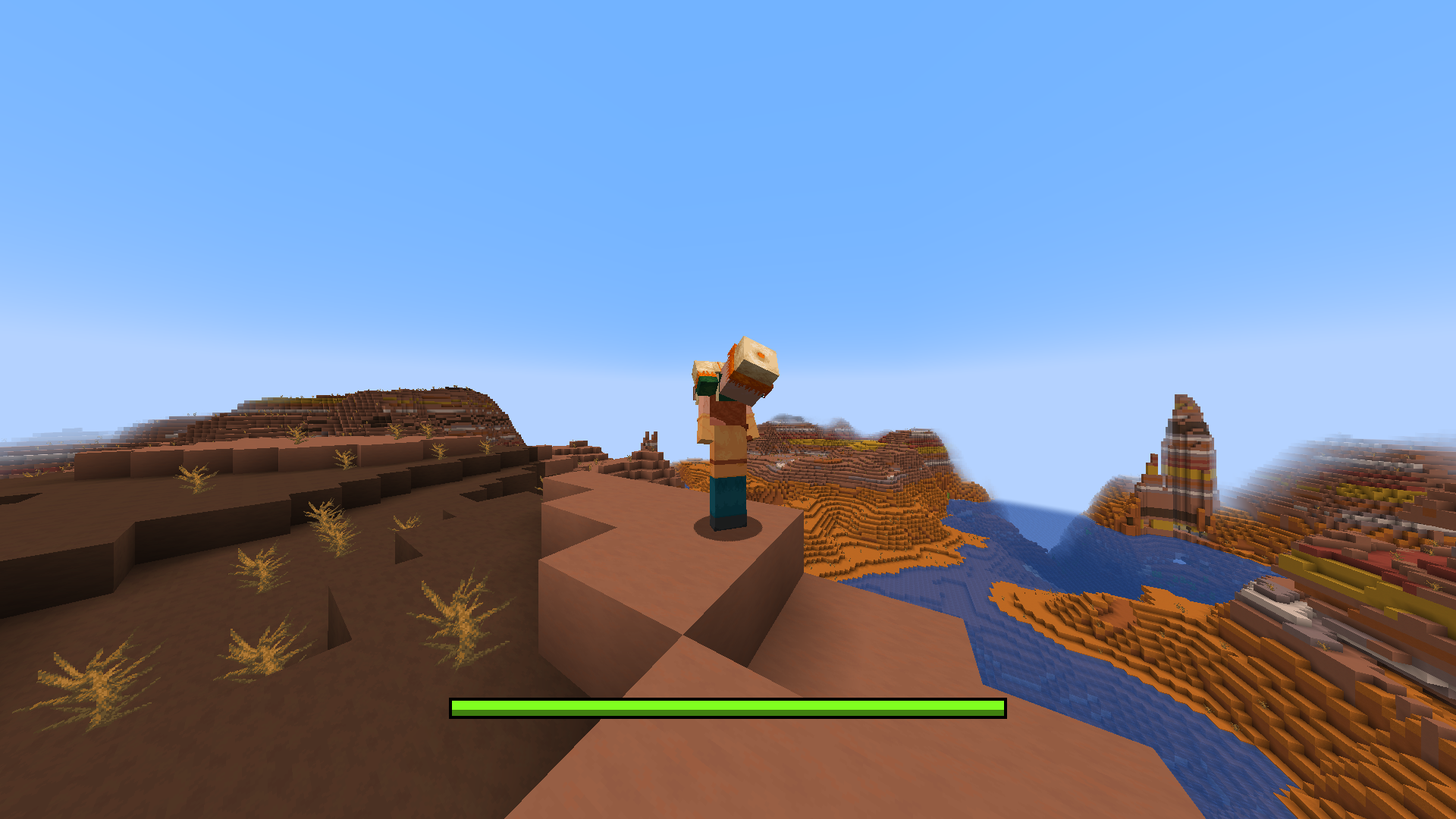 Throw position.
Versions
Files
Relations
Project Relations
More like this
Similar Mods
Suggestions use data such as tags, dependencies, dependents, descriptions, titles, and more to rank how much they overlap with this mod.
On ModDex
Community snapshot
By the numbers
Statistics
Want to reach Minecraft players?
We're looking for a server hosting partner to feature here and other parts of the site. Interested? Send us a message!
Get in touchGet it on
Available Platforms
On ModDex
Community snapshot
By the numbers
Statistics
Resources