
Community listing page, reviews here may not be monitored by the author.
Grave Filter: Selective Gravestone Drops

No reviews yet
Addon for Gravestone: choose which items stay in the grave and which drop on the ground when you die, via config filters.
Community voices
Reviews
No reviews yet. Be the first to review this project!
Get it on
Available Platforms
Compatibility
Supported Environments
Must be installed on both the client and the server.
About
Project Details
For authors
Embed Badge
If you're the author of this project, you can embed a live badge anywhere that supports HTML or Markdown. It updates automatically whenever ratings change.
Use HTML for any page that supports it, or Markdown for README files and Markdown-based descriptions.
Identifiers
Platform IDs
Resources
External Links
About
Description
Grave Filter
An addon for the Gravestone mod. By default, Gravestone stores your entire inventory in a grave when you die. Grave Filter lets you decide which items are worth protecting — everything else drops and floats on the ground instead, right where you died.
Perfect for servers and modpacks that want death to still sting a little, without full item-loss chaos.
✨ Features
Choose what gets dropped on the ground instead of stored in the grave:
- 📦 Manually added items — an exact list of item IDs, your call
- 🧱 Blocks — anything placeable
- ⛏️ Materials — ingots, gems, ores, raw materials, dust, storage blocks (tag-based, fully configurable)
- 🔧 Tools — pickaxe, axe, shovel, hoe, shears, fishing rod, flint & steel
- 🛡️ Armor — helmet, chestplate, leggings, boots, elytra
- ⚔️ Weapons — sword, axe, bow, crossbow, trident
- 🎒 Hotbar — everything in your hotbar, regardless of type
- 💍 Curios slots — full integration with the Curios API (optional)
A "always keep" list overrides every other rule — perfect for that one heirloom item you never want to lose.
Dropped items can be configured to:
- Never despawn
- Be invulnerable (fire, lava, explosions, cactus...)
- Glow, so they're easy to spot
⚙️ How it works
Grave Filter hooks into the same death event Gravestone uses, but runs before Gravestone reads your inventory. It pulls out whatever should drop and spawns it as a floating item; whatever's left is what ends up in the grave. No Gravestone internals are touched, so it stays compatible across Gravestone updates.
📋 Requirements
- Minecraft 1.20.1
- Forge 47+
- Gravestone (required)
- Curios (optional — only needed for Curios slot filtering)
🔧 Configuration
All settings live in config/gravefilter-common.toml, generated on first launch. Precedence: manual keep-list > manual drop-list > category filters. Anything not matched by an active filter stays in the grave (vanilla Gravestone behavior).
⚠️ Disclaimer
This is an unofficial, community-made addon and is not affiliated with or endorsed by the author of Gravestone.
Screenshots
Gallery
-
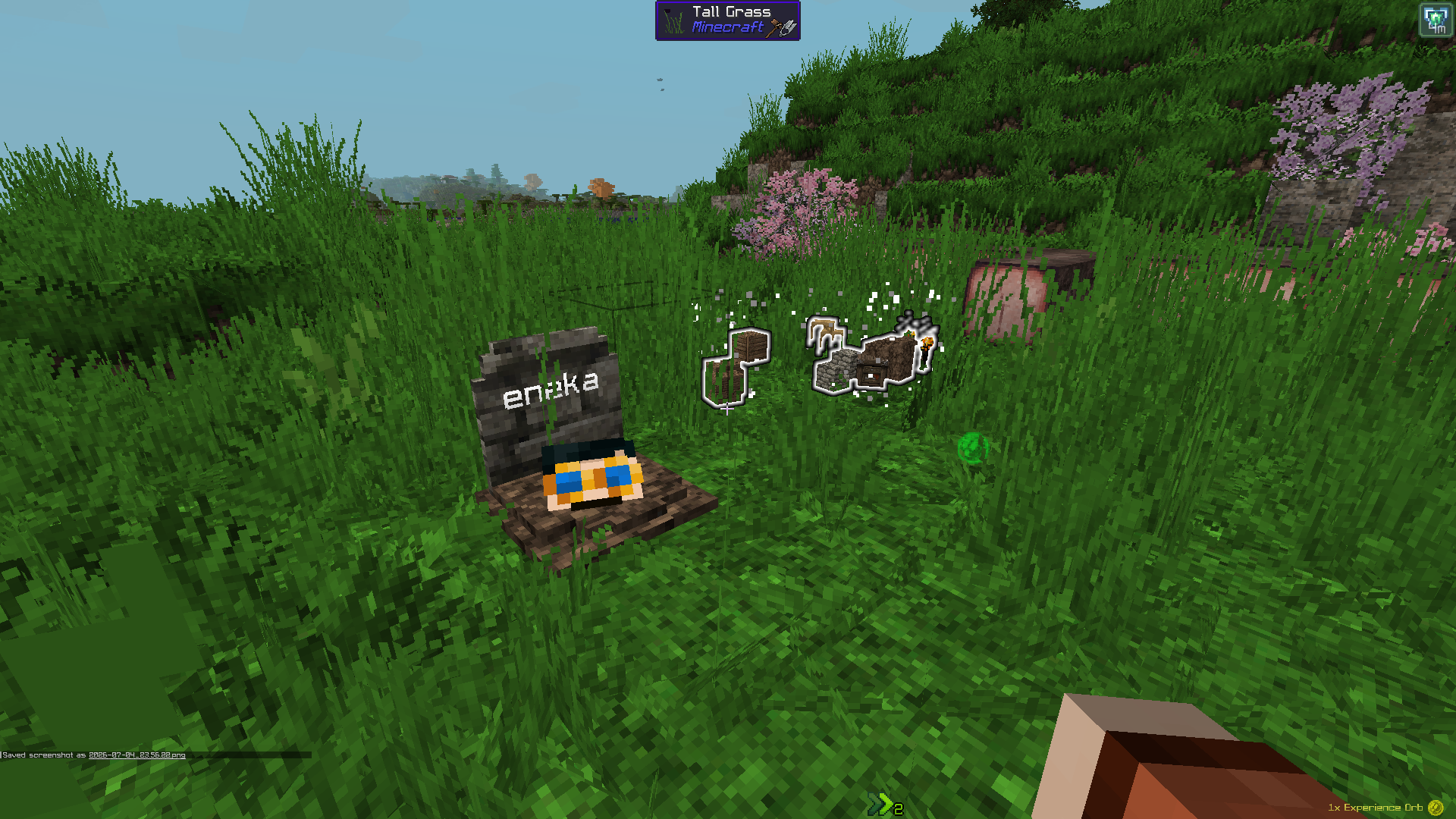 Glowing items
 -
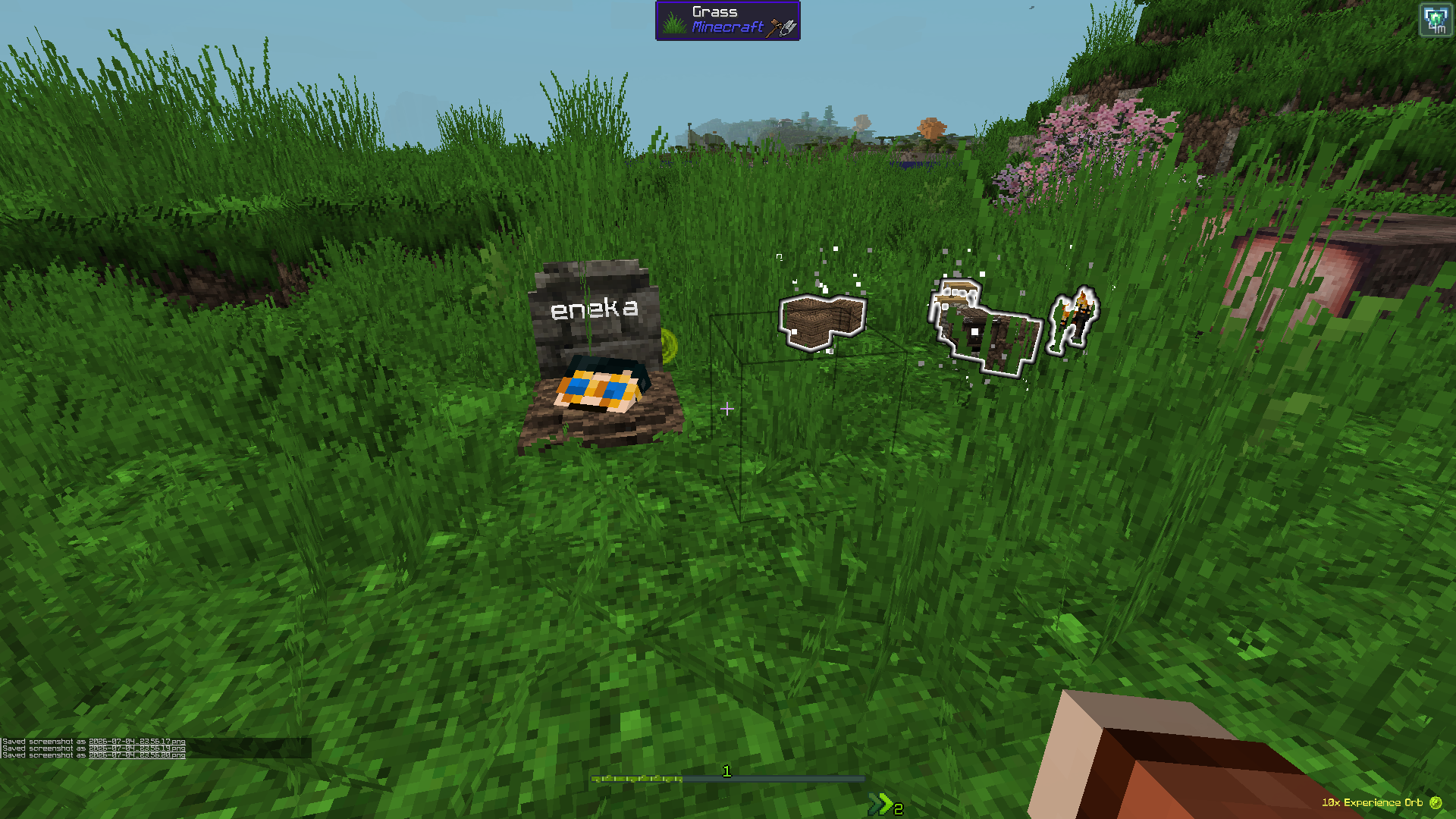 Blocks and materials droped
Versions
Files
Relations
Project Relations
More like this
Similar Mods
Suggestions use data such as tags, dependencies, dependents, descriptions, titles, and more to rank how much they overlap with this mod.
On ModDex
Community snapshot
By the numbers
Statistics

Want to reach Minecraft players?
We're looking for a server hosting partner to feature here and other parts of the site. Interested? Send us a message!
Get in touchGet it on
Available Platforms
On ModDex
Community snapshot
By the numbers
Statistics
Resources