
Community listing page, reviews here may not be monitored by the author.
Graves

No reviews yet
Never lose your items on death. A grave spawns where you died, holding your inventory and XP.
Community voices
Reviews
No reviews yet. Be the first to review this project!
Get it on
Available Platforms
Compatibility
Supported Environments
Runs entirely on the server. Also works in singleplayer.
About
Project Details
For authors
Embed Badge
If you're the author of this project, you can embed a live badge anywhere that supports HTML or Markdown. It updates automatically whenever ratings change.
Use HTML for any page that supports it, or Markdown for README files and Markdown-based descriptions.
Identifiers
Platform IDs
About
Description
Graves
Die and a grave marks the spot, holding your inventory and XP so you can come back and recover everything instead of losing it to a five-minute timer.
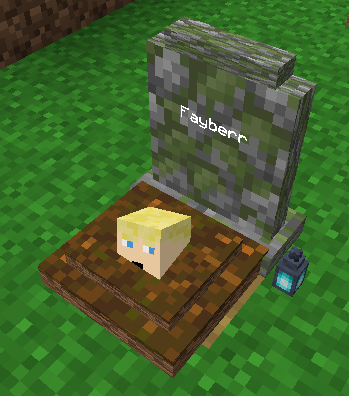
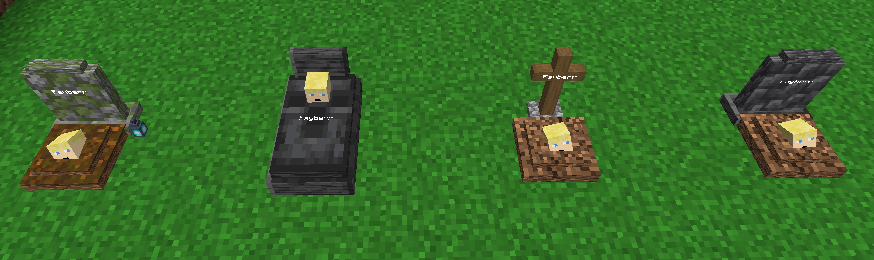
Features
- A grave spawns where you die (with keepInventory off), holding your items and XP.
- Four grave looks: a deepslate headstone, a wooden cross, a tombstone, or a mossy soulgrave. One is picked at random, each can be turned off.
- Recover everything at once: items return to their original slots, XP is paid back, anything that does not fit drops on the ground.
- Graves are owner-only by default; robbing can be turned on to let anyone take the loot.
- Grave Keys let admins open any grave.
- Graves persist across restarts, and ones that fall into the void get a cobblestone platform to rest on.
Commands
/graves listlists your active graves./graves locatepoints you to your nearest grave./graves keyhands you a Grave Key (operator level 2)./graves configshows or changes the config (operator level 2).
Notes
- The config lives in
config/graves.json, changed with/graves configor from the Mods screen in singleplayer. That GUI needs Mod Menu and Cloth Config, but they are optional and only needed for the GUI. - Server-side. Clients do not need the mod installed.
Inspired by the classic Vanilla Tweaks Graves datapack.
Screenshots
Gallery
-
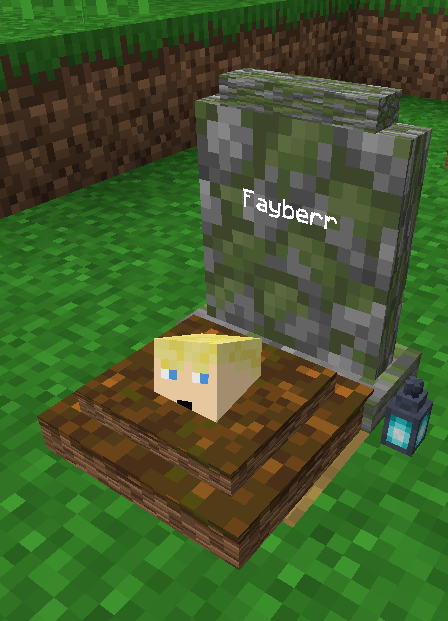 Grave Close-up
 -
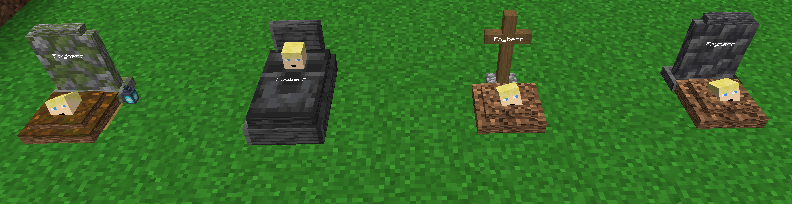 4 Grave Variants There are 4 Possible Variations of graves, each toggleable and randomly chosen.
Versions
Files
Relations
Project Relations
More like this
Similar Mods
Suggestions use data such as tags, dependencies, dependents, descriptions, titles, and more to rank how much they overlap with this mod.
On ModDex
Community snapshot
By the numbers
Statistics

Want to reach Minecraft players?
We're looking for a server hosting partner to feature here and other parts of the site. Interested? Send us a message!
Get in touchGet it on
Available Platforms
On ModDex
Community snapshot
By the numbers