
GUI Inspector
No reviews yet
A tool for developers to inspect GUIs
Fabric is a mod loader for versions 1.14+ of Minecraft, particularly popular for client side and optimization mods.
Community voices
Reviews
Click once to include, again to exclude, again to clear
No reviews yet. Be the first to review this project!
Get it on
Available Platforms
 Modrinth
Compatibility
Supported Environments
About
Project Details
For authors
Embed Badge
If you're the author of this project, you can embed a live badge anywhere that supports HTML or Markdown. It updates automatically whenever ratings change.
Use HTML for any page that supports it, or Markdown for README files and Markdown-based descriptions.
Identifiers
Platform IDs
About
Description
GUI Inspector lets you inspect the GUI elements of any Minecraft screen. You can view a tree of all widgets and components on a screen, including their class names and properties. Class and method names are properly mapped to Yarn and Mojang mappings.
Not only can you view properties, but you may also manipulate them, including most immutable properties. You can even remove an element entirely.
Selecting an element outlines it in-game so you can easily identify it. You can also enable Inspector Mode to click directly on an element in-game and have it highlighted in the tree.
For more detailed inspection, you can capture draw calls and inspect their properties, call stacks directly, and the texture used to render that call, if applicable.
Plans
| Plan | Status |
|---|---|
| 26.1 support | 🟠 IN PROGRESS |
| Your suggestions | 🟡 ONGOING |
| Support for mods that add custom GUI classes | 🟡 PARTIAL |
| More diverse screen support | 🟡 PARTIAL |
| Forge support | 🟥 NOT STARTED |
| Keybinds | 🟥 NOT STARTED |
Screenshots
Gallery
-
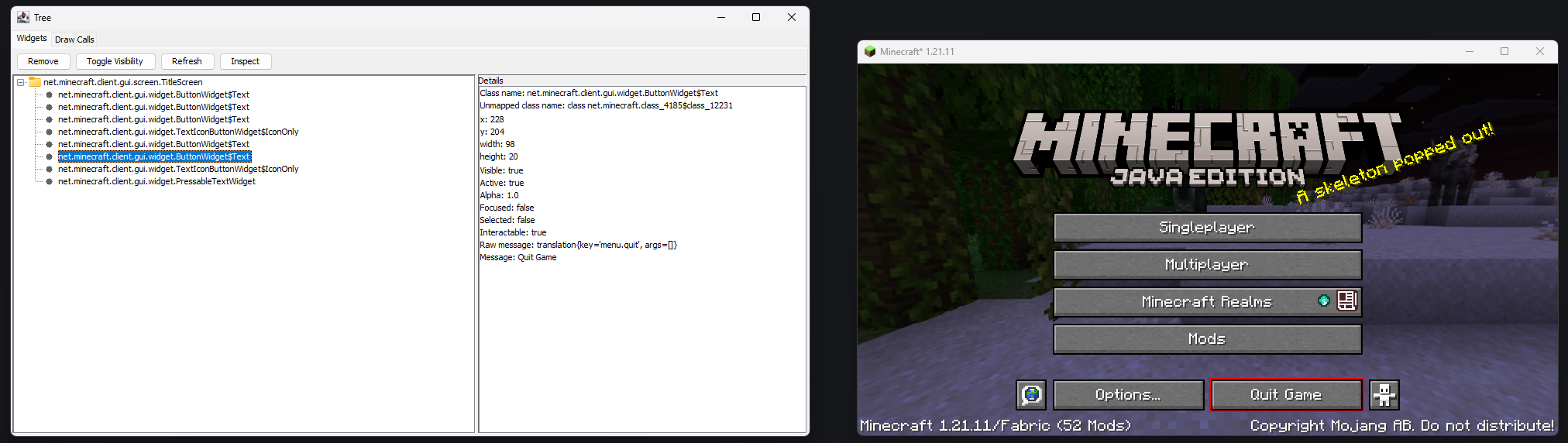 Inspect Details Viewing details about the Quit Game button. It is highlighted in-game as well.
 -
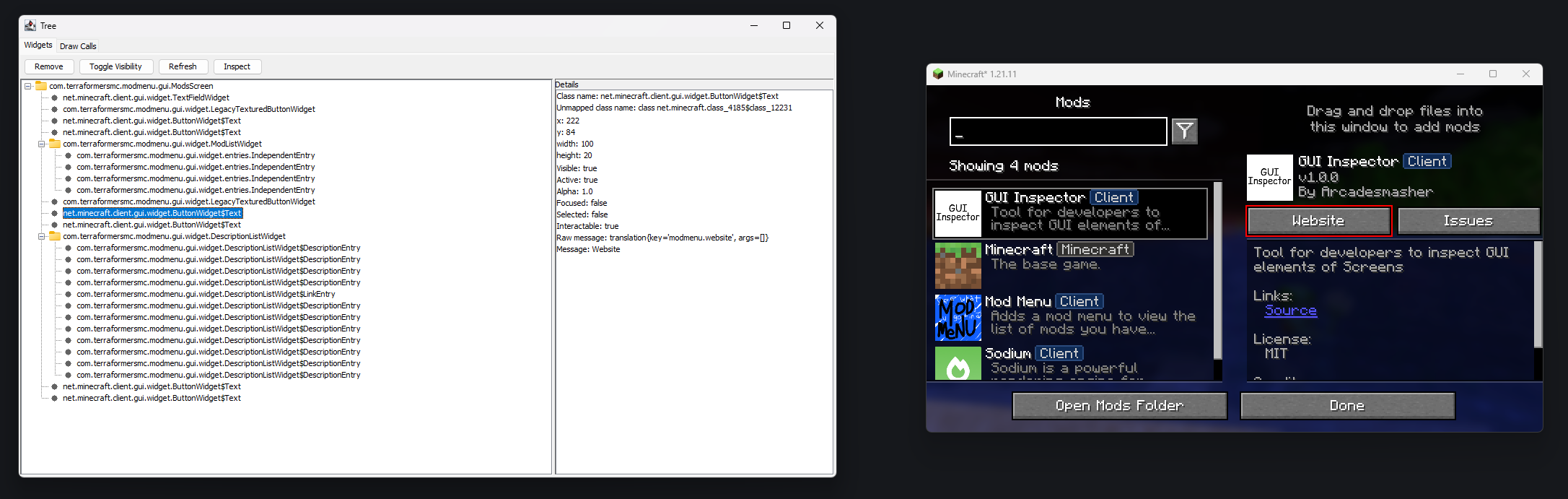 Inspect Modded Screens It works on modded screens too!
 -
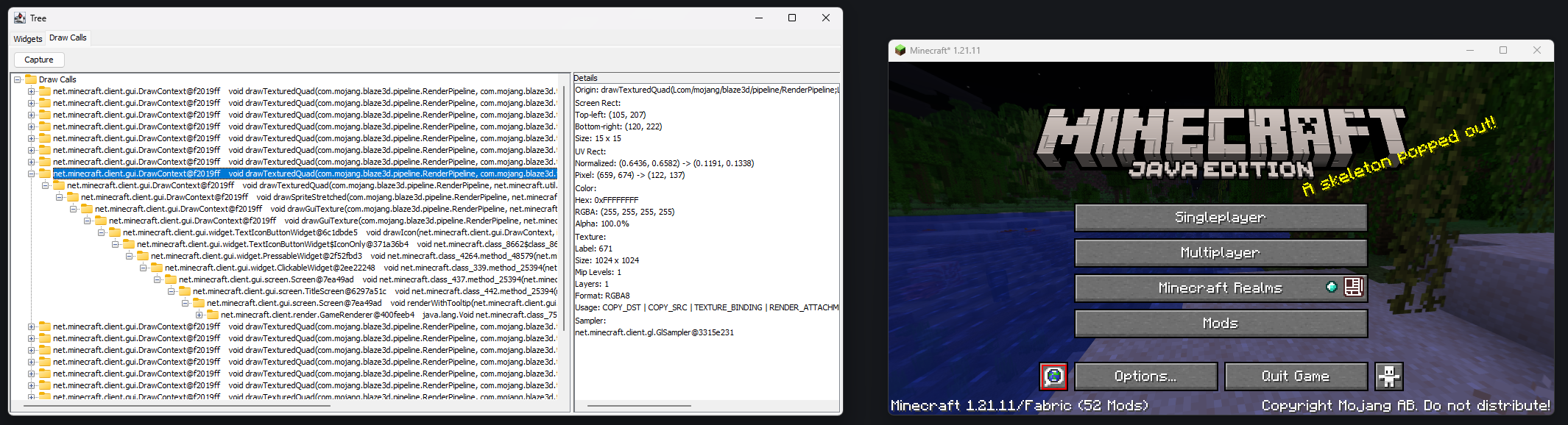 View Draw Calls Viewing details about a drawTexturedQuad call and its call stack. It is highlighted in-game as well.
 -
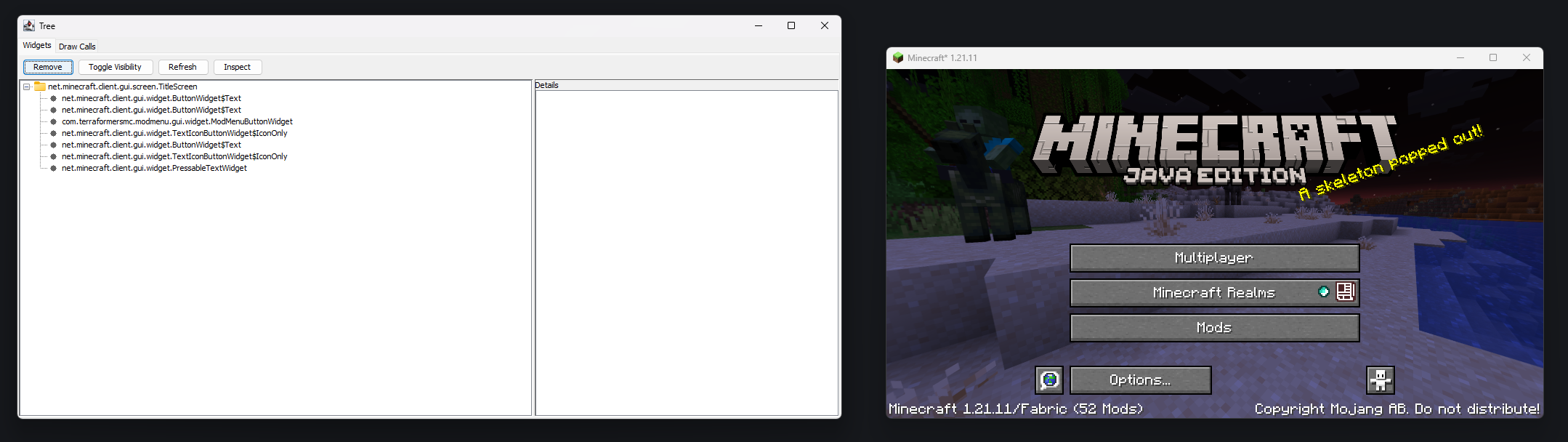 Remove Some Buttons Removed the Singleplayer and Quit Game buttons.
 -
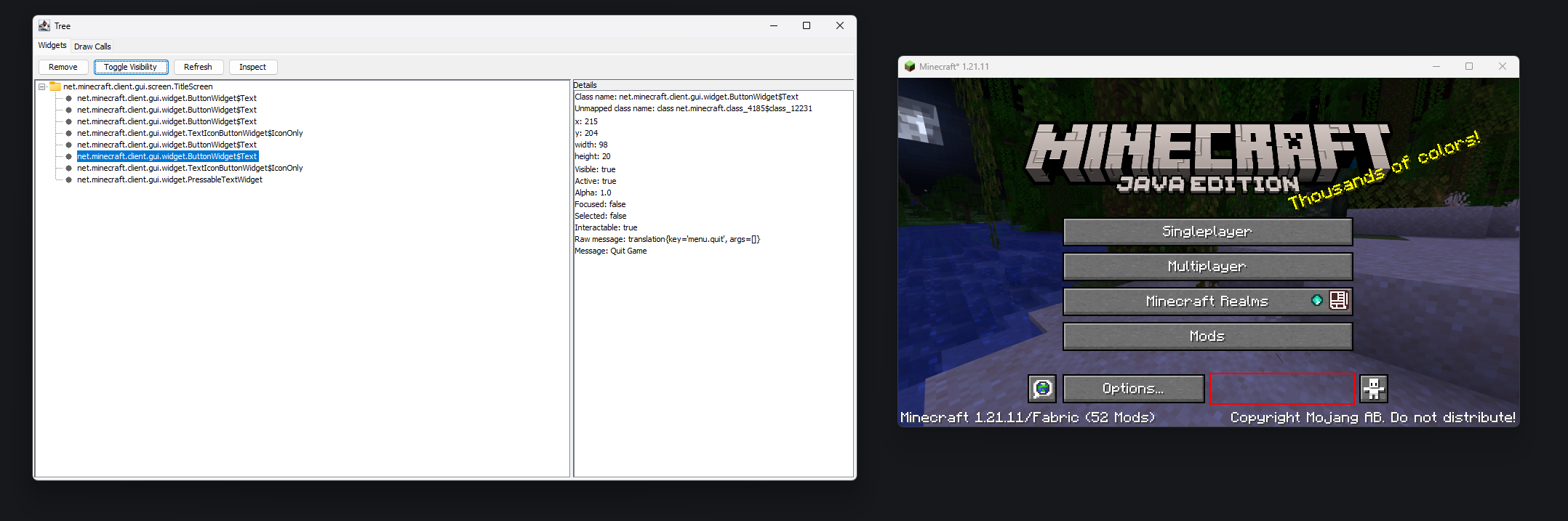 Toggle Visibility The Quit Game button was made invisible.
 -
 Force Properties The Sort button of Mod Menu's screen was forcefully made visible when it shouldn't be. This caused some unintended behaviors.
 -
 Inspector Mode Entering the inspector mode allows you to directly click on elements in-game without having to manually traverse the tree.
Versions
Files
Relations
Project Relations
More like this
Similar Mods
Suggestions use data such as tags, dependencies, dependents, descriptions, titles, and more to rank how much they overlap with this mod.
On ModDex
Community snapshot
By the numbers
Statistics

Want to reach Minecraft players?
We're looking for a server hosting partner to feature here and other parts of the site. Interested? Send us a message!
Get in touchGet it on
Available Platforms
On ModDex
Community snapshot
By the numbers