
Community listing page, reviews here may not be monitored by the author.
GuiPlus+

No reviews yet
Adds HUD customization mod for Minecraft. Move, scale, lock and recolor the hotbar ,you can edit your health bar to individual hotbar slots with a in-game editor.
Community voices
Reviews
No reviews yet. Be the first to review this project!
Get it on
Available Platforms
Compatibility
Supported Environments
Runs entirely on the client. Works on vanilla servers.
About
Project Details
For authors
Embed Badge
If you're the author of this project, you can embed a live badge anywhere that supports HTML or Markdown. It updates automatically whenever ratings change.
Use HTML for any page that supports it, or Markdown for README files and Markdown-based descriptions.
Identifiers
Platform IDs
Resources
External Links
About
Description
🖥️✨ Gui+ | Your Screen, Your Rules.
Tired of vanilla Minecraft dictating where your health bar lives? Take back control! Gui+ lets you rip the vanilla HUD apart and glue it back together exactly how you want it.
Whether you're a sweaty PvPer who needs health stats glued to your crosshair, or an aesthetic builder who wants a neon-pink inventory, we've got you covered.
🛠️ The "I Do What I Want" Editor
Customize your screen live, without ever leaving your world.
- Drag & Drop: Click, hold, and yeet any vanilla HUD element anywhere on your screen. Yes, anywhere.
- Precision Scaling: Scroll wheel goes brrr. Make your hotbar an absolute unit, or shrink your chat box so small it hides from your responsibilities.
- Grid Snapping: Built-in alignment guides for the perfectionists who will literally cry if the XP bar is one pixel off-center.
- Collapsible Menu: Hide the editor UI with one click so you can admire your handiwork in peace.
⚔️ Big Brain Hotbar System
The most advanced hotbar customizer available. We aren't kidding.
- Slot-by-Slot Control: Don't just move the whole bar—file for a divorce and split the slots up! Create vertical hotbars, 3x3 grids, or scatter them like confetti.
- The "Oops" Button (↻): Made a layout that looks like a Jackson Pollock painting? Hit reset to instantly snap your slots back into a civilized line.
- Smart Selection Box: The active item highlight smoothly chases your custom slot positions, no matter how cursed your layout gets.
🎨 Pimp My Interface
Gui+ goes way beyond just moving things. It's time to paint.
- Point-and-Click Tinting: Open settings, click any element (slots, backgrounds, tabs), and change its color. It's that easy.
- RGB/HSV Color Wheel: Find that exact shade of "Toxic Sludge Green" you’ve always wanted, and save it to your personal palette.
- 1-by-1 Status Colors: Make your first heart red, your second blue, and your third yellow. Color your hunger icons individually. We don't judge.
📋 Split Personalities (Layout Presets)
Change your mind a lot? Save your layouts and swap them instantly.
- Default: Good ol' vanilla. Boring, but reliable.
- Bedrock Style: Shoves your stats to the top corners so you can pretend you're playing on a console.
- Custom Profiles: Make a "Tryhard PvP" layout and a "Chill Farming" layout. Swap 'em like socks.
🔒 Fat-Finger Prevention (Locking)
Set it, lock it, and forget it.
- Quick Toggle: Hover over any element in the editor, press
L, and lock it down. - Visual Feedback: Locked elements turn angry red and disable their drag handles. No more accidentally dragging your armor bar into the void during a boss fight.
⌨️ How To Actually Use It
(All keybinds can be changed in the normal Minecraft Controls menu!)
| What you want to do | How to do it |
|---|---|
| Open the Magic Menu | Press G (Default) or type /guiplus |
| Move Stuff Around | Type /guiplus layout |
| Lock/Unlock a Thing | Press L (While hovering in the Editor) |
| "I Made a Mistake" | Ctrl + Z (Undo) / Ctrl + Shift + Z (Redo) |
| Save & Get Out | Press ESC |
💡 Why Install Gui+?
- ⚔️ PvP Sweats: Put your cooldowns and health directly under your crosshair so you never have to blink.
- 🎬 Cinematic Gamers: Hide everything except your hotbar for those perfectly clean screenshots.
- 💅 Fashion Icons: Match your UI colors to your favorite texture pack.
- ⚡ Potato PC Friendly: Built natively on Fabric so it won't fry your computer.
🤝 The Idiots
MonoBao and Caioxbz.
Screenshots
Gallery
-
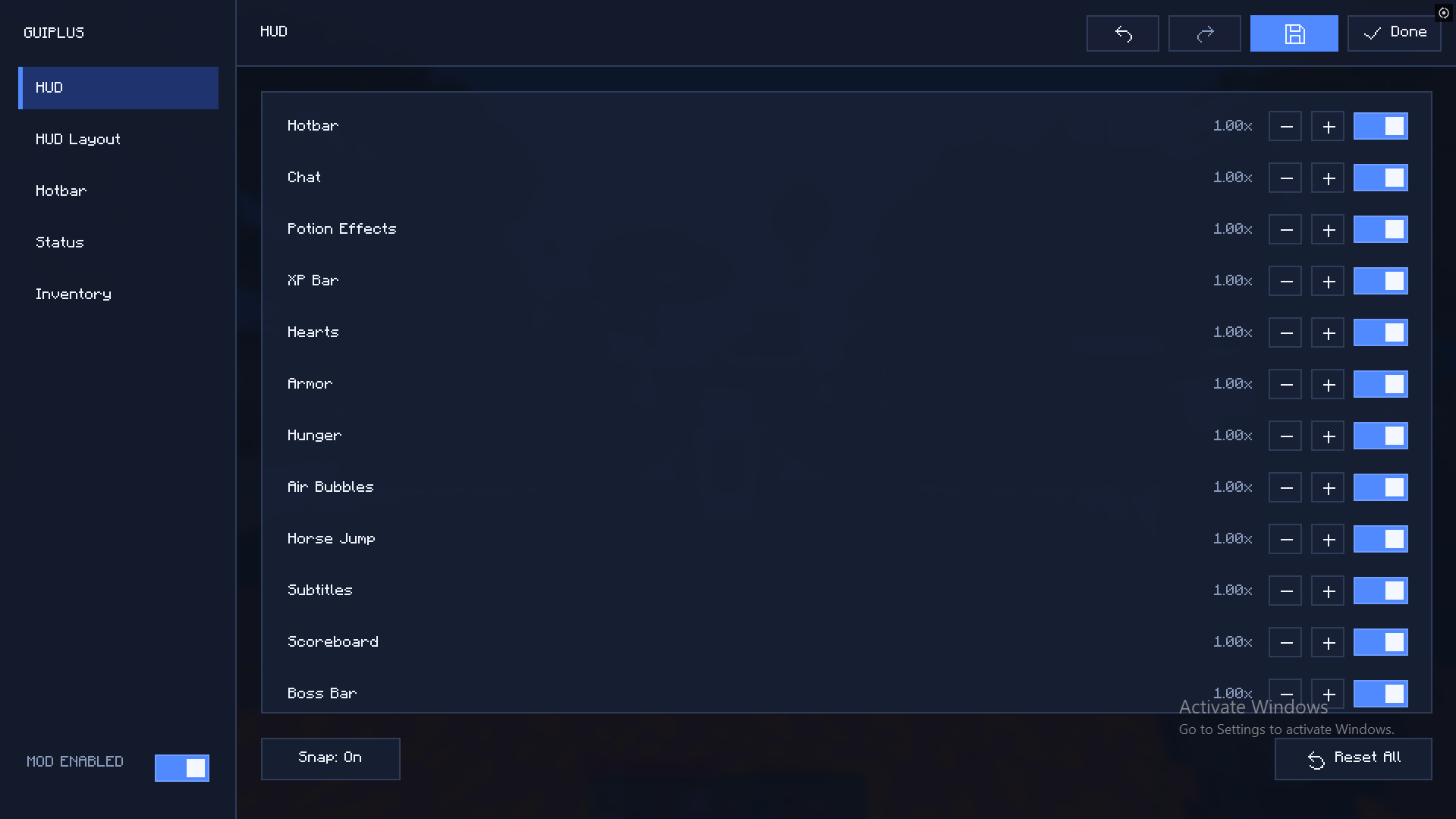 Gui+ 🖥️✨
 -
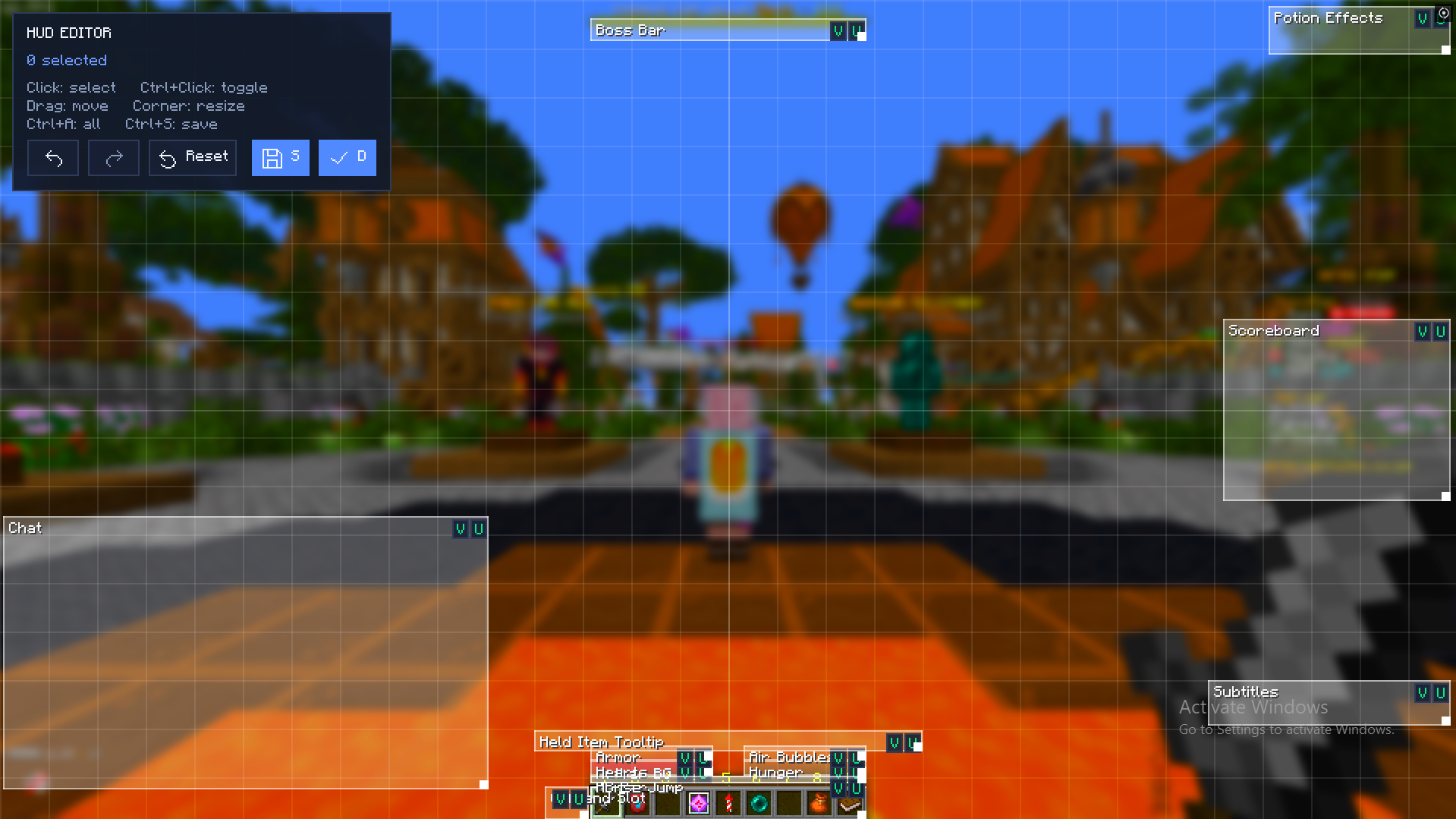 hud edtior🔥💔
 -
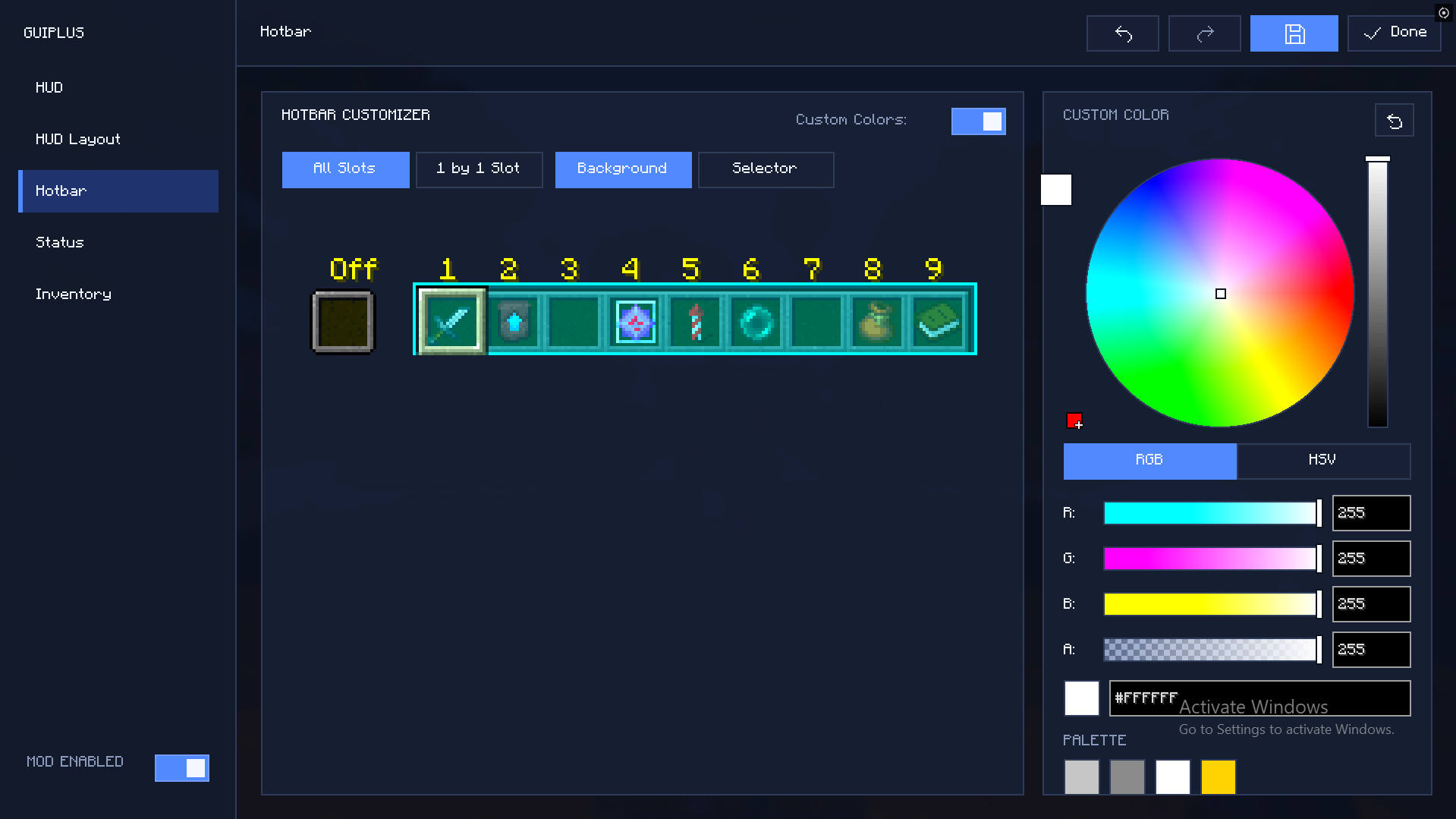 hotbar customisation🎥🌟
 -
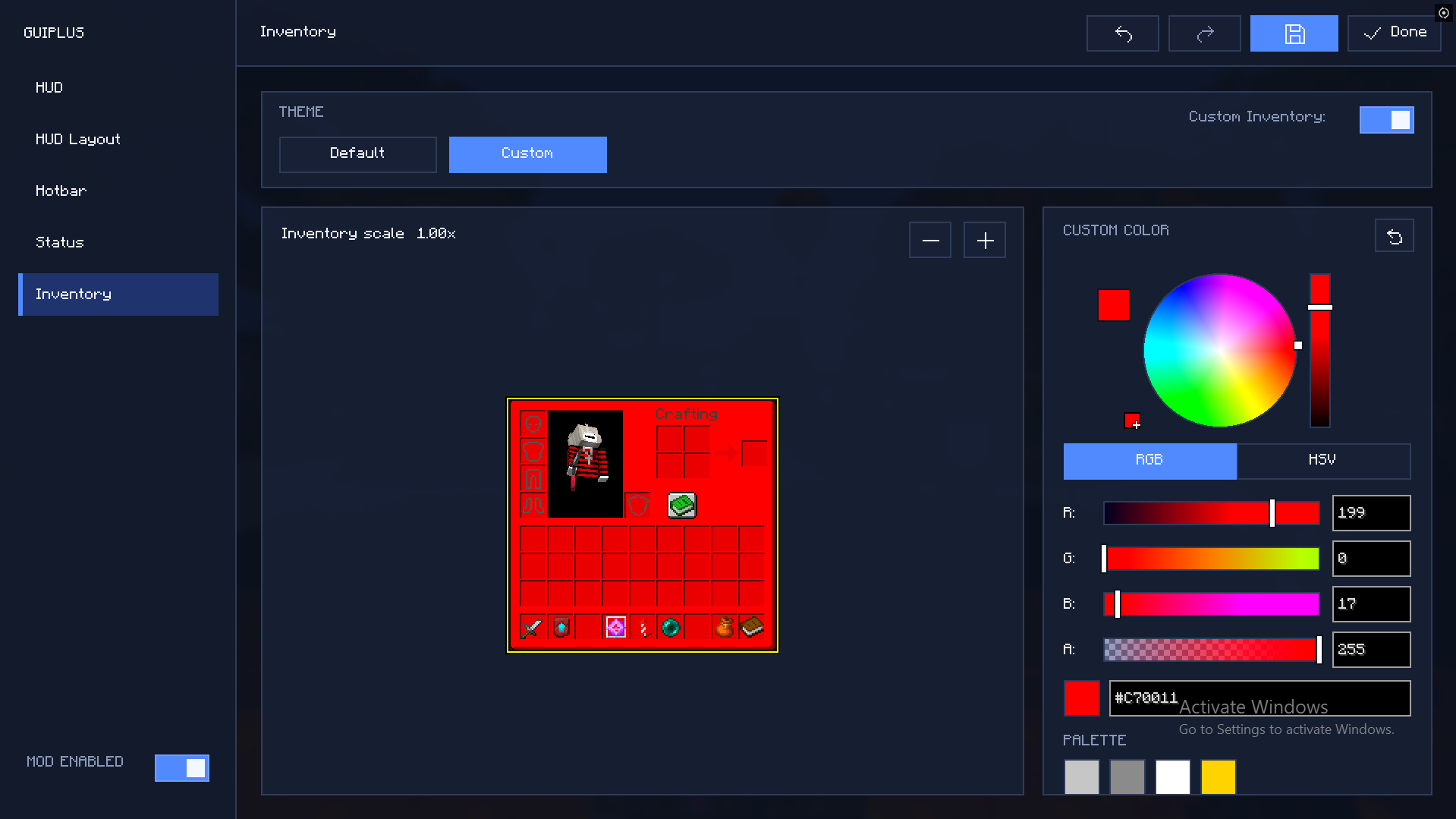 Inventory❤️🤑
 -
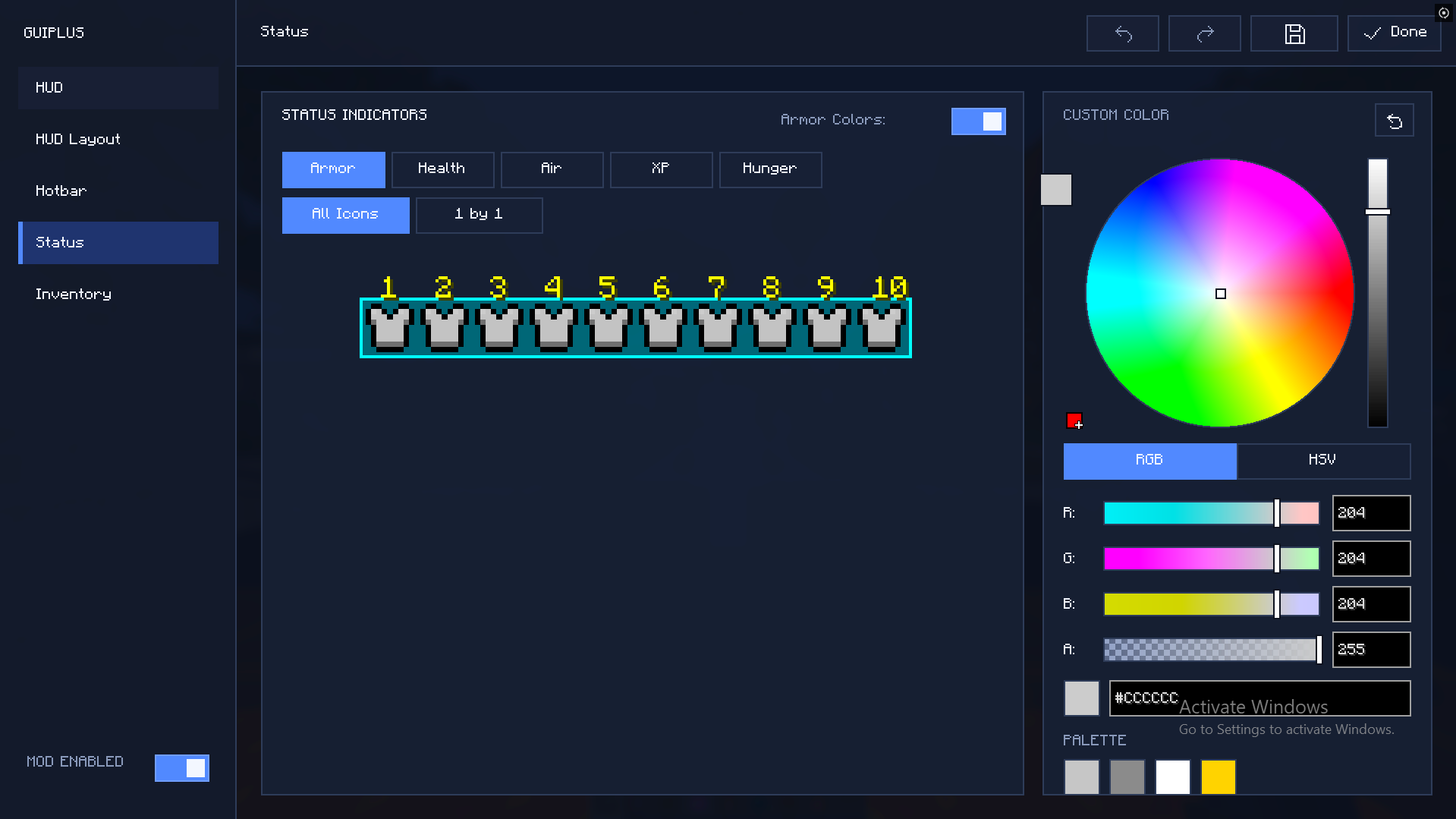 Status😍🤑
Versions
Files
Relations
Project Relations
More like this
Similar Mods
Suggestions use data such as tags, dependencies, dependents, descriptions, titles, and more to rank how much they overlap with this mod.
On ModDex
Community snapshot
By the numbers
Statistics

Want to reach Minecraft players?
We're looking for a server hosting partner to feature here and other parts of the site. Interested? Send us a message!
Get in touchGet it on
Available Platforms
On ModDex
Community snapshot
By the numbers
Statistics
Resources