
Community listing page, reviews here may not be monitored by the author.
HarmonyLinkMC

No reviews yet
This mod integrates the HarmonyLink API into Minecraft, providing an enhanced gaming experience on handheld devices, including the Steam Deck.
Community voices
Reviews
No reviews yet. Be the first to review this project!
Get it on
Available Platforms
Compatibility
Supported Environments
Runs entirely on the client. Works on vanilla servers.
About
Project Details
For authors
Embed Badge
If you're the author of this project, you can embed a live badge anywhere that supports HTML or Markdown. It updates automatically whenever ratings change.
Use HTML for any page that supports it, or Markdown for README files and Markdown-based descriptions.
Identifiers
Platform IDs
About
Description
Welcome to the HarmonyLink Minecraft Mod! This mod provides an enhanced gaming experience on handheld devices, including the Steam Deck, by allowing you to adapt your game settings based on power and docking status, creating a tailored experience that suits your preferences and device capabilities.
Watch a YouTube video of it in action here 👇

Getting Started
To get started with the HarmonyLink Minecraft Mod, follow these steps:
- Install Minecraft Forge / Fabric: Make sure you have Minecraft Forge or Fabric installed on your device.
- Download HarmonyLink Mod: Download the latest version of the HarmonyLink Minecraft Mod.
- Install HarmonyLink Mod: Place the downloaded mod file into the "mods" folder in your Minecraft directory.
- Download and Install HarmonyLinkServer: Download the HarmonyLinkServer installer by clicking here. After the download is complete, locate the downloaded file (harmonylink_installer.desktop) and double-click it to run the installer. Follow the provided instructions to complete the installation of HarmonyLinkServer.
- Launch Minecraft: Start Minecraft with the HarmonyLink Mod installed.
- Enjoy the Enhanced Experience: You're all set! Enjoy a more personalized Minecraft gaming experience with adaptive gameplay settings provided by HarmonyLink.
⚠️ Note: The HarmonyLink Minecraft Mod requires HarmonyLinkServer to be running in order to function properly. Make sure HarmonyLinkServer is running before launching Minecraft with the HarmonyLink Mod installed.
Download HarmonyLinkServer:

Frequently Asked Questions (FAQ)
Does this work in gamemode?
A: yes
Does this work with other devices like laptops?
A: yes, HarmonyLinkMC will work on any device.
Will this mod work with other optimisation mods like sodium?
A: yes
Why does this need HarmonyLinkServer?
A: See the FAQ section in HarmonyLinkServer.
Contributing
We welcome contributions from the Minecraft and programming community to further improve the HarmonyLink Minecraft Mod. If you have any suggestions, bug reports, or feature requests, please open an issue in the GitHub repository.
License
The HarmonyLink Minecraft Mod is released under the MIT License. Feel free to fork, modify, and distribute the mod according to the terms of the license.
Contact
If you have any further questions or inquiries regarding the HarmonyLink Minecraft Mod, please contact me at [email protected].
Happy gaming and enjoy the optimized Minecraft experience with HarmonyLink!
Screenshots
Gallery
-
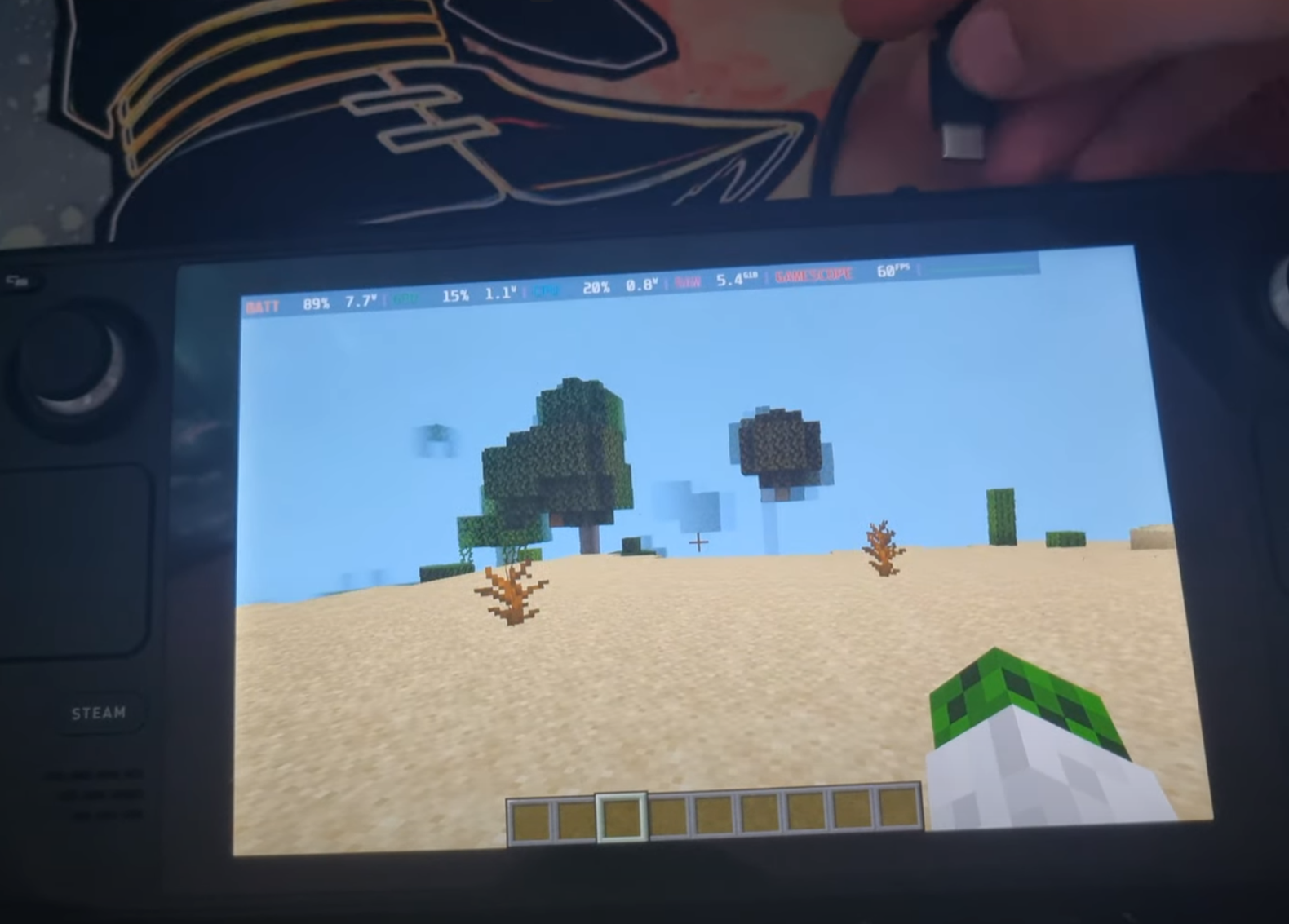 HarmonyLinkMC Battery mode
 -
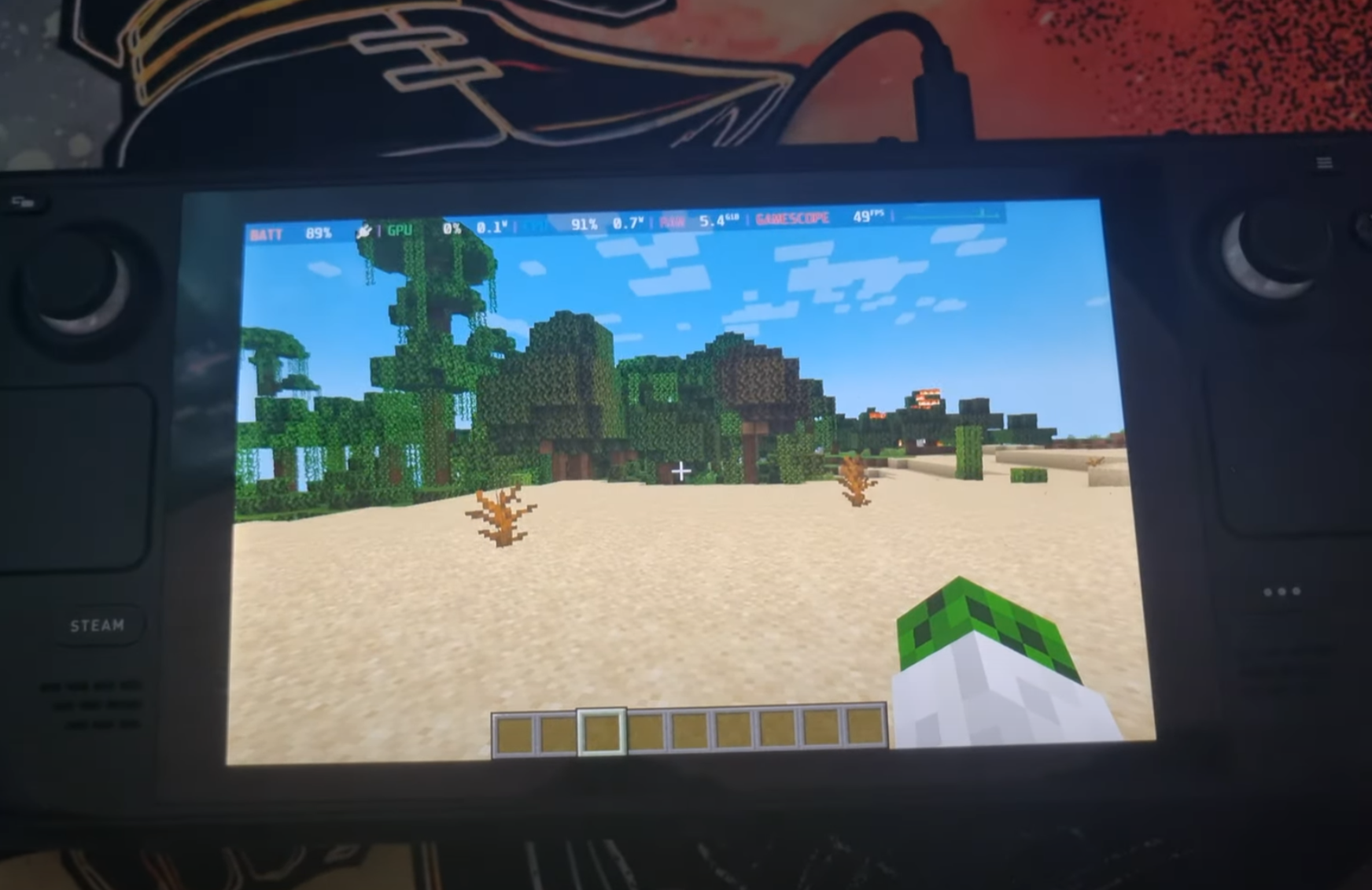 HarmonyLinkMC Charging mode
 -
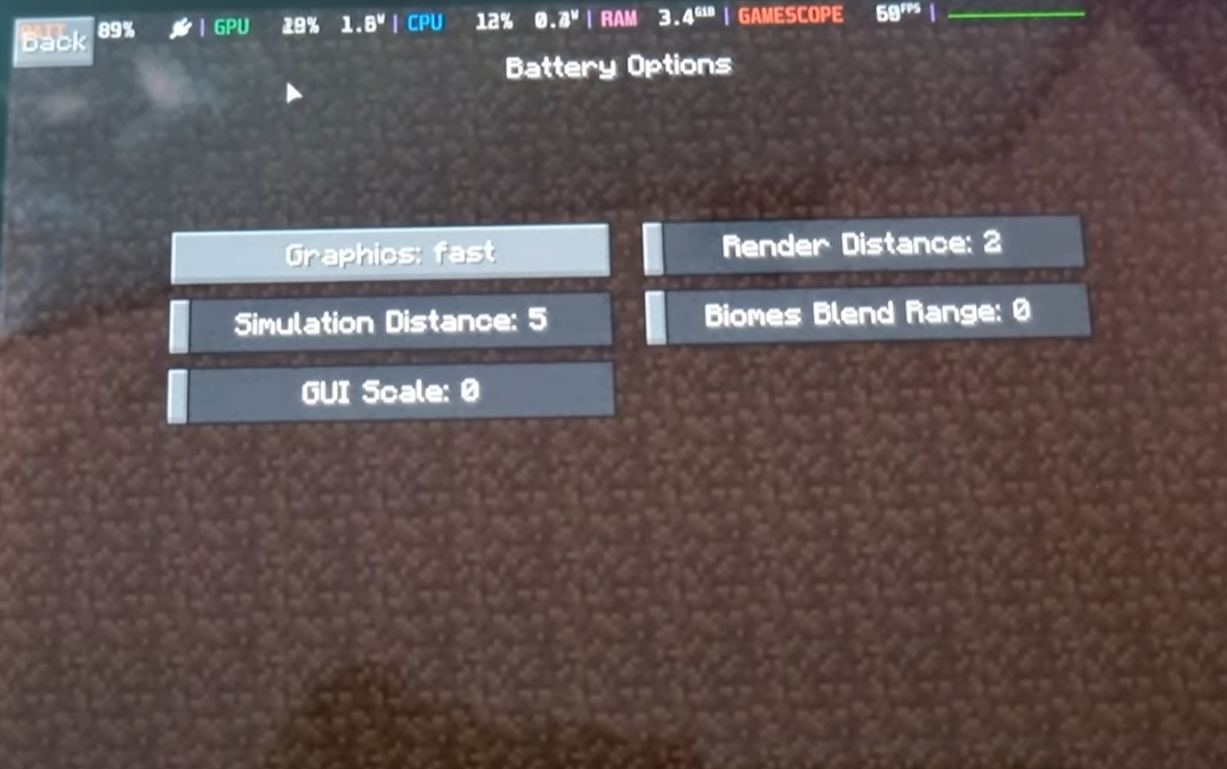 HarmonyLinkMC Battery Options
Versions
Files
Relations
Project Relations
More like this
Similar Mods
Suggestions use data such as tags, dependencies, dependents, descriptions, titles, and more to rank how much they overlap with this mod.
On ModDex
Community snapshot
By the numbers
Statistics

Want to reach Minecraft players?
We're looking for a server hosting partner to feature here and other parts of the site. Interested? Send us a message!
Get in touchGet it on
Available Platforms
On ModDex
Community snapshot
By the numbers