Community listing page, reviews here may not be monitored by the author.


Community voices
Reviews
No reviews yet. Be the first to review this project!
Get it on
Available Platforms
Compatibility
Supported Environments
Must be installed on both the client and the server.
About
Project Details
For authors
Embed Badge
If you're the author of this project, you can embed a live badge anywhere that supports HTML or Markdown. It updates automatically whenever ratings change.
Use HTML for any page that supports it, or Markdown for README files and Markdown-based descriptions.
Identifiers
Platform IDs
Resources
External Links
About
Description
Block Shapeshifter
Block Shapeshifter lets you transform into almost any block in Minecraft!
Use the transformation menu to choose a block, or use the special Shapeshifter Wand to copy a block directly from the world. This mod is great for hiding, roleplaying, trolling friends, making minigames, or blending into builds.
How to Use
-
Press H to open the transformation GUI.
-
Select a block to transform into it.
-
Get the Shapeshifter Wand.
-
Right-click any block with the wand to instantly transform into that block.
Features
-
Transform into almost any Minecraft block
-
Easy-to-use transformation GUI
-
Open the GUI by pressing H
-
Shapeshifter Wand for quick transformations
-
Right-click blocks to copy their appearance
-
Great for hide-and-seek and multiplayer
-
Useful for roleplaying and custom minigames
Become part of the world, hide in plain sight, and surprise your friends!
Made by ItsHern
HernsShapeshifter
Turn into almost any Minecraft block!
How to use:
1. Press H to open the block menu. 2. Choose a block to transform. 3. Select player form in the menu to turn back. 4. Press L while standing on the ground to lock yourself to the block grid. Press L again to unlock.
ShapeShifter Wand:
Click “Get Wand” in the block menu. Hold the wand and right-click any block to become it instantly.
Features:
- Mobs ignore you while you are a block. - Your hitbox matches the block. - Blocks use biome colors and world lighting. - Special blocks such as water, lava, fire, cactus, and magma have matching effects. - Your health, inventory, armor, and abilities stay unchanged.
Requirements:
Requires Minecraft 1.21.11, Fabric Loader, and Fabric API.
For multiplayer, the mod must be installed on both the server and every player’s computer.
Screenshots
Gallery
-
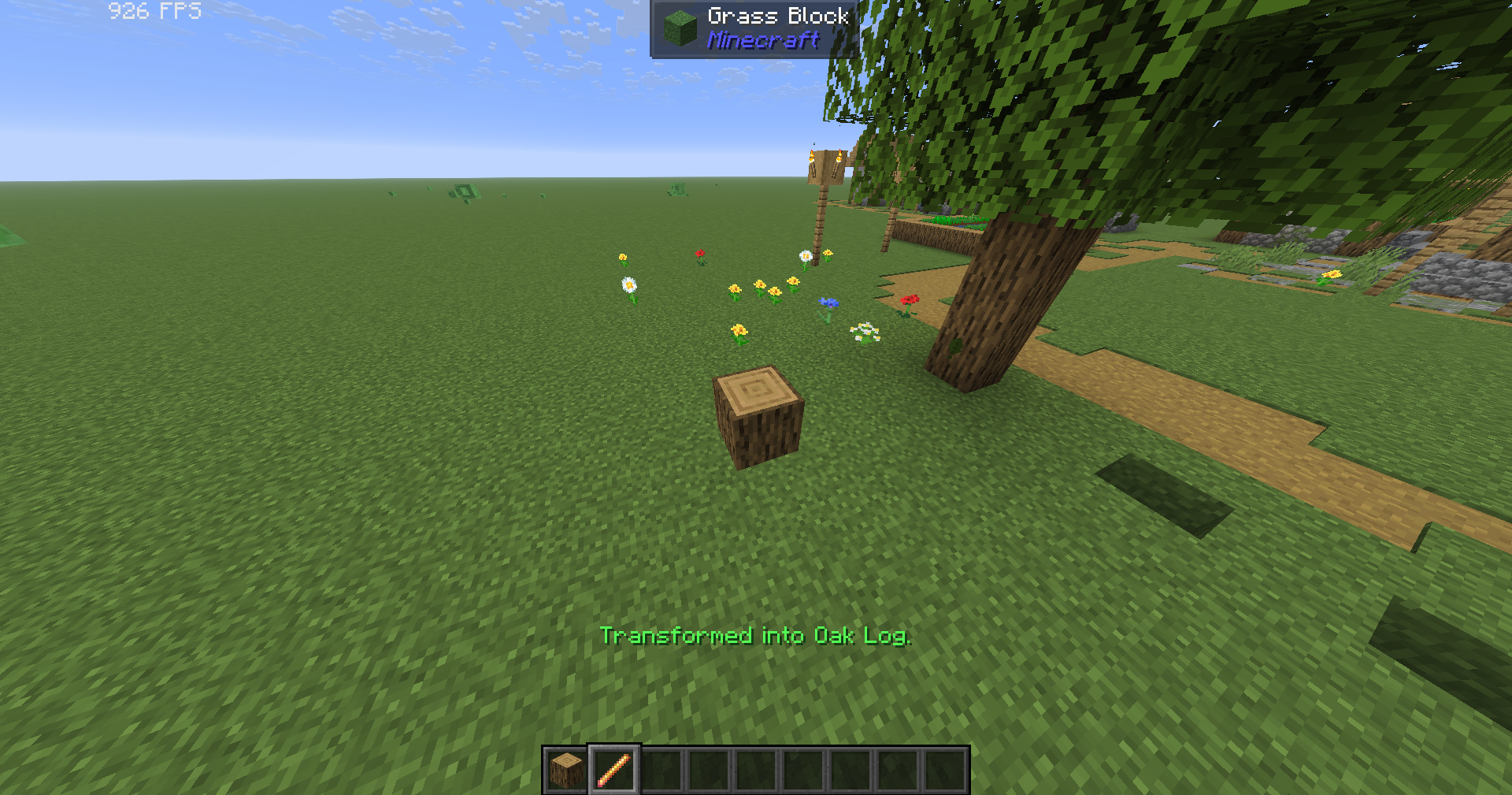 Transforming Into a Log You can transform into any block
Versions
Files
Relations
Project Relations
More like this
Similar Mods
Suggestions use data such as tags, dependencies, dependents, descriptions, titles, and more to rank how much they overlap with this mod.
On ModDex
Community snapshot
By the numbers
Statistics
Want to reach Minecraft players?
We're looking for a server hosting partner to feature here and other parts of the site. Interested? Send us a message!
Get in touchGet it on
Available Platforms
On ModDex
Community snapshot
By the numbers
Statistics
Resources