
Hex SBM
No reviews yet
A radial menu for navigating Hexcasting spellbook pages. Inspired by Hex Gloop.
Centers around fantasy elements such as spells, rituals, and magical energies, often involving personal empowerment and magical automation.
Fabric is a mod loader for versions 1.14+ of Minecraft, particularly popular for client side and optimization mods.
Community voices
Reviews
Click once to include, again to exclude, again to clear
No reviews yet. Be the first to review this project!
Get it on
Available Platforms
 Modrinth
Compatibility
Supported Environments
About
Project Details
For authors
Embed Badge
If you're the author of this project, you can embed a live badge anywhere that supports HTML or Markdown. It updates automatically whenever ratings change.
Use HTML for any page that supports it, or Markdown for README files and Markdown-based descriptions.
Identifiers
Platform IDs
About
Description
HexSBM
Adds a radial menu for navigating pages in the Hexcasting spellbook.
Instead of scrolling through up to 64 pages with a mouse wheel, you get a clean circular interface:
- Inner ring: 8 page groups
- Outer ring: 8 pages per group (64 total)
- Select any page with a single click
- Optional icons: assign custom icons to pages or groups for quick visual recognition
Controls
- Hold the spellbook in your off-hand and press V to open the menu
- Left-click on a page to confirm selection
- Right-click on a page or a group (inner ring) to assign the currently selected hotbar item as its icon
- Scroll the mouse wheel while the menu is open to change hotbar slots (requires the spellbook to be in your off-hand)
- Press Esc to close
- Open configuration panel by moving your cursor to the right side of the screen while in radial menu
Requirements
Localization
- Special thanks to ChuijkYahus for the Chinese localization
- Special thanks to Gotyx for the English localization
Found a bug or UI feels unintuitive? Please tell me.
I’m open to suggestions, complaints, and feature requests — don’t just uninstall and forget. If something bothers you, there’s a good chance it can be fixed or improved.
- Report issues on GitHub
- Or DM me on Discord (if I’ve fallen into an eternal sleep).
Works on both client and server.
Screenshots
Gallery
-
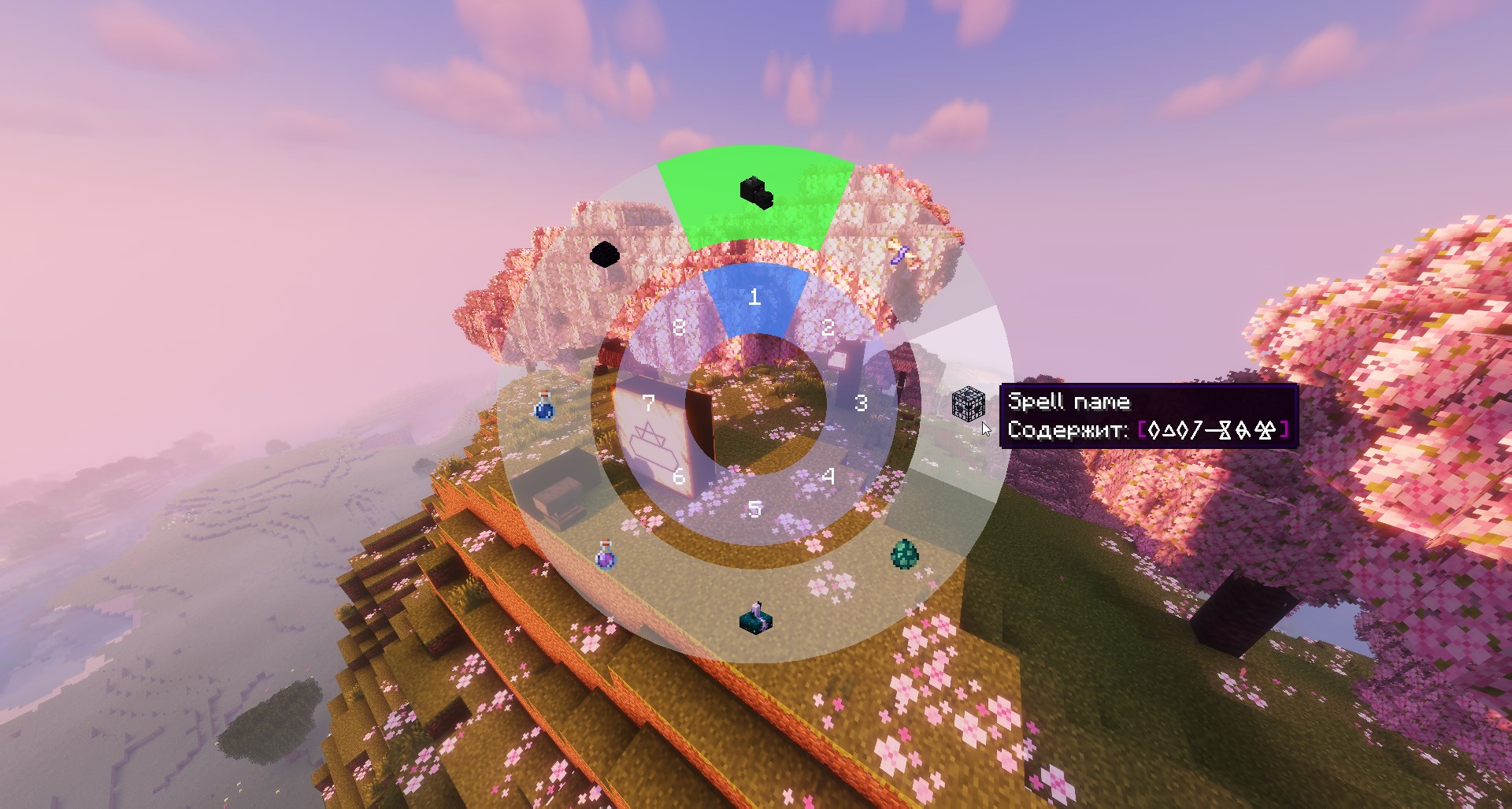 Spellbook Menu - improvement Added support for custom icons on spellbook buttons (v0.0.2)
 -
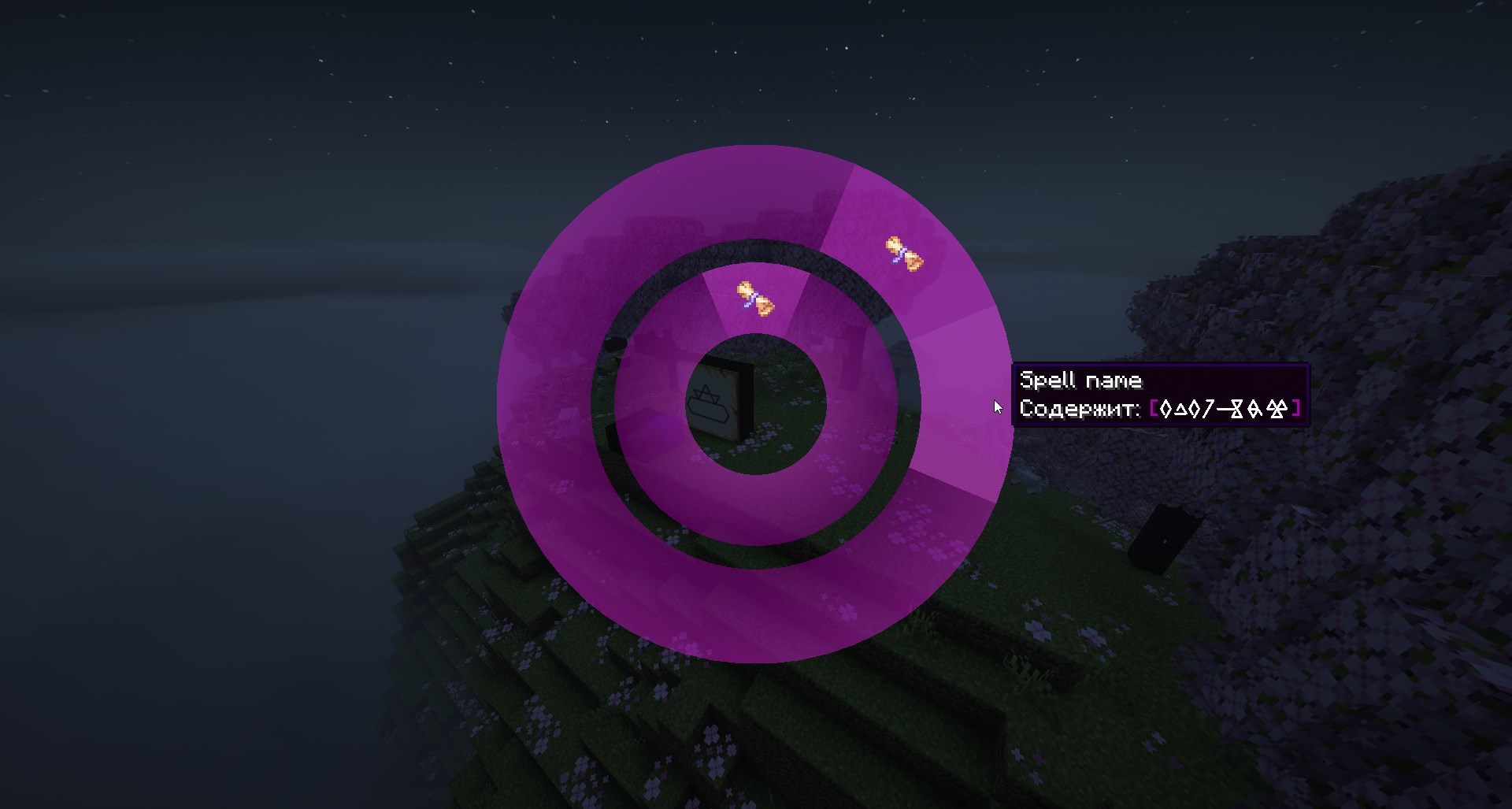 Spellbook Menu Interface color is now derived from the current pigment.
 -
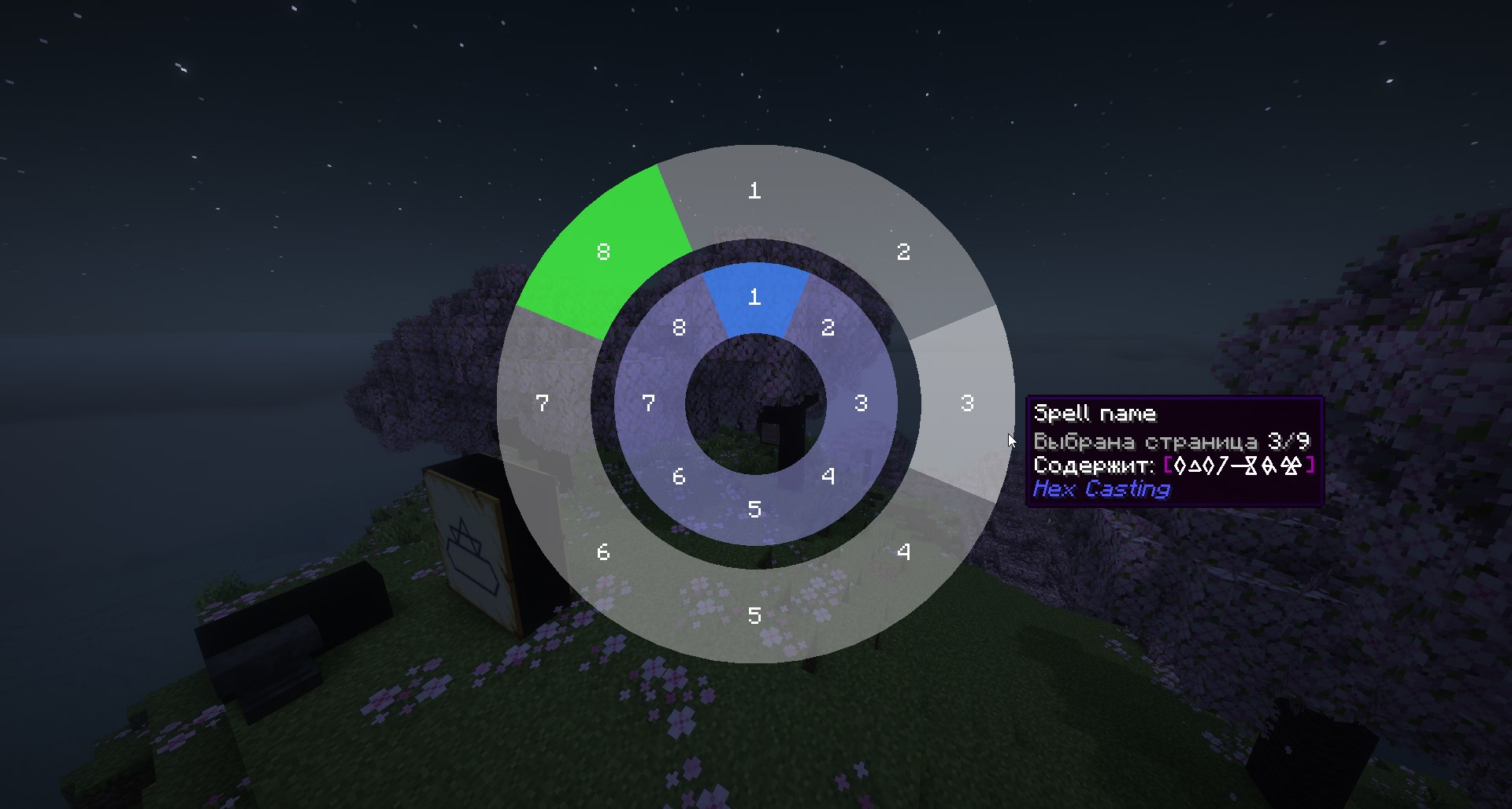 Spellbook Menu Interface
Versions
Files
Relations
Project Relations
More like this
Similar Mods
Suggestions use data such as tags, dependencies, dependents, descriptions, titles, and more to rank how much they overlap with this mod.
On ModDex
Community snapshot
By the numbers
Statistics

Want to reach Minecraft players?
We're looking for a server hosting partner to feature here and other parts of the site. Interested? Send us a message!
Get in touchGet it on
Available Platforms
On ModDex
Community snapshot
By the numbers