Community listing page, reviews may not be monitored by the author.
Hide Models


No reviews yet
Client-side mod hides model pieces from rendering

Community voices
Reviews
No reviews yet. Be the first to review this project!
Get it on
Available Platforms
Compatibility
Supported Environments
Runs entirely on the client. Works on vanilla servers.
About
Project Details
For authors
Embed Badge
If you're the author of this project, you can embed a live badge anywhere that supports HTML or Markdown. It updates automatically whenever ratings change.
Use HTML for any page that supports it, or Markdown for README files and Markdown-based descriptions.
Identifiers
Platform IDs
Resources
External Links
About
Description
Got a suggestion, comment or complaint? Leave your message on GitHub!
💬 GitHub comment section here!


Open the GUI using /hidemodels or bind a key through Minecraft's Options
Showcase

Click a model to hide it, and click it again to bring it back.
Or hide just one of its bones, such as a mount's head.
Profiles keep sets of hidden models to switch between, share, or tie to a server.

See-through instead of hidden, with each profile's Opacity slider.


Fade with distance: Far fades models out as you back away, Near as you walk up to them.

First person only: hidden while you look through your own eyes, back in third person.
Shift + Keybind switches hiding off and on.
Description
Anything that renders a model as an item_display entity, or an armor stand wearing it on its head, carrying item_model or custom_model_data can be hidden or drawn see-through. You can set a list of different model names that should not be rendered - they will still retain their hitbox and interactivity.
Open the GUI using /hidemodels or bind a key through Minecraft's Options.
To quickly toggle hiding on/off: Shift + Keybind.
Feature list
- Custom GUI
- Nearby model list including recently seen
- Model Root (full) or Bone selector
- Sharable per-server profiles
- See-through profiles with their own opacity, optionally fading with distance
- First/Third person toggle
- Servers can disable the mod
Got a suggestion, comment or complaint? Leave your message on GitHub!
💬 GitHub comment section here!
Open the GUI using /hidemodels or bind a key through Minecraft's Options
Showcase
Click a model to hide it, and click it again to bring it back.
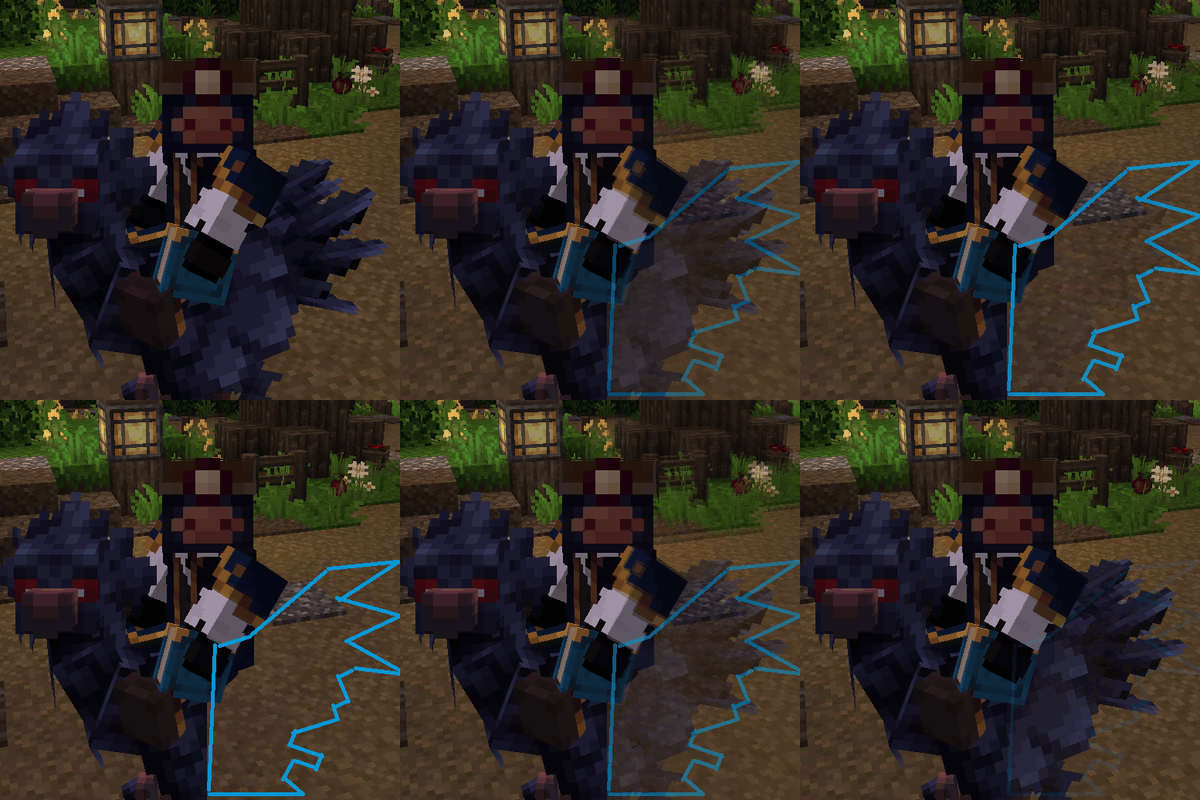
Or hide just one of its bones, such as a mount's head.
Profiles keep sets of hidden models to switch between, share, or tie to a server.
See-through instead of hidden, with each profile's Opacity slider.
Fade with distance: Far fades models out as you back away, Near as you walk up to them.
First person only: hidden while you look through your own eyes, back in third person.
Shift + Keybind switches hiding off and on.
Description
Anything that renders a model as an item_display entity, or an armor stand wearing it on its head, carrying item_model or custom_model_data can be hidden or drawn see-through. You can set a list of different model names that should not be rendered - they will still retain their hitbox and interactivity.
Open the GUI using /hidemodels or bind a key through Minecraft's Options.
To quickly toggle hiding on/off: Shift + Keybind.
Feature list
- Custom GUI
- Nearby model list including recently seen
- Model Root (full) or Bone selector
- Sharable per-server profiles
- See-through profiles with their own opacity, optionally fading with distance
- First/Third person toggle
- Servers can disable the mod
Screenshots
Gallery
-
 Mount's head blocking the view
 -
 Mount's head no longer visible
 -
 Mount's head still visible in third-person
 -
 Mount's model visible Boo! I can't see well in first-person :(
 -
 Mount's model hidden Yay to first-person view!
Versions
Files
Relations
Project Relations
More like this
Similar Mods
Suggestions use data such as tags, dependencies, dependents, descriptions, titles, and more to rank how much they overlap with this mod.
On ModDex
Community snapshot
By the numbers
Statistics

Get it on
Available Platforms
On ModDex
Community snapshot
By the numbers
Statistics
Resources