
Community listing page, reviews here may not be monitored by the author.
HideChat

No reviews yet
Hide and show your chat instantly with a keybind — a clean, client-side Fabric mod with a quick green/red flash to confirm each toggle. Messages keep arriving in the background, so nothing is lost.
Community voices
Reviews
No reviews yet. Be the first to review this project!
Get it on
Available Platforms
Compatibility
Supported Environments
Runs entirely on the client. Works on vanilla servers.
About
Project Details
For authors
Embed Badge
If you're the author of this project, you can embed a live badge anywhere that supports HTML or Markdown. It updates automatically whenever ratings change.
Use HTML for any page that supports it, or Markdown for README files and Markdown-based descriptions.
Identifiers
Platform IDs
Resources
External Links
About
Description
Chat Toggle
A lightweight, client-side Fabric mod that hides and shows your chat with a single keypress — with a clean visual confirmation each time.
What it does
- Press a key (default H, under Controls → Multiplayer) to toggle the chat overlay on or off.
- Hiding is purely visual: messages still arrive and stack up in the background — nothing is dropped, and your vanilla chat settings are untouched.
- You can still open chat to type or run commands while it's hidden; you just won't see the history.
- Each toggle plays a quick 350 ms bar at the chat line: green when chat is shown, red when hidden. It always plays — even with no messages on screen.
Why
Sometimes chat gets in the way — screenshots, cinematic shots, PvP, or just a cleaner HUD. chat toggle gives you an instant, reversible way to clear it without digging through options or losing messages.
Details
- Client-side only — works on any server, nothing needed server-side.
- No config files, no extra menus. Install and bind a key.
- Tiny footprint.
Requirements
- Minecraft 26.2
- Fabric Loader 0.19.3+
- Fabric API
Install
- Install Fabric for 26.2.
- Put Fabric API and chat toggle in your
modsfolder. - Launch, then bind Toggle Chat under Options → Controls → Multiplayer (defaults to H).
Screenshots
Gallery
-
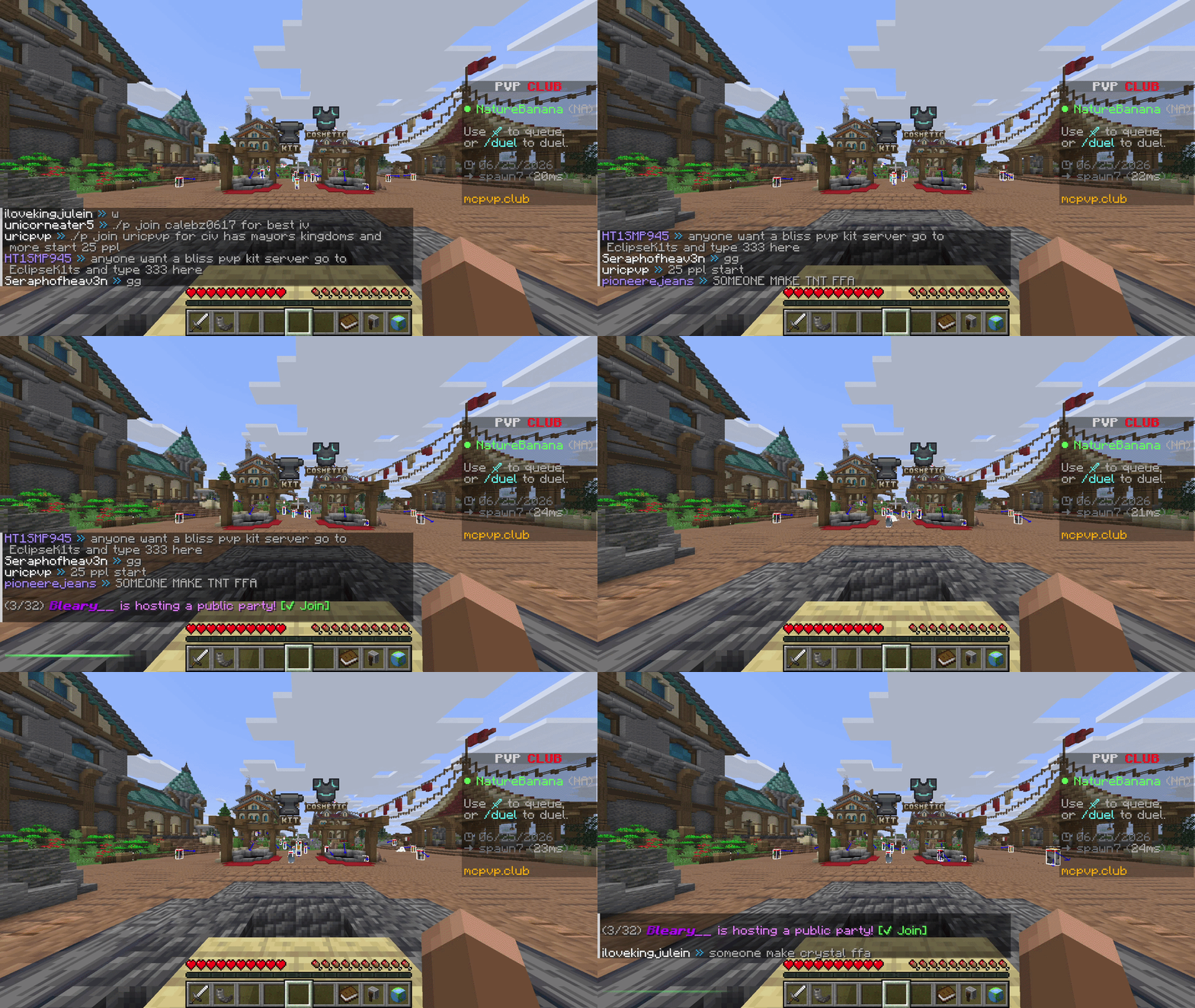 Toggle chat in one keypress Press H to hide the chat overlay — a quick red bar confirms it's off. Press again and a green wipe brings it back. Messages keep arriving in the background the whole time.
 -
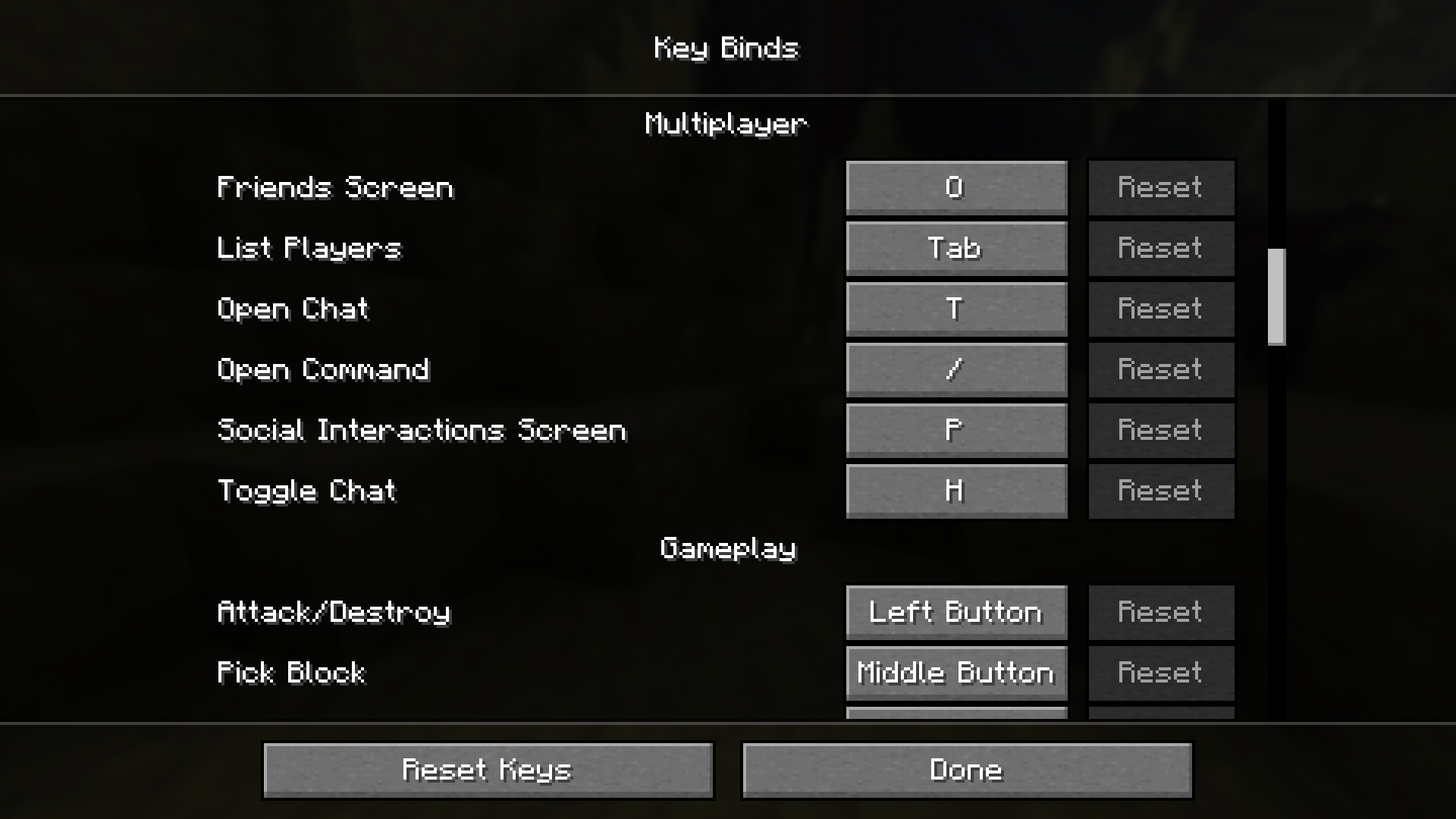 Bind it your way Found under Controls → Multiplayer as "Toggle Chat," defaulting to H. Rebind to anything you like.
Versions
Files
Relations
Project Relations
More like this
Similar Mods
Suggestions use data such as tags, dependencies, dependents, descriptions, titles, and more to rank how much they overlap with this mod.
On ModDex
Community snapshot
By the numbers
Statistics

Want to reach Minecraft players?
We're looking for a server hosting partner to feature here and other parts of the site. Interested? Send us a message!
Get in touchGet it on
Available Platforms
On ModDex
Community snapshot
By the numbers
Statistics
Resources