
Community listing page, reviews may not be monitored by the author.
Hoarding


No reviews yet
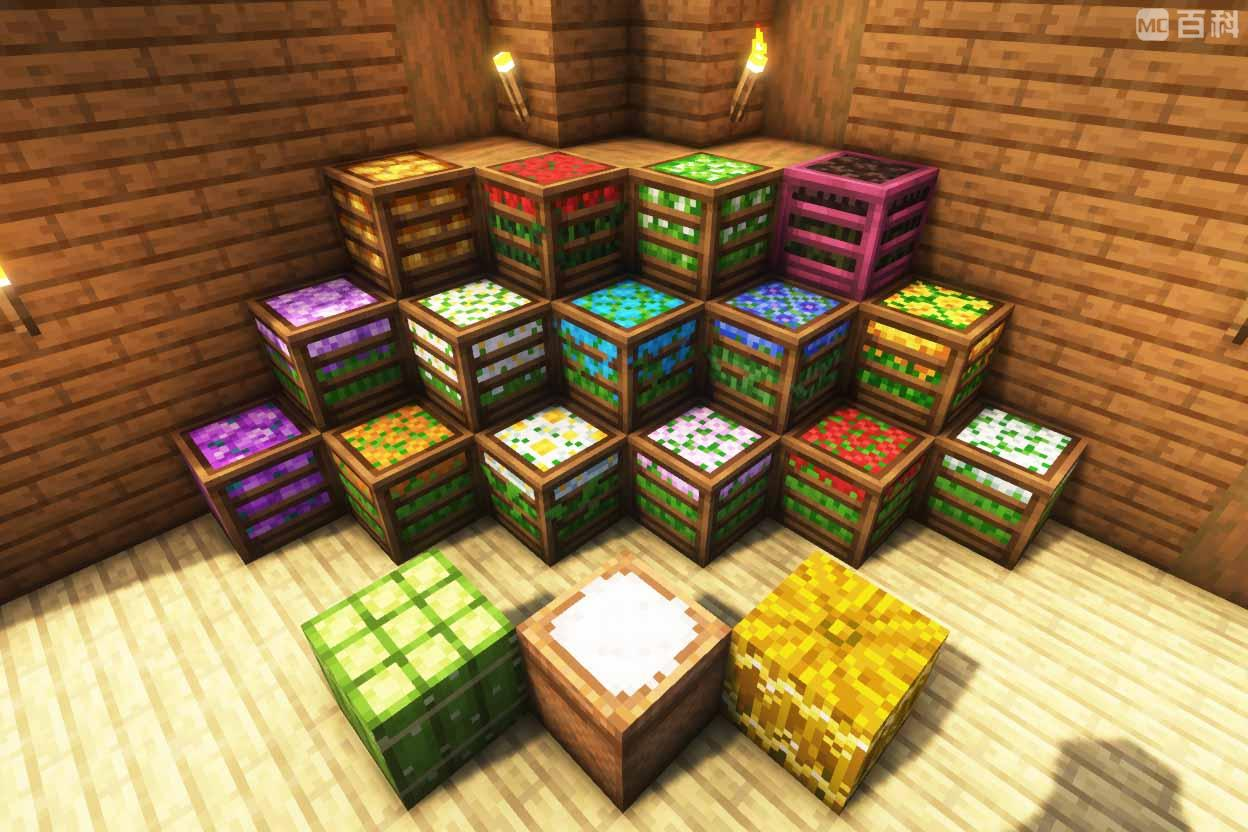
This mod adds some crops and flower blocks

Community voices
Reviews
No reviews yet. Be the first to review this project!
Get it on
Available Platforms
Compatibility
Supported Environments
Must be installed on both the client and the server.
About
Project Details
For authors
Embed Badge
If you're the author of this project, you can embed a live badge anywhere that supports HTML or Markdown. It updates automatically whenever ratings change.
Use HTML for any page that supports it, or Markdown for README files and Markdown-based descriptions.
Identifiers
Platform IDs
About
Description
Hoarding
Inspiration
This mod is inspired by the storage block systems from the following mods:
Features
- Supports most crops, plants, and loot
- Craft 1 storage block from 9 items
- Both practical and decorative
- Compatible with Minecraft Forge 1.20.1
Supported Resources
Vanilla Resources: Various crops, flowers, mushrooms, and loot
Mod Resources:
- Ars Nouveau - Mage Bloom, Source Berries
- Botania - 16 colored Petals
- More mods coming soon…
Installation
- Download the latest version from CurseForge or Modrinth
- Install Minecraft Forge 1.20.1
- Place the .jar file into the
modsfolder in your Minecraft directory - Launch Minecraft with the Forge 1.20.1 profile
Usage
Craft storage blocks using 9 of the same item in a crafting table. Place them as building blocks, and break them to retrieve the original items.
Feedback
If you encounter any issues or have suggestions, please leave feedback on GitHub Issues or the mod page.
Overview
This mod introduces a new way to store crops and flowers in Minecraft, inspired by the storage blocks from Farmer's Delight and Quark. It adds block forms for various crops and flowers, allowing players to efficiently store and manage their resources.
Features
- Crop and Flower Storage Blocks: Convert your crops and flowers into storage blocks, saving space and adding a decorative touch to your builds.
Supported Crops and Flowers:
Crops:
Red Mushrooms, Brown Mushrooms, Crimson Fungus, Warped Fungus, Cacti, Glistering Melon, Pumpkins (slice), Cotton (from another mod), Mana Bloom (from the Ars Nouveau mod),
Flowers:
Dandelion, Poppy, Blue Orchid, Allium, Azure Bluet, Red Tulip, Orange Tulip, White Tulip, Pink Tulip, Oxeye Daisy, Sunflower, Lilac, Rose Bush, Peony, Lily of the Valley, Cornflower, Wither Rose,
Additional Mods:
Future Plans:
We plan to add support for more crops from other mods in future updates.
Installation
- Download the Mod: Download the latest version of Plant Storage Blocks from Modrinth.
- Install Forge: Ensure you have Minecraft Forge 1.20.1 installed.
- Place the Mod File: Place the downloaded .jar file into the mods folder in your Minecraft directory.
- Launch Minecraft: Start Minecraft with the Forge 1.20.1 profile.
Usage
- Creating Storage Blocks: Use a crafting table to convert supported crops and flowers into their respective storage blocks.
- Using Storage Blocks: Place the storage blocks in your world. You can break them to retrieve the original items or use an interface to access the stored items directly.
- Decorative Use: These storage blocks can also be used for decoration, adding a unique aesthetic to your builds.
Feedback and Support
If you encounter any issues or have suggestions, please report them on our GitHub page or through the Modrinth page. Your feedback is valuable and helps us improve the mod.
Screenshots
Gallery
Versions
Files
Relations
Project Relations
More like this
Similar Mods
Suggestions use data such as tags, dependencies, dependents, descriptions, titles, and more to rank how much they overlap with this mod.
On ModDex
Community snapshot
By the numbers
Statistics
 (opens in a new tab)
Get it on
Available Platforms
On ModDex
Community snapshot
By the numbers