Community listing page, reviews here may not be monitored by the author.
House Details

No reviews yet
House Details is a lightweight Forge and NeoForge mod that adds paintable architectural details such as baseboards, crown molding, casing, wainscoting, curtains, blinds, and shutters to make Minecraft homes feel complete.
Community voices
Reviews
No reviews yet. Be the first to review this project!
Get it on
Available Platforms
About
Project Details
For authors
Embed Badge
If you're the author of this project, you can embed a live badge anywhere that supports HTML or Markdown. It updates automatically whenever ratings change.
Use HTML for any page that supports it, or Markdown for README files and Markdown-based descriptions.
Identifiers
Platform IDs
Resources
External Links
About
Description
House Details
House Details is a lightweight building and decoration mod available for **Minecraft 1.20.1 and 1.21.1**. It supports **Forge 1.20.1**, plus **Forge, NeoForge, and Fabric 1.21.1**. It adds the architectural finishing touches missing from many Minecraft homes without filling the registry with hundreds of nearly identical material variants.
Add baseboards along the floor, crown molding around the ceiling, detailed casing around doors and windows, configurable window treatments, decorative wall panels, and more. Compatible decorations can share the same block space, allowing detailed interiors without sacrificing usable room space.
Instead of adding a separate item for every wood type and color, House Details uses a flexible painting system. Choose a vanilla wood appearance or custom color, configure its finish and coverage, and apply it directly to supported decorations.
Architectural trim
Finish rooms with a variety of thin architectural details:
- Regular and fancy baseboards
- Baseboard outside corners
- Regular and fancy crown molding
- Crown outside corners
- Regular and fancy horizontal casing
- Regular and fancy vertical casing
- Regular and fancy casing corners
- Window sills
- Chair rails
- Picture rails
Casing can be used around windows and ordinary Minecraft doors.
Shared-space placement
Compatible decorations can occupy the same Minecraft block space. This lets you combine details such as:
- Baseboards and vertical casing
- Crown molding and casing
- Multiple casing pieces around closely spaced openings
- Window sills and baseboards
- Curtains, rods, blinds, shutters, and casing
- Multiple pieces meeting in architectural corners
The shared-space system supports detailed combinations without registering a separate block for every possible arrangement.
Wainscoting and wall panels
Add decorative wall paneling in several styles:
- Raised wainscoting
- Recessed wainscoting
- Full-block raised panels
- Full-block recessed panels
- Wainscoting outside corners
- Chair rails and picture rails for finishing panel layouts
Curtains and window treatments
Decorate windows with configurable pieces:
- Long and short curtains
- Open and closed curtains
- Left and right curtain panels
- Curtain tiebacks
- Curtain valances and valance corners
- Curtain rods
- Window blinds
- Window shutters
Curtains, blinds, shutters, and rods support multiple paint zones, allowing different parts of a model to use different colors or materials.
Paintable building blocks
House Details includes paintable versions of familiar wooden building blocks:
- Planks
- Slabs
- Stairs
- Logs and stripped logs
- Wood and stripped wood
- Fences
- Fence gates
- Trapdoors
These blocks retain their familiar shapes and placement behavior while supporting the House Details appearance system.
Painter's Brush
The Painter's Brush changes supported decorations and paintable blocks without consuming materials. Hold the brush and press **R** to open its menu.
Painting options include:
- Vanilla wood appearances
- Preset paint colors
- Custom RGB colors
- Saved favorite and recent colors
- Paint coverage
- Matte, satin, glossy, and emissive finishes
- Primary, accent, and detail paint zones
- Fabric patterns for compatible decorations
Because painting is free, you can experiment with a room's color scheme without repeatedly collecting or crafting replacement materials. Some models allow their main body, accents, and small details to be painted independently.
Detail Wrench
The Detail Wrench provides additional control over placed decorations. Hold it and press **R** to choose an operation:
- **Rotate** — changes the selected piece's orientation
- **Mirror** — flips asymmetrical pieces
- **State** — switches supported pieces between alternate forms
- **Pattern** — cycles compatible fabric patterns
- **Copy/Paste** — copies a detail's configuration and applies it to another
The wrench operates on the individual detail being targeted, including decorations sharing a block space.
Decorator's Catalog
The in-game Decorator's Catalog provides a searchable list of House Details items. Right-click it to browse the decoration collection and review placement, painting, and tool controls without leaving the game.
Lightweight design
House Details uses a compact collection of reusable models and appearance data instead of registering a separate block for every wood type, paint color, finish, pattern, and trim combination. This keeps the download size and registry footprint relatively small. A client configuration menu also offers multiple rendering-detail levels for players who need better performance.
Quick controls
- Place a detail against the wall where it should appear.
- Hold the Painter's Brush and press **R** to open painting options.
- Use the brush on a supported block or detail to apply the selected appearance.
- Hold the Detail Wrench and press **R** to select an editing operation.
- Use the wrench on a placed detail to modify it.
- Right-click the Decorator's Catalog to browse decorations.
- Change the **R** key binding from Minecraft's Controls menu if it conflicts with another mod.
Right-clicking empty space with the Painter's Brush or Detail Wrench does not open its menu, helping prevent interruptions while decorating.
Supported versions
Choose the file matching both your Minecraft version and mod loader. Loader-specific JARs are not interchangeable.
| Minecraft | Loader | Requirement |
|---|---|---|
| 1.20.1 | Forge | Forge 47.4.10 or newer |
| 1.21.1 | Forge | Forge 52.1.16 or newer |
| 1.21.1 | NeoForge | NeoForge 21.1.249 or newer |
| 1.21.1 | Fabric | Fabric Loader 0.19.5 or newer and Fabric API |
- Minecraft 1.20.1 requires Java 17.
- Minecraft 1.21.1 requires Java 21.
- House Details must be installed on both the client and server for multiplayer.
- The Forge and NeoForge builds do not require an additional content library.
- The Fabric build requires Fabric API.
Installation
1. Install the appropriate supported loader: Forge for Minecraft 1.20.1, or Forge, NeoForge, or Fabric for Minecraft 1.21.1.
2. Fabric users must also install Fabric API for Minecraft 1.21.1.
3. Download the House Details JAR whose filename matches your loader.
4. Place the JAR in that Minecraft profile's `mods` folder.
5. Launch Minecraft using the matching loader profile.
Do not extract the JAR, place it inside another ZIP, or use a Forge JAR with NeoForge/Fabric (or vice versa).
Modpacks and source code
You may include House Details in public or private modpacks. When distributing a pack outside an established launcher platform, please direct users to the official House Details project page rather than re-uploading the mod as a separate standalone download.
House Details is open source under the MIT License. Bug reports, translations, model improvements, performance findings, and code contributions are welcome. When reporting a problem, please include:
- Minecraft version
- Mod loader and loader version
- House Details version
- Relevant log or crash report
- Steps needed to reproduce the problem
The experimental custom-door system is intentionally not included in the initial public release. Regular and fancy casing can still be used around vanilla doors. Customizable doors may return in a future update after further redesign and testing.
Screenshots
Gallery
-
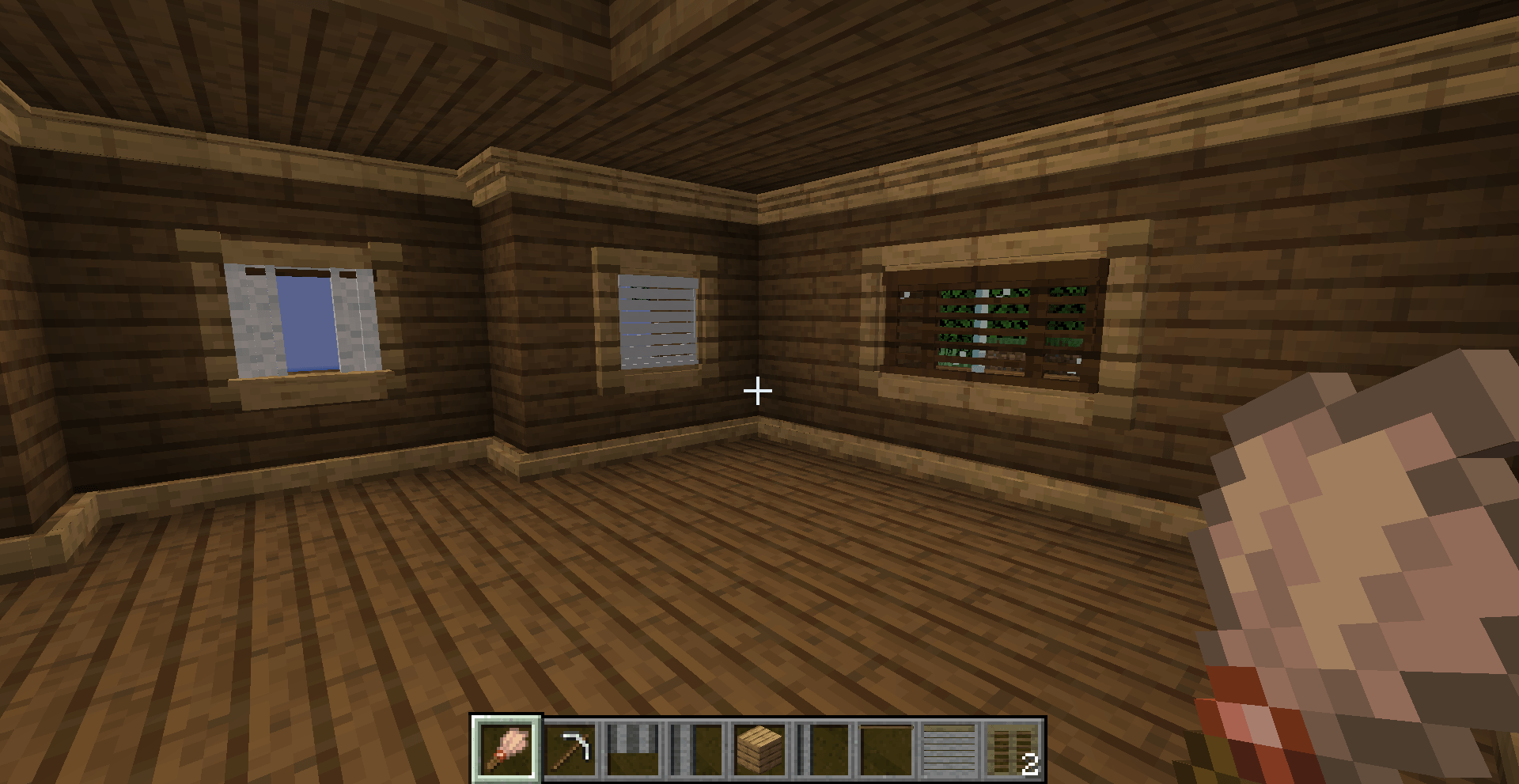 Custom trim pieces added multiple variations of baseboard, casing, and crown moulding
 -
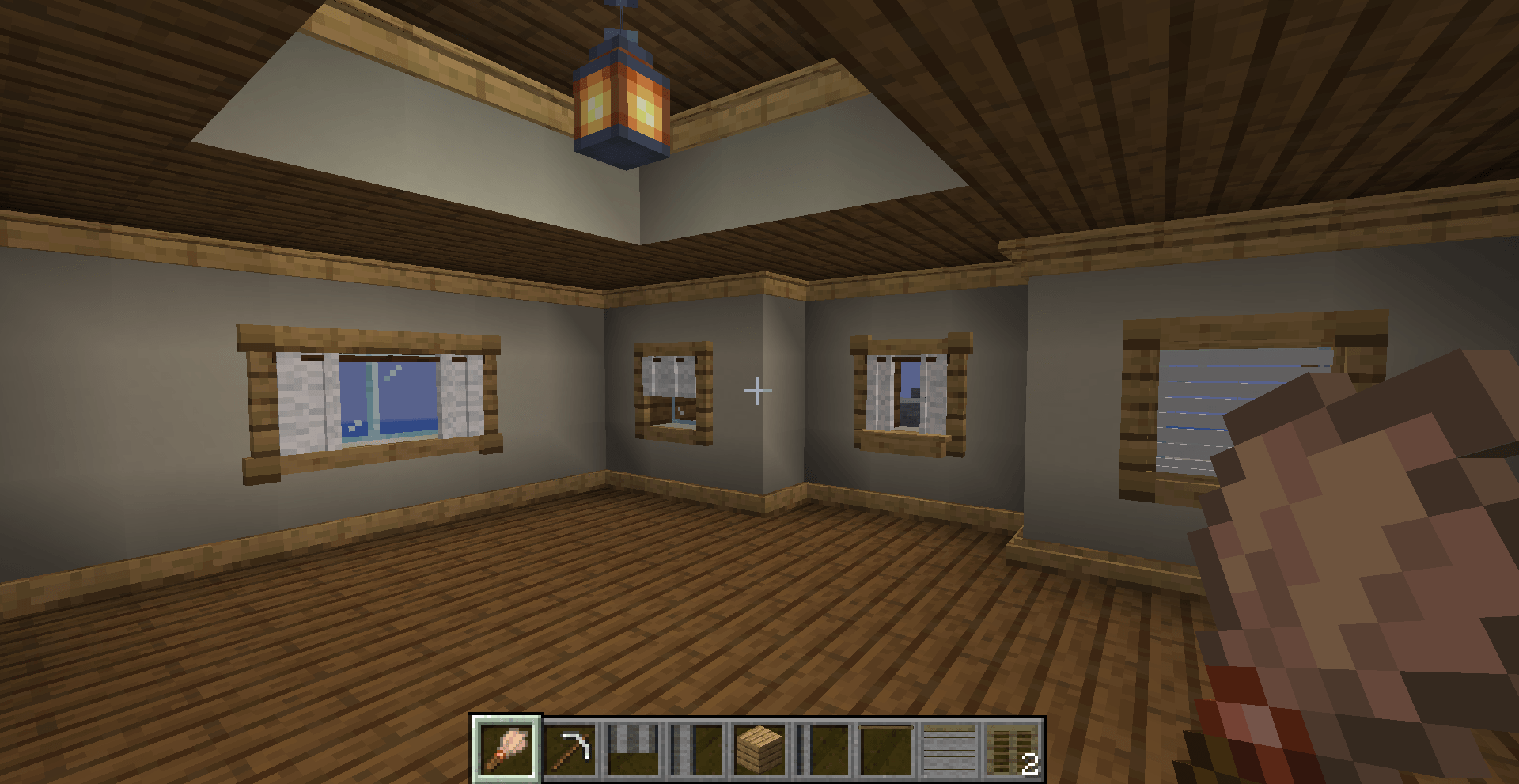 Custom Paint Brush The paint brush allows all vanilla wood types to be painted or stained, or changed to a different wood type
 -
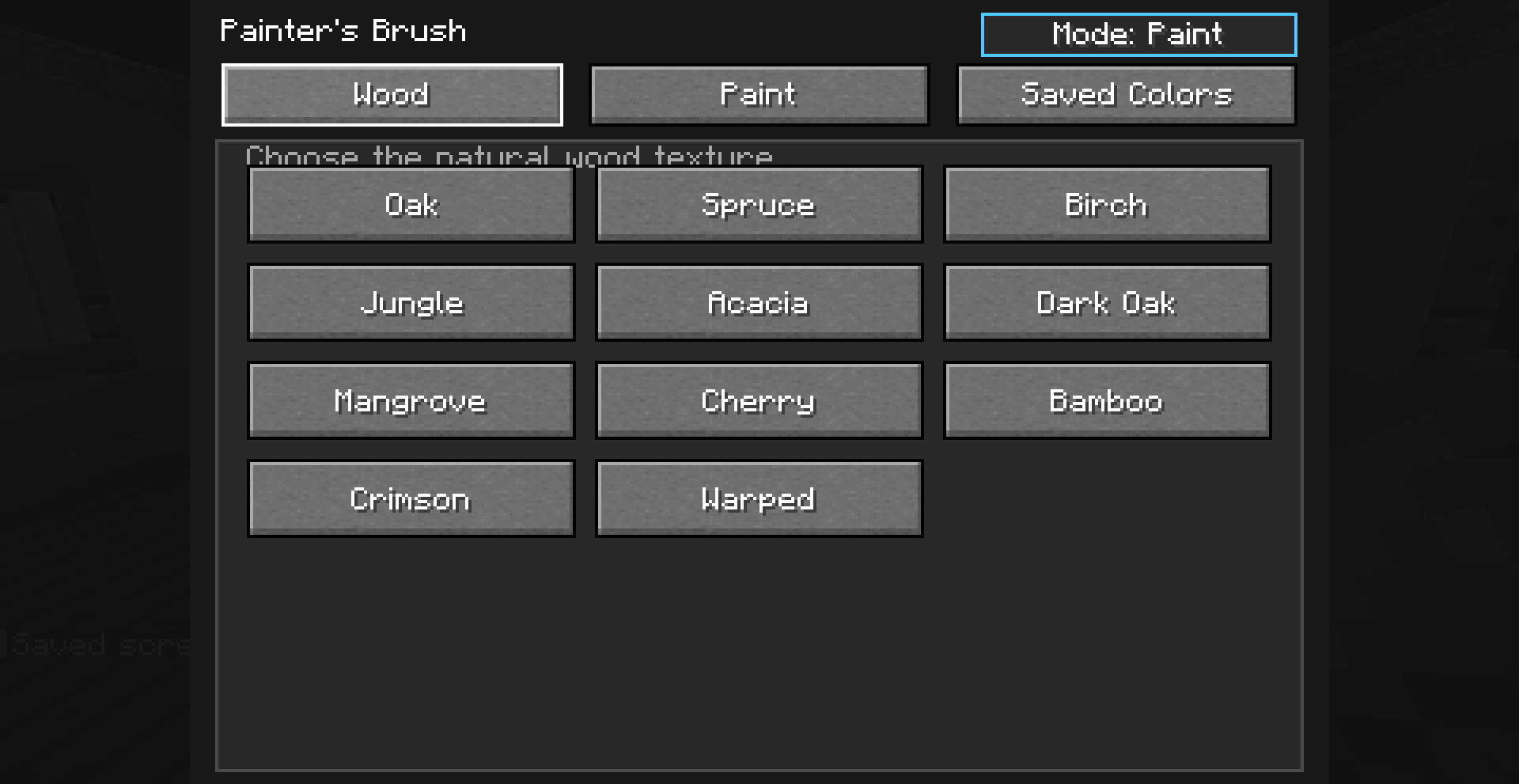 Apply wood textures to trim or wood walls Allows the paint brush to apply wood texture or change texture on wood
 -
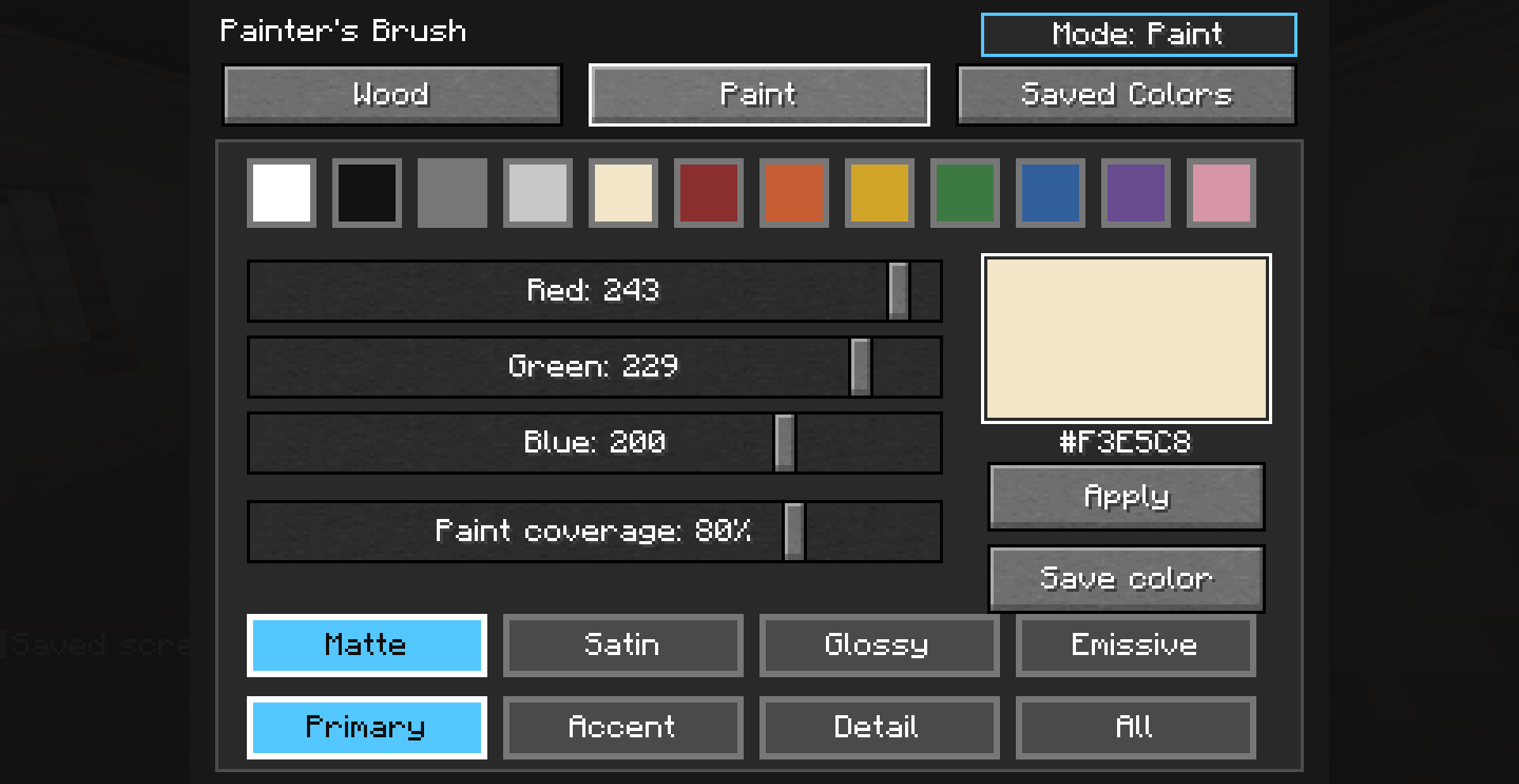 Tons of Custom Paint Options You can chose from a pre selected color or make you own. Change the sheen and select different modes to paint different parts of blinds and curtains
 -
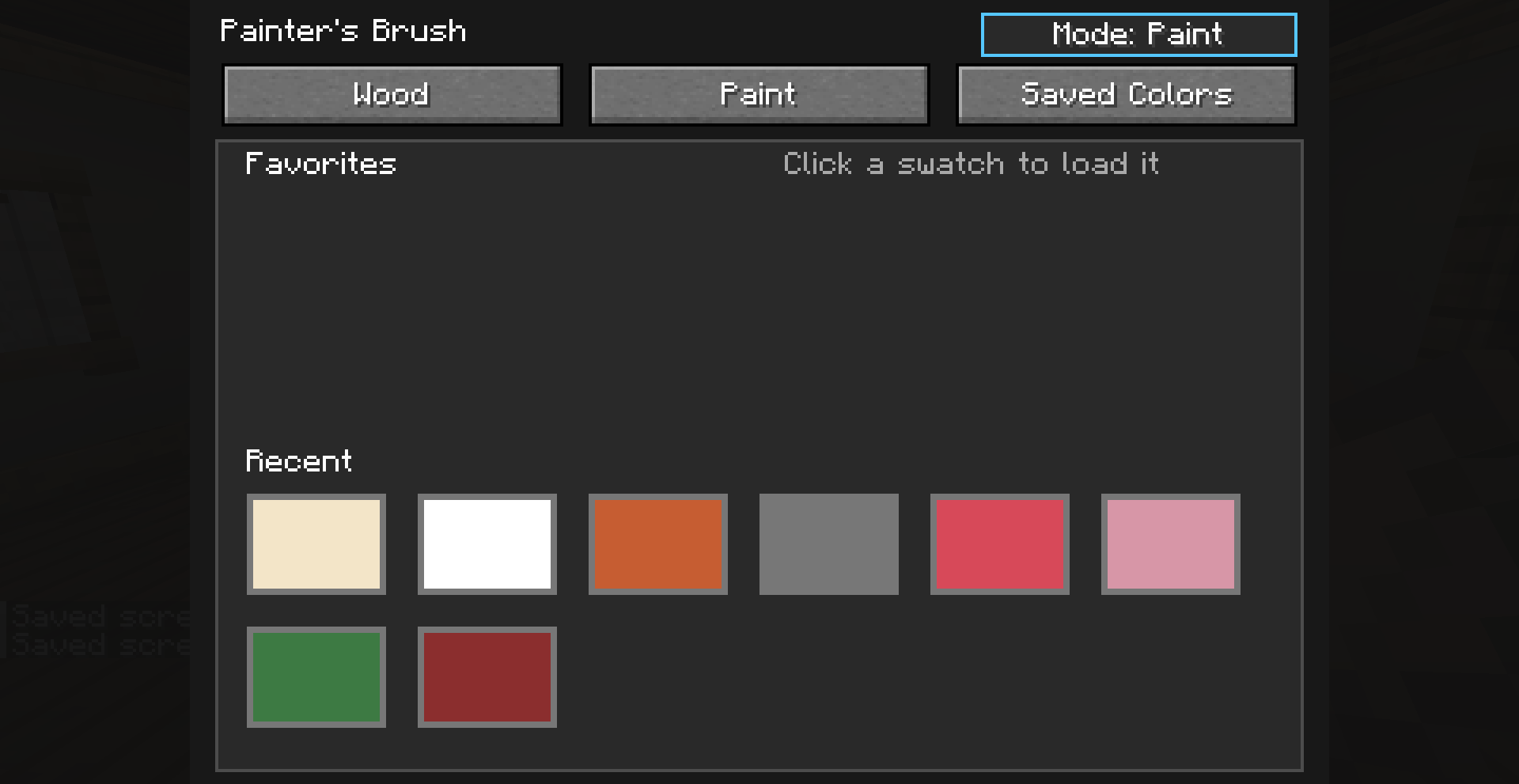 Save Your Colors The brush also allows you to save favorites so you dont lose the colors, also you can crouch to copy a texture then right click to apply it to other things
 -
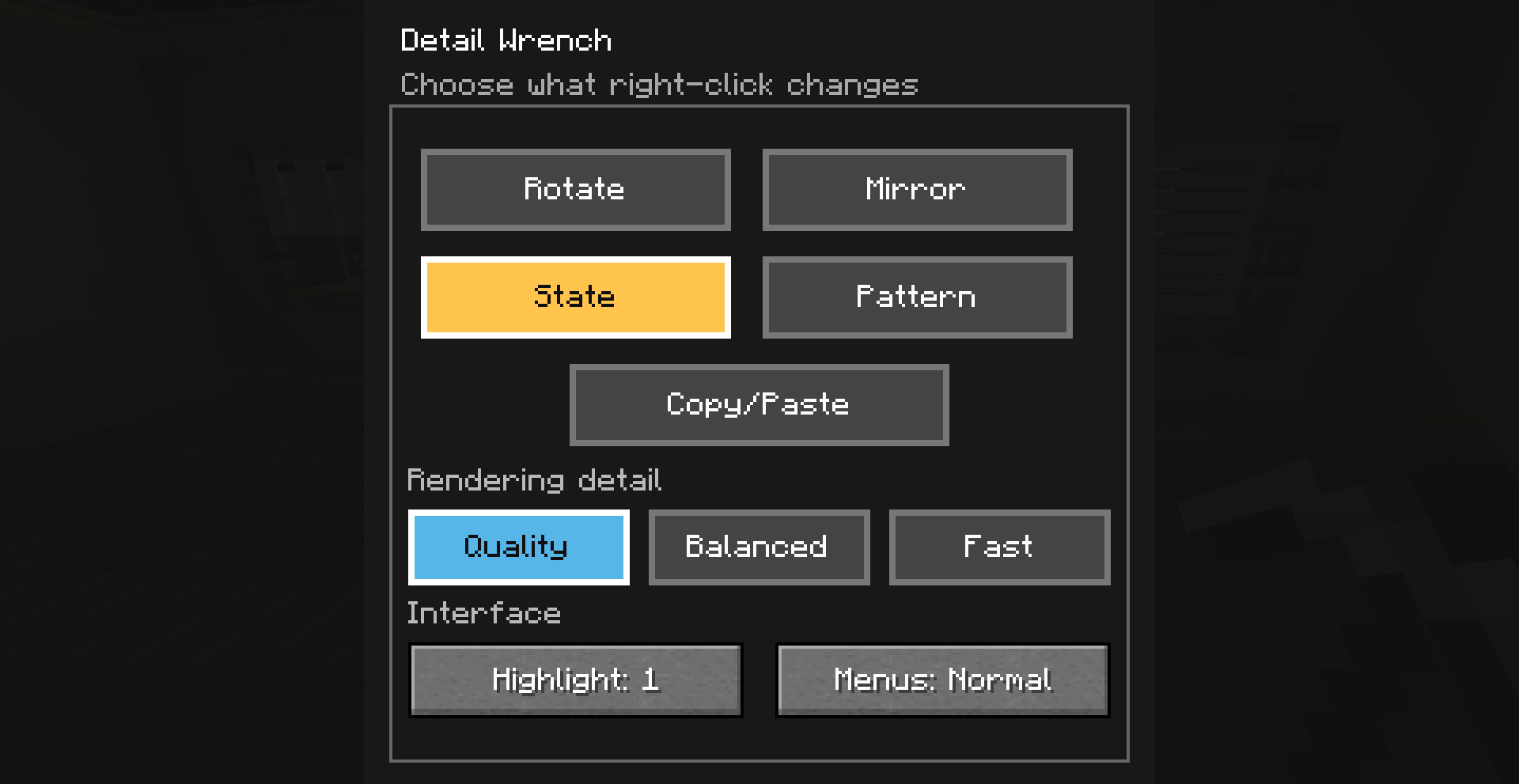 Custom Detail Wrench The detail wrench allows you to rotate, mirror, change states, or change patterns for most custom blocks in this mod. Use state to open/close blinds and curtains. Use pattern to change the pattern on curtains, use mirror to mirror right/left pieces.
 -
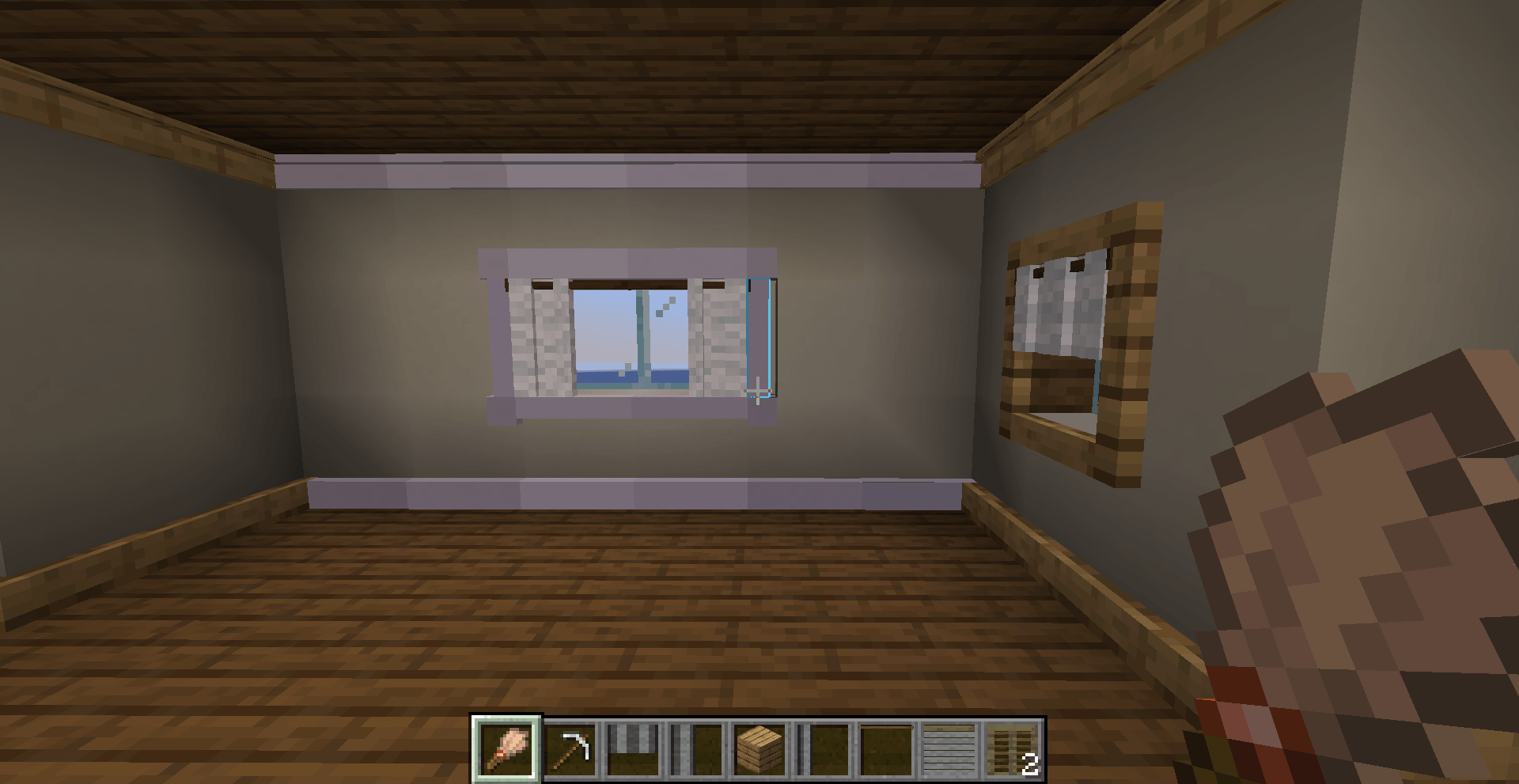 Everything is Paintable Trim, window treatments, moulding, and wood type blocks are all paintable
Versions
Files
Relations
Project Relations
More like this
Similar Mods
Suggestions use data such as tags, dependencies, dependents, descriptions, titles, and more to rank how much they overlap with this mod.
On ModDex
Community snapshot
By the numbers
Statistics
Want to reach Minecraft players?
We're looking for a server hosting partner to feature here and other parts of the site. Interested? Send us a message!
Get in touchGet it on
Available Platforms
On ModDex
Community snapshot
By the numbers
Statistics
Resources