Community listing page, reviews here may not be monitored by the author.
HPHUD

No reviews yet
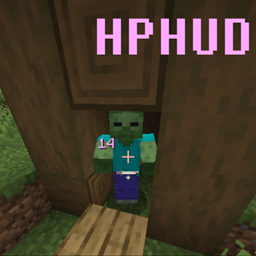
A mod that conveniently displays the HP of the entity under the player's crosshair in a convenient location that can be edited.

Community voices
Reviews
No reviews yet. Be the first to review this project!
Get it on
Available Platforms
About
Project Details
For authors
Embed Badge
If you're the author of this project, you can embed a live badge anywhere that supports HTML or Markdown. It updates automatically whenever ratings change.
Use HTML for any page that supports it, or Markdown for README files and Markdown-based descriptions.
Identifiers
Platform IDs
Resources
External Links
About
Description
HPHUD
Description
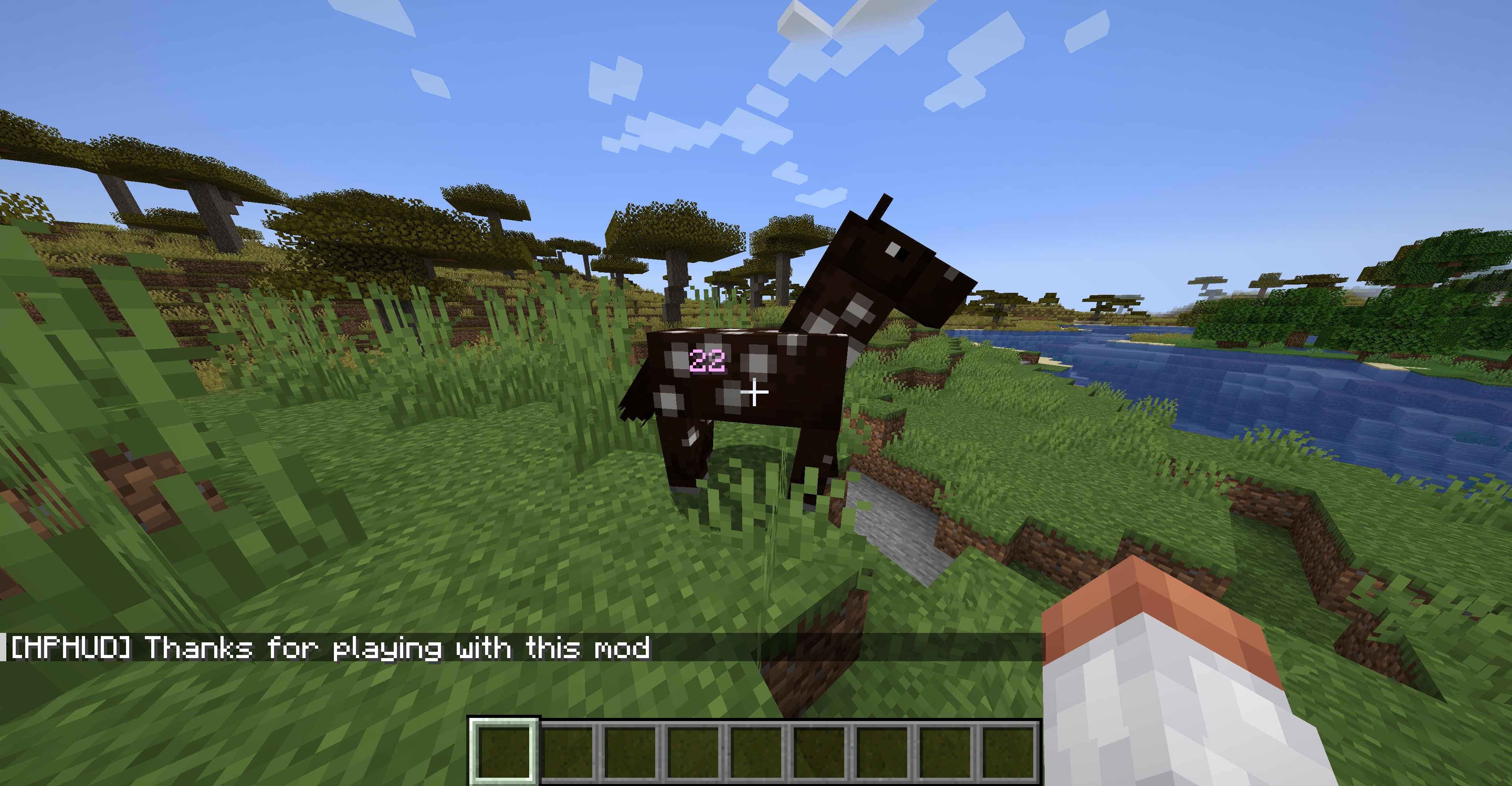
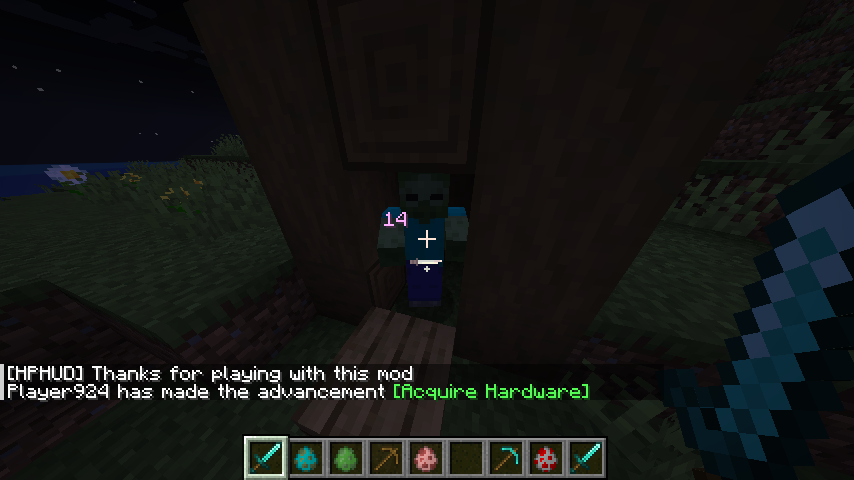
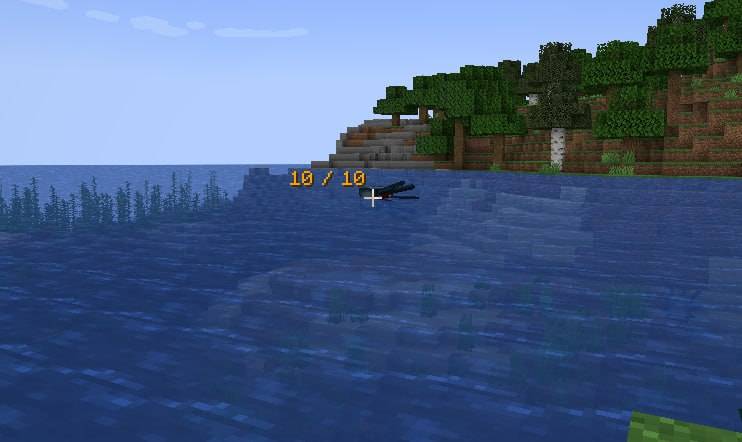
This mod allows you to see the amount of health points of a mob, player, or any other entity that has health points. The goal of the mod is to provide a more convenient way to view health points than other health indicators. Unlike other mods that display health points in the top left or top center of the screen, this mod displays the health points near the player's crosshair. This is especially useful for large monitors with small interface sizes or when the mob itself is large
The mod itself is very lightweight and will run smoothly even on older machines. Additionally, it is open-source, which means you can easily inspect the code, modify it, and use it in your own projects. I would be grateful for a shoutout if you do so
I have tested the mod on both 4K and 1366x768 monitors, and it works well on all scales. If you have any trouble seeing the health numbers, please let me know in the comments or private messages
Mod support localization on this languges:
- English
- German
- Japanese
- Chinese (Traditional)
- Chinese (Simplified)
- Italian
- French
- Ukrainian
- Turkish
- Russian
- Belarusian
- Kazakh
- Georgian
- Polish
- Portuguese
- Dutch
- Korean
- Indian (Hindi)
- Spanish
If you didn't see your language, just ping me in comments or create an issue, and I add your language to mod.
Mod holding on curseforge: https://curseforge.com/minecraft/mc-mods/hphud
Roadmap
Here is a roadmap of future changes:
[ Completed ] Add the ability to change the color of the indicator.
[ Completed ] Add the ability to change the position of the indicator, including various positions.
[ Completed ] Add percentage view.
[ Completed ] Add menu in game to hot switch mod configuration.
Thank you for your attention and enjoy using my mod! If you have any suggestions for other features that could be added to make the mod even more convenient and user-friendly, please feel free to share them with me in a private message. I am always open to feedback and suggestions. Let's keep the conversation respectful and avoid violating any of the website's rules or global laws.
README (Some interested advices)
Warning is begin
If you migrate from older version of mod, please, remove the file:
your_minecraft_folder/config/HPHUD.cfgBefore start minecraft with new mod version
Warning is end
From 0.4.23 version of mod I'm add a config file in good format and make a hot reload with it, you can just change this config file, which exist in:
your_minecraft_folder/config/HPHUD.cfgand you can with OPENED minecraft change the config, re-enter in the world (if you change it in the world) and see, that's you changes is apply! It's so comfortable feature for configure mod (and for tests exactly :-) ), and you can play with some settings without reload a full minecraft. Yes, I know and work with menu in the game for change the setting and it's in a proccess, but now it's a good feature for setup this mod as you wish right NOW!
[ UPDATED ] You can change setting from the world in minecraft, just press `Ctrl + Shift + H` (by default) and you open configuration menu, where you can setup what you need, exactly:
- Color of indicator
- Indicator mode
- Position of indicator
- Indicator work distance
- Turn off / on warning about not complete keybind for open configuration menu
- Turn off / on greetings after enter in the world
Exactly config file and all documentation I left above, and now, you can see some examples of mod
Examples
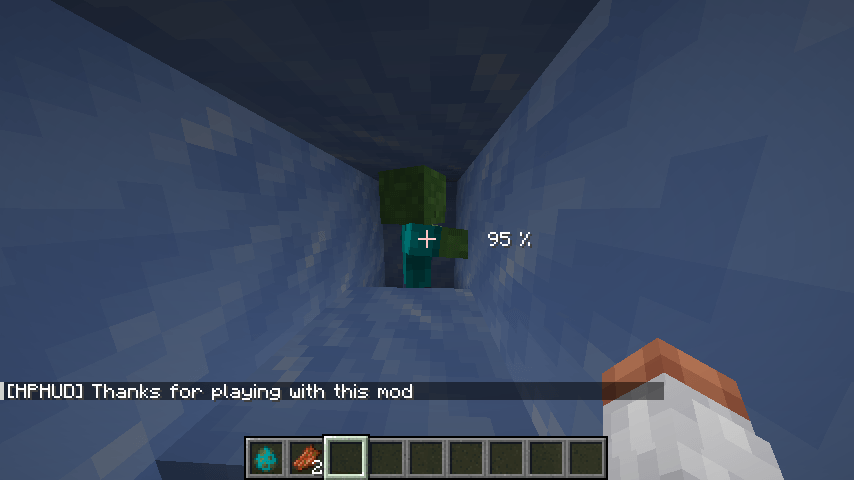
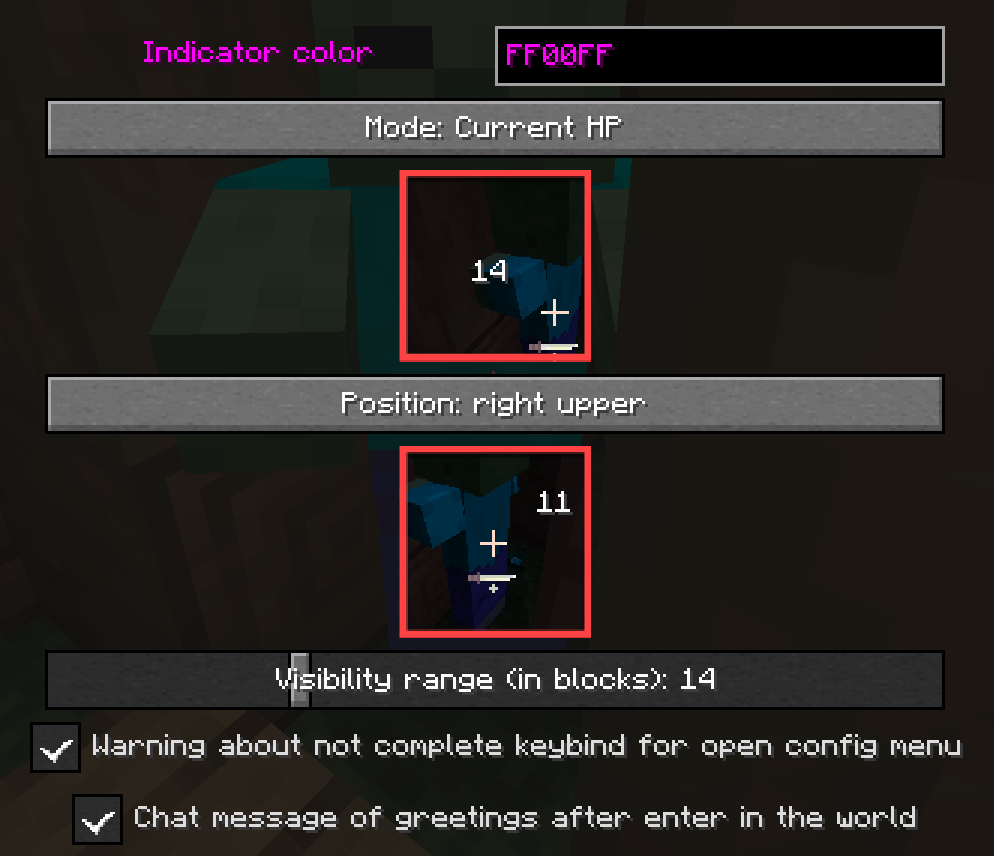
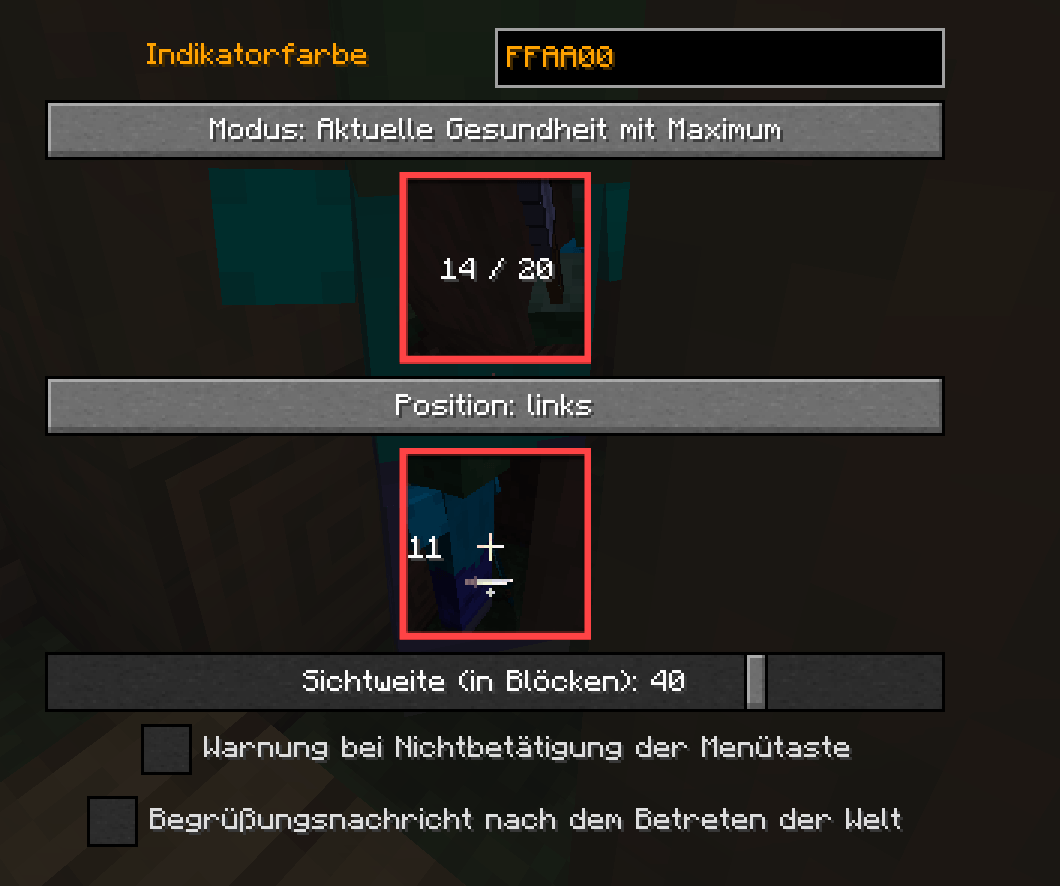
Config file and doc to them
#[HPHUP]#Mod configuration file##This config sets a few detail which help you tailor the mod more for your playstyle,#below, I have describe a several fields and all possible values for them,#this documentation should help you in configuring the mod;#Happy configuring :)##==================================================##outputIndicatorMode - mod has 3 different modes to output you amount of entity health:## Available values:# 1) currentHP - display amount of current entity HP, default value for parametr# Example:# 10# 2) currentWithMaxHP - display current hp, slash, max hp# Example:# 10 / 20# 3) currentPercentageHP - display amount of entity hp in percentage# Example:# 50%##searchDistance - How far (in blocks) mod will be search entity for display amount of HP# Available values:## Positive Integer, 1 - 100, if set someting wrong# Example:# 20##indicatorColor - Color of indicator, I try a several colors, and find that pink :)# is more suitable for most cases, but, if you think otherwise and have a suitable replacement, let me know.# Our staff of one employee will check it, and if necessary, change the default color## Available values:# Any color in hex view, for example, and by default sets FFAFFF# Example:# FFAFFF##indicatorPosition - Indicator position, now, in relation from crosshair## Available values:# LEFT_UPPER_NEAR_CROSSHAIR, RIGHT_UPPER_NEAR_CROSSHAIR, LEFT_BOTTOM_NEAR_CROSSHAIR, RIGHT_BOTTOM_NEAR_CROSSHAIR,# RIGHT_NEAR_CROSSHAIR, TOP_NEAR_CROSSHAIR, BOTTOM_NEAR_CROSSHAIR, LEFT_NEAR_CROSSHAIR# Example:# LEFT_UPPER_NEAR_CROSSHAIR##warningAfterPressMenuKey - a warning in chat, which appear when press not complete keybind for open configuration of menu## Available values:# 1, 0# Example:# 1
#
#greetingsAfterEnterInWorld - greetings in chat, after enter in the world## Available values:# 1, 0# Example:# 1
#
Final default config example seem like that:##indicatorColor=FFAFFF#indicatorPosition=LEFT_UPPER_NEAR_CROSSHAIR#outputIndicatorMode=currentHP#greetingsAfterEnterInWorld=1#warningAfterPressMenuKey=1#searchDistance=20##If something went wrong, you are set the wrong type of parametr or wrong parametr,#mod will be use default value, which describe in a config example above##Thank you for playing with this mod!##Sat Feb 03 15:54:00 CET 2024greetingsAfterEnterInWorld=1indicatorColor=FFAA99indicatorPosition=LEFT_BOTTOM_NEAR_CROSSHAIRoutputIndicatorMode=currentWithMaxHPsearchDistance=30warningAfterPressMenuKey=0
Little offtop about mod
My first modification of mod (I dream about it from end of school)
Screenshots
Gallery
-
Second configuration type with localization
-
First configuration type
-
Percentage mod, and position changing
-
Changing color and mod current hp / max hp
-
Mod with default settings
-
Mod with default settings
Versions
Files
Relations
Project Relations
More like this
Similar Mods
Suggestions use data such as tags, dependencies, dependents, descriptions, titles, and more to rank how much they overlap with this mod.
On ModDex
Community snapshot
By the numbers
Statistics
 (opens in a new tab)
Get it on
Available Platforms
On ModDex
Community snapshot
By the numbers
Statistics
Resources