
Better HUD widgets
No reviews yet
Build your own HUD with fully customizable, draggable, interactive widgets
Forge is a popular mod loader for versions 1.1+ of Minecraft.
Neoforge is a fork of the Minecraft Forge available for versions 1.20.1+ of Minecraft. Many Forge mods are compatible with Neoforge and vice versa.
Fabric is a mod loader for versions 1.14+ of Minecraft, particularly popular for client side and optimization mods.
Community voices
Reviews
Click once to include, again to exclude, again to clear
No reviews yet. Be the first to review this project!
Get it on
Available Platforms
 Modrinth
Compatibility
Supported Environments
About
Project Details
For authors
Embed Badge
If you're the author of this project, you can embed a live badge anywhere that supports HTML or Markdown. It updates automatically whenever ratings change.
Use HTML for any page that supports it, or Markdown for README files and Markdown-based descriptions.
Identifiers
Platform IDs
Resources
External Links
About
Description
 HUD BW puts the numbers you actually care about on your screen, lets you drag them wherever you want, and gets out of your way otherwise. No bloat, no forced aesthetic, no fighting with a config file — just click, drag, done.
- it's old version 2.0 video..
✨ Features
- In-Game Editor — press
K, drag stuff, done - Side-Panel Widget List — collapsible, scrollable, toggle any widget on/off without hunting for its hitbox
- Hover-Focus — hover a widget in the list and every other widget fades out so you always know exactly what you're looking at
- True Drag Preview — while you're repositioning a widget, the whole editor UI fades away so you see the actual game underneath, not a mockup
- Hover Tooltips — pause over any top-bar button and it tells you what it does
- Named Profiles — save your whole layout (positions, visibility, modes, per-widget appearance) under a name and swap between setups with one click
- Text-Based Profile Sharing — copy your current layout to the clipboard as a plain text string, paste it back in, share it in Discord — no config files involved
- Per-Widget Appearance — every widget can have its own background level and its own render scale, independent of the global settings, with a wider range of size steps to pick from
- Text-Hugging, Fully Dynamic Backgrounds — the readability backdrop always matches the exact text/icons drawn, never a fixed box that's too big or clips something
- Resolution-Safe — widgets are continuously kept inside the visible screen area, so shrinking your window or switching monitors can never strand one off-screen again
- Grid Snap — clean pixel-perfect alignment, hold Shift to disable and move freely
- Undo (
Ctrl+Z) — pull back your last move, toggle, or setting change instantly - F3-Aware — opening the debug screen cleanly hides the whole HUD_BW overlay instead of overlapping it
- Built-in Calculator —
/hbw calc <expression>or/calcu <expression>, now with trig and exponents - Localized — English, Russian, Ukrainian, Belarusian, Spanish and Hindi
🎮 Editor Controls
Open the editor with K (rebindable in controls):
| Action | Result |
|---|---|
| Left Click (LMB) | Drag the widget around |
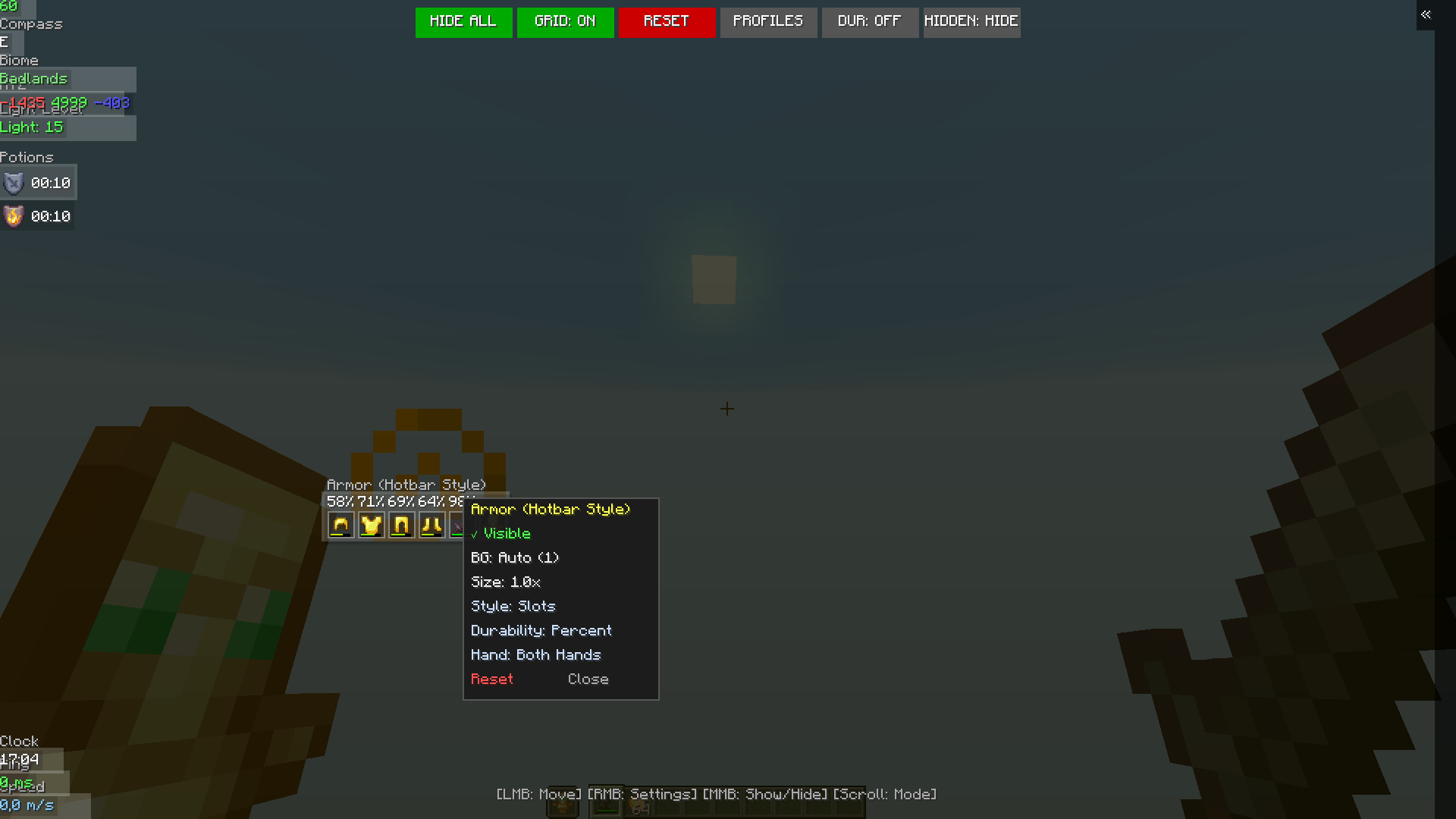
| Right Click (RMB) | Open that widget's settings (background, size, mode, and any widget-specific options) |
| Middle Click (MMB) | Show / hide that widget |
| Scroll Wheel | Cycle its display mode (or scroll the side panel's widget list if you're hovering it) |
| Ctrl+Z | Undo the last move, toggle, or setting change |
| Side Panel | Click any row to toggle visibility instantly, scroll for more, or collapse the panel entirely from the tab on its edge |
| Top Bar | Hide All / Grid Snap / Reset (with a confirmation) / Profiles / Durability Warning toggle / Show-Hidden-Widgets toggle / F3-Hide toggle — hover any of them for a tooltip |
Prefer the mouse wheel over precision clicking? Every widget's settings popup also has its own Visible toggle, so you never have to rely on the scroll wheel or middle click alone.
📊 Widgets & Modes
Scroll over a widget in the editor to cycle its mode. Right-click it for everything else.
🛡️ Armor — four flavors
- Armor (Classic) — the original all-in-one column (helmet → boots → main hand). Settings let you hide the hand item entirely and choose which side the durability text sits on.
- Armor (Top) — just helmet + chestplate, with an optional hand item (main / off / both) placed above or below.
- Armor (Bottom) — just leggings + boots, same hand-item options as above.
- Armor (Hotbar Style) — armor pieces drawn as a row of fake hotbar slots next to your real one. Choose between bordered "slot" style or plain icons, show durability as a percent or a raw number above each slot, and add either or both hands as extra slots.
All four share the same durability display modes (current/max, current only, percentage), keep a proper empty gap where a piece is missing instead of everything sliding together, and can be freely combined — split your armor into Top + Bottom, or run Classic alongside the Hotbar style, whatever fits your HUD.
🎯 Target HP
Looking at a mob or player shows their current health as a clean number — nothing else on screen, just the number.
🔄 Angle / Rotation
- Yaw — horizontal look angle (e.g.
168.4) - Pitch — vertical look angle (e.g.
-24.3) - Combined — both at once (e.g.
168.4 / -24.3)
📍 Coordinates (XYZ)
- Mode 1: Colored X/Y/Z
- Mode 2: Labeled (X: 100 Y: 64 Z: -500)
- Mode 3: Nether Converter — Overworld coords + their Nether equivalent, side by side
🧪 Potion Effects — with levels
- Mode 1: Icon, full name + effect level (II, III...), timer underneath
- Mode 2: Compact — icon + timer only
- Infinite effects show
∞instead of a countdown - Settings let you put the timer/name text on either side of the icon — icons stay flush in a straight column no matter how long the names get — and optionally hide vanilla's own top-right potion icons so you're not seeing them twice
⚡ FPS & CPS
- FPS: plain number / labeled / full readout — current FPS, rolling average, and a proper 0.1% low (the average of your worst 0.1% of frames — the number that actually tells you when you're stuttering)
- CPS: total clicks, or split left/right
❤️🍗 HP / Food / Saturation
- Mode 1: Full label (
20 HP) - Mode 2: Digits only, no label
- Mode 3: Heart / drumstick icon paired with the number
⏰ Clock
- Mode 1: Your system clock
- Mode 2: In-game world time
🧭 Compass
- Mode 1: Cardinal letter (N/S/E/W)
- Mode 2: Exact bearing in degrees
🌍 Biome
Shows the name of the biome under your feet.
💡 Light Level
The actual, time-of-day-adjusted light value — the same number the game checks before deciding a mob can spawn where you're standing. Green = safe, yellow = risky, red = start building walls.
📶 Ping
Server latency, color-coded by how bad it is.
🏃 Speed
Live blocks/second, updates smoothly while moving.
🛡️ Armor Points + Toughness
The exact numbers behind your armor icons, including toughness — useful when comparing gear that looks identical on the bar.
⏱️ Session Timer
How long you've been playing since you joined.
🎒 Also Included
- Inventory Space — free slots left in your main inventory
- Offhand Counter — total count of that item across your whole inventory (great for totems, rockets, ender pearls)
- Low-Durability Warning — an action-bar warning (with optional sound) when your gear is about to break, on a threshold you set. Toggle it on/off right from the editor's top bar.
💾 Profiles
Set your layout up exactly how you like it, save it as a profile from the top bar, and switch between as many setups as you want — PvP layout, building layout, whatever — with one click. Nothing gets overwritten until you tell it to. Want to share a setup with a friend instead of saving it locally? Copy it to your clipboard as text and send it straight into Discord — they paste it back in and they're done.
🔧 Commands
/hbw editor— open the editor without touching your keyboard shortcut/hbw reset— reset the whole layout back to default/hbw calc <expression>— calculator, supports^ % sqrt sin cos tan log ln pi e/calcu <expression>— kept alive for anyone used to the old command
📦 Installation
- Install Fabric Loader
- Drop HUD BW and Fabric API into your
modsfolder - Launch, press
K, arrange your screen the way you actually want it
🛠️ Upcoming in Version 3.4 (Ideas Under Consideration)
(Note: nothing below is final — just what we're currently kicking around for the next update.)
There aren't any ideas for version 3.4 right now
Got a different idea? Drop it in our discord channel — Target HP and the angle widgets both started as suggestions there.
Screenshots
Gallery
-
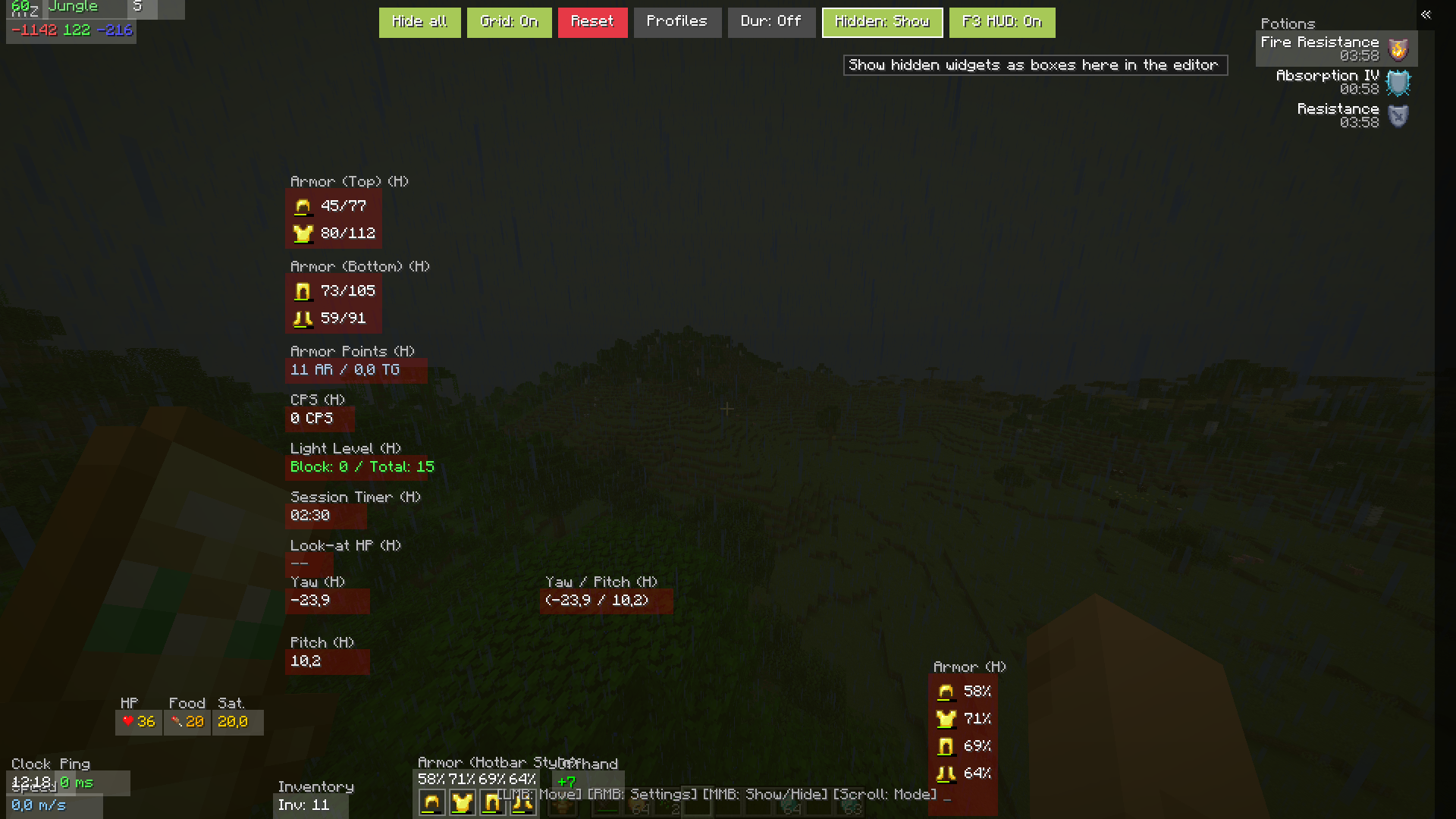 v3.3 gui
 -
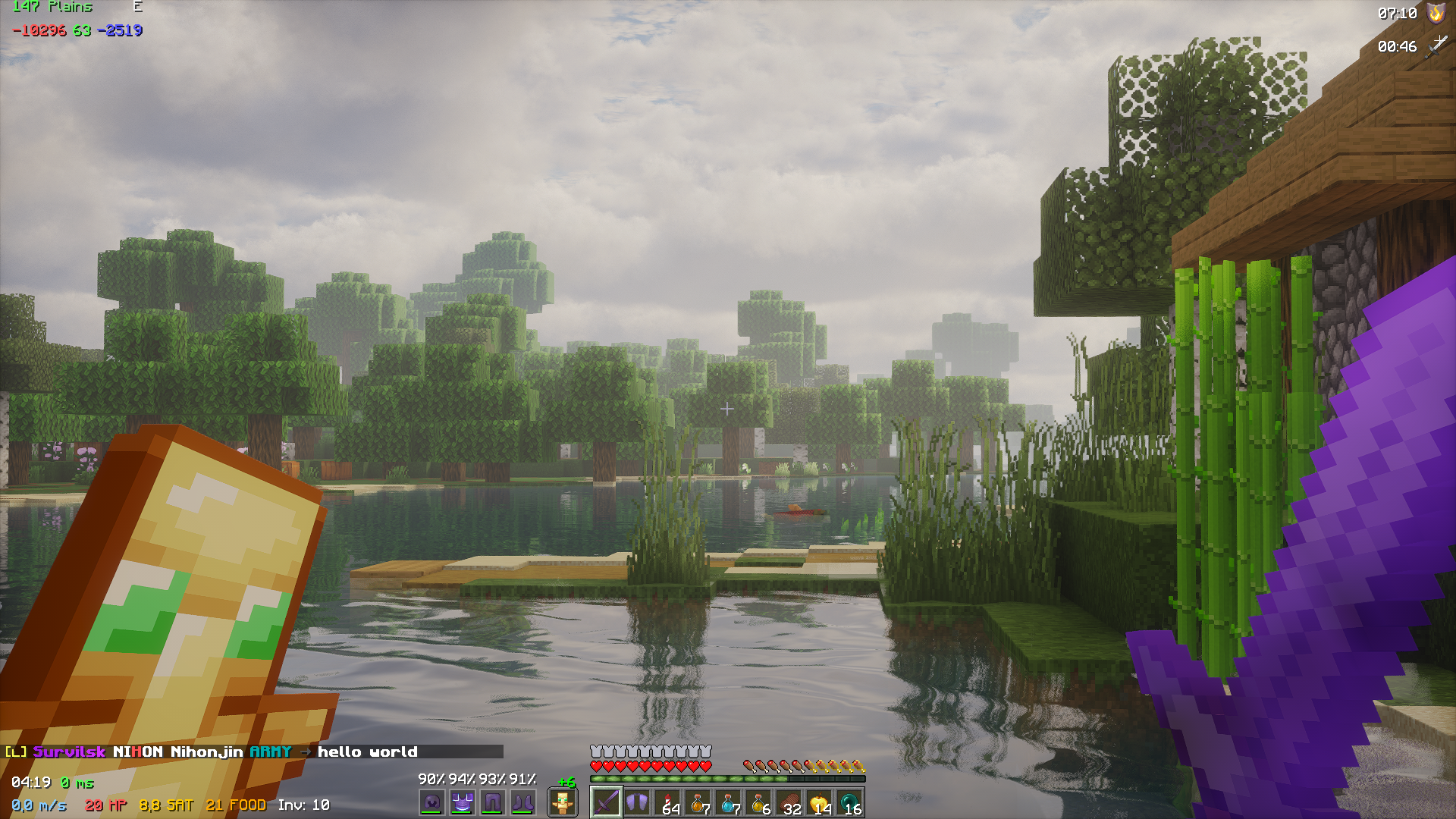 In practice v3.2.1
 -
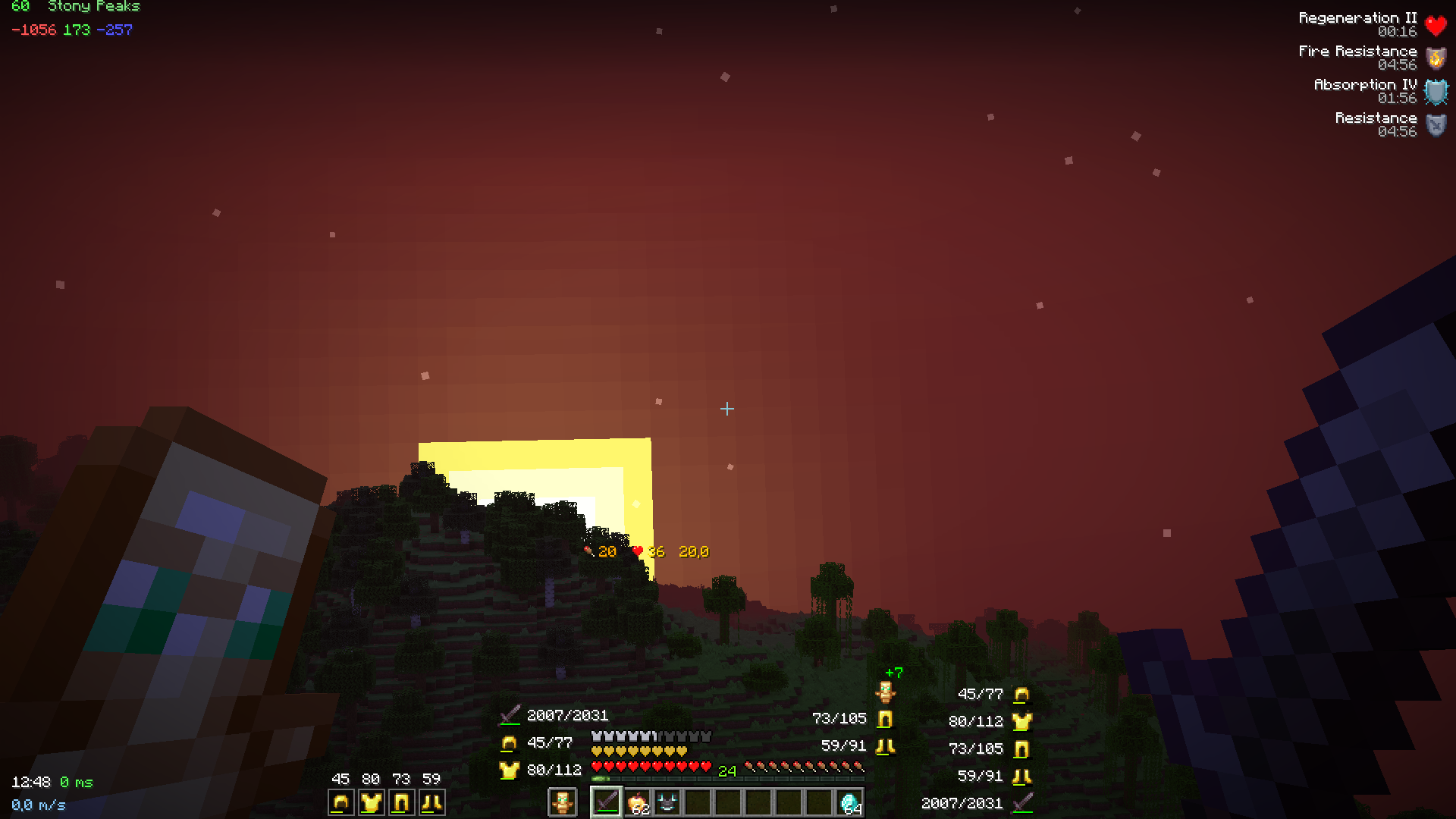 v3.3
v3.3 -
 Calculator
 -
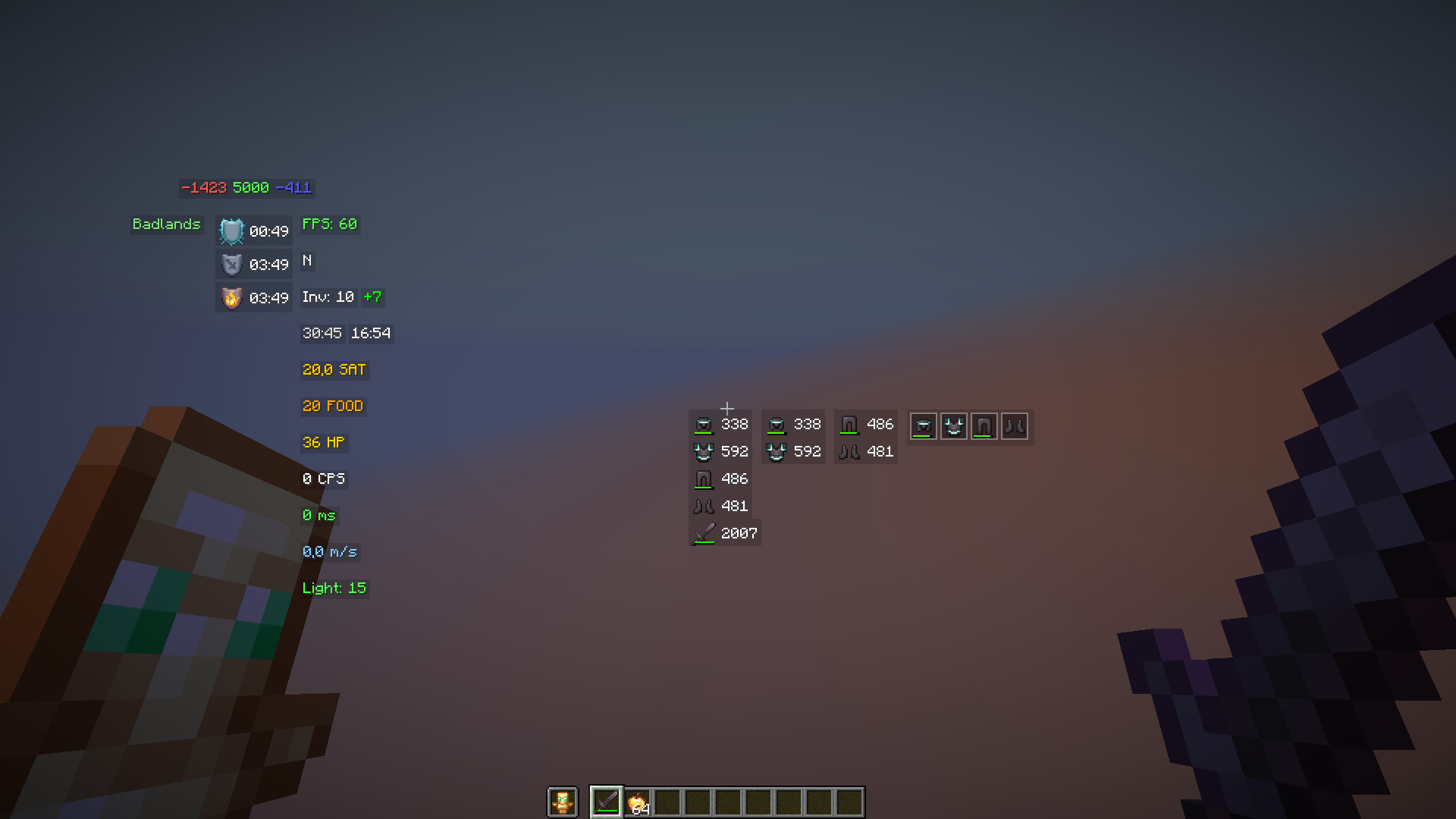 v3.2.1
 -
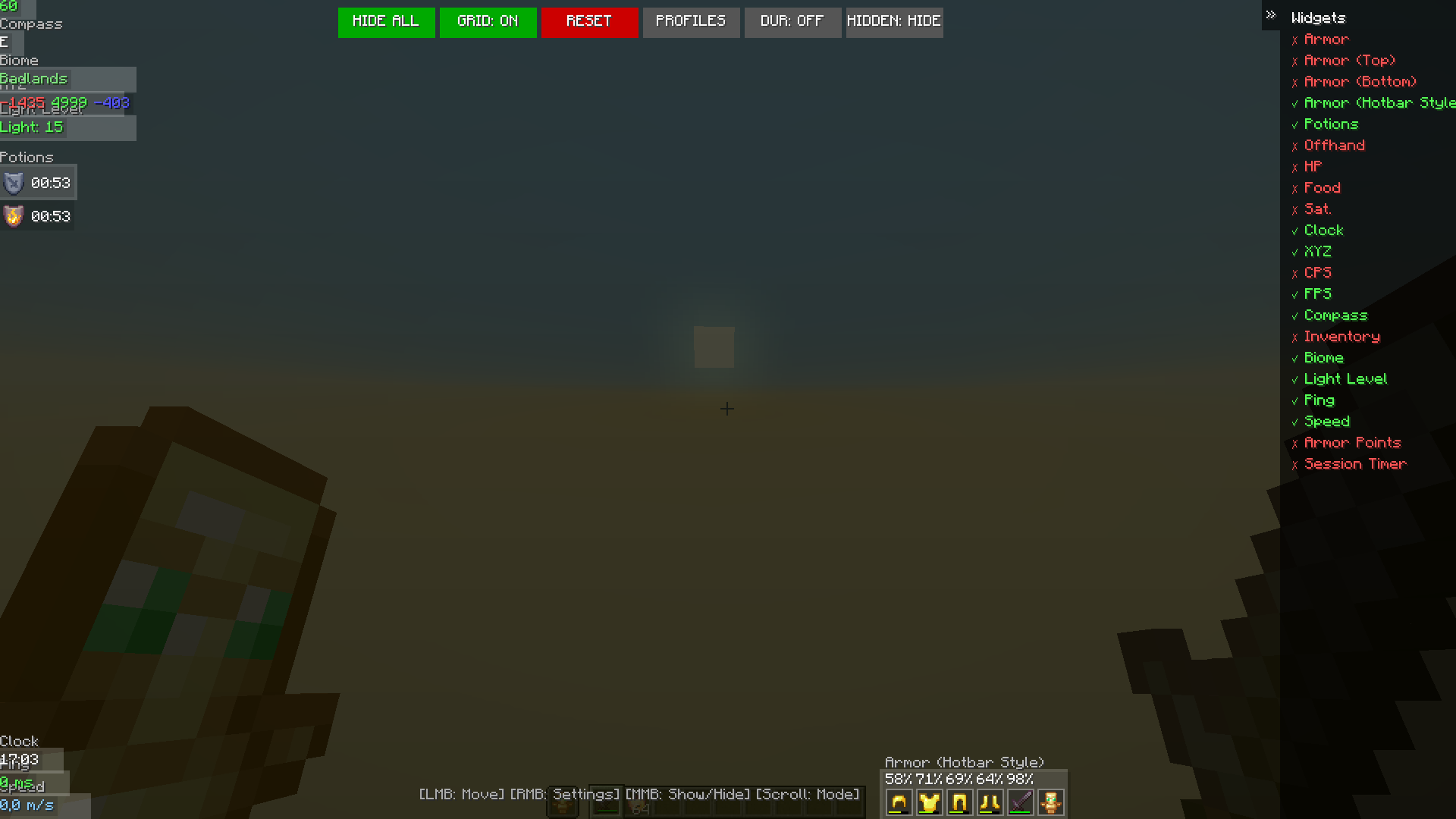 v3.2.1
 -
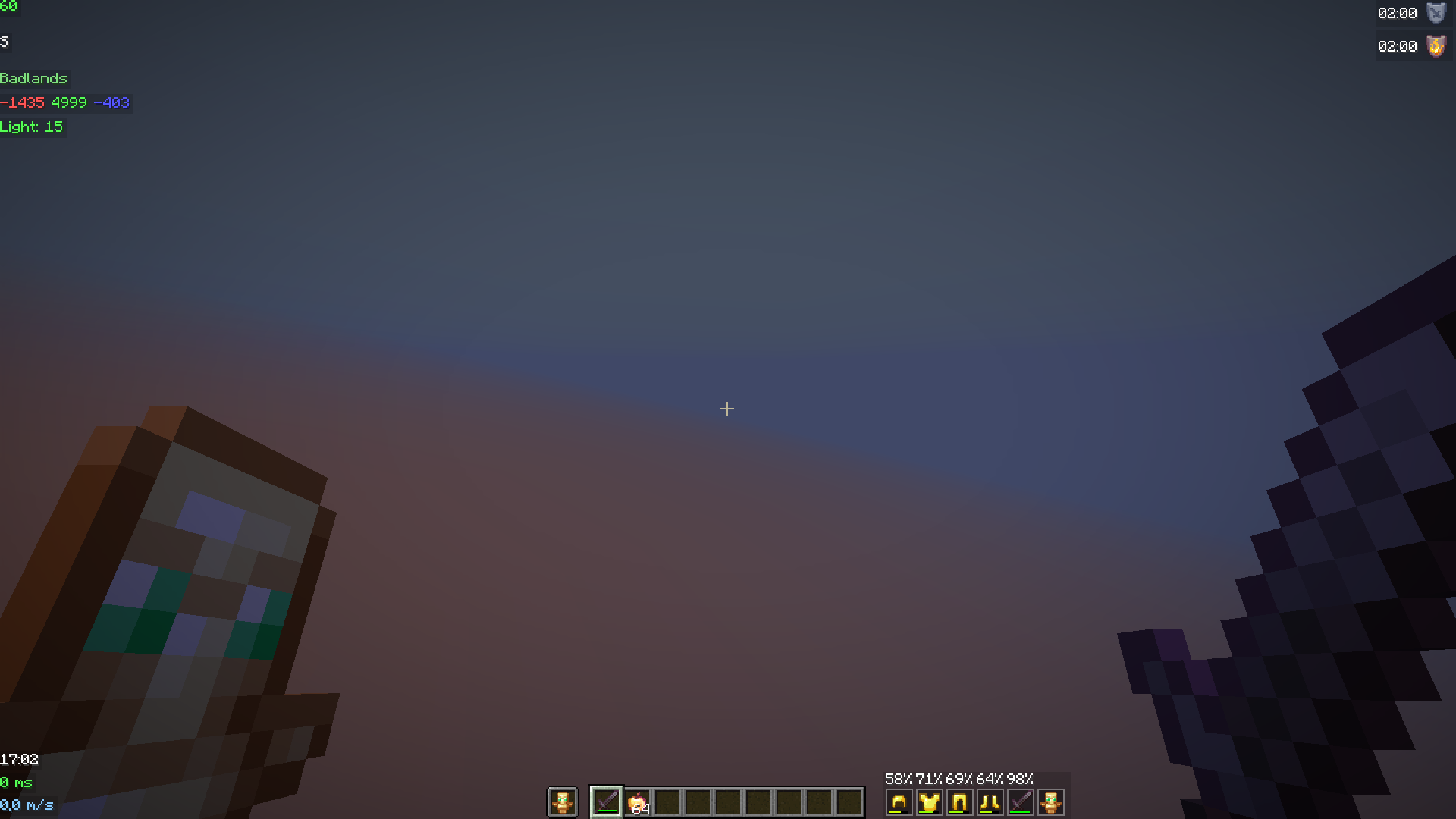 v3.2.1
 -
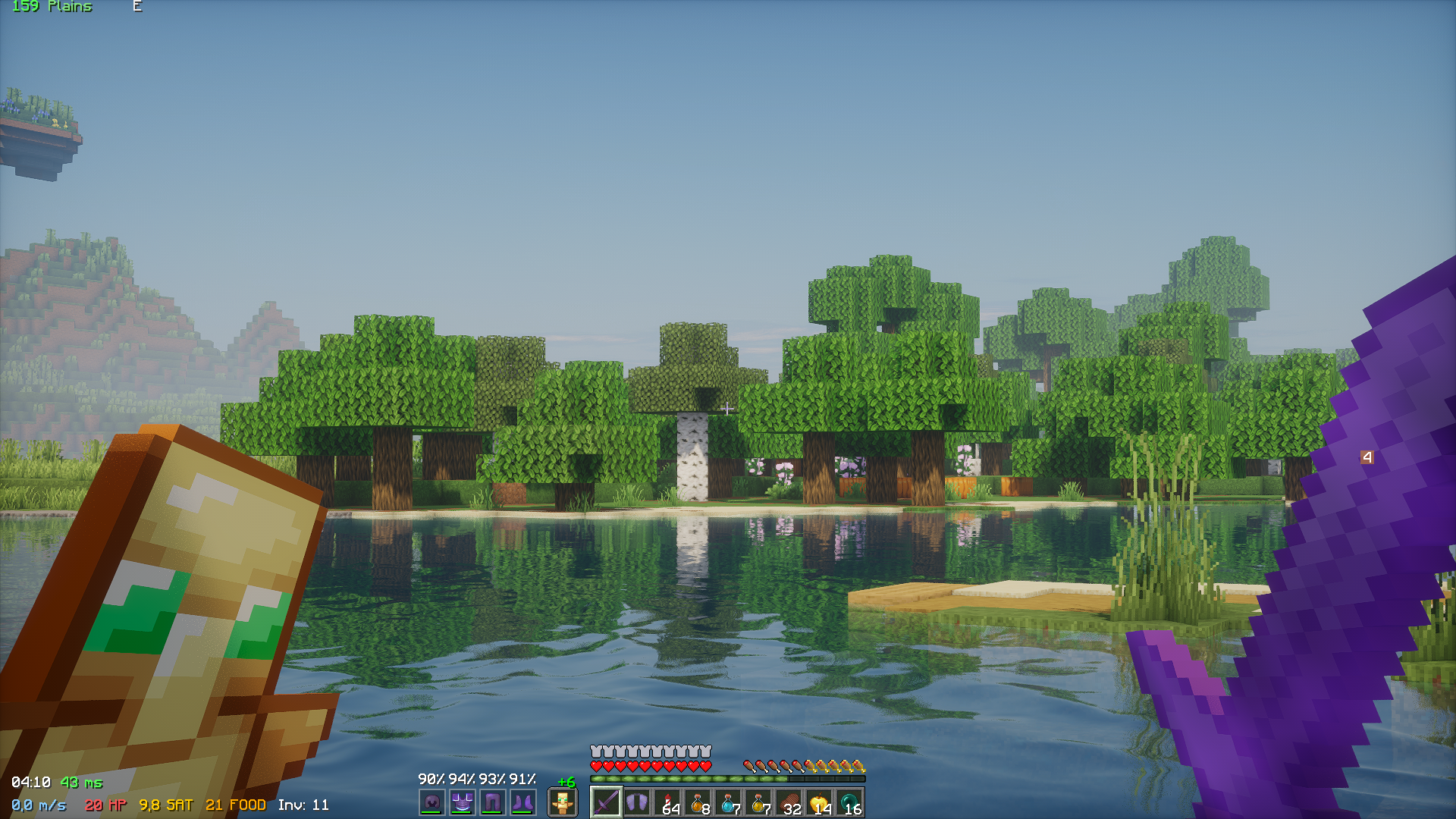 In practice v3.2.1
 -
 v3.2.1
Versions
Files
Relations
Project Relations
More like this
Similar Mods
Suggestions use data such as tags, dependencies, dependents, descriptions, titles, and more to rank how much they overlap with this mod.
On ModDex
Community snapshot
By the numbers
Statistics

Want to reach Minecraft players?
We're looking for a server hosting partner to feature here and other parts of the site. Interested? Send us a message!
Get in touchGet it on
Available Platforms
On ModDex
Community snapshot
By the numbers
Statistics
Resources