
hud mover
No reviews yet
HUD Mover is a Fabric mod that lets you move and customize vanilla HUD elements in-game.
Fabric is a mod loader for versions 1.14+ of Minecraft, particularly popular for client side and optimization mods.
Community voices
Reviews
Click once to include, again to exclude, again to clear
No reviews yet. Be the first to review this project!
Get it on
Available Platforms
 Modrinth
Compatibility
Supported Environments
About
Project Details
For authors
Embed Badge
If you're the author of this project, you can embed a live badge anywhere that supports HTML or Markdown. It updates automatically whenever ratings change.
Use HTML for any page that supports it, or Markdown for README files and Markdown-based descriptions.
Identifiers
Platform IDs
Resources
External Links
About
Description
HUD Mover
Full control over your vanilla HUD — directly in-game.
✨ Overview
HUD Mover is a Fabric client-side mod that gives you complete control over the vanilla HUD layout — without resource packs or external tools.
Move, align, lock, group, and fine-tune your HUD with a clean live editor built for real gameplay setups.
🖼 Preview
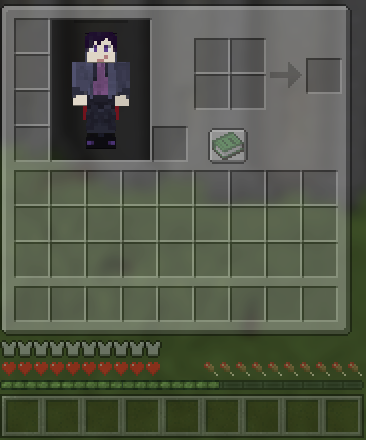
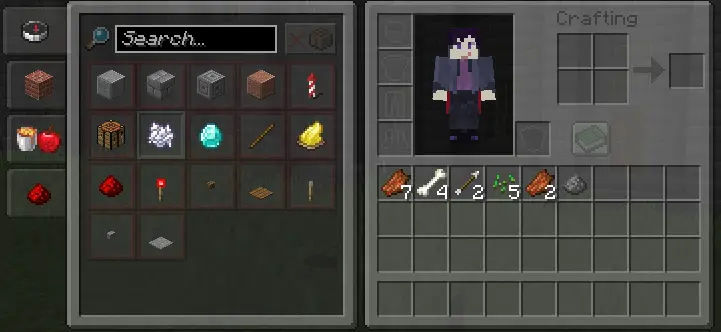
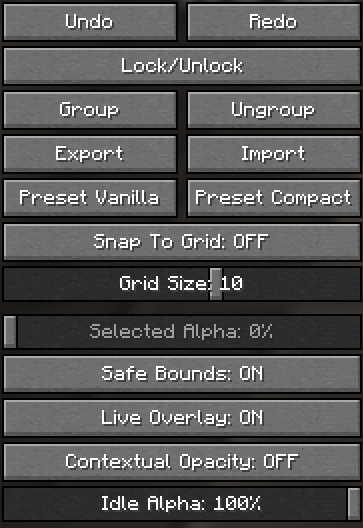
🎯 What This Mod Does
HUD Mover lets you reposition and customize vanilla HUD elements directly in-game with instant visual feedback.
Supported HUD Elements
- Hotbar
- XP Bar
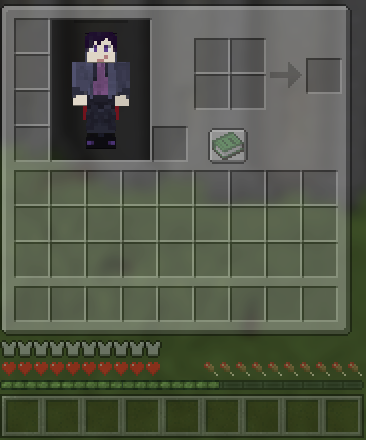
- Inventory
- Health
- Armor
- Hunger
⚙ Core Features
🖱 Live HUD Editor
- Drag real HUD elements in real time
- Instant visual feedback
- Save / Cancel / Reset workflow
🎯 Precision Controls
- Snap to grid
- Adjustable grid size
- Safe bounds (no off-screen mistakes)
- Alignment guides
🧩 Advanced Editing
- Multi-select movement
- Lock / Unlock elements
- Group / Ungroup
- Undo / Redo history
👁 Visibility & Overlay Tools
- Per-element alpha control
- Selected Alpha control
- Contextual opacity
- Live overlay preview toggle
💾 Layout Management
- Presets (Vanilla / Compact)
- Import / Export layout files
- Conflict detector for overlapping regions
📦 Inventory Integration
- Survival & Creative inventory positioning
- Recipe book compatibility handling
🚀 Why HUD Mover?
- Keeps the vanilla look
- Built for real gameplay setups
- Perfect for ultrawide users
- Great for PvP layouts
- Stream-friendly positioning
- Accessibility-focused spacing
🧭 Quick Start
- Open the HUD editor from settings -> keybind
- Select one or more HUD elements
- Drag to position
- Use grid/snap/guides
- Save layout
- Export as backup
📊 Feature Matrix
| Category | Included |
|---|---|
| Live editor | ✅ |
| Multi-select | ✅ |
| Grid snap | ✅ |
| Alignment guides | ✅ |
| Undo / Redo | ✅ |
| Lock / Group | ✅ |
| Presets | ✅ |
| Import / Export | ✅ |
| Conflict detector | ✅ |
| Contextual opacity | ✅ |
| Safe bounds | ✅ |
| Update notice | ✅ |
🔧 Compatibility
- Minecraft:
1.21.11 - Loader: Fabric
- Environment: Client-side
No server installation required.
📝 Notes
- If your HUD breaks after updates, use Reset or apply a preset.
- Always export a backup before major layout changes.
Screenshots
Gallery
-
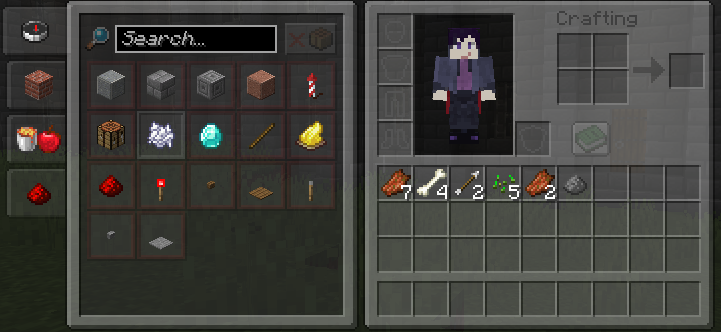 Inventory + Recipe Book
 -
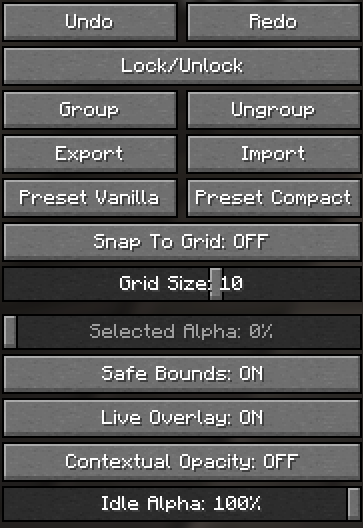 Hud Settings
 -
 Hud Editor
Versions
Files
Relations
Project Relations
More like this
Similar Mods
Suggestions use data such as tags, dependencies, dependents, descriptions, titles, and more to rank how much they overlap with this mod.
On ModDex
Community snapshot
By the numbers
Statistics

Want to reach Minecraft players?
We're looking for a server hosting partner to feature here and other parts of the site. Interested? Send us a message!
Get in touchGet it on
Available Platforms
On ModDex
Community snapshot
By the numbers
Statistics
Resources