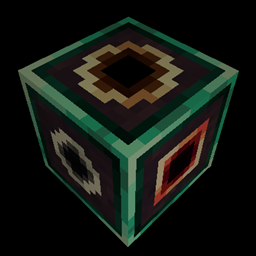
Community listing page, reviews here may not be monitored by the author.
Hyperbox


A forge mod that adds a box that's bigger on the inside than it is on the outside

Community voices
Reviews
No reviews yet. Be the first to review this project!
Get it on
Available Platforms
Compatibility
Supported Environments
Must be installed on both the client and the server.
About
Project Details
For authors
Embed Badge
If you're the author of this project, you can embed a live badge anywhere that supports HTML or Markdown. It updates automatically whenever ratings change.
Use HTML for any page that supports it, or Markdown for README files and Markdown-based descriptions.
Identifiers
Platform IDs
About
Description
The Hyperbox block acts as a portal to another dimension. Each hyperbox has its own dimension stored within; should the block be mined and placed somewhere else, the dimension will remain linked to that block.
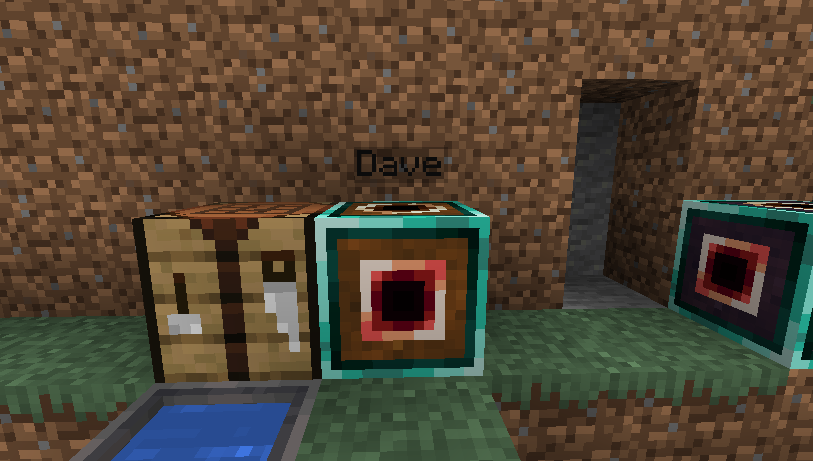
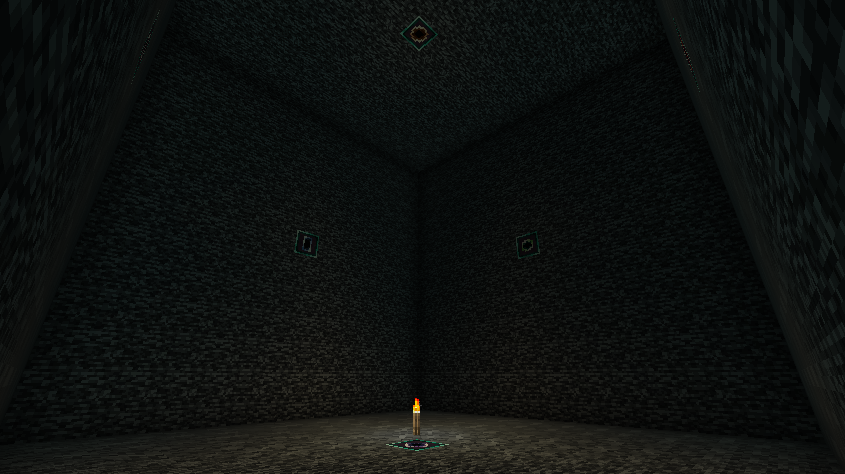
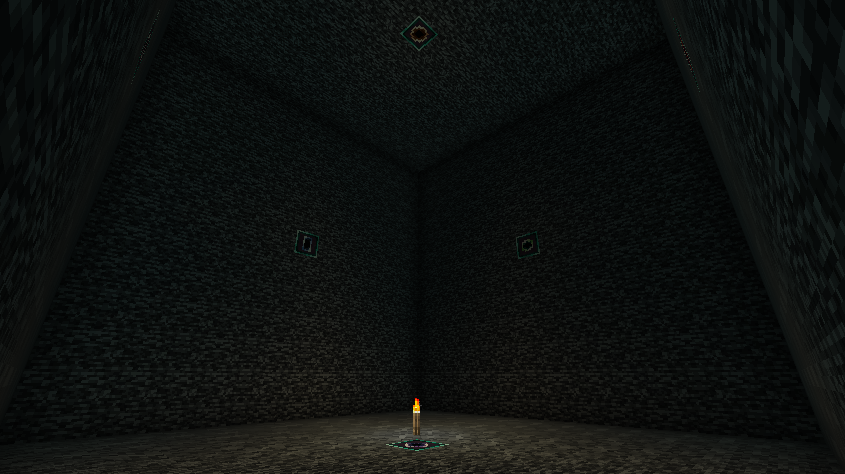
Activating the block sends the player inside this dimension; within the block's dimension are apertures on the walls, which can be activated to return to the overworld.
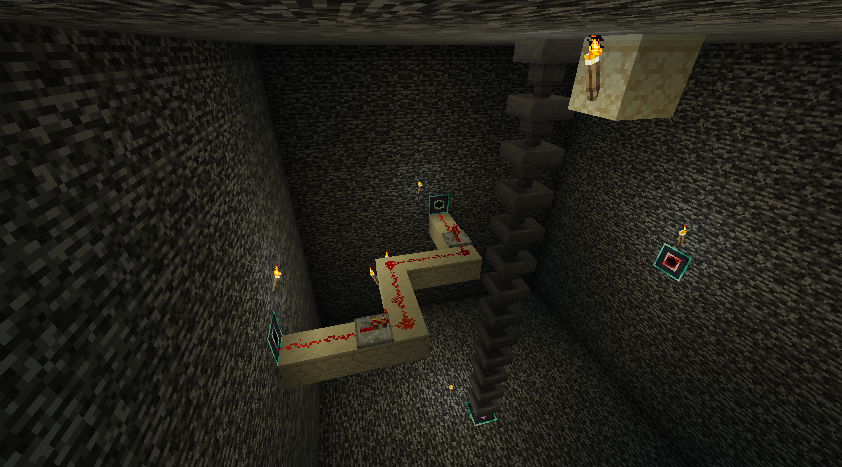
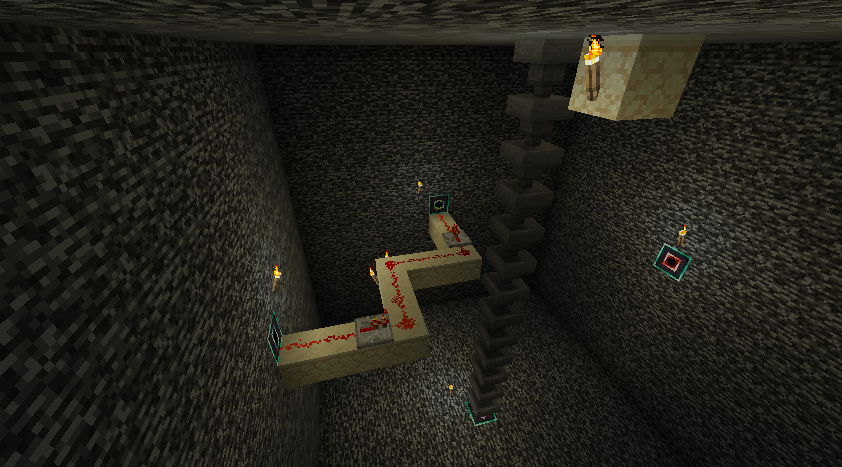
The apertures transmit redstone power and forge capabilities (such as items being inserted or extracted from hoppers) between the inside and the outside faces of the box, allowing large machines to be constructed in tiny spaces.
The hyperbox is intended to be compatible with anything from other mods that uses standard redstone power or forge's capability system.

Things to be wary about when using this mod:
* The hyperbox world's chunk is a single chunk at chunk position 0,0. The size of the space useable by the player is 13x13x13, excluding the walls.
* World borders are not currently supported, as worldborders currently occupy the same size and positions in all dimensions simultaneously. Creating a world border far from the 0,0 chunk may make hyperboxes unuseable until the world border is removed.
* The single chunk within the hyperbox dimension will remain loaded while the chunk containing the hyperbox block is loaded. This can be disabled via the common config.
* Hyperbox worlds will be unloaded and stop ticking if their parent block is removed; the world will be loaded again when the block is placed again.
* To reduce the file size of hyperbox worlds, only the single primary chunk of hyperbox worlds is saved to disk.
* The default recipes are viewable in the "Images" link at the top of this page.
* If a copy of an existing hyperbox is made (such as by using the creative mode ctrl-pickblock to copy block entity data into a blockitem), using this hyperbox blockitem will move the original hyperbox to the new location rather than place a new one; this prevents two hyperbox blocks from being linked to the same dimension.
As of 1.20.1-4.0.0.0, Hyperbox bundles the Infiniverse mod via Forge Jar-In-Jar, so it is no longer required to download Infiniverse separately.
Legacy Information:
* The 1.18.x and 1.19.x versions of Hyperbox require the Infiniverse mod: https://www.curseforge.com/minecraft/mc-mods/infiniverse
* Prior to 1.20.1, the hyperbox chunk is located at chunk 16,16 instead of 0,0
The Hyperbox block acts as a portal to another dimension. Each hyperbox has its own dimension stored within; should the block be mined and placed somewhere else, the dimension will remain linked to that block.
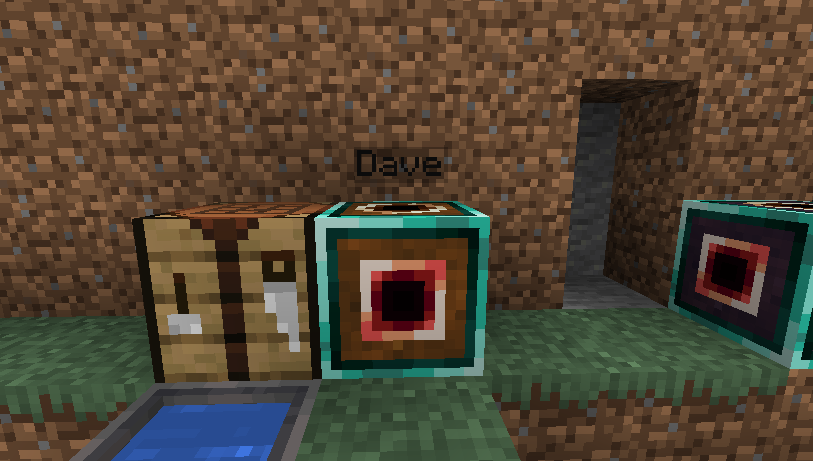
Activating the block sends the player inside this dimension; within the block's dimension are apertures on the walls, which can be activated to return to the overworld.
The apertures transmit redstone power and forge capabilities (such as items being inserted or extracted from hoppers) between the inside and the outside faces of the box, allowing large machines to be constructed in tiny spaces.
The hyperbox is intended to be compatible with anything from other mods that uses standard redstone power or forge's capability system.
Technical details:
-
The hyperbox world's chunk is a single chunk at chunk position 0,0. The size of the space useable by the player is 13x13x13, excluding the walls.
-
World borders are not currently supported, as worldborders currently occupy the same size and positions in all dimensions simultaneously. Creating a world border far from the 0,0 chunk may make hyperboxes unuseable until the world border is removed.
-
The single chunk within the hyperbox dimension will remain loaded while the chunk containing the hyperbox block is loaded. This can be disabled via the common config.
-
Hyperbox worlds will be unloaded and stop ticking if their parent block is removed; the world will be loaded again when the block is placed again.
-
To reduce the file size of hyperbox worlds, only the single primary chunk of hyperbox worlds is saved to disk.
-
The default recipes are viewable in the "Images" link at the top of this page.
-
If a copy of an existing hyperbox is made (such as by using the creative mode ctrl-pickblock to copy block entity data into a blockitem), using this hyperbox blockitem will move the original hyperbox to the new location rather than place a new one; this prevents two hyperbox blocks from being linked to the same dimension.
Screenshots
Gallery
-
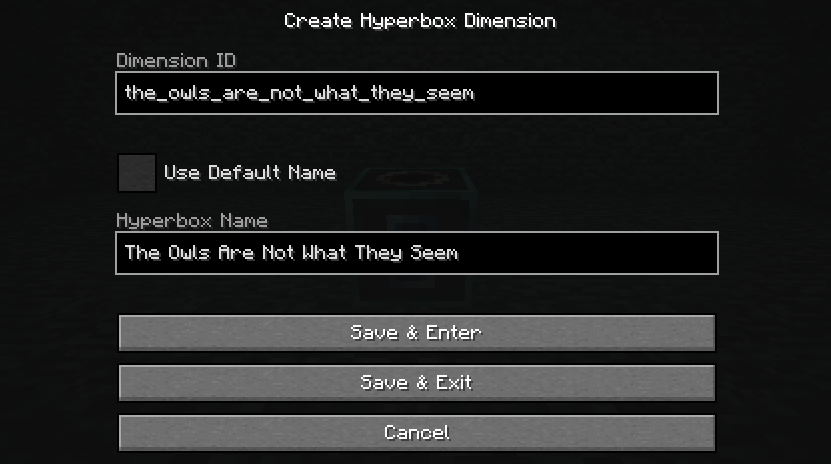 Create Hyperbox Screen As of 1.19-3.0.0.0, hyperboxes prompt the user for a dimension id and hyperbox name when first used. IDs of existing hyperboxes cannot be used.
 -
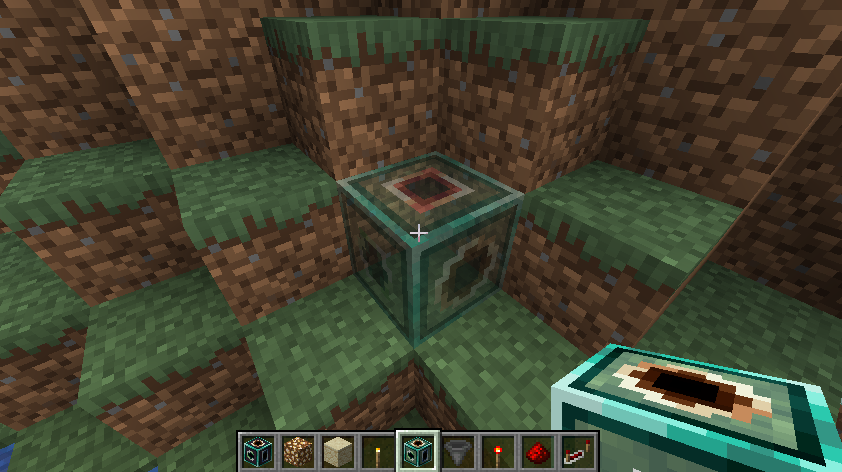 Placement Preview Hyperboxes can be placed in 24 different orientations; a placement preview is provided to assist with placing the hyperbox. The apertures on the outside of the hyperbox are always linked to matching-colored aperture of the inside of the hyperbox.
 -
Interior Transmission The apertures of hyperboxes can transmit redstone signals; they also support itemhandlers and other forge capabilities
-
The Inside of the Hyperbox
-
Nameplates Like other items, Hyperboxes can be named at an anvil for a small enchanting cost. Hyperboxes that are named in this way will render their nameplates slightly above them while the player is sneaking.
-
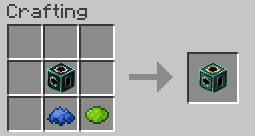 Dyeing Recipe Hyperboxes can be dyed into your favorite color, making them easier to tell apart.
 -
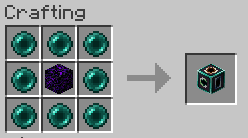 Hyperbox Recipe By combining Ender Pearls, which warp the fabric of space, and Crying Obsidian, which traps and accumulates souls, we can craft a block that traps and accumulates space.
-
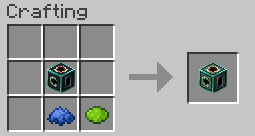 Dyeing Recipe Hyperboxes can be dyed into your favorite color, making them easier to tell apart
 -
 Interior Transmission The apertures of hyperboxes can transmit redstone signals; they also support itemhandlers and other forge capabilities
 -
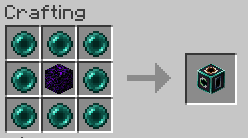 Hyperbox Recipe By combining Ender Pearls, which warp the fabric of space, and Crying Obsidian, which traps and accumulates souls, we can craft a block that traps and accumulates space.
 -
 The Inside of the Hyperbox
 -
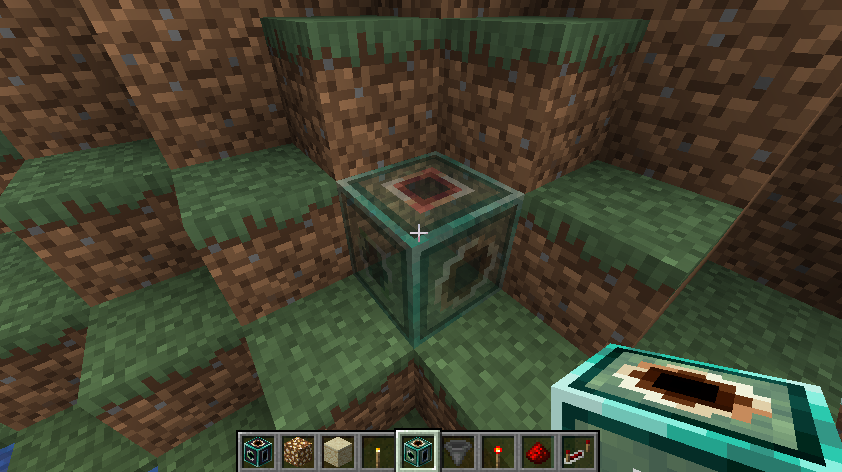 Placement Preview Hyperboxes can be placed in 24 different orientations; a placement preview is provided to assist with placing the hyperbox. The apertures on the outside of the hyperbox are always linked to matching-colored aperture of the inside of the hyperbox.
 -
 Hyperbox
Versions
Files
Relations
Project Relations
More like this
Similar Mods
Suggestions use data such as tags, dependencies, dependents, descriptions, titles, and more to rank how much they overlap with this mod.
On ModDex
Community snapshot
By the numbers
Statistics
 (opens in a new tab)
Get it on
Available Platforms
On ModDex
Community snapshot
By the numbers