Community listing page, reviews here may not be monitored by the author.
I DON'T Need Stone

No reviews yet
Miners' good partner! Prevent cobblestones filling your Inventory.

Community voices
Reviews
No reviews yet. Be the first to review this project!
Get it on
Available Platforms
About
Project Details
For authors
Embed Badge
If you're the author of this project, you can embed a live badge anywhere that supports HTML or Markdown. It updates automatically whenever ratings change.
Use HTML for any page that supports it, or Markdown for README files and Markdown-based descriptions.
Identifiers
Platform IDs
Resources
External Links
About
Description
Are you tired of throwing useless cobblestones and cobbled deepslates from you inventory while mining underground? Are you annoyed with rotten fleshs or saplings take up the space in your storehouse? Now say goodbye to those inconvenience! I DON'T Need Stone can prevent player from picking up items in your blacklist which player can configurate himself. It is highly customizable and has 3 useful function: Filter, Performance Optimization and Auto-drop.
(Please forgive my grammatical mistakes. I am not a native English speaker :( And have fun! )
Basic usage:
You have to install this mod both in Client and Server. It is because dropped items are basicly calculating on server.
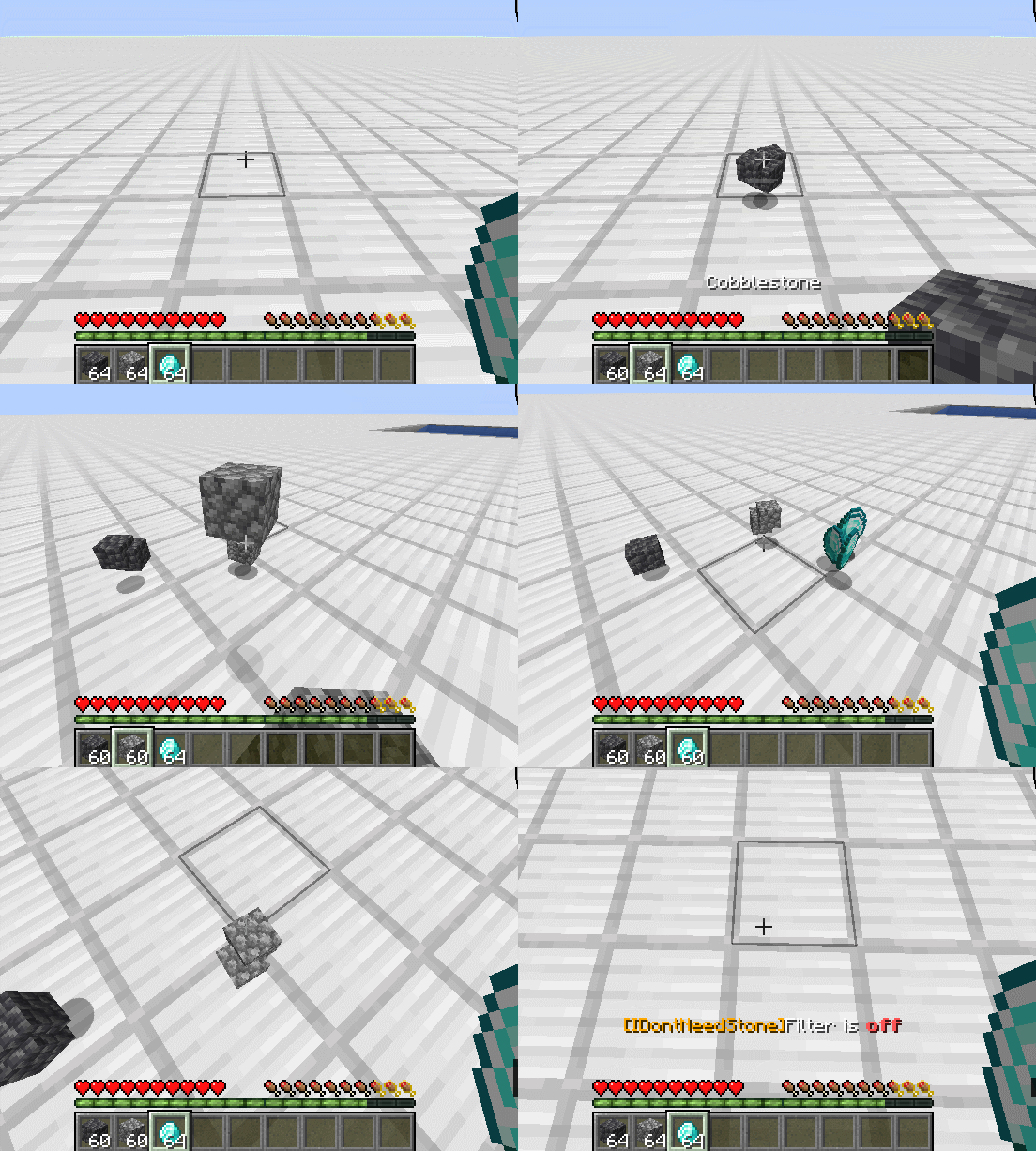
Press switch key (default: U) to enable or disable Item Filter. If filter is on, you will not pick up any items in the blacklist (default: cobblestone, cobbled deepslate, 6 different types of sapling and rotten flesh).
Dependence:
- Fabric API: necessary
- Mod Menu: recommanded but not necessary
Advanced configuration:
- If you have installed ModMenu...
Just click Mods button. Find I DON'T Need Stone. Click Configure... button.
- If not...
Install I DON'T Need Stone and run the game at least one time. Open config folder in your minecraft root folder. Find idontneedstone.json and open it with any text editor.
General
- Filter items in blacklist: It is the main switch of the whole mod. If its value is no, nothing will happen. If its value is yes, you will not pick up items in the blacklist.
- Blacklist: List of items you don't want to pick up. You need to enter the full name of the item, like "minecraft:cobblestone". If you enter an incorrect item name, it will turn red to mention you.
Hotkey
- Filter Switch Hotkey: Hotkey used for quickly enable or disable mod's function(Filter items in blacklist Option) in game. If multiple mods use the same key, they will all work without conflict. So it is best to ensure that this key is not occupied.
Extra
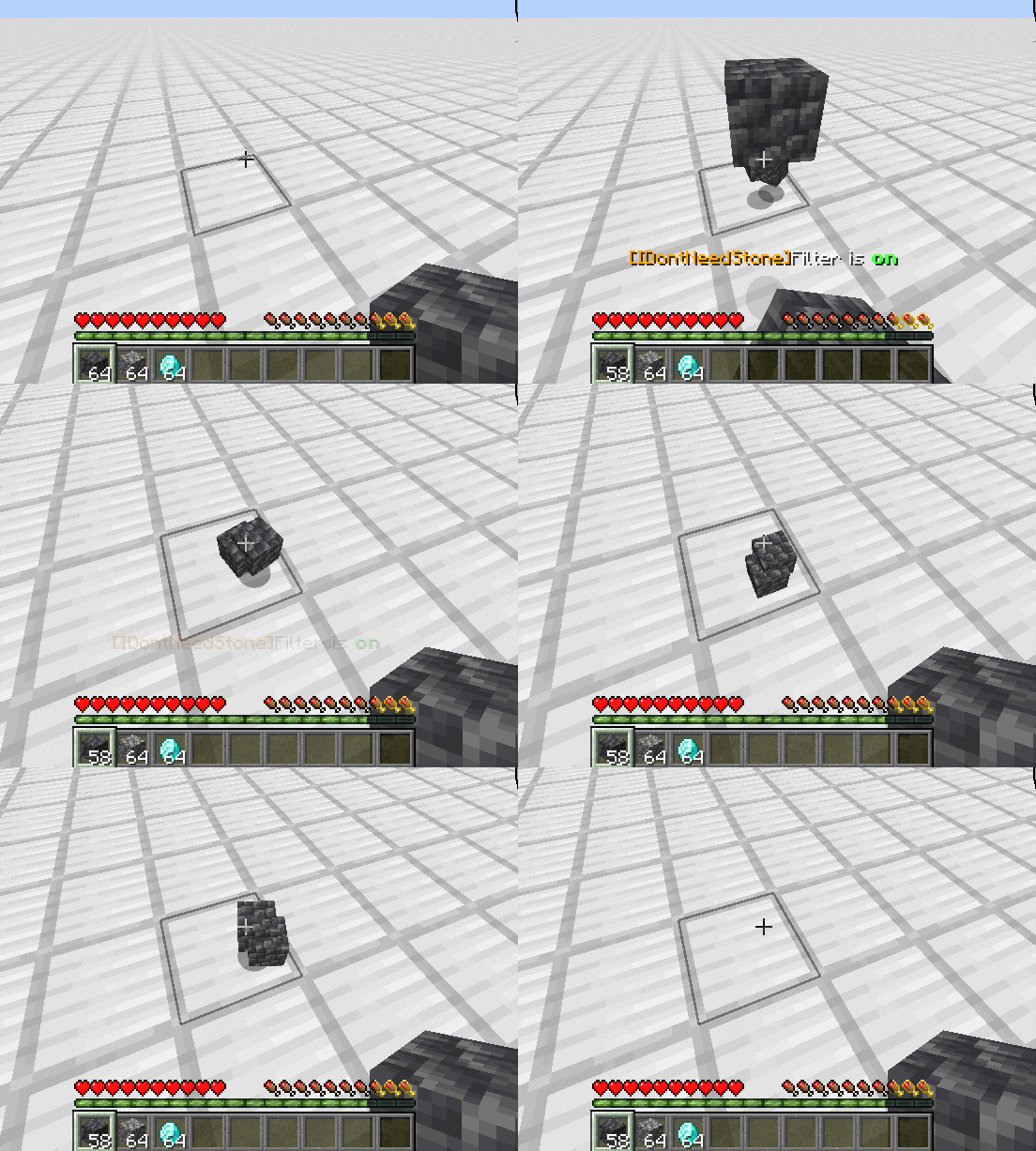
- Filtered items disappeared quickly: Items in your pickup range which in your blacklist will disappear faster than normal. Which too many falling objects may cause the server or client to get stuck. Will not work if Filter items in blacklist is OFF.
- Disappeared time(ticks): Valid only when Filtered items disappeared quickly is ON. Determine the time to wait before the items in your pickup range which in your blacklist disappear. 20 ticks = 1 second. Immediately disappeared if set to 0.
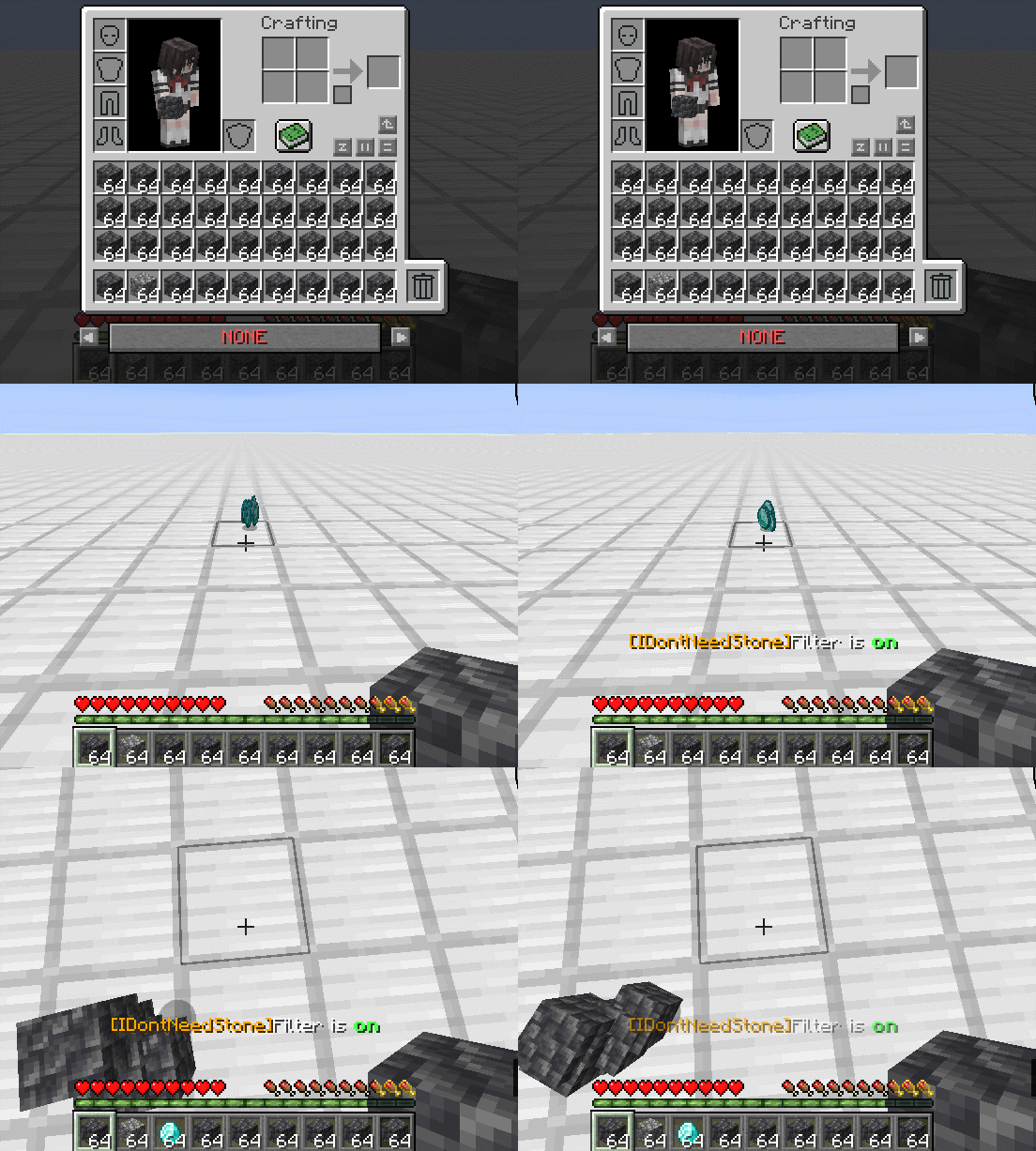
- Auto-drop: If you are about to pick up an item on the ground, and your inventory has no space, and there are items on the blacklist in your inventory. Then you will automatically throw the items on the blacklist out of your inventory to make room.
- Keep item count(stack): Valid only when Auto-drop is ON. When you automatically throw out items in the blacklist, at least N stacks of items will be left in your inventory. CAN set to 0.
Q&A:
- Why does it not work on players in creative mode?
I think it is not necessary. Also Auto-drop have some problem when players are in creative mode, so I just disabled this mod to all creative mode players.
- It doesn't work!
If you are playing on a server, please make sure that the server has installed this mod as well. Because dropped items are calculating on server, so it will not work when mod is only installed on client-side.
If you are playing in SinglePlayer, or you are pretty sure that both server and client have installed this mod, and it still not working. Please send a issue on Github (which you can find the url on the top of this article). I will try to find out why and fix it.
- The English description in the mod is kinda weird.
The localization of the current version is completed by myself. And I'm not a native English speaker. If you are a native English speaker, and you can read Chinese, please help me on localization! You can pull request on my Github Repository.
- Will it have Forge version / 1.18 version in the future?
About Forge: No. This is my first mod and I have not developed any mod in Forge before. So it has little possibility for me to develop a Forge version of this mod. But if you want to migrate it into forge, you are welcomed since this mod is under MIT License.
About 1.18 or earlier version: Maybe... It depends.
Screenshots
Gallery
-
 Auto-drop
 -
 Filtered items disappeared quickly
 -
 Filter
 -
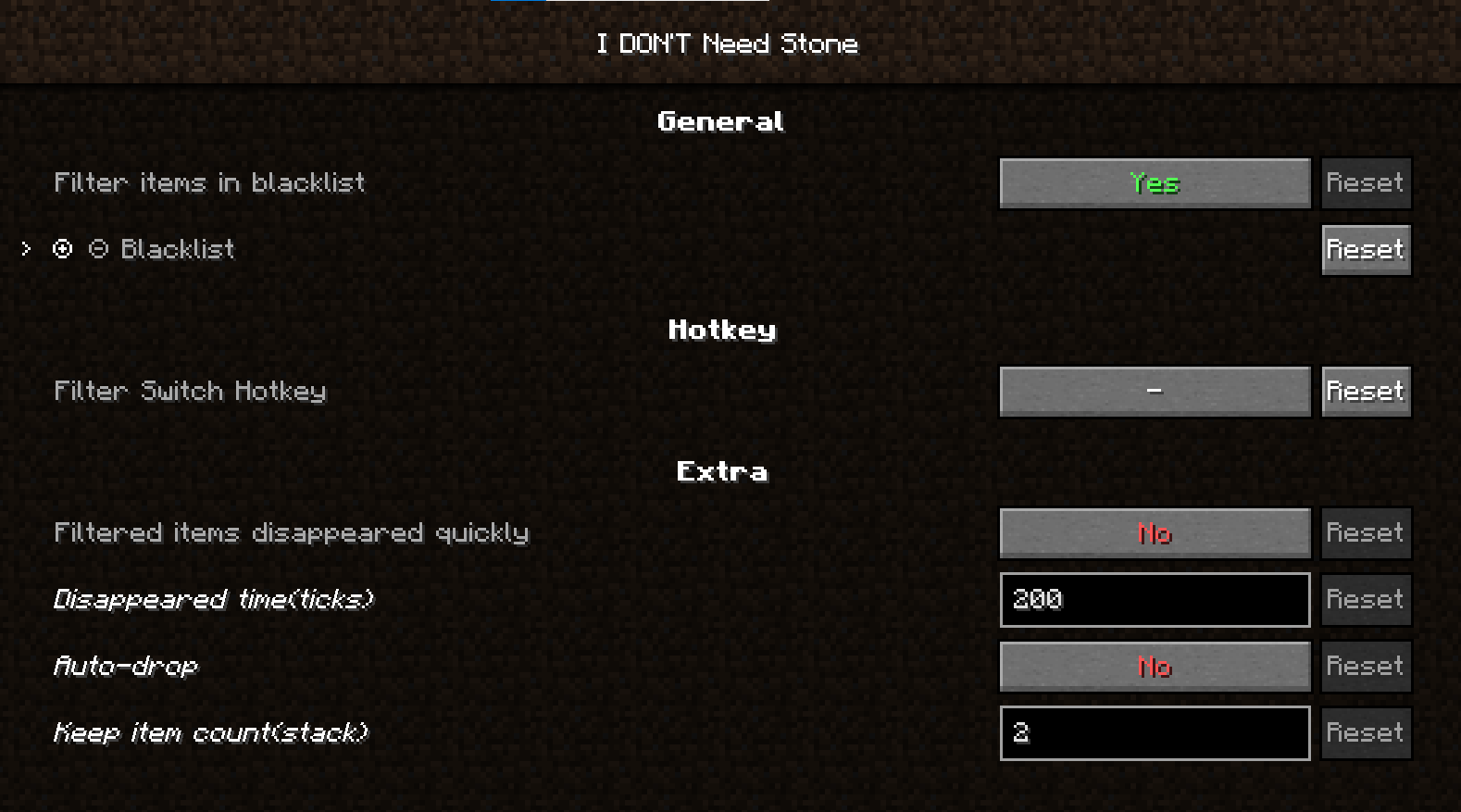 Configuration Panel
Versions
Files
Relations
Project Relations
More like this
Similar Mods
Suggestions use data such as tags, dependencies, dependents, descriptions, titles, and more to rank how much they overlap with this mod.
- Unneeded Additions
- In need of wood
- I Don't See You
- I DON'T WANNA SCROLL AGAIN!
- I don't feel safe!
- I Don't Want to Hurt Pets!
- I don't like nether
- I Don’t Want to Cheat
- I don't Think It's Not Enough Recipes/Craftings (IdTINER) (Forge)
- IDWTD(I don't want to die)
- Philia Amulet: I Don't Want Friendly Fire
- Better Smithing Table
On ModDex
Community snapshot
By the numbers
Statistics
 (opens in a new tab)
Get it on
Available Platforms
On ModDex
Community snapshot
By the numbers
Statistics
Resources