
I see you over there!
No reviews yet
Increases entity and block-entity render distance based on zoom.
Does not follow a specific thematic focus apart from vanilla Minecraft.
Used for mods with little to no gameplay elements.
Includes quality of life improvements and small tweaks to enhance and customize gameplay.
Enhances game performance and optimizes resource usage.
Adds client-side tools and features to enhance the user experience.
Fabric is a mod loader for versions 1.14+ of Minecraft, particularly popular for client side and optimization mods.
Community voices
Reviews
Click once to include, again to exclude, again to clear
No reviews yet. Be the first to review this project!
Get it on
Available Platforms
 Modrinth
Compatibility
Supported Environments
About
Project Details
For authors
Embed Badge
If you're the author of this project, you can embed a live badge anywhere that supports HTML or Markdown. It updates automatically whenever ratings change.
Use HTML for any page that supports it, or Markdown for README files and Markdown-based descriptions.
Identifiers
Platform IDs
About
Description
I See You Over There !
Adds additional options to the render distance of entities and block-entities.
Can fix the lower render distance on small entities, and automatically increase the render distance when zooming in.
This should theoretically work with any zoom mod.
This may not work as effectively in multiplayer.
Unless the server is configured to have an increased tracking distance (vanilla settings), the client will not even know about far away entities, and thus won't be able to render them.
In singleplayer, the mod automatically adjusts the server-side's tracking distance to match the render distance.
Configuration
The config can be edited in-game using Mod Menu + Cloth Config
fovScaling
When enabled, causes entity and block-entities render distances to increase or decrease based on the FOV (e.g, when using a spyglass).
When enabled, all other settings (except entity.max) will scale with the FOV. Their defined value will correspond to a FOV of 90°.
entity.min
Forces all entities within this range to be rendered.
In vanilla, entity render distance scales based on the entity's physical size. Without that setting, the smallest ones may require you to get absurdely close in order for them to become visible.
entity.max
Prevents entities beyond this range from being rendered.
This setting is intended to serve as a limiter. It is not affected by FOV-scaling, and will override the Minimum value.
block.min
Renders all block-entities within this range. This can only increase block-entity render distance, not reduce it.
This setting may be removed in the future. It offers no benefit over using the mod "Enhanced Block Entities".
block.beacon
Render distance for the beacon's beam.
Screenshots
Gallery
-
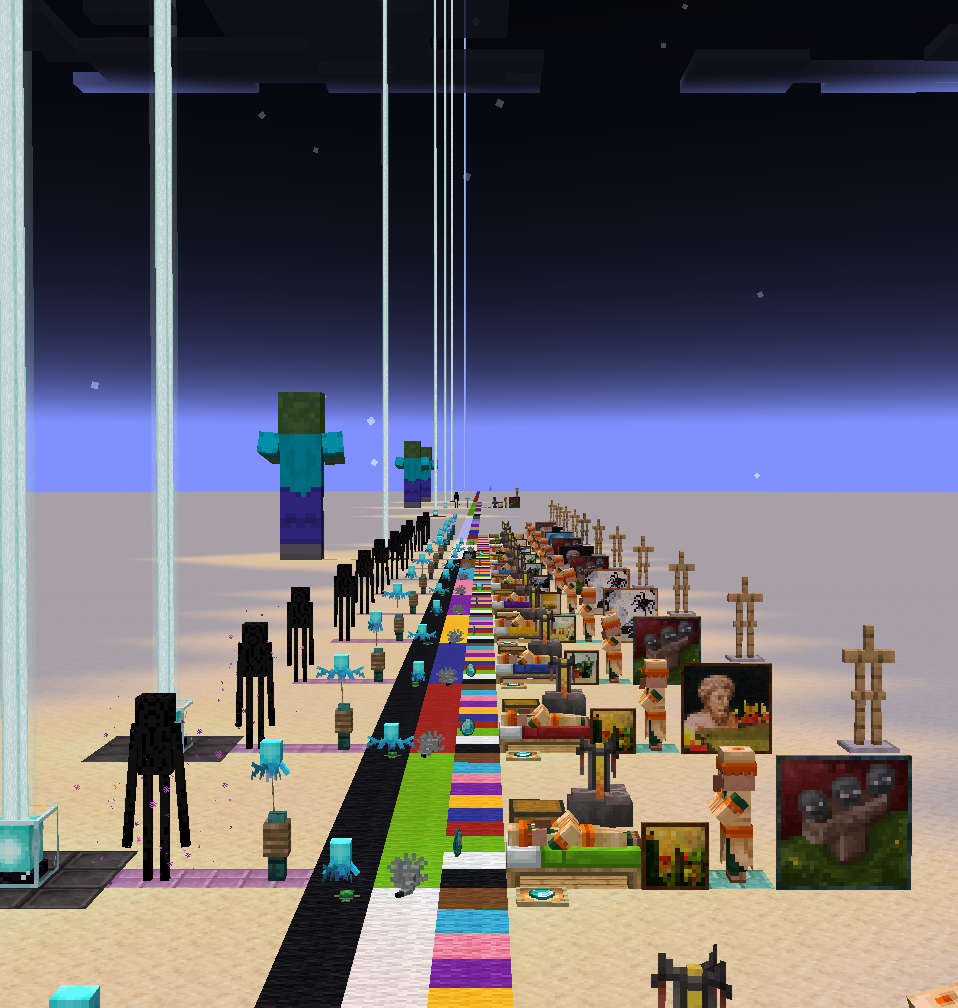 Zoomed-out (uncropped)
 -
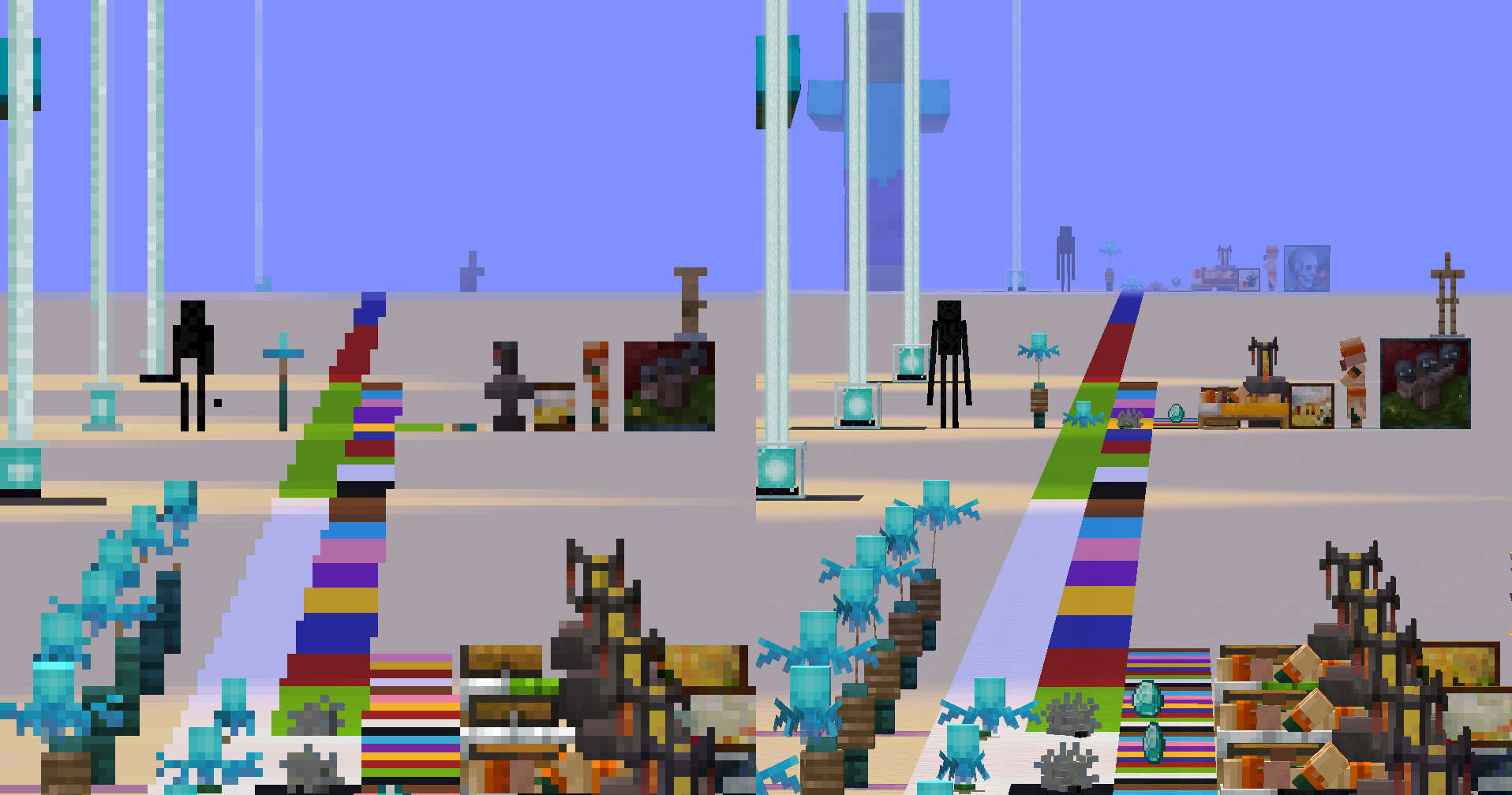 Zoomed-out (left, cropped) vs Zoomed-in (right) More entities become visible as they take up more space on screen.
Versions
Files
Relations
Project Relations
More like this
Similar Mods
Suggestions use data such as tags, dependencies, dependents, descriptions, titles, and more to rank how much they overlap with this mod.
On ModDex
Community snapshot
By the numbers
Statistics

Want to reach Minecraft players?
We're looking for a server hosting partner to feature here and other parts of the site. Interested? Send us a message!
Get in touchGet it on
Available Platforms
On ModDex
Community snapshot
By the numbers