
Ice Boat Path Generator
No reviews yet
Simple QOL Minecraft mod that helps to build/generate ice boat pathways.
Adds new methods of transportation for players.
Fabric is a mod loader for versions 1.14+ of Minecraft, particularly popular for client side and optimization mods.
Community voices
Reviews
Click once to include, again to exclude, again to clear
No reviews yet. Be the first to review this project!
Get it on
Available Platforms
 Modrinth
Compatibility
Supported Environments
About
Project Details
For authors
Embed Badge
If you're the author of this project, you can embed a live badge anywhere that supports HTML or Markdown. It updates automatically whenever ratings change.
Use HTML for any page that supports it, or Markdown for README files and Markdown-based descriptions.
Identifiers
Platform IDs
About
Description
Ice Boat Path Generator
A simple Fabric mod for Minecraft 1.21.11 that helps with building ice boat pathways. Featuring 'ghost' blocks that help indicate placement of blocks and creative auto build that creates the ice path.
Requirements
- Minecraft 1.21.11
- Java 21
- Fabric-Loader 0.18.6
- ModMenu 17.0.0
- Cloth-Config 21.11.153
Install
Download .jar file from releases and put into mods folder.
Features
Yaw commands
- yawLook
- Show the current yaw with higher precision, closest snapped angle, closest rounded down angle and closest round up angle (Why see Explanation section).
- yawSnap
- Snaps to the current closest boat angle.
- YawBetweenPoints
x1 z1 x2 z2- Inputting coordinates of two points, the command shows the real angle between two points, Snapped angle to nearest boat angle, closest rounded down angle and closest round up angle.
Ghost block commands
-
ghostLine
length- Snaps to the nearest boat angle and generates a line of ghost blocks based on length.
-
ghostLineBetween
x1 z1 x2 z2- Inputting coordinates of two points, the command generates a line of ghost blocks between these two points and snapped yaw they were generated with.
-
ghostBlocksClear
- Clears all ghost blocks.
-
ghostLinePlaceBlocks
length- Snaps to the nearest boat angle and places a line of ACTUAL blocks based on length.*
-
ghostLinePlaceBlocksBetween
x1 z1 x2 z2- Inputting coordinates of two points, the command places a line of ACTUAL blocks between these two points and snapped yaw they were generated with.*
-
*Commands 'ghostLinePlaceBlocks' and 'ghostLinePlaceBlocksBetween' are registered as server commands, they will work in survival (requiring creative by default) but won't even show up on servers.
Config
-
placeBlocksCreativeOnly
- Setting to false enables 'ghostLinePlaceBlocks' to be used in survival.
-
renderEnabled
- Toggles the render of ghost blocks*.
- (default hotkey: KEY_PAD4)
-
everyOther
- Toggles whether rendered/placed blocks have air block between them (SEE LIMITATIONS SECTION FOR MORE)*.
- (default hotkey: KEY_PAD5)
-
forceSnap
- Toggles whether 'ghostLine' and 'ghostLinePlaceBlocks' automatically snap you to nearest boat angle.
-
ghostLightLevel
- Changes the light level of rendered block in range from 0 to 20.
-
blockType
- Changes the rendered/placed blocks to this chosen one.
-
*Hotkeys for renderEnabled and everyOther can be found in general Minecraft keybind settings.
Current LIMITATIONS
- Cardinal angles i.e. 0,90,180,-90 and their middles i.e. 45,135,-45,-135 work perfectly as they are simple to do even normally.
- From my testing the closer to middle angles you get the more inconsistent it becomes and drift even with perfect angles and boat placement occurs.
- When using full path, meaning no air blocks between, at these non-cardinal (or their middle) angles,
- The general minimum at which they would work is about 7500 blocks .
- And about 13500 blocks maximum (I did not try every angle and every possibility, close to cardinal angles can probably go way further).
- When using air blocks between this can drop drastically as low as 1400 blocks.
- On average, they seem to be able to go 2500 to 3000 blocks .
- But at maximum (usually close to cardinal angles) can be as good full paths, with the added benefit of less ice blocks used.
- But for both of these pathways the boat placement matter a lot, easily adding thousands of blocks by placing the boat on left or right side of the block
- (With air in between this isn't usually possible as the boat needs to be placed around center).
- That's why I highly recommend to test out, in a creative world, the angle and whether air in between can support your desired angle or even full block paths just to be sure.
- Packed ice or Blue ice doesn't seem to make a difference in stability of the path, so they only differ in speed, packed ice being 40 blocks/s and blue ice 72.72(72) blocks/s.
- I'm sure this can be overcome with better and smarter algorithm when creating the line, specifically taking into consideration the drift that happens in most angles towards one side making you fall.
Explanation
Snapped yaw
- Boats in Minecraft snap to one of 256 possible angles, every 1.40625° or precisely 360/256.
- You can test this yourself, go to any Minecraft world and look at an angle between 29.7 to 30.7° as an example, place down a boat and reconnect to the world. Every time, once u get into the boat the angle will be 29.5° (29.531250°).
- So Minecraft always floors the current angle when placing a boat, that's why when using yawLook, the snapped angle and lower angle are the same.
Line algorithm
The algorithm used for the line generation is Bresenham's line algorithm
Credits
- MinecraftShapes.com - Took the inspiration to use Bresenham's algorithm to draw lines
- RaysWorks ice boat video - Specifically comment from @chengyuanma6084 regarding boat angles
Screenshots
Gallery
-
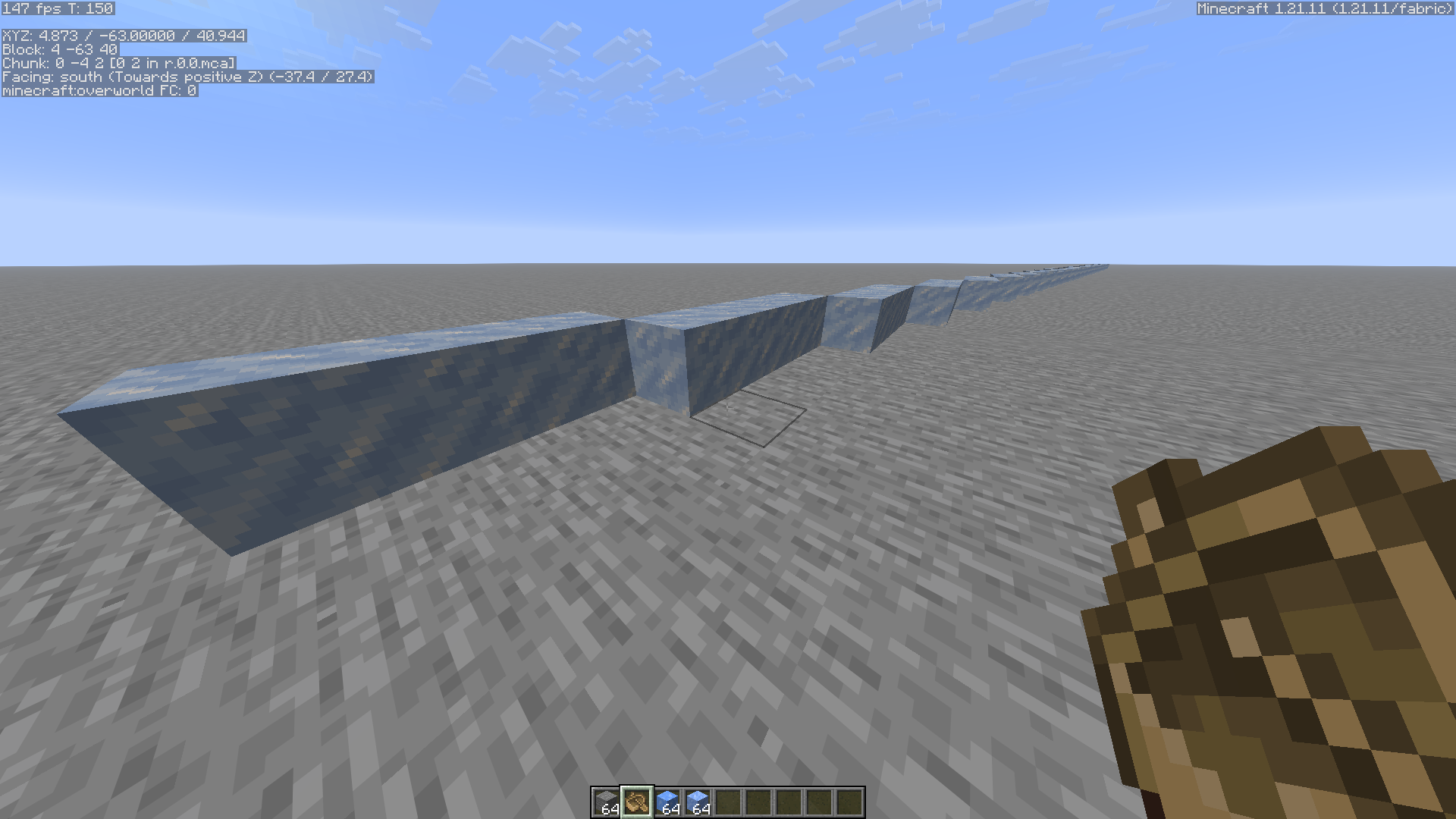 Ghost line rendered with packed ice Light level 11, Block Type: minecraft:packed_ice, Every Other disabled
 -
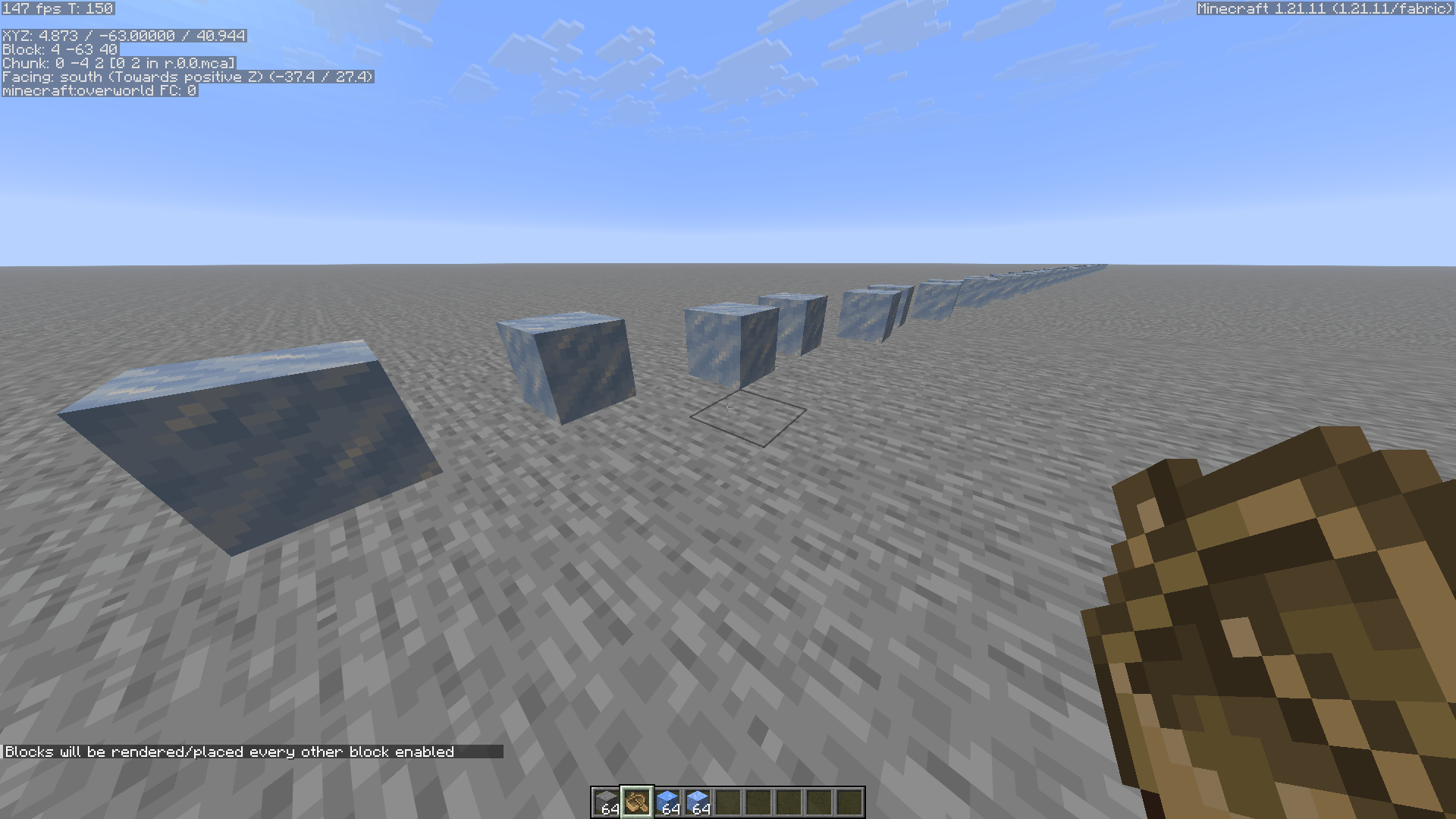 Ghost line rendered with air blocks between Light level 11, Block Type: minecraft:packed_ice, Every Other enabled
 -
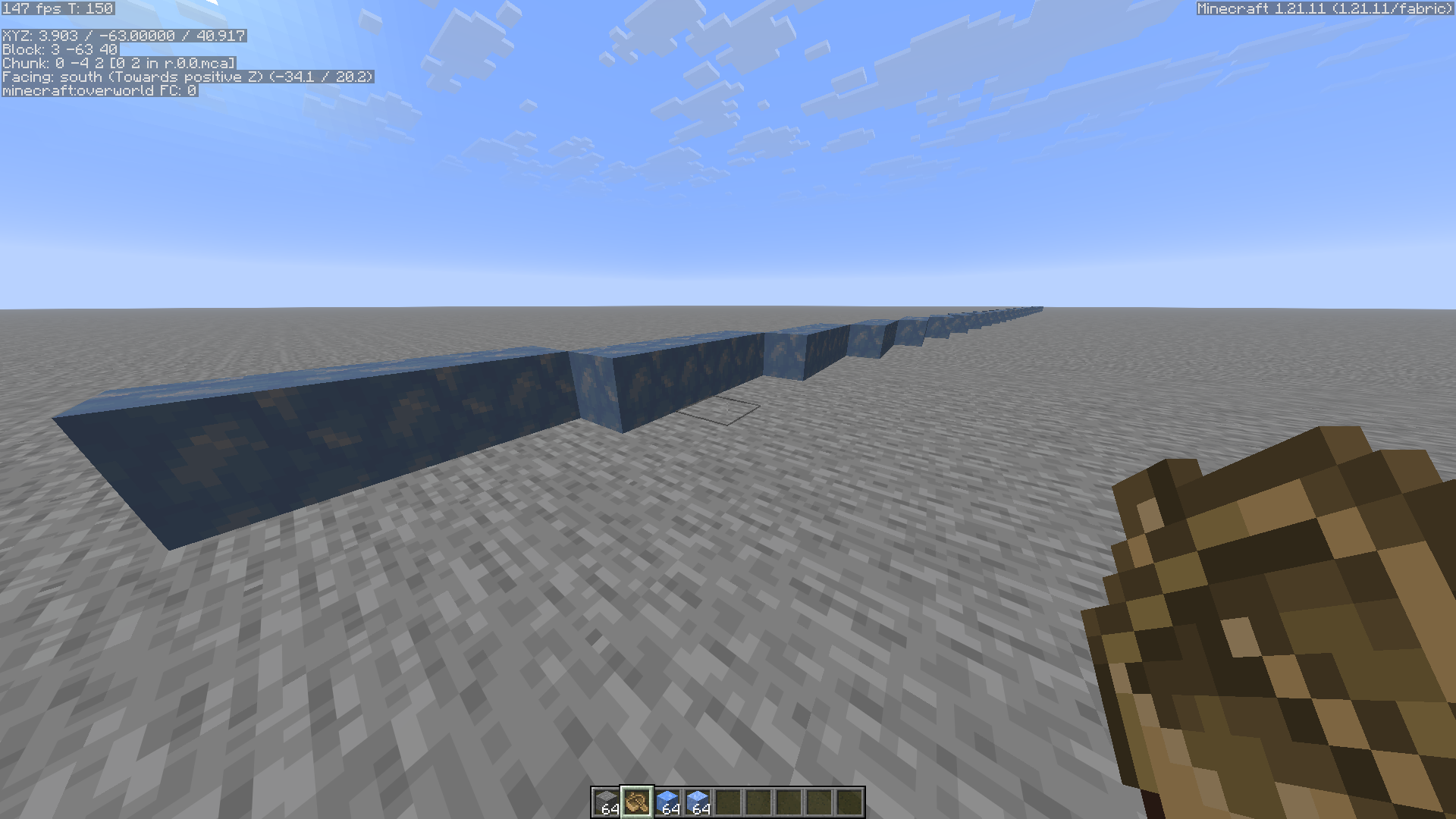 Ghost line rendered with blue ice Light level: 7, Block type: minecraft:blue_ice, Every other disabled
 -
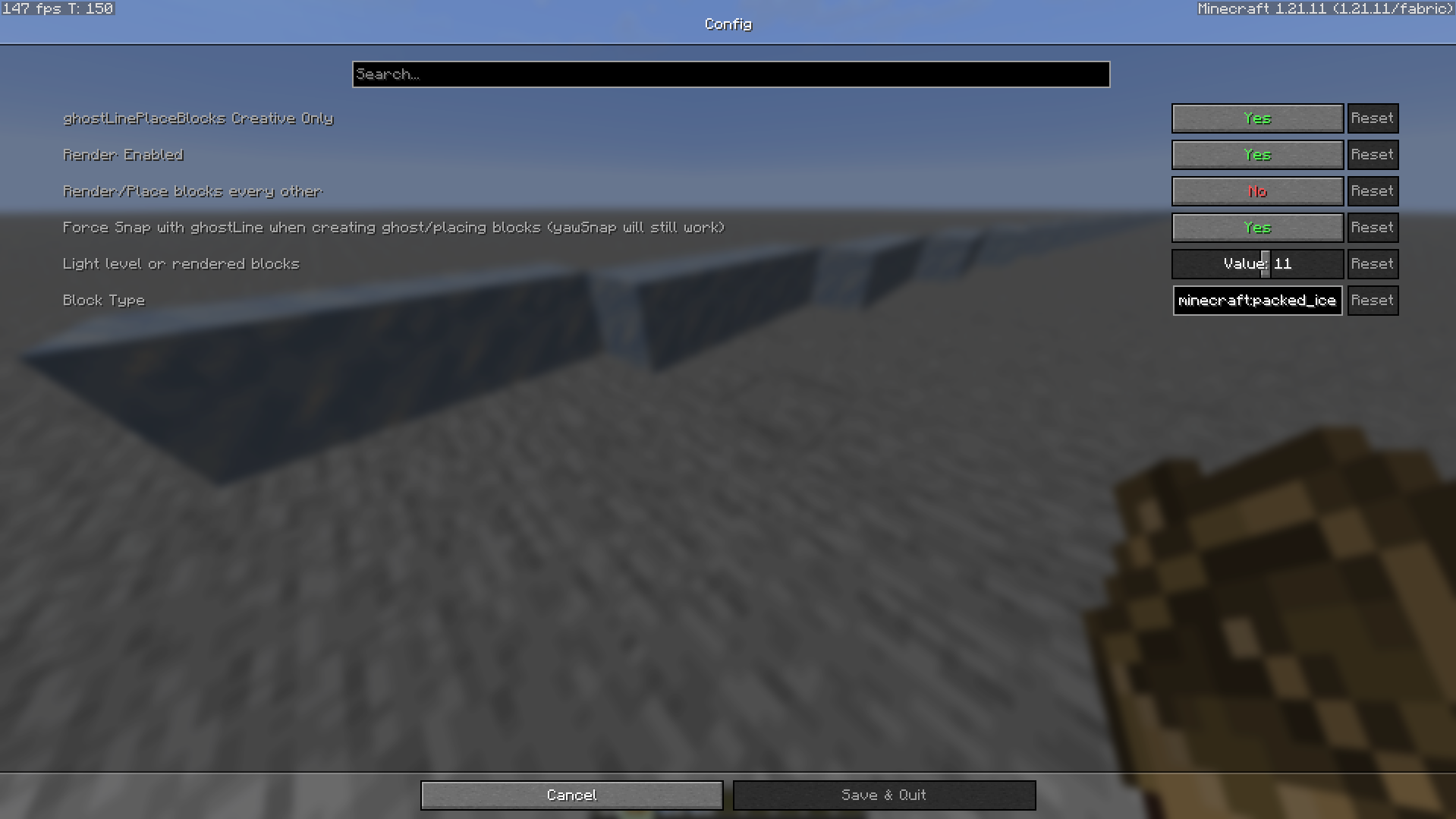 Default config settings
Versions
Files
Relations
Project Relations
More like this
Similar Mods
Suggestions use data such as tags, dependencies, dependents, descriptions, titles, and more to rank how much they overlap with this mod.
On ModDex
Community snapshot
By the numbers
Statistics

Want to reach Minecraft players?
We're looking for a server hosting partner to feature here and other parts of the site. Interested? Send us a message!
Get in touchGet it on
Available Platforms
On ModDex
Community snapshot
By the numbers