
ICNT
No reviews yet
Shows the held item icon, total count of matching items, and durability on the HUD. Configure display position, warnings, sounds, and durability safety options through Mod Menu
Fabric is a mod loader for versions 1.14+ of Minecraft, particularly popular for client side and optimization mods.
Community voices
Reviews
Click once to include, again to exclude, again to clear
No reviews yet. Be the first to review this project!
Get it on
Available Platforms
 Modrinth
Compatibility
Supported Environments
About
Project Details
For authors
Embed Badge
If you're the author of this project, you can embed a live badge anywhere that supports HTML or Markdown. It updates automatically whenever ratings change.
Use HTML for any page that supports it, or Markdown for README files and Markdown-based descriptions.
Identifiers
Platform IDs
Resources
External Links
About
Description
ICNT (Inventory Count Tool)
ICNT is a lightweight Fabric client-side HUD mod for Minecraft 1.21.8.
It shows the icon of the currently held item, the total count of matching items in your inventory, and (for damageable tools) remaining durability directly on screen.
This mod is designed for players who want fast, readable inventory awareness during combat, mining, and exploration, without opening inventory screens.
All settings are available in Mod Menu with a GUI, so no commands are required.
Main Features
- Held item icon + live total count display
- Optional durability text for tools
- Configurable HUD layout:
- anchor position
- free-position mode
- X/Y offsets
- drag-based position editor
- Multiple display styles (compact / detailed)
- Warning system:
- caution and warning durability thresholds
- warning text display
- configurable warning sounds (volume/cooldown)
- Safety option to block tool use at durability 1
Smart Item Matching
ICNT counts items using item data-aware matching:
- Different potion effects are not merged
- Different enchantments are not merged
- Items with the same type but different components are counted separately
This means your displayed count reflects the exact variant you are holding, not just the base item ID.
Compatibility
- Loader: Fabric
- Minecraft: 1.21.8
- Environment: Client-side
Notes
- This mod only affects client HUD and local feedback.
- It does not require server-side installation.
Screenshots
Gallery
-
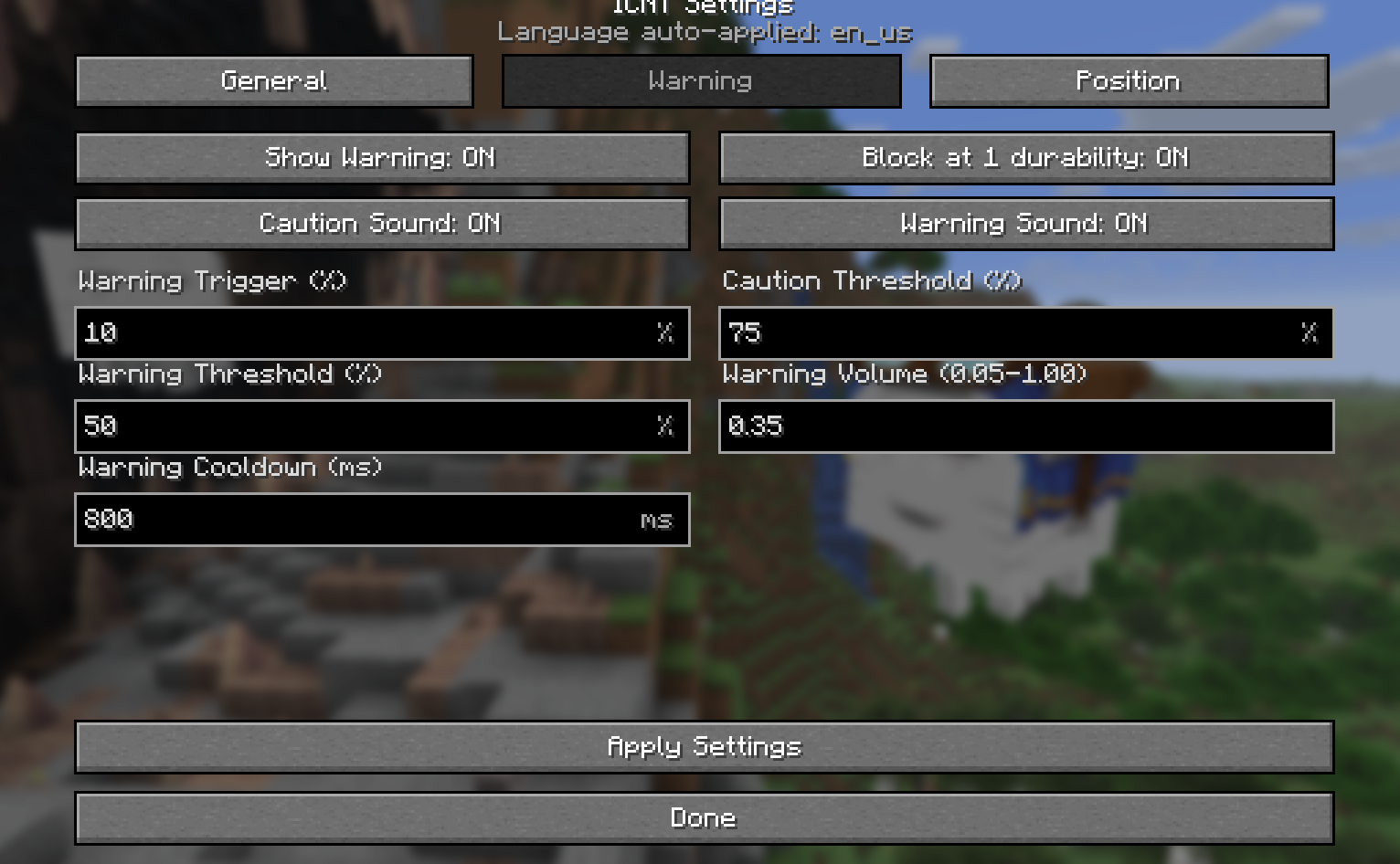 Tabbed settings UI (Warning category) ICNT settings screen with category tabs (General / Warning / Position). This view shows warning controls: durability trigger threshold, caution/warning thresholds, warning volume, and cooldown, plus safety toggles such as block-at-1 durability.
 -
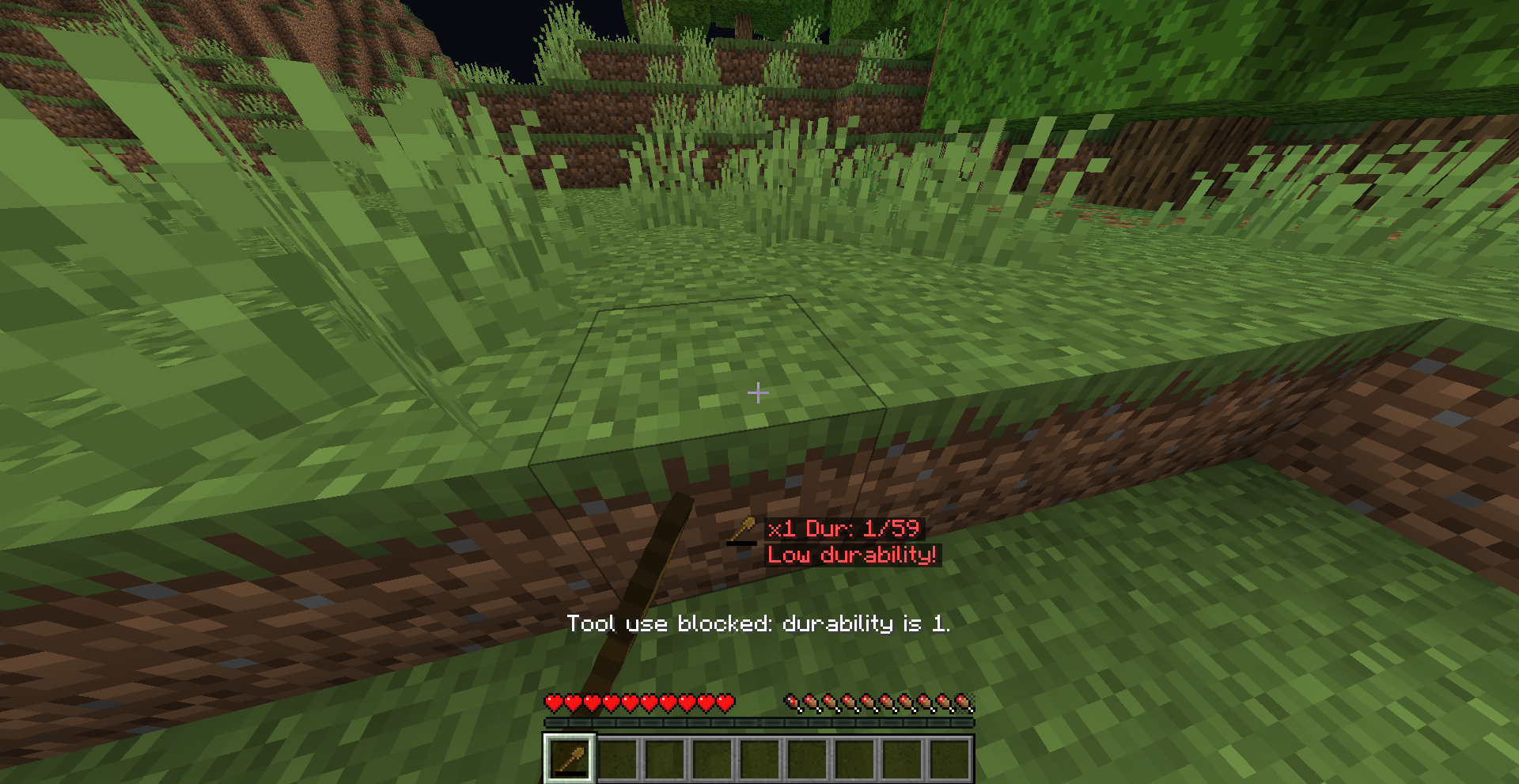 Low durability warning and safety block In-game HUD warning example when tool durability is critical. ICNT shows the held item count and remaining durability in red, displays a low-durability warning, and blocks tool use at durability 1 with an action-bar message.
Versions
Files
Relations
Project Relations
More like this
Similar Mods
Suggestions use data such as tags, dependencies, dependents, descriptions, titles, and more to rank how much they overlap with this mod.
On ModDex
Community snapshot
By the numbers
Statistics

Want to reach Minecraft players?
We're looking for a server hosting partner to feature here and other parts of the site. Interested? Send us a message!
Get in touchGet it on
Available Platforms
On ModDex
Community snapshot
By the numbers
Statistics
Resources