
Community voices
Reviews
Click once to include, again to exclude, again to clear
No reviews yet. Be the first to review this project!
Get it on
Available Platforms
 Modrinth
Compatibility
Supported Environments
About
Project Details
For authors
Embed Badge
If you're the author of this project, you can embed a live badge anywhere that supports HTML or Markdown. It updates automatically whenever ratings change.
Use HTML for any page that supports it, or Markdown for README files and Markdown-based descriptions.
Identifiers
Platform IDs
Resources
External Links
About
Description

A FoxLoader (ReIndev mod loader) client-side modification that adds a handy tooltip which reveals some info about the block you aim with your cursor.
Basically, the nearest similar mod that come to my mind is WAILA, but this mod is specifically designed for ReIndev mechanics and environment.
At this moment, the mod shows such information:
- Basic information (block name, id/meta if enabled, mod source)
- Specific information for each block individually:
- Honeycomb: empty/filled status
- Pistons (+ sticky variant): enabled/disabled status
- Gears: power value
- Carved Pumpkins and Watermelons: carving type
- Dungeon Chest: loot status
- Cake and Pie blocks: pieces left
- Wait Block: wait delay
- Bonsai Planter: planted tree type and growth information
- Cauldron: potion information
- Jukebox: inserted disc information
- Forge, Refridgifreezer, Furnace, Incinerator: progress and inventory contents
- Specific information for each entity individually:
- Item Frame: hanged item name
- Painting: painting title
- Furnace Minecraft: fuel left status
Attention! For some blocks, such as Bonsai Planter, Cauldron, Forge, Refridgifreezer, Furnace, Incinerator and Jukebox, you need to hold SHIFT key to see the details!
Configuration
The tooltip can be easily configured and has own menu, just follow Mods -> ICY -> Configure mod.
Current tweakable options include:
- Show/hide ID and metadata of a block
- Show/hide harvestability icon
- Use either static color or gradient of two colors (ARGB) for tooltip background
- Change X/Y offset location of the tooltip
- Change the global location (anchor) of the tooltip
Installation
Ensure you have FoxLoader installed. Click at the link and follow instructions (Installation section). Or in a nutshell, grab *-mmc.zip file and export it to MultiMC/PrismLauncher.
Simply download a .jar file and put it inside mods folder. That's all.
Sources & License
The mod's sources are publicly available and licensed under GNU Lesser General Public License Version 2.1. The library HelloGUI it uses for config GUI is licensed under GNU Lesser General Public License v2.1.
Screenshots
Gallery
-
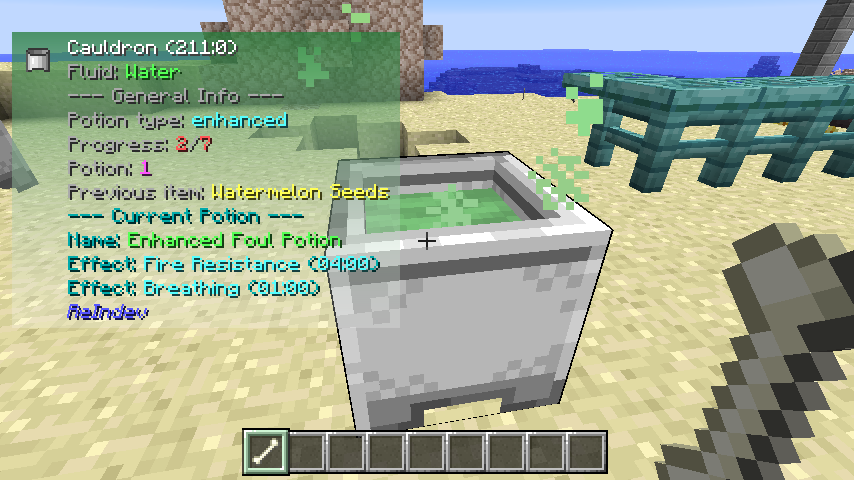 ICY in action! This images shows how ICY handles cauldron potion information.
 -
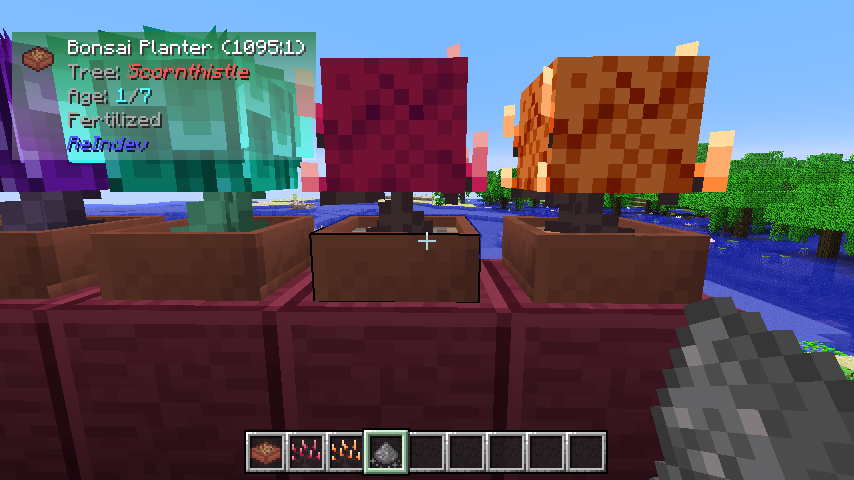 ICY in action! This image shows how ICY shows information about the bonsai plant's growth
 -
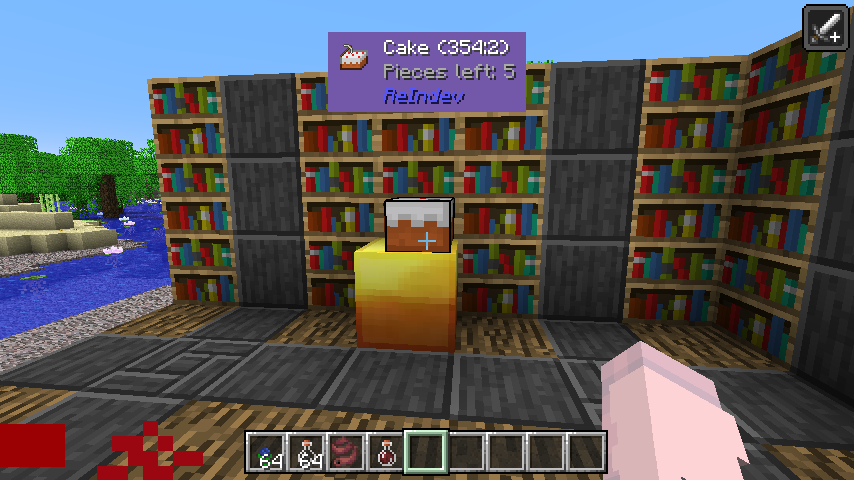 ICY in action! This image shows how... who did eat cake? We've got only 5 pieces left!
 -
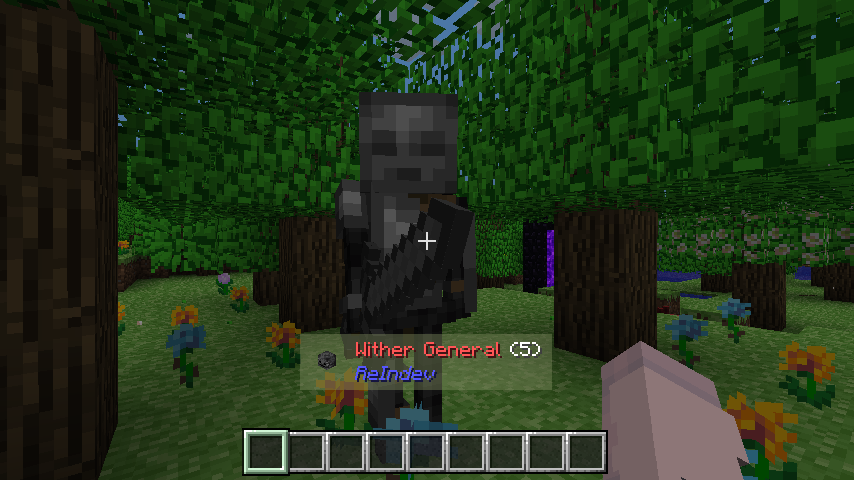 ICY now has Entity support! Still basic, but you can see the name of the entity, their status (friendly, aggressive, water, etc) and their entity ID.
 -
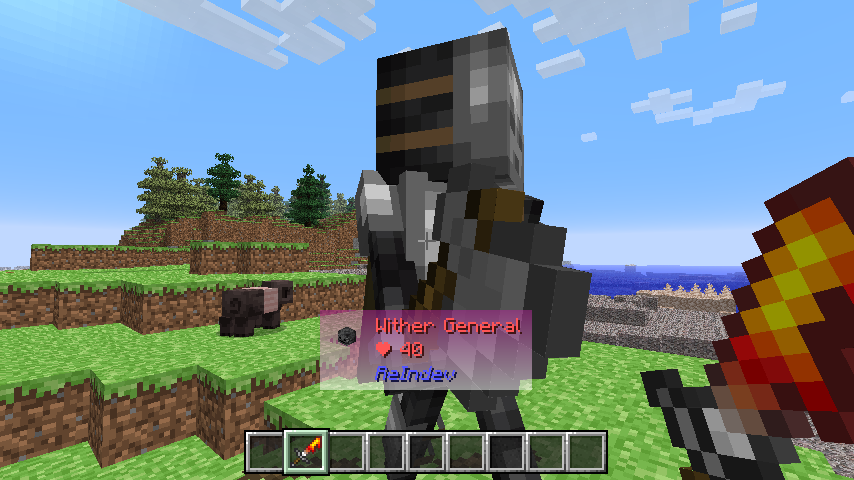 Entity Health (Singleplayer) Now you can see a health status of a living entity (singleplayer only feature)
Versions
Files
Relations
Project Relations
More like this
Similar Mods
Suggestions use data such as tags, dependencies, dependents, descriptions, titles, and more to rank how much they overlap with this mod.
On ModDex
Community snapshot
By the numbers
Statistics

Want to reach Minecraft players?
We're looking for a server hosting partner to feature here and other parts of the site. Interested? Send us a message!
Get in touchGet it on
Available Platforms
On ModDex
Community snapshot
By the numbers
Statistics
Resources