
Community listing page, reviews may not be monitored by the author.
Icy's Lib

No reviews yet
A library mod for some of Icy's mods

Community voices
Reviews
No reviews yet. Be the first to review this project!
Get it on
Available Platforms
About
Project Details
For authors
Embed Badge
If you're the author of this project, you can embed a live badge anywhere that supports HTML or Markdown. It updates automatically whenever ratings change.
Use HTML for any page that supports it, or Markdown for README files and Markdown-based descriptions.
Identifiers
Platform IDs
Resources
External Links
About
Description

Icy Lib
Icy Lib provides the guidebook system used by my mods, i have some plans to add some other functionality to this library too, like having some animation stuff, and I want to eventually port the port the Better Horse's bonding system here. developers can use it to build their own books with custom artwork, though i wouldn't recommend it since i will be changing things around in here when i eventually make a custom guidebook for Better Horses.
the library holds no artwork and JSON files for the book, it just reads those files and handles drawing the book and its interactive elements.
Making your own guidebook
If you want to make your own guidebook, give your book an ID such as mymod:guide. Its files belong in:
assets/mymod/icys_lib/books/guide/
Your book is made up of three main parts:
book.jsondefines the canvas size, texture folder, text styling, and layers that make up the interface.- Your PNG artwork supplies the book background, illustrations, buttons, tabs, and other visual pieces.
entries/<category>/<name>.jsonholds content for entry lists and selections, such as items, mobs, or structures.
Register a GuideBookItem pointing to your book’s ID to give players an item that opens it.
Building the pages
Books are drawn as an ordered list of layers. You can combine images, text, buttons, selectable tabs, entry lists, item displays, and recipe grids to make the layout your mod needs. its flexible, and you can arrange anything however you want.
ideally, artwork should use full-canvas PNGs with transparent backgrounds. Icy Lib finds the visible bounds and clickable areas from the image’s transparency, so most artwork layers do not need manually entered coordinates.
Text layers let you set the text area, alignment, size, and color. Text can use translation keys from your mod’s language files. You can also define a page curve so text and item displays follow the shape of your book artwork.
Tabs and changing content
Selections are stored as named values in the book’s state. For example, choosing a biome can set a biome value, and choosing a tab can set a tab value.
Layers can use when conditions to control when they appear. Texture names and text keys can include placeholders such as ${biome}, allowing the same layout to display different artwork and descriptions as the player makes selections.
Entry lists can also be filtered by those selections. Wildscapes uses this to show the structures and mobs belonging to the selected biome.
Items and recipes
Item lists can display selectable entries in a grid, with custom frames and item or texture icons.
Recipe layers display a 3×3 crafting grid defined in an entry’s JSON, alongside its result item. Ingredient slots can cycle through multiple item IDs. You can also change the surrounding layout depending on whether the selected entry has a recipe.
Testing your book
Use /icys_lib book mymod:guide to open your book directly while developing it.
Use /icys_lib debug to show clickable areas and canvas coordinates while adjusting your layout.

If you’d like to support my work, you can do so through Patreon or Ko-fi.


Screenshots
Gallery
-
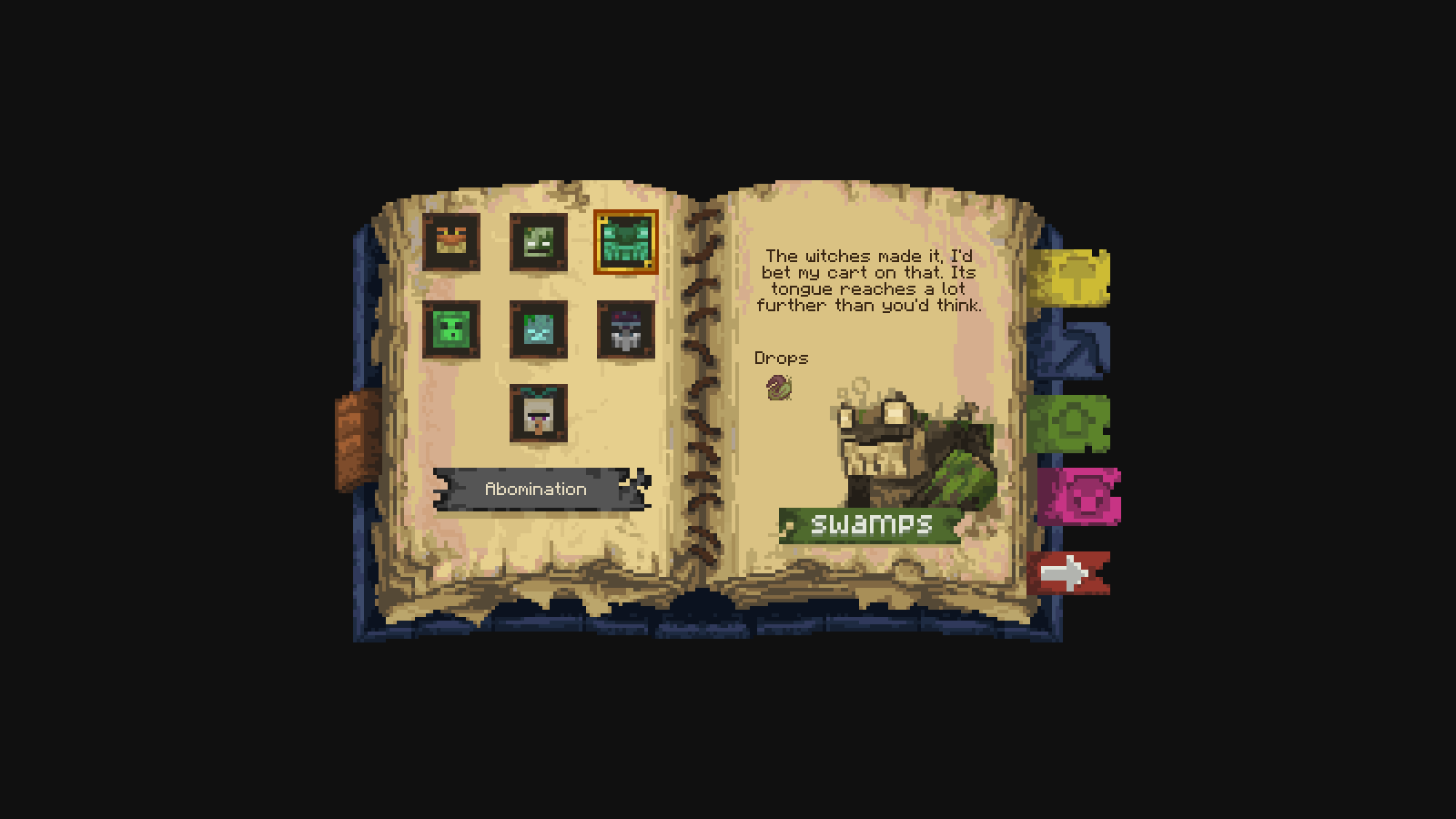 guide book example
Versions
Files
Relations
Project Relations
More like this
Similar Mods
Suggestions use data such as tags, dependencies, dependents, descriptions, titles, and more to rank how much they overlap with this mod.
On ModDex
Community snapshot
By the numbers
Statistics

Get it on
Available Platforms
On ModDex
Community snapshot
By the numbers
Statistics
Resources