
Community listing page, reviews here may not be monitored by the author.
Image Emojis: Emojis in chat

No reviews yet
Paper plugin (1.19.4+) that brings custom emojis to the chat and tab completion! Auto-generation of a resource pack

Community voices
Reviews
No reviews yet. Be the first to review this project!
Get it on
Available Platforms
About
Project Details
For authors
Embed Badge
If you're the author of this project, you can embed a live badge anywhere that supports HTML or Markdown. It updates automatically whenever ratings change.
Use HTML for any page that supports it, or Markdown for README files and Markdown-based descriptions.
Identifiers
Platform IDs
About
Description
ImageEmojis is a Paper (1.19.4+) plugin that allows you to add your custom emojis on your server.
[IMPORTANT] The max resolution of an emoji is 256x256px! Emojis should be stored in the '.png' format.
[IMPORTANT] Image names should be lowercase and shouldn't contain any special symbols like: (, ), [, ], &, ^, etc.
If you have any issues/bugs, you may leave them here.
👀 Screenshots
💻 Commands
/emojis list— opens a book with all currently added emojis./emojis update— fetches the latest version of the emojis resource pack from the server. Intended to be used in case when the admin updated emojis and reloaded the plugin while you were playing. (Alternatively, you can just rejoin and not use this command)./emojis reload— reloads the plugin. Generates the resource pack based on the./plugins/ImageEmojis/emojis/directory.
Aliases: /ie, /imageemojis.
🔞 Permissions
imageemojis.admin(for operators by default) — Allows to use/emojis reload.imageemojis.use(true by default) — Allows to use emojis as well as the/emojiscommand.imageemojis.update(true by default) — Allows to use/emojis update.imageemojis.list(true by default) — Allows to use/emojis list.
🌠 Key features
- Automated resource pack generation — the resource pack is generated every time the plugin starts or gets reloaded. The only thing you need to do is to provide your server IP in the configuration and open the TCP port on the host machine (5000 by default).
- Chat suggestions - emoji suggestions when a player types a message in chat. You can choose from four suggestion modes:
NONE- disable chat suggestions.TEMPLATES(set by default) - suggest templates of emojis when typing (e.g., :clueless:).ACTUAL- suggest actual emojis (their UTF-8 symbols) when typing. (e.g.,).BOTH- A combination of "TEMPLATES" and "ACTUAL" modes.
- Ability to merge emojis with your server resource pack: you can set the
mergeWithServerResourcePackfield totruein theconfig.ymland put your resource pack into the../ImageEmojis/directory with theserverResourcePack.zipfilename (the filename can be configured as well). - Sign replacement — you can enable/disable replacement of emoji templates on signs.
- Anvil replacement — you can enable/disable replacement of emoji templates when renaming an item in the anvil.
- Command replacement — you can enable/disable replacement of emoji templates when sending commands. By default, the plugin automatically preprocesses all commands sent by players and changes emoji templates to actual emojis.
- Discord integration - if you have the DiscordSRV plugin installed and set up, emoji templates will be translated into appropriate UTF-8 emoji symbols, and UTF-8 symbols will be preprocessed to be displayed correctly in Discord as emojis. This will work with emojis that have the same name both in the game and on the Discord server.
📄 Default config
[CAUTION] Don't forget to put your public IP into the serverIp field.
Also, you should open the TCP port on your machine for the plugin to work. Port 5000 by default.
Otherwise, nothing will work.
# Your server public IP goes here.
serverIp: "127.0.0.1"

# The port the resource pack will be hosted on. When the plugin launches, an HTTP server starts on that port.
# It should be opened on the machine so that players can download the resource pack.
webServerPort: 5000

# Resource pack enforcement policies:
# NONE - The resource pack won't be loaded on join. This option can fit servers where players prefer to download the resource pack manually.
# OPTIONAL - Players can decline the resource pack from loading on join.
# REQUIRED - Players are forced to play with the resource pack.
enforcementPolicy: "OPTIONAL"

# Replace emojis in anvils? (e.g., when renaming items)
replaceInAnvils: true
# Replace emojis on signs? (e.g., after editing them)
replaceOnSigns: true
# Replace emojis when sending a command? (e.g., in the "/msg" or "/say" commands)
replaceInCommands: true

# What will happen if a player doesn't have the "imageemojis.use" permission?:
# ERASE_EMOJIS - Erase all emojis from payload and proceed.
# CANCEL_EVENT - Cancel the event completely (e.g., prevent the message from being sent).
noPermAction:
  inChat: "ERASE_EMOJIS"
  inAnvils: "ERASE_EMOJIS"
  onSigns: "ERASE_EMOJIS"
  inCommands: "ERASE_EMOJIS"

# Whether a player will see the "Not enough permissions" message.
# Will be shown only for events with the "CANCEL_EVENT" action selected.
noPermMessage: false

# Whether an emoji name should appear when you put your cursor over the emoji symbol in the chat.
# This feature MAY NOT WORK if you use Spigot-native chat formatters such as "VaultChatFormatter" or "LPC" due to their incompatibility with Paper Components.
# If you are looking for a simple chat formatter that doesn't break messages, you may consider using mine: https://github.com/MrQuackDuck/PlainChatFormatter
emojiHoverEnabled: true
emojiHoverColor: "#AAAAAA"

# Chat suggestions modes (when typing a message in the chat and hitting TAB on the keyboard):
# NONE - No suggestions.
# TEMPLATES - Suggest templates (e.g., ":sob:").
# ACTUAL - Suggest actual emoji (e.g., "😭").
# BOTH - A combination of "TEMPLATES" and "ACTUAL" modes.
suggestionMode: "TEMPLATES"

# Emoji template format (e.g., you may replace colons or remove them completely).
templateFormat: ":<emoji>:"

# Should the plugin merge the "emojis.zip" resource pack with the server resource pack?
# If "true", you should put your resource pack in the "/plugins/ImageEmojis/" directory.
# The output will be generated within the "emojis.zip" archive.
mergeWithServerResourcePack: false
# Name of the resource pack to merge "emojis.zip" with.
mergeServerResourcePackName: "serverResourcePack.zip"

# When you use over ~500 emojis, you may see some emojis overlap each other (due to the hashing function being limited to a certain range).
# If you plan to use many emojis on your server, you may set this value to "true".
# IMPORTANT: Changing this will reset all existing emoji codes. This means:
#   - Previously written emojis on signs and item names will appear as invalid symbols;
#   - Range will be increased from 2000 to 6400 available emoji unicode symbols.
extendedUnicodeRange: false

messages:
  "resource-pack-description": "&nImage Emojis"
  "only-players": "&cOnly players can use this command!"
  "info-content": "&#F4CA16[ImageEmojis] &#B3BEC4There are currently &#D8E5EC&n%s&r&#B3BEC4 emojis!
    \n &#D8E5EC&n/emojis list&r&#B3BEC4 - see the emojis list.
    \n &#D8E5EC&n/emojis update&r&#B3BEC4 - fetch the latest version of the resource pack if it was updated during the current game session."
  "resource-pack-up-to-date": "&#F4CA16[ImageEmojis] &#B3BEC4The resource pack is now up to date!"
  "reloaded": "&#F4CA16[ImageEmojis] &#B3BEC4Reloaded!"
  "not-enough-permissions": "&#F4CA16[ImageEmojis] &#B3BEC4Not enough permissions."
  "command-not-found": "&#F4CA16[ImageEmojis] &cOops! That command doesn't exist, or you don't have enough permissions."
  "command-disabled": "&#F4CA16[ImageEmojis] &#B3BEC4This command is disabled on that server."
  "an-error-occurred": "&#F4CA16[ImageEmojis] &cAn error occurred during reload! Check the console logs for details."
🚀 Installation guide
[IMPORTANT] Before getting started, make sure the plugin's version is compatible with your server version.
- Download the latest version of the plugin from the Releases tab.
- Put the downloaded
.jarinto the./pluginsfolder of your server. - Restart your server or enter the
reloadcommand. - Go to the
./plugins/ImageEmojisdirectory and openconfig.yml. - Make sure to put your server's public IP into the
serverIpfield. - Open a TCP port (5000 by default) on your server equal to the
webServerPortfield from theconfig.yml. - Run the
/emojis reloadcommand.
[NOTE] You should disable your resource pack in server.properties if you enabled it earlier.
Congrats! Now you're ready to use the plugin. Put your emojis into the ../ImageEmojis/emojis/ directory, reload the plugin, and enter the /emojis update command on your client (or just rejoin)!
🎥 Installation guide (in a video format)
The plugin is also reviewed on YouTube, where you can follow the installation guide (Timecode: 1:04):
Screenshots
Gallery
-
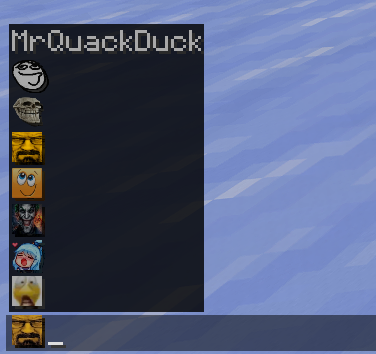 The "ACTUAL" suggestion mode selected
 -
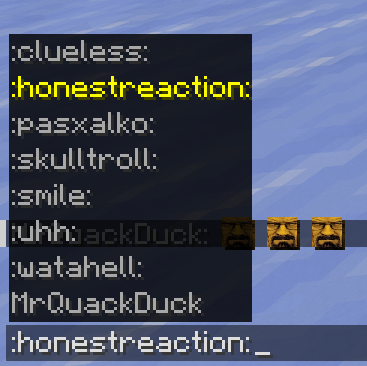 The "TEMPLATES" suggestion mode selected
 -
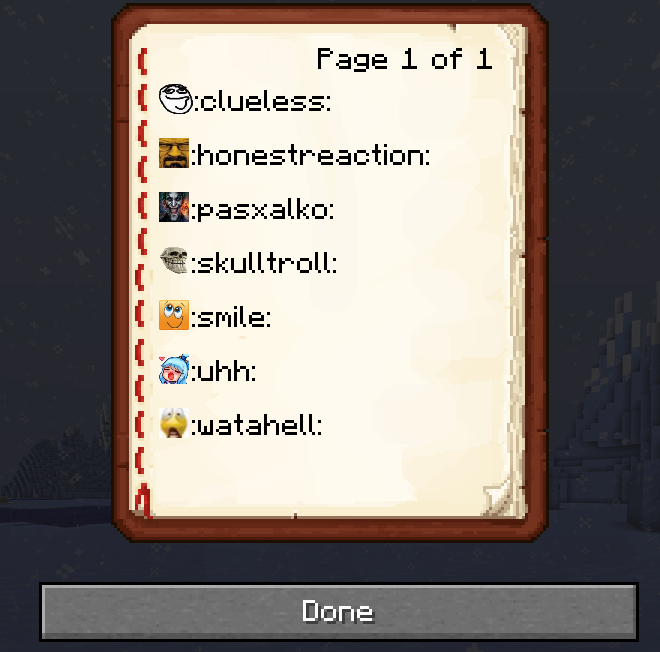 A book that lists all current emojis. Command: /emojis list
 -
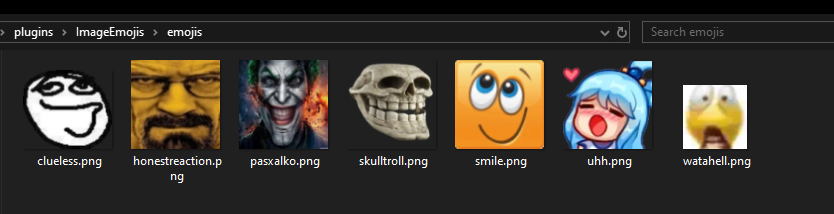 Note: Max resolution is 256x256px per emoji
 -
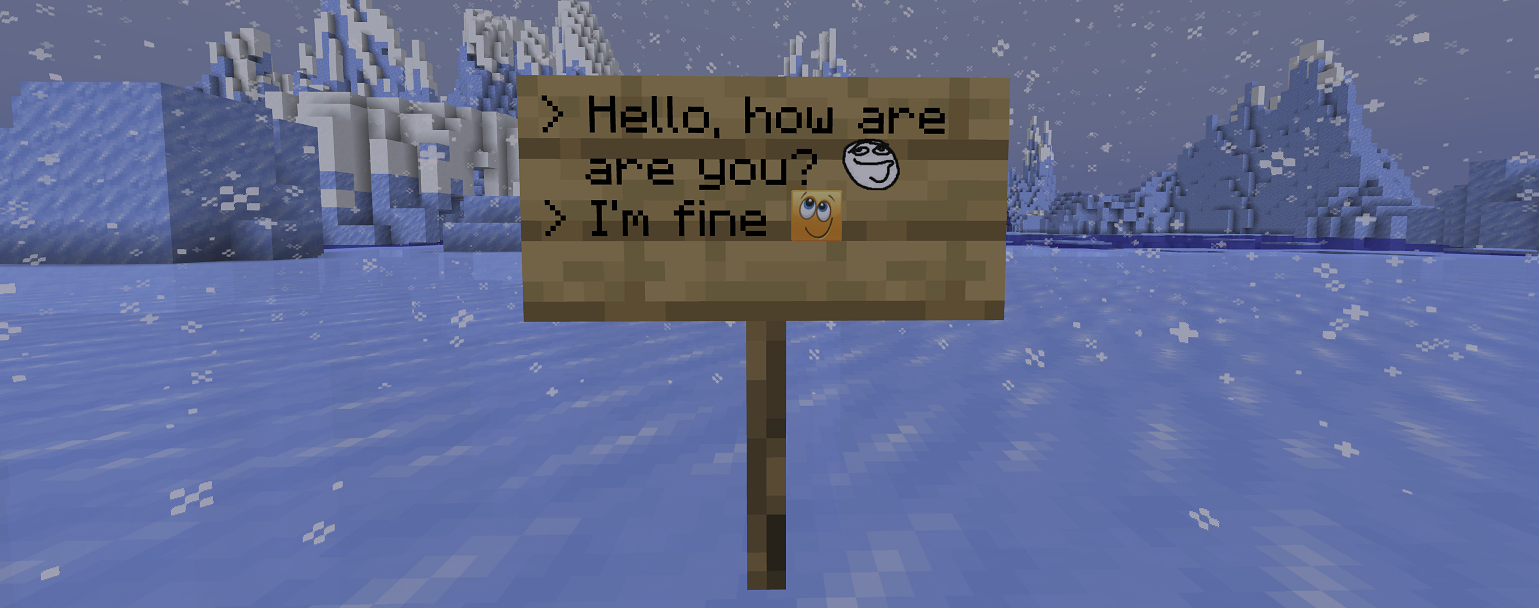 Emoji replacement on signs +Additional handlers to prevent emojis from being black on signs
 -
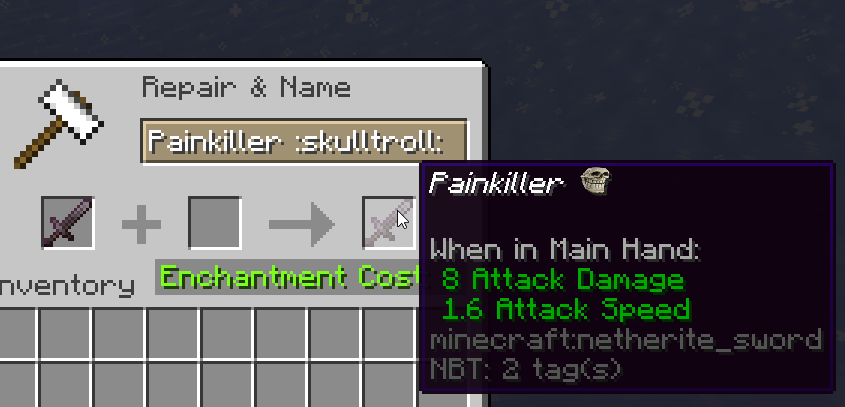 Emojis replacement in anvils +Additional handlers to prevent emojis from being any other color (e.g., in rare items' names)
 -
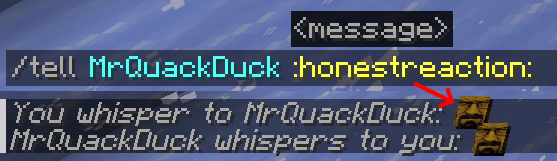 Command preprocessing to detect emoji templates
Versions
Files
Relations
Project Relations
More like this
Similar Mods
Suggestions use data such as tags, dependencies, dependents, descriptions, titles, and more to rank how much they overlap with this mod.
On ModDex
Community snapshot
By the numbers
Statistics

 (opens in a new tab)
Get it on
Available Platforms
On ModDex
Community snapshot
By the numbers