Community listing page, reviews here may not be monitored by the author.


Community voices
Reviews
No reviews yet. Be the first to review this project!
Get it on
Available Platforms
About
Project Details
For authors
Embed Badge
If you're the author of this project, you can embed a live badge anywhere that supports HTML or Markdown. It updates automatically whenever ratings change.
Use HTML for any page that supports it, or Markdown for README files and Markdown-based descriptions.
Identifiers
Platform IDs
Resources
External Links
About
Description

ATTENTION ALL: this project was discontinued. Use SignPicture, OnlinePictureFrame or Blockbuster's image morph.
Planet Minecraft page – Minecraft Forum thread – CurseForge page – Source code – AdFly support link
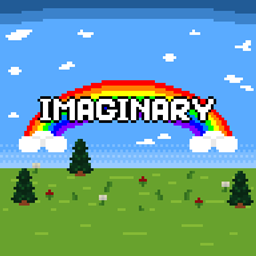
Imaginary – a Minecraft mod which gives an abilitiy to add images to Minecraft. This mod supports any formats that Minecraft supports for textures (PNG, JPEG and GIF without animations). This mod is built for Minecraft Forge 1.10.2, 1.11.2 and 1.12. No compatibility with multiplayer available yet (it's planned for next update, though).
Thanks goes to Tom Soel for reminding me of the idea for this mod.
Install
Install Minecraft Forge, download the latest stable version of jar file for available minecraft version. Put it in minecraft's mods folder, and launch the game.
After that, Imaginary mod should be installed and will appear in Minecraft's mods menu. If Imaginary didn't appear in the mods menu, then something went wrong.
How to use
Imaginary mod adds picture item which allows you to add pictures into your world. Simply drag it from Miscellaneous creative tab, or craft it using following recipe:

After you acquired a picture item, you should be able to place a custom picture on any surface. When picture is placed, you can right click it and change some properties of your picture. To pick a picture, you'll have to populate Imaginary's mod picture folder (which is located in .minecraft/config/imaginary/pictures) with your PNG, JPEG or GIF pictures. After you dropped your pictures into the pictures folder, you should be able to pick these pictures in picture's GUI.
Tutorial
You can learn about imaginary mod from this video.
For mod reviewers and reposters
When reposting my mod on your own website or reviewing it, please consider following (if you want to support me and my mod):
- Don't distort the mod name. It's the Imaginary mod.
- Make sure that information and description of my mod is legit. Misleading information, like Minecraft version support or non-existent features, is your responsibility.
- By uploading a custom build of this mod, the build becomes your responsibility.
- Provide the source link, please. CurseForge page is preferable.
- Provide a link to my YouTube channel, please. This will be really appreciated!
- You can use Imaginary banner or cover for your repost page. Don't apply the watermark, though, that's just rude.
If you're interested in this project, you might as well follow me on any of social media accounts listed below:


Also, I would really appreciate if you will support me on Patreon!

Bug reports
If you found a bug, or this mod crashed your game. I'll appreciate if you could report a bug or a crash to me either on issue tracker, on PM or on Twitter. Please, make sure to attach a crash log (pastebin please) and description of a bug or crash and the way to reproduce it. Thanks!
Screenshots
Gallery
Versions
Files
Relations
Project Relations
More like this
Similar Mods
Suggestions use data such as tags, dependencies, dependents, descriptions, titles, and more to rank how much they overlap with this mod.
On ModDex
Community snapshot
By the numbers
Statistics
 (opens in a new tab)
Get it on
Available Platforms
On ModDex
Community snapshot
By the numbers
Statistics
Resources