Community listing page, reviews here may not be monitored by the author.
Immersive Chess


No reviews yet
Play chess with your own pieces on a board you can build yourself
Community voices
Reviews
No reviews yet. Be the first to review this project!
Get it on
Available Platforms
Compatibility
Supported Environments
Must be installed on both the client and the server.
About
Project Details
For authors
Embed Badge
If you're the author of this project, you can embed a live badge anywhere that supports HTML or Markdown. It updates automatically whenever ratings change.
Use HTML for any page that supports it, or Markdown for README files and Markdown-based descriptions.
Identifiers
Platform IDs
About
Description
Immersive Chess
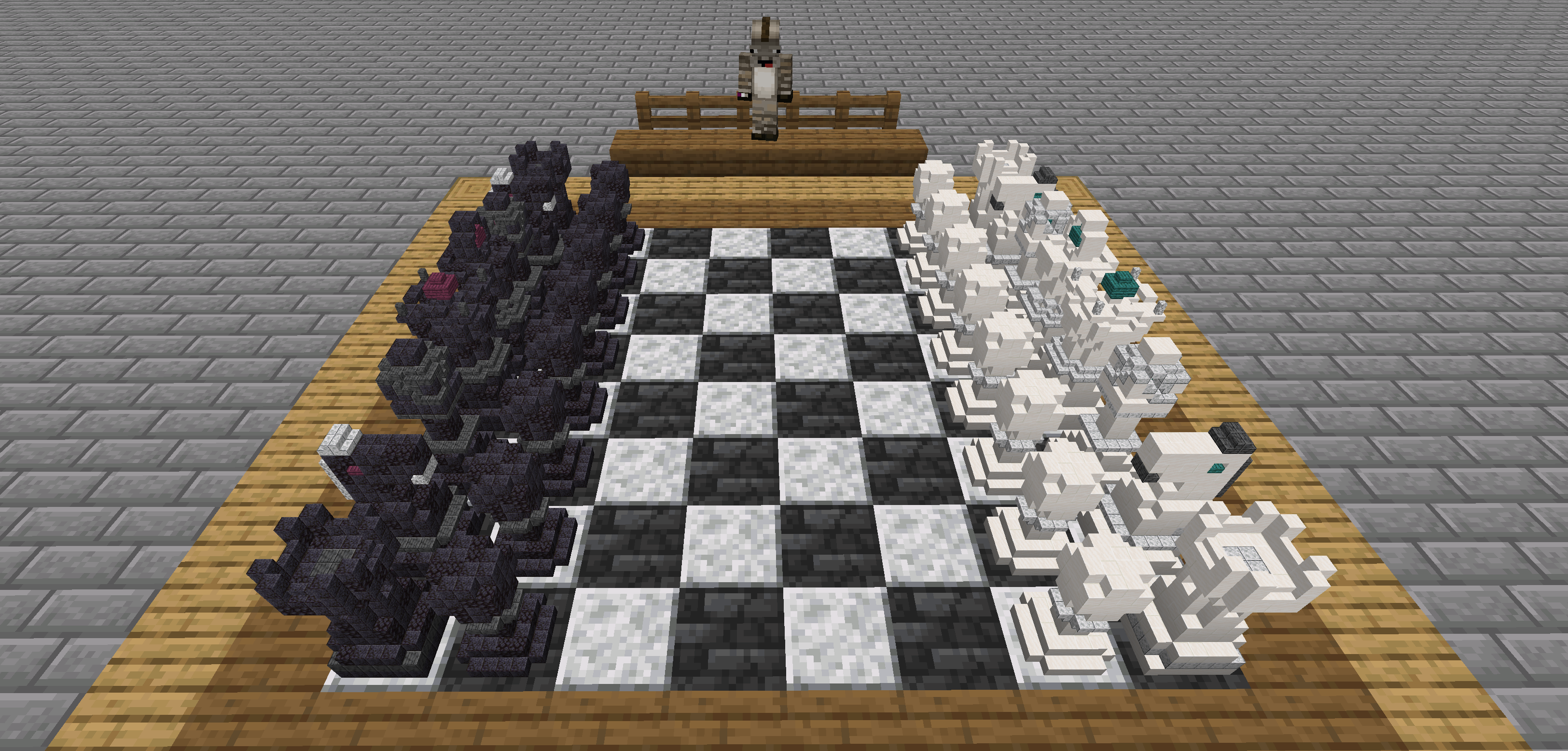
A Minecraft mod to play chess with your own pieces.
Features
- Play chess with your friends
- Build your own chess pieces on a
8:1scale - Export played games to chess.com or lichess.
Instructions
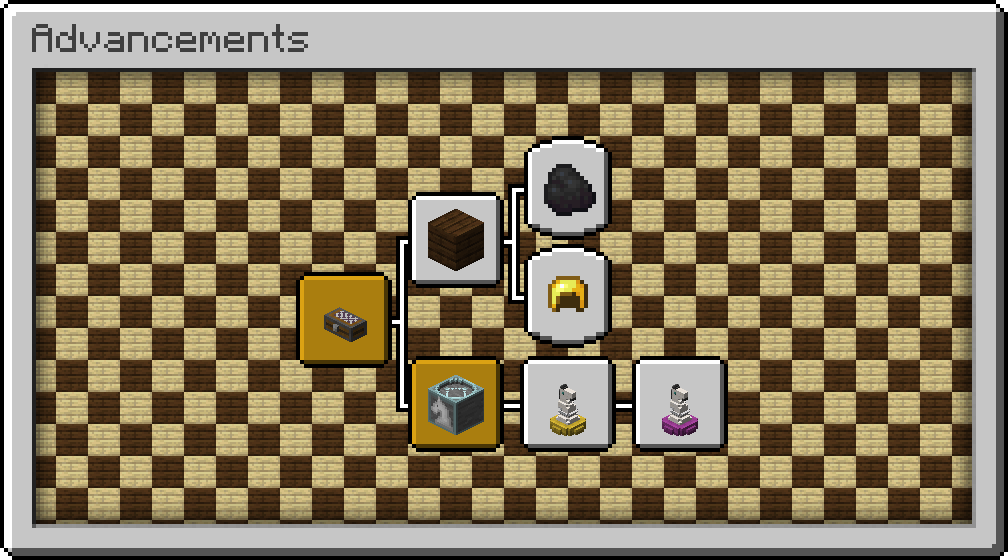
Would you rather discover the mod in-game? The advancements will guide you through all the content.
1. Creating a Chess Case
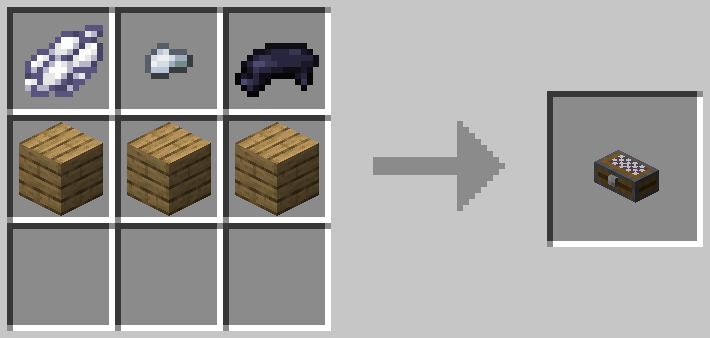
The first item you need is a chess case to contain your pieces.
Don't worry about having to build your own pieces just yet. You can always start a chess game with the default pieces.
2. Build a Chess Board
A chess board can be built in the world with any solid blocks. Simply choose two vanilla blocks that ideally have contrasting colors and create an eight by eight checkerboard pattern. Make sure the edges are of a different block to create a valid board.
Then right-click the board to turn it into a chess game.
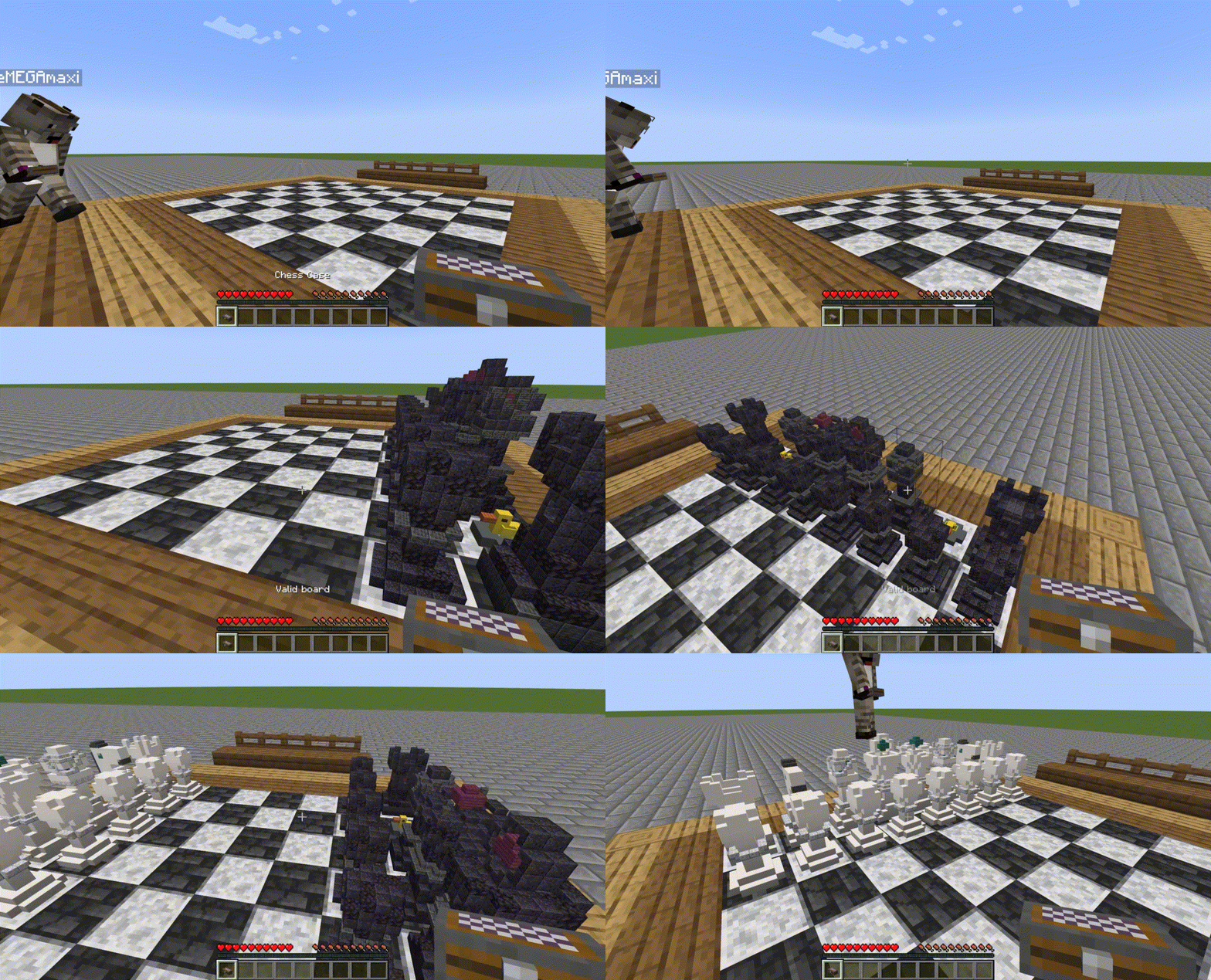
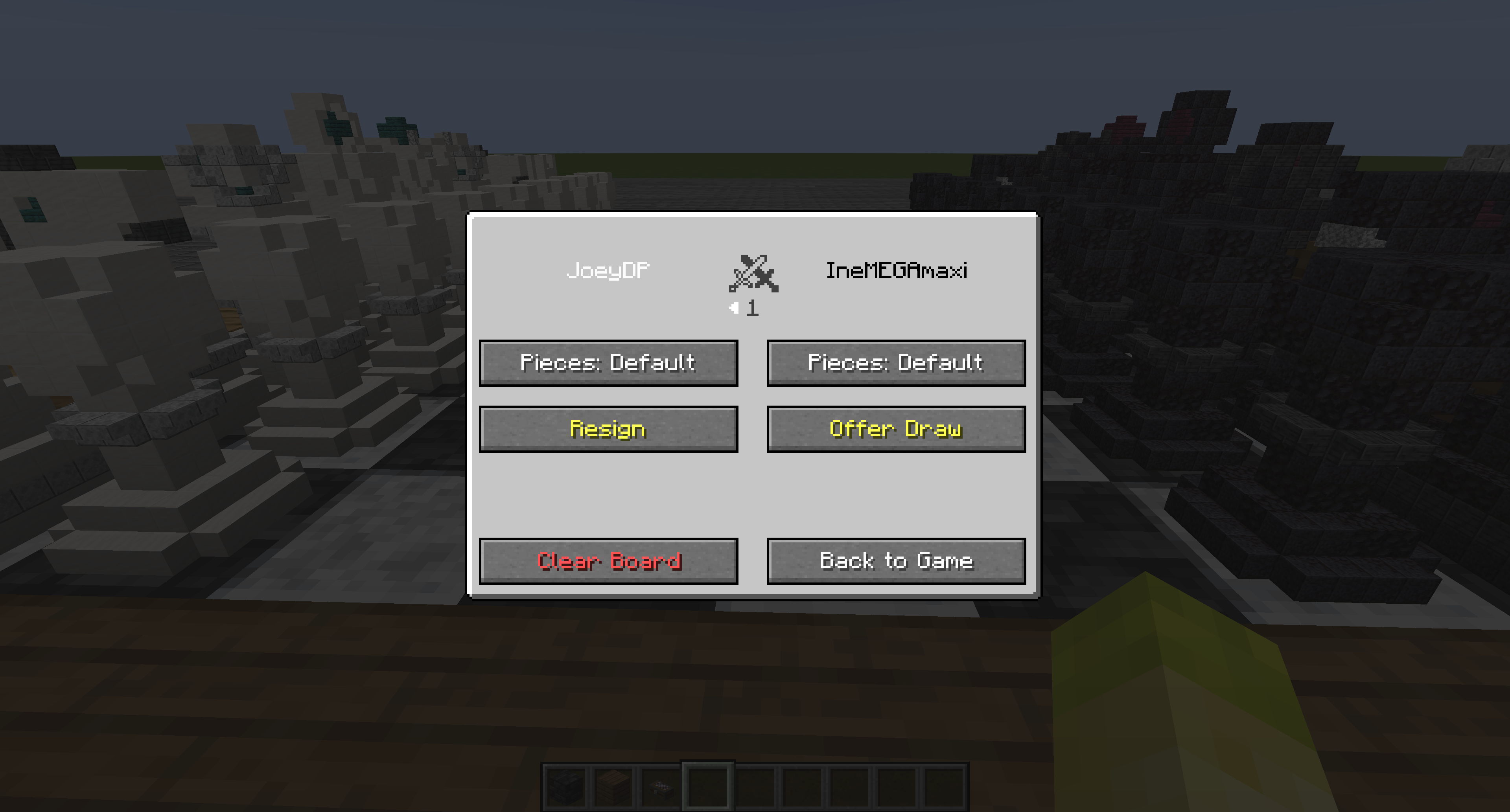
When a game is active, you can right-click the board with an empty hand to open the game GUI. This GUI contains statistics of the game and the option to resign, offer draw or accept draw. You can also change which set of pieces is used for rendering (default, own or opponent's).
3. Build your own Pieces
Want to design your own set of chess pieces? Each one has its own Piece Structure Block you can craft.
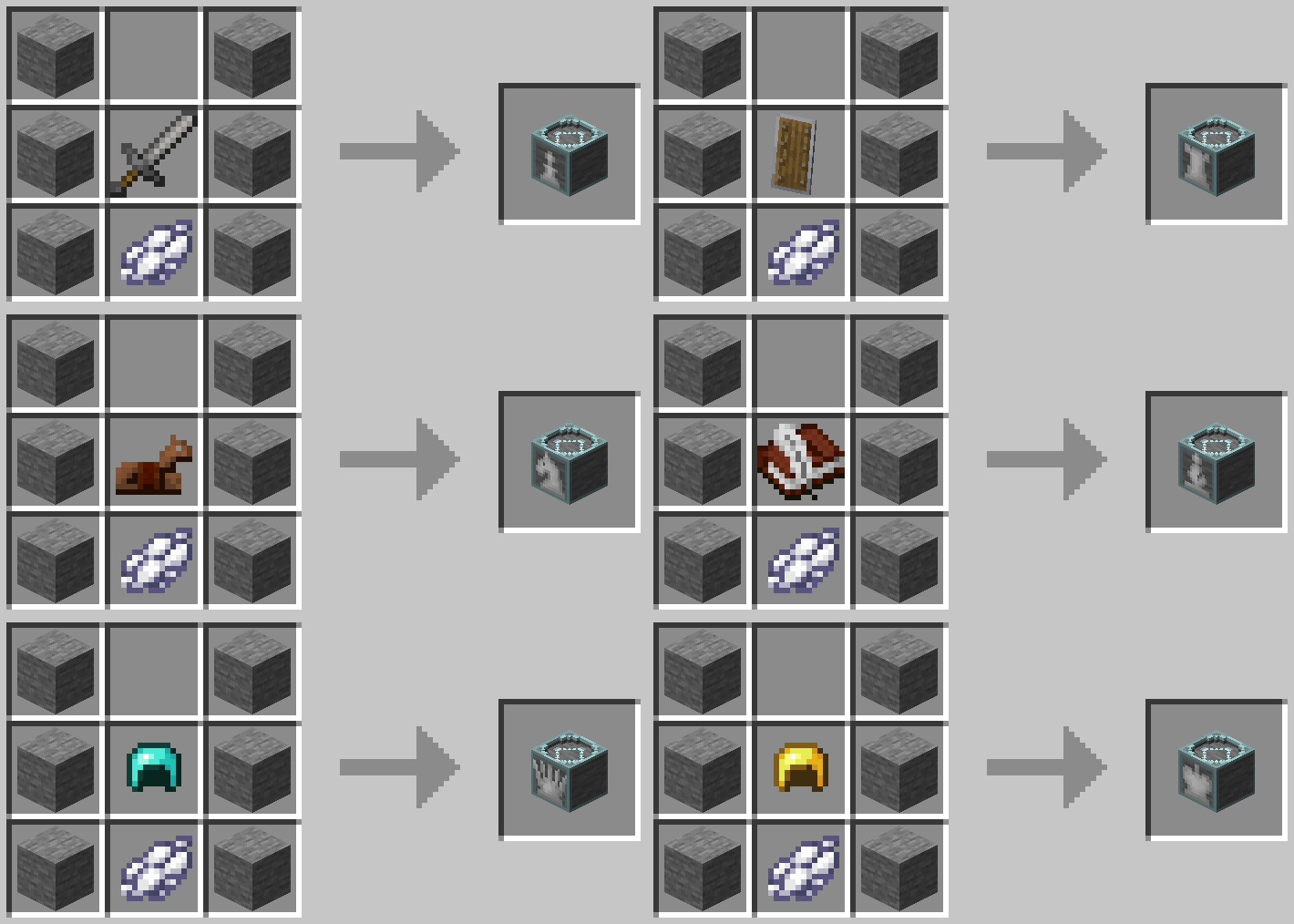
The dye indicates the color of the piece (black dye or white dye) and the signature item determines the type as follows
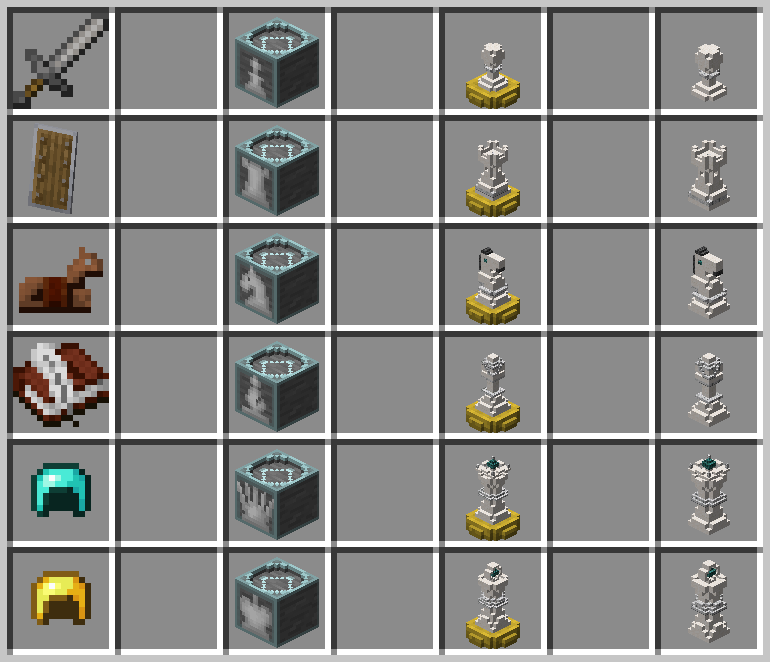
Once you have all six structure blocks also craft some Piece Stands to save your piece with.
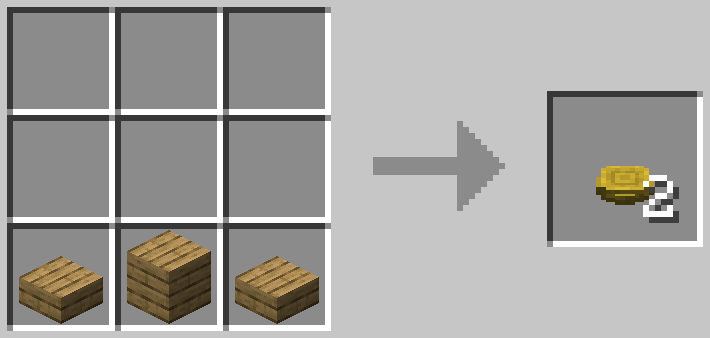
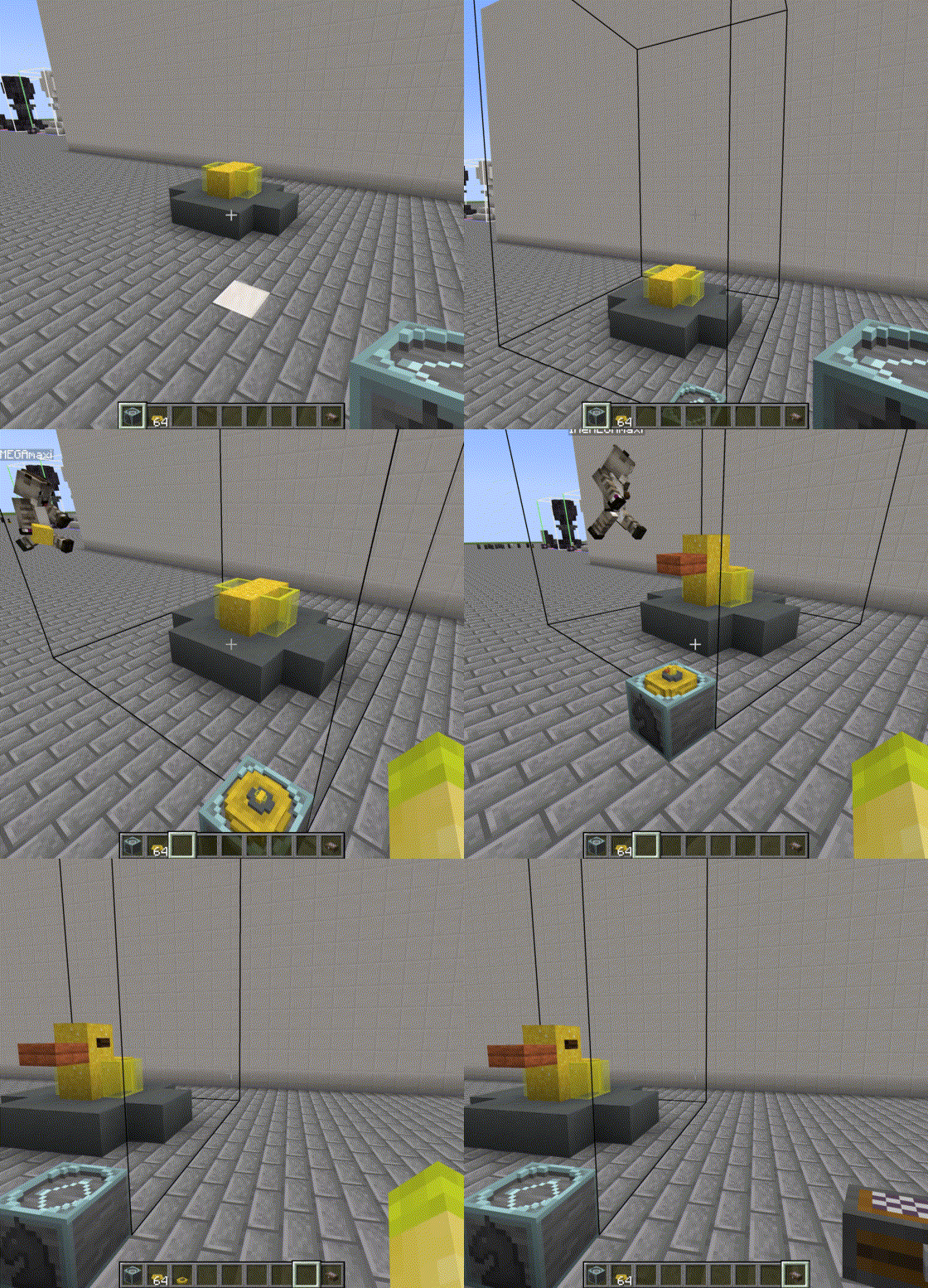
Now it's time for building. Simply place the structure block down and build your piece inside the outline. A Piece Stand can be placed inside with right-click to store the miniature version. Right-click again to take it out and store it inside you chess case to be used.
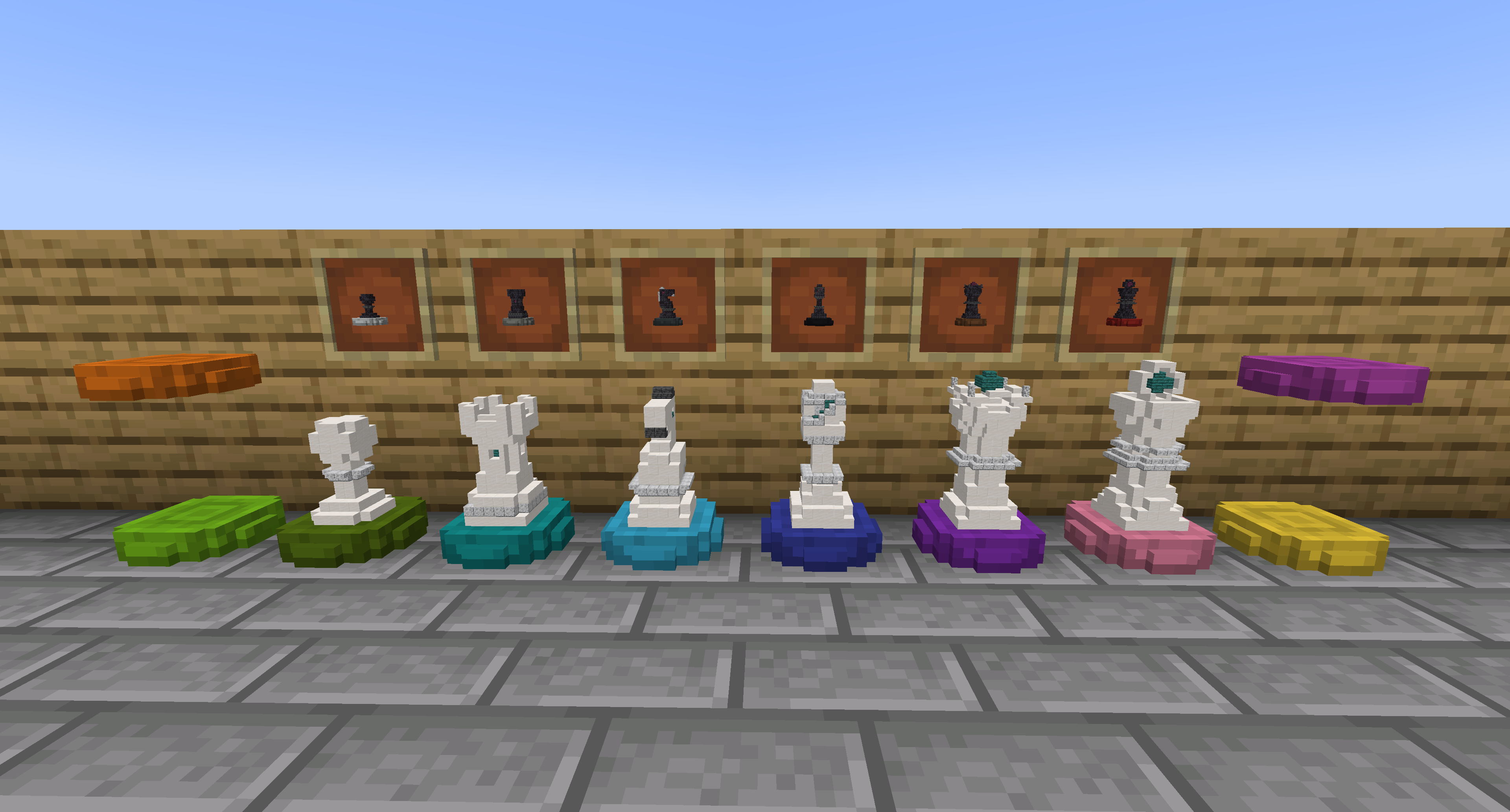
(Optional) Dye Stands
All piece stands can be dyed in the 16 Minecraft colors
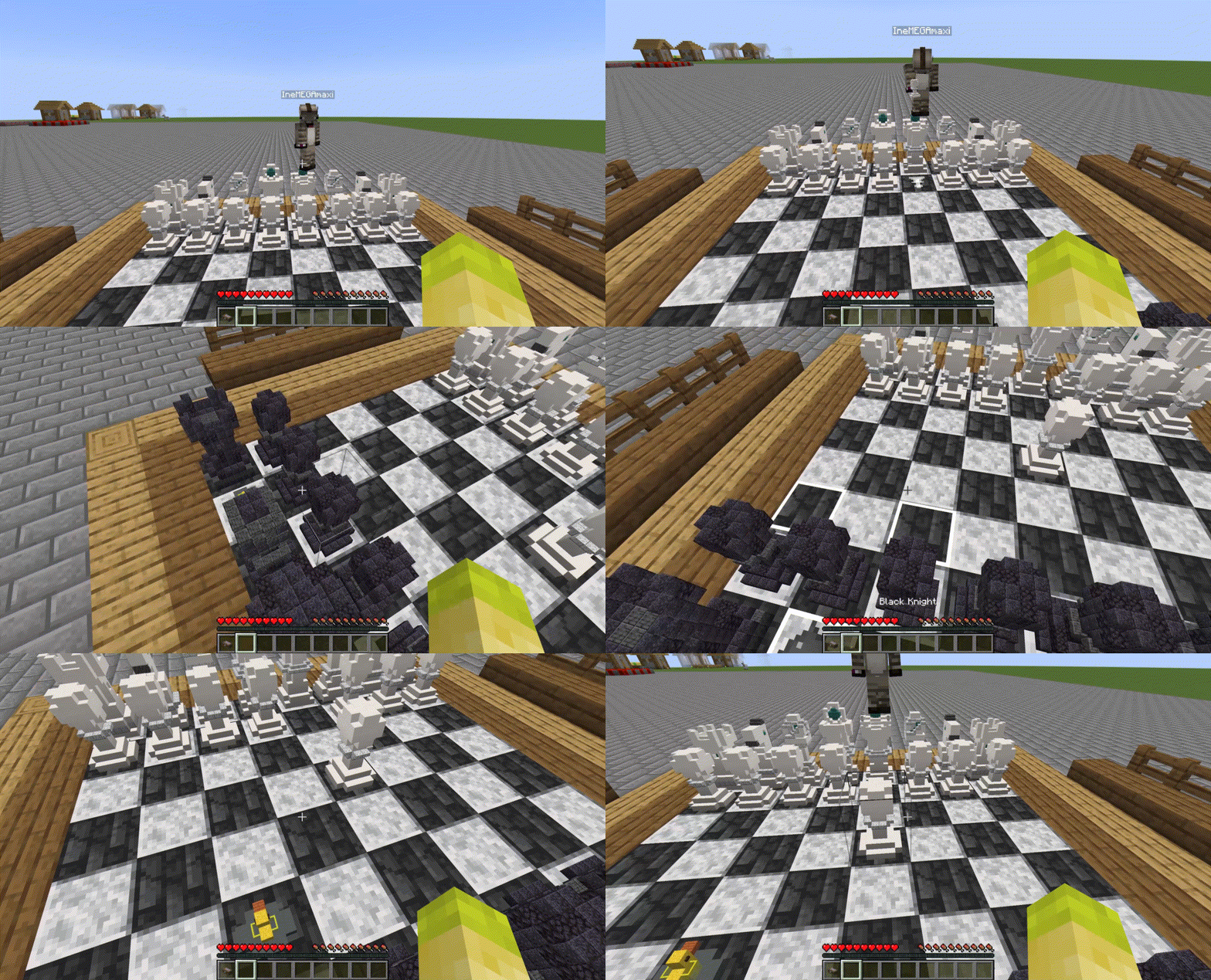
4. Play with your Custom Chess Pieces
Now you can play with your own pieces!
Future Plans
- Play against AI
- Correct lighting within the miniature pieces (WIP)
Issues
Please report issues as detailed as possible on Github: https://github.com/JoeyDP/Immersive-Chess/issues/.
Attribution
- Includes the JChess library as jar-in-jar, under the LGPL-2.1 license.
Immersive Chess
A Minecraft mod to play chess with your own pieces.
Features
- Play chess with your friends
- Build your own chess pieces on a
8:1scale - Export played games to chess.com or lichess.
Instructions
Would you rather discover the mod in-game? The advancements will guide you through all the content.
1. Creating a Chess Case
The first item you need is a chess case to contain your pieces.
Don't worry about having to build your own pieces just yet. You can always start a chess game with the default pieces.
2. Build a Chess Board
A chess board can be built in the world with any solid blocks. Simply choose two vanilla blocks that ideally have contrasting colors and create an eight by eight checkerboard pattern. Make sure the edges are of a different block to create a valid board.
Then right-click the board to turn it into a chess game.
When a game is active, you can right-click the board with an empty hand to open the game GUI. This GUI contains statistics of the game and the option to resign, offer draw or accept draw. You can also change which set of pieces is used for rendering (default, own or opponent's).
3. Build your own Pieces
Want to design your own set of chess pieces? Each one has its own Piece Structure Block you can craft.
The dye indicates the color of the piece (black dye or white dye) and the signature item determines the type as follows
Once you have all six structure blocks also craft some Piece Stands to save your piece with.
Now it's time for building. Simply place the structure block down and build your piece inside the outline. A Piece Stand can be placed inside with right-click to store the miniature version. Right-click again to take it out and store it inside you chess case to be used.
(Optional) Dye Stands
All piece stands can be dyed in the 16 Minecraft colors
4. Play with your Custom Chess Pieces
Now you can play with your own pieces!
Future Plans
- Play against AI
- Correct lighting within the miniature pieces (WIP)
Issues
Please report issues as detailed as possible on Github: https://github.com/JoeyDP/Immersive-Chess/issues/.
Attribution
- Includes the JChess library as jar-in-jar, under the LGPL-2.1 license.
Screenshots
Gallery
-
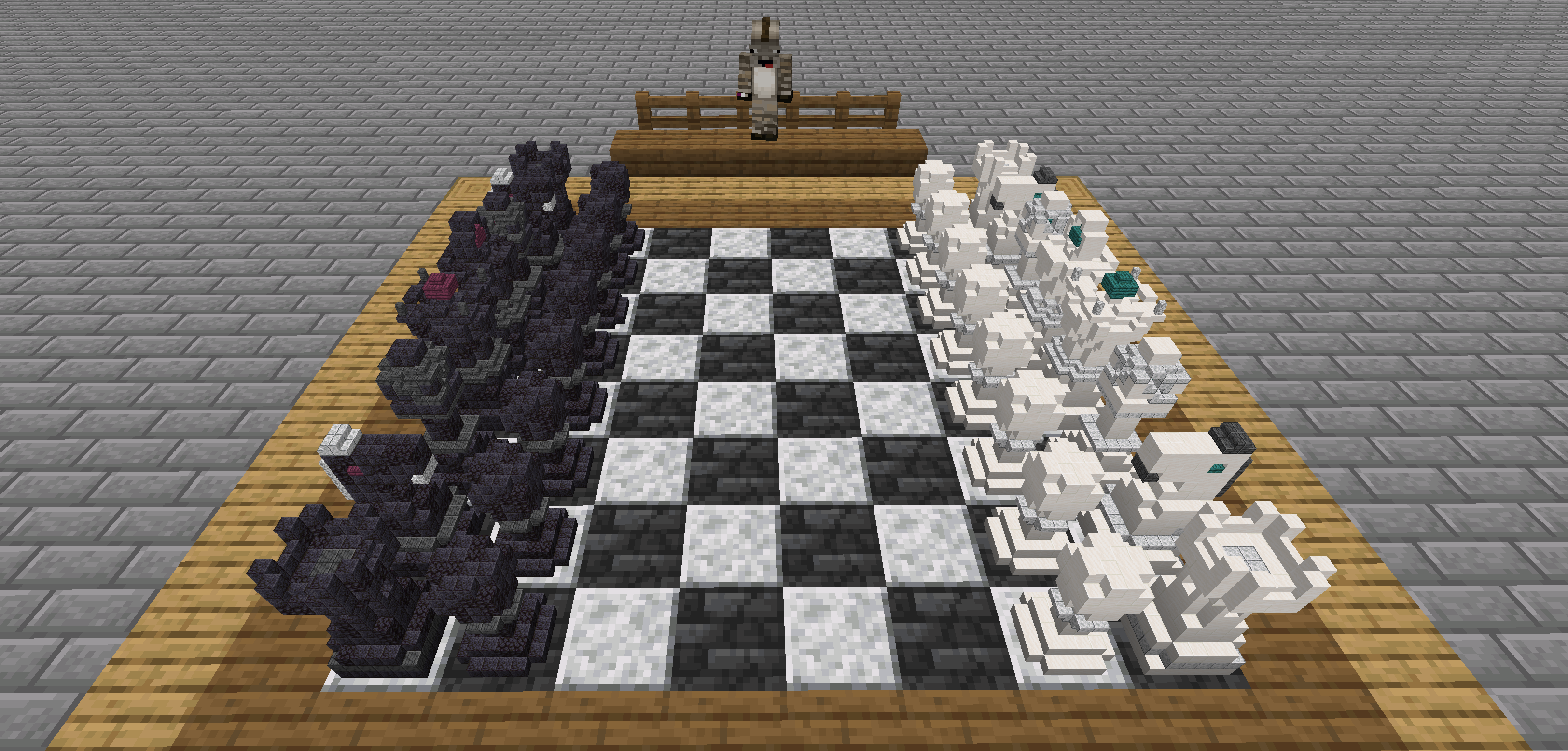 Overview
-
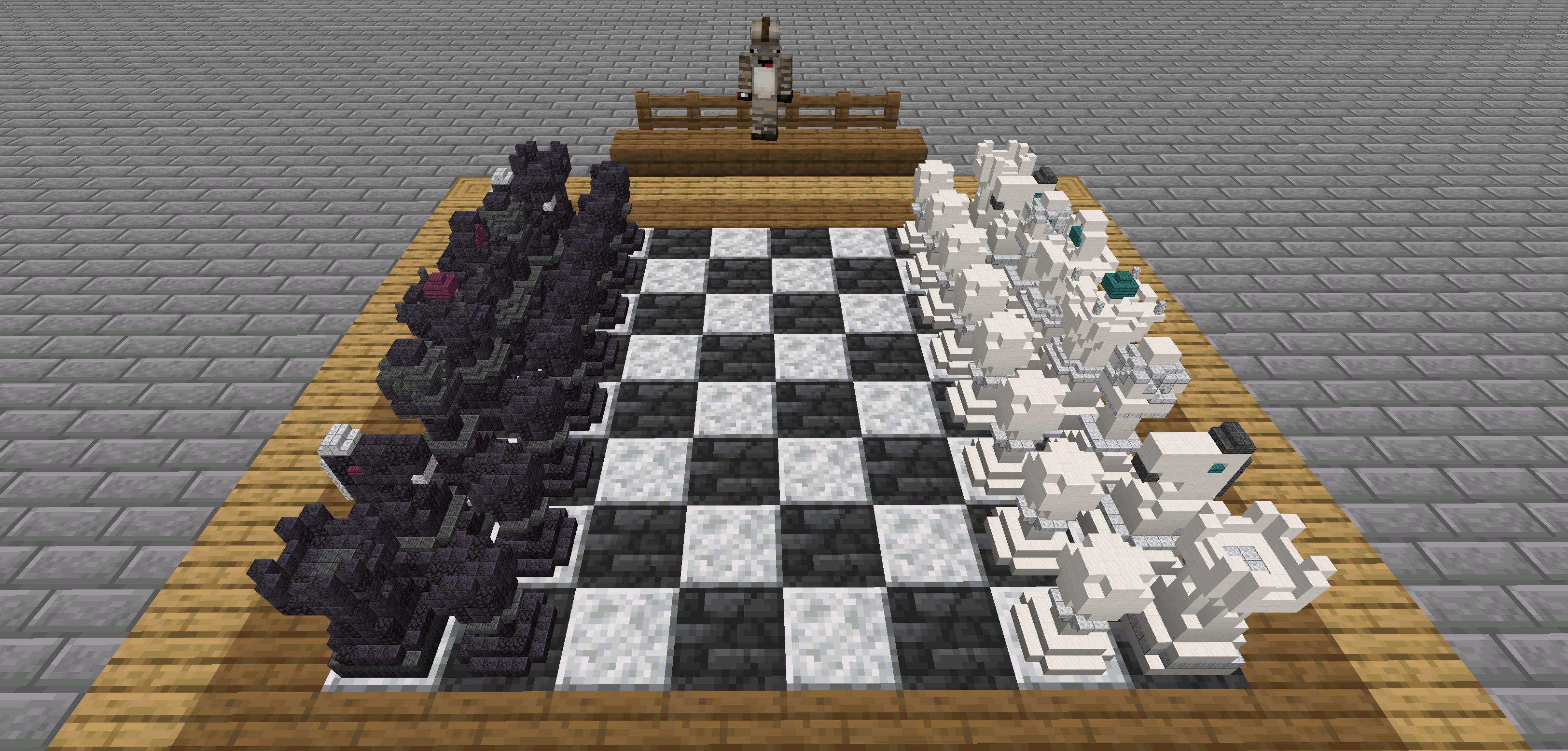 Overview
Versions
Files
Relations
Project Relations
More like this
Similar Mods
Suggestions use data such as tags, dependencies, dependents, descriptions, titles, and more to rank how much they overlap with this mod.
On ModDex
Community snapshot
By the numbers
Statistics
Want to reach Minecraft players?
We're looking for a server hosting partner to feature here and other parts of the site. Interested? Send us a message!
Get in touchGet it on
Available Platforms
On ModDex
Community snapshot
By the numbers