![[Immersive Vehicle/IV/MTS] MTS Vehicle Heaths](https://media.forgecdn.net/avatars/thumbnails/1712/975/256/256/639088886548847820.png)
Community listing page, reviews here may not be monitored by the author.
[Immersive Vehicle/IV/MTS] MTS Vehicle Heaths

No reviews yet
Modify MTS vehicle health and engine fuel consumption in-game. Use commands or a built-in GUI editor to customize any vehicle pack. Changes persist across restarts. Set infinite HP, tweak fuel rates, and reset anytime. Requires Immersive Vehicles (MTS).

Community voices
Reviews
No reviews yet. Be the first to review this project!
Get it on
Available Platforms
About
Project Details
For authors
Embed Badge
If you're the author of this project, you can embed a live badge anywhere that supports HTML or Markdown. It updates automatically whenever ratings change.
Use HTML for any page that supports it, or Markdown for README files and Markdown-based descriptions.
Identifiers
Platform IDs
Resources
External Links
About
Description
● MTS Vehicles Healths
Customize and fine-tune your Immersive Vehicles (MTS) experience!
MTS Vehicles Healths lets server owners and singleplayer users modify vehicle health points and engine fuel consumption for any loaded MTS vehicle pack — all in-game, no config files to edit manually.
---
Features
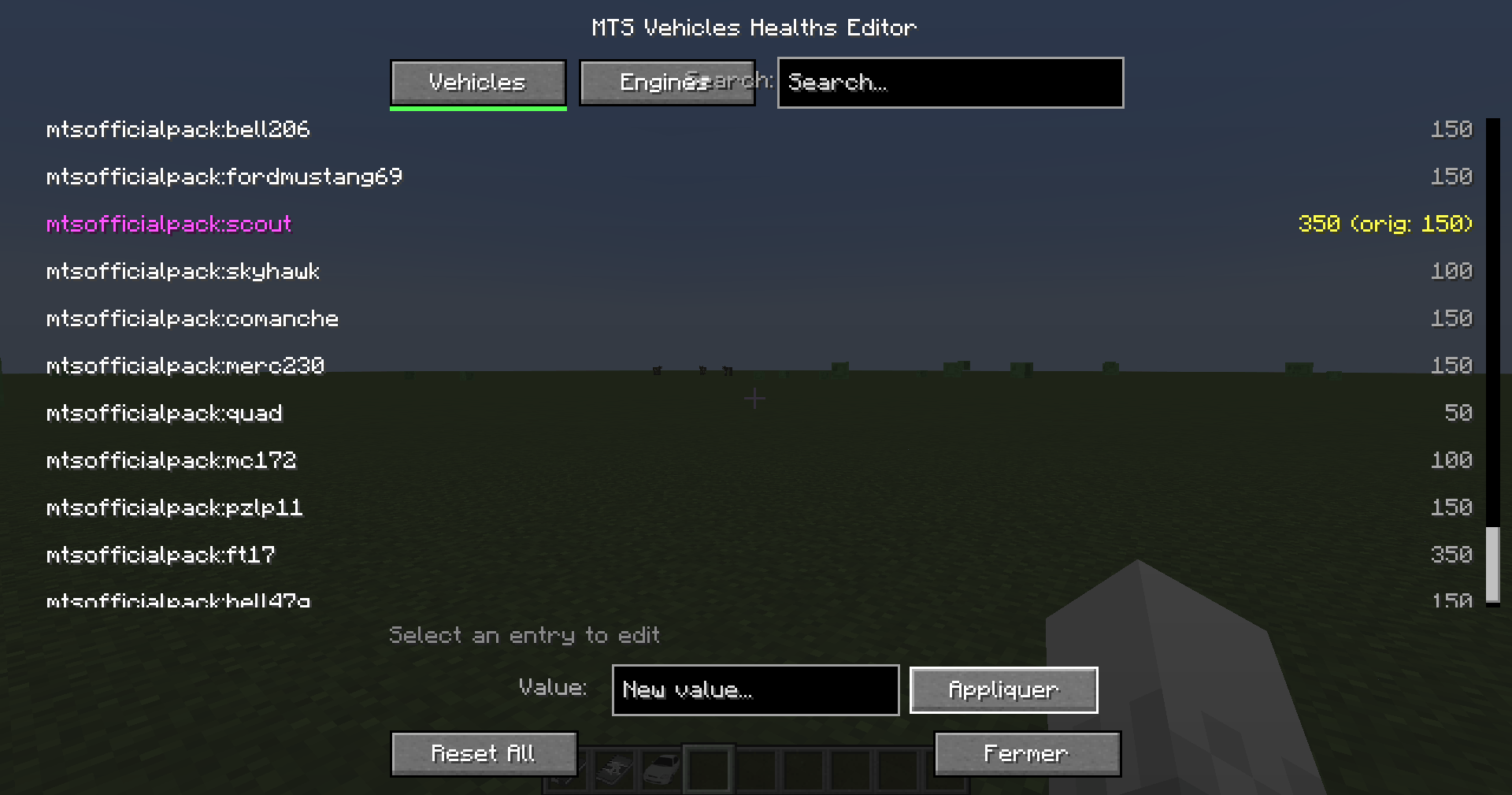
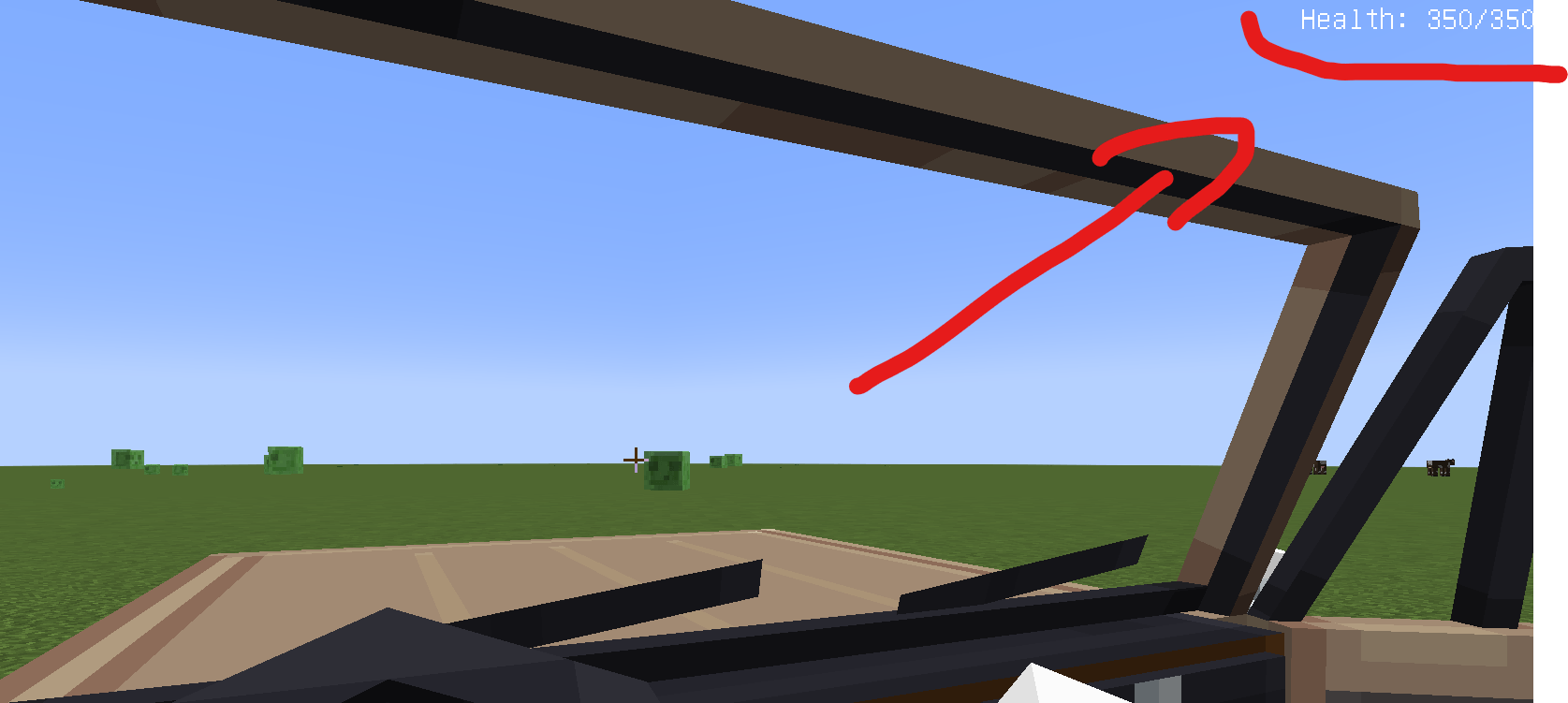
- Modify Vehicle Health — Set custom HP values for any MTS vehicle, including infinite health (0)
- Modify Engine Fuel Consumption — Adjust fuel consumption rates for any MTS engine
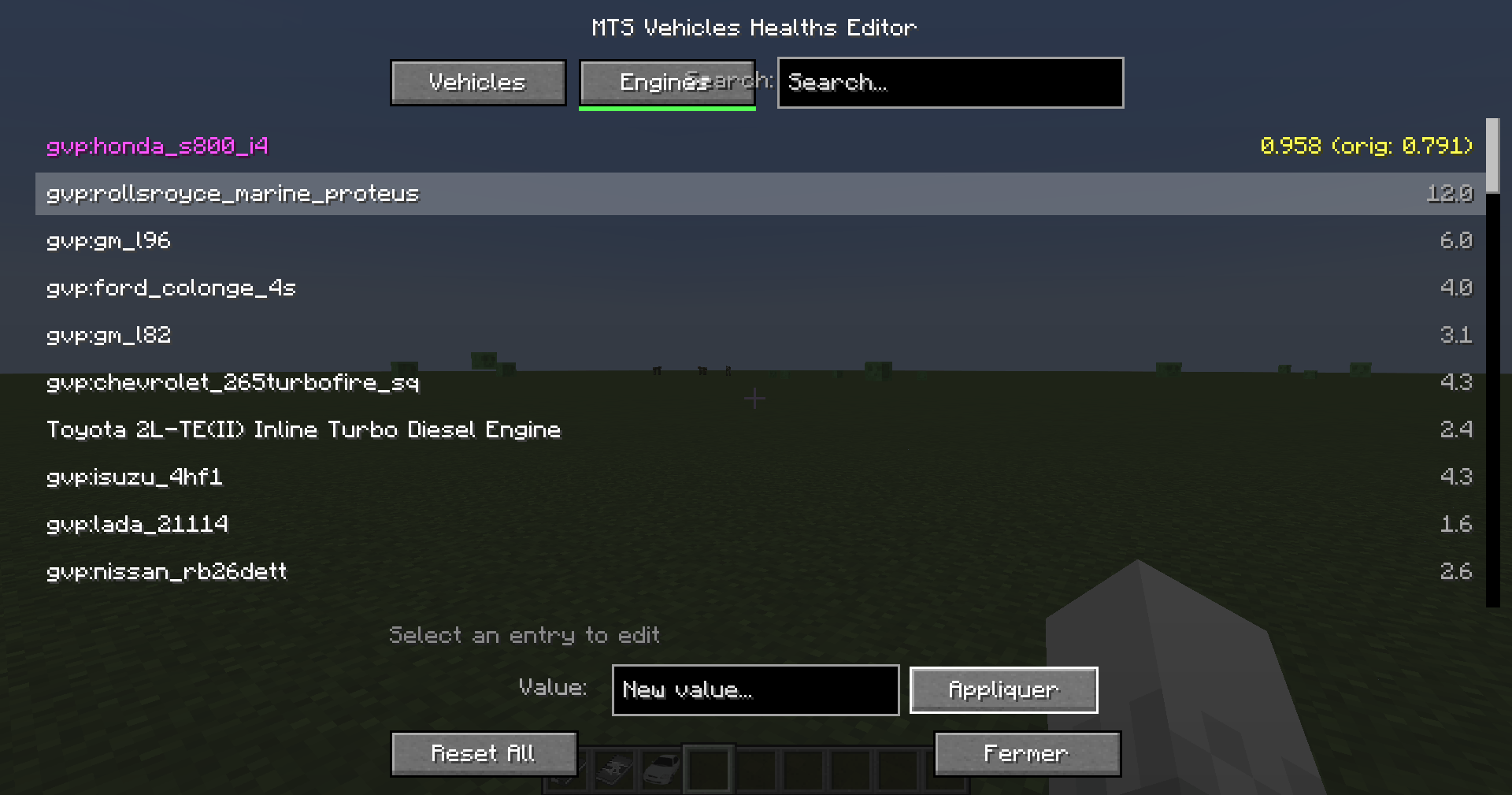
- In-Game GUI Editor — A full visual editor to browse, search, and edit all vehicles and engines without typing commands
- Persistent Overrides — All changes are saved to config files and automatically reapplied on server restart
- Per-Entry Tracking — See original vs. modified values at a glance
- Search & Filter — Quickly find the vehicle or engine you're looking for
- Reset Anytime — Reset individual categories or everything back to original pack values with one click
---
Commands
All commands require operator permission level 2.
/mtsmod hp list List all vehicles with their current HP
/mtsmod hp set <packID:name> <value> Set a vehicle's health (0 = infinite)
/mtsmod hp info <packID:name> Show detailed info for a vehicle
/mtsmod hp reset Reset all vehicle health to original values
Engine Fuel Consumption
/mtsmod engine list List all engines with their fuel consumption
/mtsmod engine set <packID:name> <value> Set an engine's fuel consumption
/mtsmod engine info <packID:name> Show detailed info for an engine
/mtsmod engine reset Reset all engine overrides
General
/mtsmod editor Open the visual GUI editor
/mtsmod resetall Reset all overrides (vehicles + engines)
GUI Editor
Use /mtsmod editor to open a visual interface where you can:
- Switch between Vehicles and Engines tabs
- Search by name or pack ID
- Select any entry to see its current and original value
- Type a new value and click Apply
- Reset All to restore every override at once
Modified entries are highlighted so you always know what's been changed.
---
Requirements
- Minecraft 1.20.1
- Forge 47.1.47+
- https://www.curseforge.com/minecraft/mc-mods/minecraft-transport-simulator with at least one vehicle pack
Screenshots
Gallery
-
 2026-03-11_19.07.11.png 2026-03-11_19.07.11.png
 -
 2026-03-11_19.07.33.png 2026-03-11_19.07.33.png
 -
 Capture dâécran 2026-03-11 191001.png Capture dâécran 2026-03-11 191001.png
Versions
Files
Relations
Project Relations
More like this
Similar Mods
Suggestions use data such as tags, dependencies, dependents, descriptions, titles, and more to rank how much they overlap with this mod.
- Fighting Pickles Vehicle Pack for MTS/IV
- [MTS/IV] Cactus's Decor Pack
- GT CRAFT Template Pack
- [Immersive Vehicle/IV/MTS] Fuel Pump Refill
- [Immersive Vehicle/IV/MTS] Better Collisions
- [Immersive Vehicles/IV/MTS VEB/IAV]"Improved -2000"
- Russian Pack [Immersive Vehicles/IV/MTS]
- SaltyFish Vehicle [Immersive Vehicles content pack]
- [MTS/IV] Wark Parts Pack
- S.L.O.P. Vehicle Pack [MTS/IV]
- [MTS/IV] Cactus's Vehicle Pack
- Russian Armed Forces [Immersive Vehicles/IV/MTS] Military Vehicles
On ModDex
Community snapshot
By the numbers
Statistics
 (opens in a new tab)
Get it on
Available Platforms
On ModDex
Community snapshot
By the numbers
Statistics
Resources