
Community listing page, reviews here may not be monitored by the author.
Improved F3


No reviews yet
This project is an improved F3 Menu with different translations and toggles in the config.
Community voices
Reviews
No reviews yet. Be the first to review this project!
Get it on
Available Platforms
Compatibility
Supported Environments
Runs entirely on the client. Works on vanilla servers.
About
Project Details
For authors
Embed Badge
If you're the author of this project, you can embed a live badge anywhere that supports HTML or Markdown. It updates automatically whenever ratings change.
Use HTML for any page that supports it, or Markdown for README files and Markdown-based descriptions.
Identifiers
Platform IDs
Resources
External Links
About
Description

What is ImprovedF3?
ImprovedF3 is a Fabric mod that completely transforms Minecraft's F3 debug screen into a beautiful, organized, and highly customizable information display. Say goodbye to the cluttered vanilla F3 screen!
✨ Key Features
🎨 Visual Improvements
- Semi-transparent backgrounds for better readability
- Smart color coding for instant information recognition:
- 🟢 Green for high FPS (60+) and safe light levels
- 🟡 Yellow for medium FPS (30-59) and moderate values
- 🔴 Red for low FPS (<30) and dangerous light levels
- 🟣 Purple for memory information
- 🔵 Cyan for labels and system info
⚙️ Full Customization (Press B!)
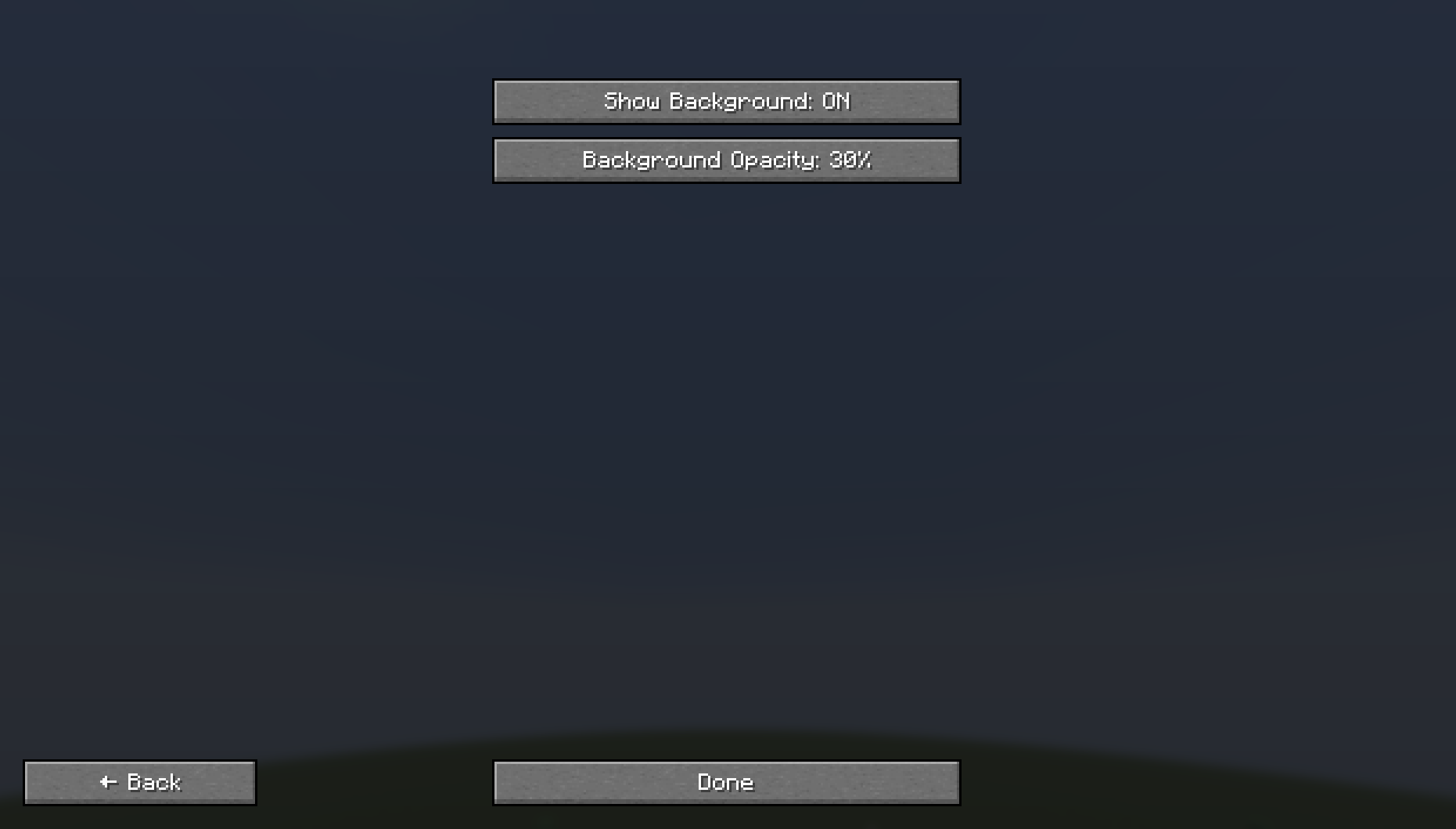
- Toggle Background - Show/hide the semi-transparent panels
- Toggle Any Module - Show/hide individual information pieces
- Many Languages Supported with full translations
- Auto-saving configuration - Your settings persist between sessions
📊 Available Information Modules
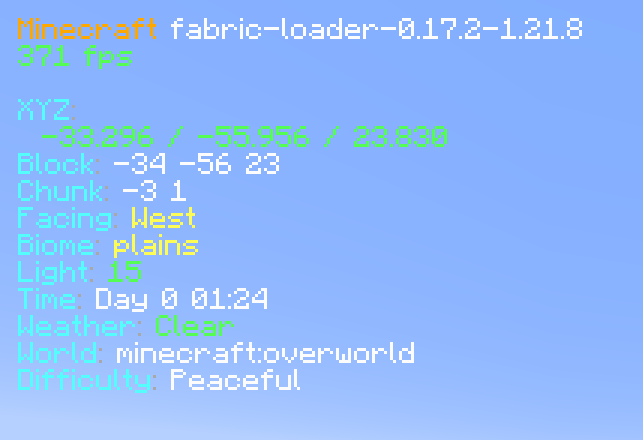
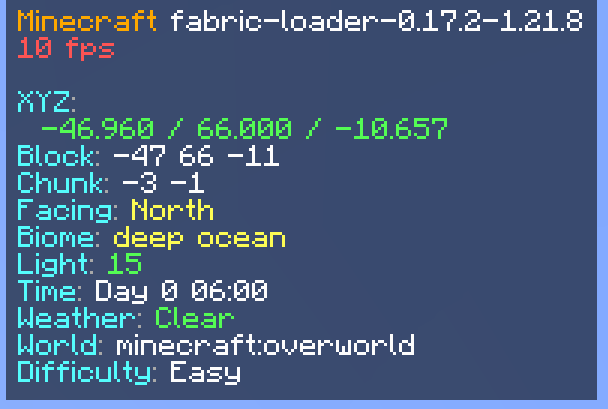
🎮 Basic Info
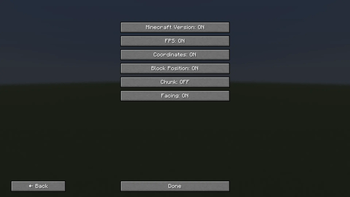
- Minecraft Version
- FPS (with color coding)
- Coordinates (X, Y, Z)
- Block Position
- Chunk coordinates
- Facing direction
🌍 World Info
- Biome (translated)
- Light Level (with safety colors)
- Time & Day
- Weather conditions
- World/Dimension name
- Difficulty setting
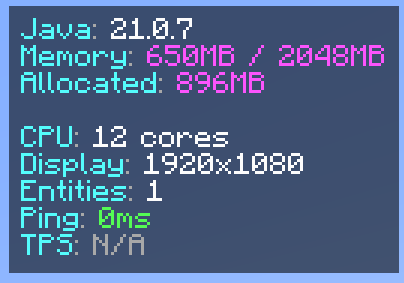
⚙️ System Info
- Java Version
- Memory usage
- Allocated memory
- CPU cores
- Display resolution
🌐 Network & Performance
- Entity count
- Ping (in multiplayer)
- TPS (server performance)
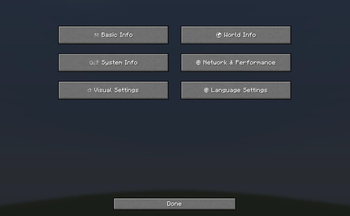
🎛️ Configuration Options
Organized Submenus:
- 🎮 Basic Info - Core game information
- 🌍 World Info - World and environment data
- ⚙️ System Info - Hardware and performance
- 🌐 Network & Performance - Multiplayer and server info
- 🎨 Visual Settings - Background and display options
- 🌐 Language Settings - Multi-language support
Supported Languages:
- English, Deutsch, Polski, Українська, Русский
- Türkçe, हिन्दी, 中文, Español, Português
- Français, اردو, Bahasa Indonesia, తెలుగు
🚀 How to Use
- Press F3 - Toggle the enhanced debug screen
- Press B - Open the configuration menu
- Navigate submenus - Choose what information to display
- Toggle modules - Show/hide specific information
- Change language - Full translation support
🎯 Perfect For
- Content Creaters - Clean, professional debug display
- Technical Players - Comprehensive system information
- Multiplayer - Network performance monitoring
- Mod Developers - Detailed debugging information
- Anyone who wants a better F3 experience!
Transform your F3 screen from cluttered chaos to organized beauty! 🎨✨
What is ImprovedF3?
ImprovedF3 is a Fabric mod that completely transforms Minecraft's F3 debug screen into a beautiful, organized, and highly customizable information display. Say goodbye to the cluttered vanilla F3 screen!
✨ Key Features
🎨 Visual Improvements
- Semi-transparent backgrounds for better readability
- Smart color coding for instant information recognition:
- 🟢 Green for high FPS (60+) and safe light levels
- 🟡 Yellow for medium FPS (30-59) and moderate values
- 🔴 Red for low FPS (<30) and dangerous light levels
- 🟣 Purple for memory information
- 🔵 Cyan for labels and system info
⚙️ Full Customization (Press B!)
- Toggle Background - Show/hide the semi-transparent panels
- Toggle Any Module - Show/hide individual information pieces
- Many Languages Supported with full translations
- Auto-saving configuration - Your settings persist between sessions
📊 Available Information Modules
🎮 Basic Info
- Minecraft Version
- FPS (with color coding)
- Coordinates (X, Y, Z)
- Block Position
- Chunk coordinates
- Facing direction
🌍 World Info
- Biome (translated)
- Light Level (with safety colors)
- Time & Day
- Weather conditions
- World/Dimension name
- Difficulty setting
⚙️ System Info
- Java Version
- Memory usage
- Allocated memory
- CPU cores
- Display resolution
🌐 Network & Performance
- Entity count
- Ping (in multiplayer)
- TPS (server performance)
🎛️ Configuration Options
Organized Submenus:
- 🎮 Basic Info - Core game information
- 🌍 World Info - World and environment data
- ⚙️ System Info - Hardware and performance
- 🌐 Network & Performance - Multiplayer and server info
- 🎨 Visual Settings - Background and display options
- 🌐 Language Settings - Multi-language support
Supported Languages:
- English, Deutsch, Polski, Українська, Русский
- Türkçe, हिन्दी, 中文, Español, Português
- Français, اردو, Bahasa Indonesia, తెలుగు
🚀 How to Use
- Press F3 - Toggle the enhanced debug screen
- Press B - Open the configuration menu
- Navigate submenus - Choose what information to display
- Toggle modules - Show/hide specific information
- Change language - Full translation support
🎯 Perfect For
- Content Creaters - Clean, professional debug display
- Technical Players - Comprehensive system information
- Multiplayer - Network performance monitoring
- Mod Developers - Detailed debugging information
- Anyone who wants a better F3 experience!
Transform your F3 screen from cluttered chaos to organized beauty! 🎨✨
Screenshots
Gallery
-
 7698d9b8b38ea5f7328dde0384883bdebc343081.png 7698d9b8b38ea5f7328dde0384883bdebc343081.png
 -
 78ccf7c6d1d4a525f5ee2e0a51e65900f1e88141.png 78ccf7c6d1d4a525f5ee2e0a51e65900f1e88141.png
 -
 a2743350d18a188dacd97bf8c99aba32c553ab06_350.png a2743350d18a188dacd97bf8c99aba32c553ab06_350.png
 -
 a217e962fc20862a767642e286be4205c7336c10.png a217e962fc20862a767642e286be4205c7336c10.png
 -
 7e5839d7eceecfae0f5b85c7b7efc6e11c5e4ee5_350.png 7e5839d7eceecfae0f5b85c7b7efc6e11c5e4ee5_350.png
 -
 64c488bfdd4c19f317c104400a3a513c99595107.png 64c488bfdd4c19f317c104400a3a513c99595107.png
-
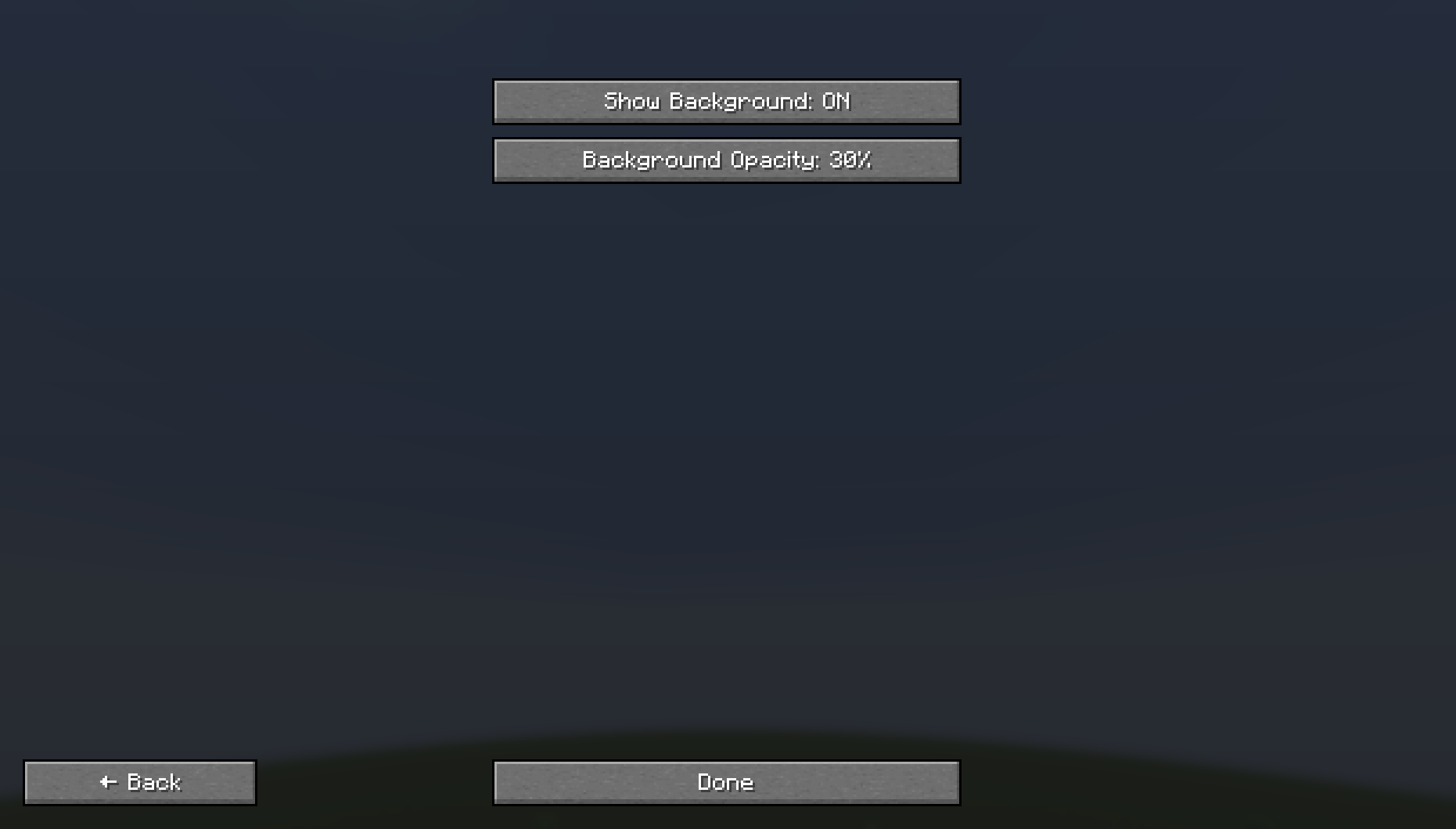 "Visual Settings" Sub-config
 -
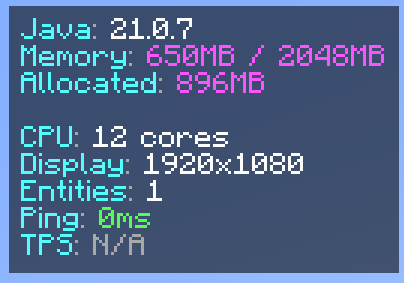 Default Right-Sided F3
 -
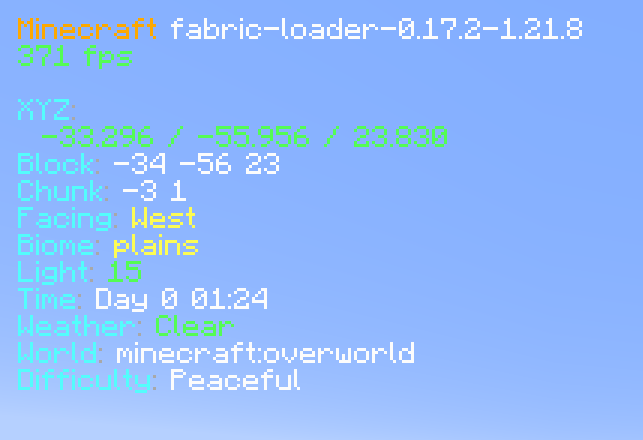 Default Left-Sided F3 (No Background)
 -
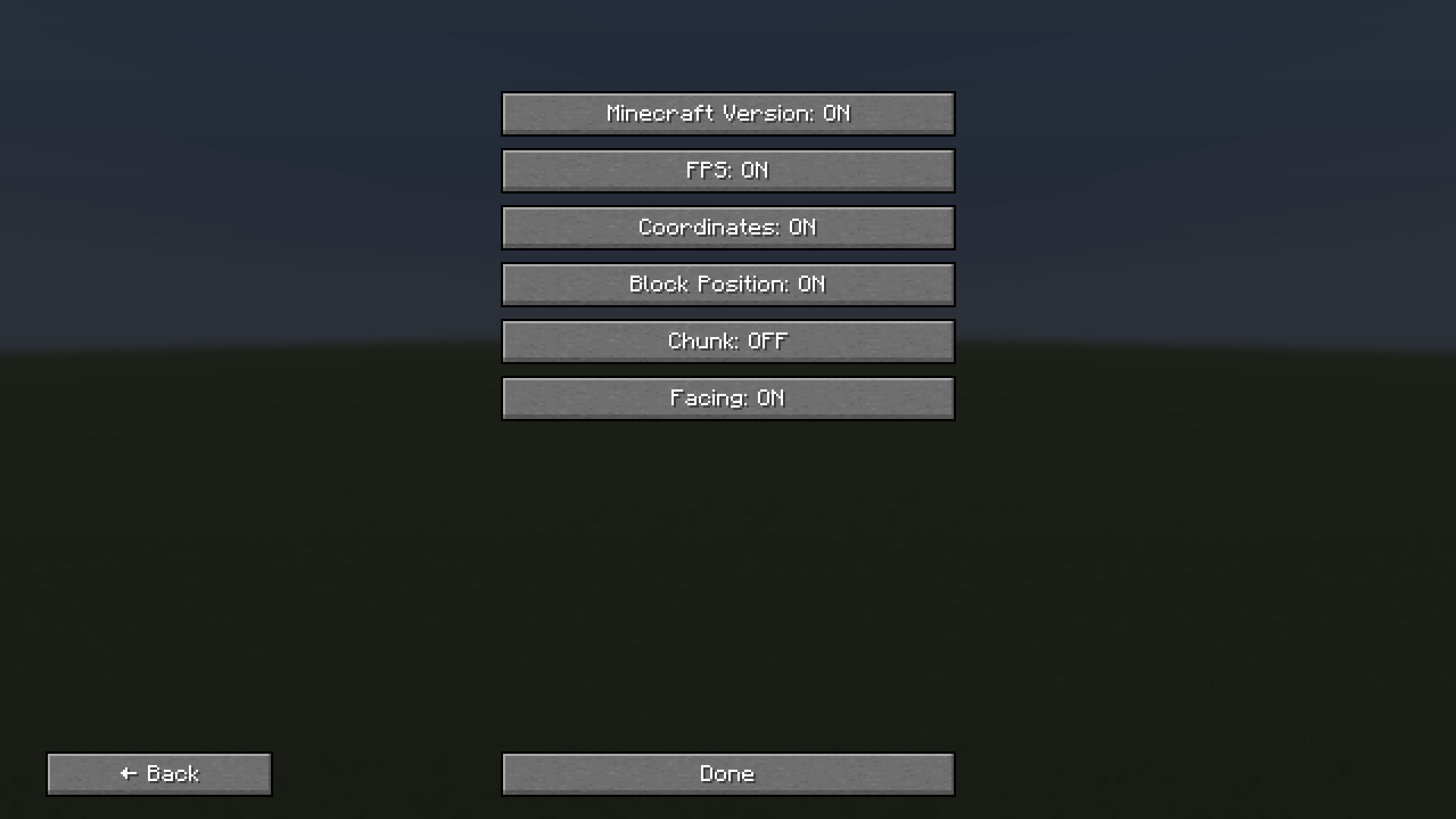 "Basic Info" Sub-config
 -
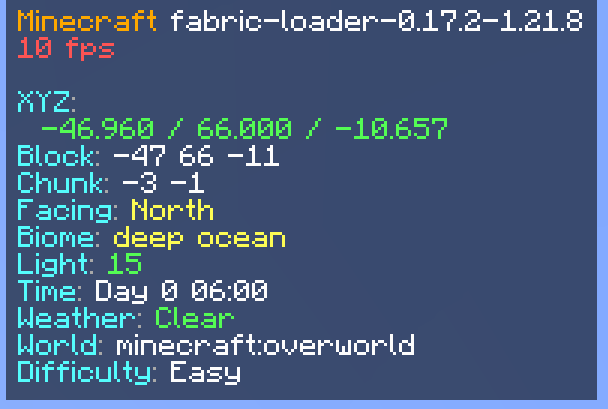 Default Left-Sided F3
 -
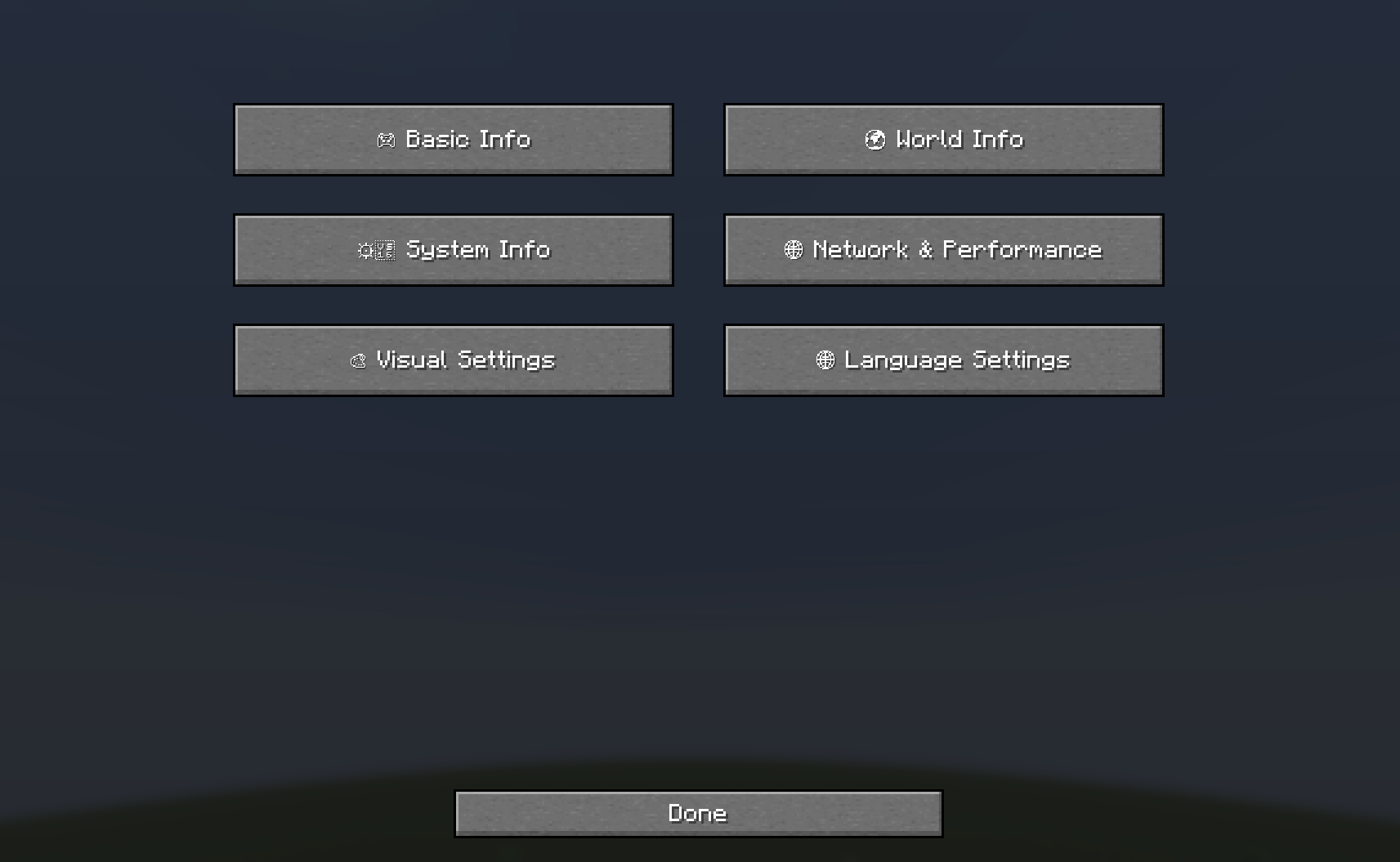 Main config menu (B Keybind)
Versions
Files
Relations
Project Relations
More like this
Similar Mods
Suggestions use data such as tags, dependencies, dependents, descriptions, titles, and more to rank how much they overlap with this mod.
On ModDex
Community snapshot
By the numbers
Statistics
Want to reach Minecraft players?
We're looking for a server hosting partner to feature here and other parts of the site. Interested? Send us a message!
Get in touchGet it on
Available Platforms
On ModDex
Community snapshot
By the numbers
Statistics
Resources