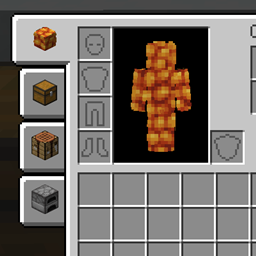
Improved Inventory Tabs
Adds tabs to access nearby chests and blocks. Fabric, NeoForge & Forge. Updated for 26.3
No ratings yet
Be the first to rate it.
Community listing page
Community listing page, reviews may not be monitored by the author.

Community voices
Reviews
No reviews yet. Be the first to review this project!
Get it on
Available Platforms
Compatibility
Supported Environments
Runs entirely on the client. Works on vanilla servers.
About
Project Details
For authors
Embed Badge
If you're the author of this project, you can embed a live badge anywhere that supports HTML or Markdown. It updates automatically whenever ratings change.
Use HTML for any page that supports it, or Markdown for README files and Markdown-based descriptions.
Identifiers
Platform IDs
About
Description
- Minecraft 26.2 with NeoForge and Fabric
- Minecraft 1.21.1 with NeoForge and Fabric
- Minecraft 1.20.1 with Forge and Fabric
View and access nearby blocks without leaving your inventory by switching between tabs. This mod works purely on the client side, so no need to add it to server mod lists.
Choose tab position between veritcal (left & right of inventory) or horizontal (top & bottom of inventory)!
You can only access chests that are close to you, that you would normally be able to access. The mod essentially takes away having to look around and click a chest.
It can not be used to bypass protected chests, so should work with land claim and chest protection mods on servers.
Instructions
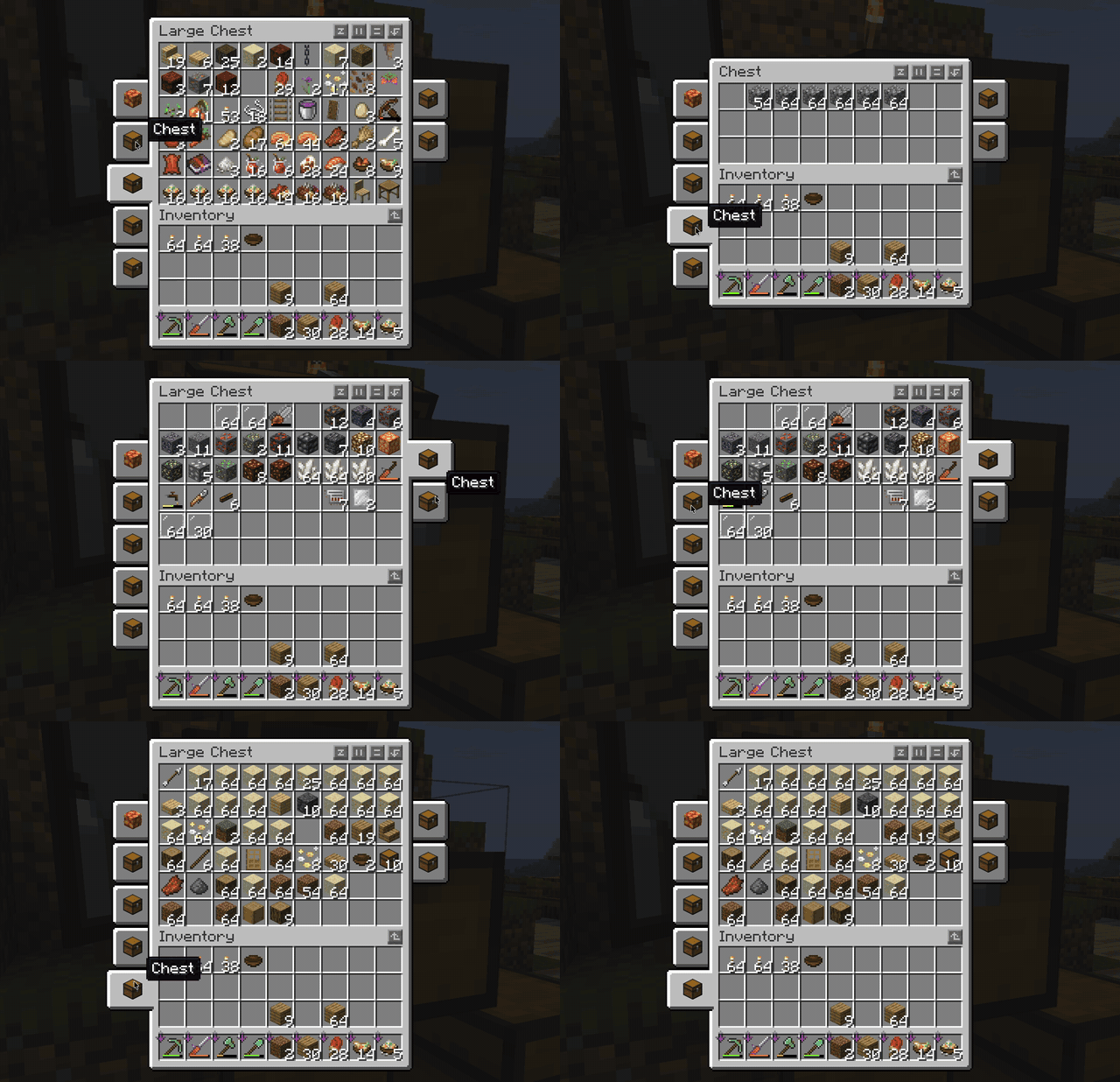
Placing chests near each other will allow you to access them via a tab.
You can also place an item frame on a chest, and the item inside the item frame will be the icon for that tab.
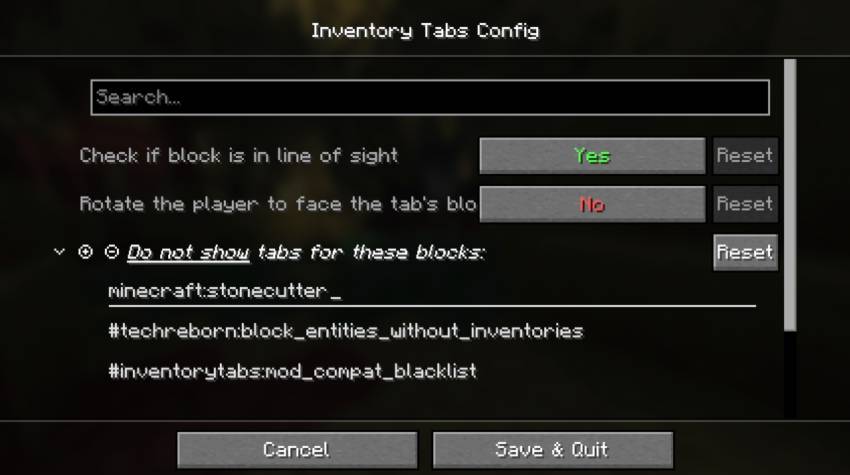
Using Cloth config, you can also exclude certain blocks from appearing as a tab.
Requests
If there is a version of Minecraft you would like this mod to work for, please leave a comment and I can get to it.
Fourth-generation continuation: the original mod is by cakewhip (kqpel), continued by LiamMCW, then Andrew6rant through 1.19, and now here for 1.20.1, 1.21.1, and 26.2+.
This project is a modern continuation and fork of the original mod by cakewhip (kqpel), subsequently maintained by LiamMCW and Andrew6rant.
What is this mod? (Original Features)
This mod enhances your inventory management by allowing you to view and access nearby blocks (like chests) without leaving your inventory screen. It adds intuitive tabs to your inventory menu so you can seamlessly switch between nearby containers.
- Customizable UI Layout: You have the option to display horizontal or vertical bars around the inventory screen to organize your tabs exactly how you like them!
- Highly Configurable: Powered by Cloth Config, the mod offers a bunch of configuration options to tweak your experience, including the ability to exclude certain blocks from appearing as tabs.
- Client-Side Only: Works entirely on the client. No need to install it on servers!
- Visual Icons: Place an item frame on a chest, and the item inside the frame will automatically become the icon for that chest's tab.
- Fair Play & Server Friendly: You can only access chests that are close enough for you to open normally. The mod simply saves you from having to look around and manually click each chest. It does not bypass protected chests, ensuring full compatibility with land claim and chest protection mods on servers.

What's new in this fork?
Previous iterations of this mod stopped updating after Minecraft 1.19. This fork specifically updates and ports the mod to modern versions of Minecraft, ensuring players can continue to enjoy these quality-of-life features on the latest updates.
Changes in this version include:
- Updated codebase and compatibility to support Minecraft 1.20.1, 1.21.1, and 26.2+.
- Ongoing maintenance for modern mod loaders.
Instructions
- Place chests near each other, and they will automatically appear as tabs in your inventory screen.
- To customize a tab's icon, place an item frame on the container and put an item inside it.
- Access the Cloth Config menu to explore the extensive configuration options and blacklist any blocks you don't want showing up as tabs.
Requests
If there is a specific version of Minecraft you would like this mod to work for, please leave a comment and I will do my best to get to it!
Screenshots
Gallery
-
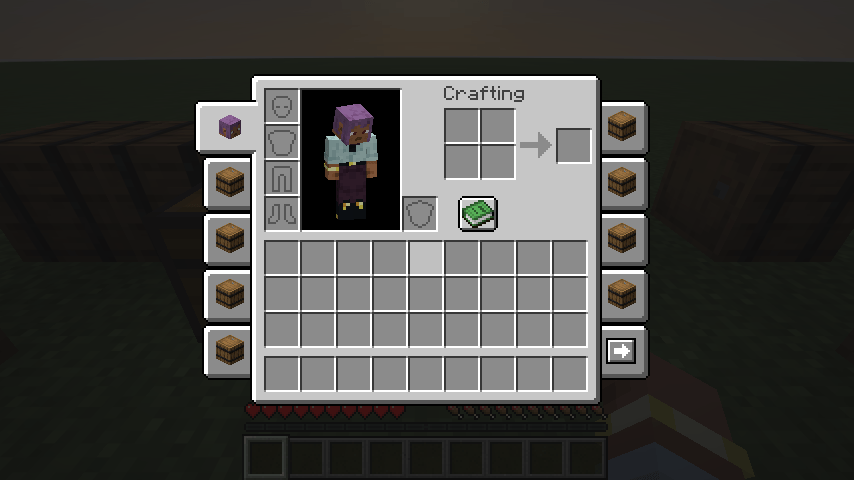 Improved Inventory Tabs View all blocks around you that hold an inventory! Each one is its own tab.
-
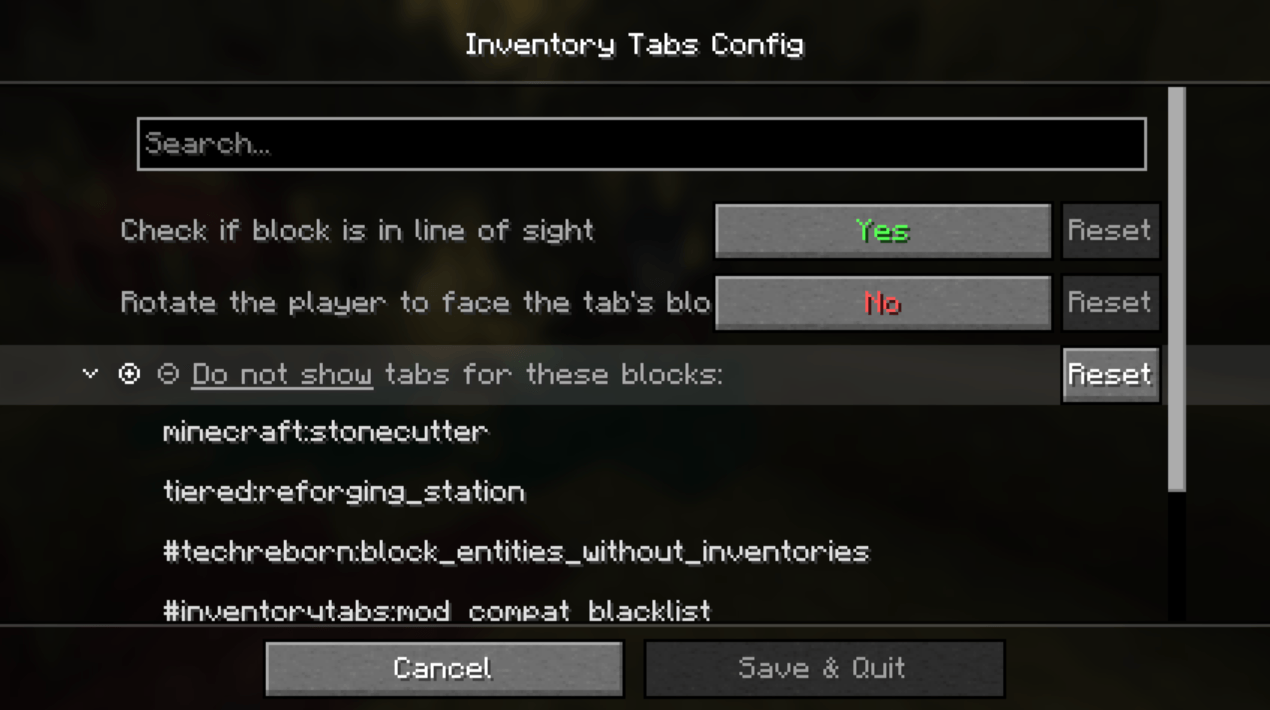 Config Menu The Config (Using Cloth Config), lets you filter out blocks you don't want to appear as a tab
-
 Inventory Tabs I can see a tab for each chest that is within reach of me
Versions
Files
Relations
Project Relations
More like this
Similar Mods
Suggestions use data such as tags, dependencies, dependents, descriptions, titles, and more to rank how much they overlap with this mod.
Stats
- Downloads
-
2k
 2k
 <1,000
- Used in
- 2 modpacks
- Followers
- 0
- In stacks
- 1
- Created
-
- Last synced
-
Nov 12, 2026 7:45 AM UTC
New file updates sync automatically.
When ModDex last fully re-synced this project from CurseForge or Modrinth. A new file release triggers a resync usually within minutes, and every project is also re-synced on a schedule. Edits that don't ship a file, such as a new description or screenshots, are checked every few hours and can appear before this date changes.
How syncing works
External Links

Stats
- Downloads
-
2k
2k
<1,000
- Used in
- 2 modpacks
- Followers
- 0
- In stacks
- 1
- Created
-
- Last synced
-
Nov 12, 2026 7:45 AM UTC
New file updates sync automatically.
When ModDex last fully re-synced this project from CurseForge or Modrinth. A new file release triggers a resync usually within minutes, and every project is also re-synced on a schedule. Edits that don't ship a file, such as a new description or screenshots, are checked every few hours and can appear before this date changes.
How syncing works