Improved Maps
No reviews yet
Server-side mod implementing Atlases and other map features
Includes a large focus on traversing worlds with enhanced world generation, structures, dungeons, and more for players to find unique loot.
Fabric is a mod loader for versions 1.14+ of Minecraft, particularly popular for client side and optimization mods.
Community voices
Reviews
Click once to include, again to exclude, again to clear
No reviews yet. Be the first to review this project!
Get it on
Available Platforms
 Modrinth
Compatibility
Supported Environments
About
Project Details
For authors
Embed Badge
If you're the author of this project, you can embed a live badge anywhere that supports HTML or Markdown. It updates automatically whenever ratings change.
Use HTML for any page that supports it, or Markdown for README files and Markdown-based descriptions.
Identifiers
Platform IDs
About
Description
Improved Maps 
This mod is only for Fabric Servers(or Single-Player) and requires Fabric API. Works with Vanilla clients thanks to Polymer!
Server-side Features
- Atlas - A combination between a bundle and a map.
- Fill it with empty maps and it will automatically create new maps as you explore off the edge of your current map.
- Automatically switch to the relevant map when returning to previous areas.
- Make a copy of the entire Atlas. Great for map walls!
- Fits up to 512 filled maps(configurable), and any number of empty maps
- Map Information Tooltips - See the map scale and center coordinates right from the tooltip
- Biome Map Colours - Records which biome each map pixel came from, so maps tint grass, leaves
and water per biome instead of drawing every biome the same flat green
- Only players with the mod installed see the difference - a vanilla client see vanilla maps/atlases
(Optional) Client-side Features
- Minimap - Your last selected Atlas can be displayed as a minimap if you install the mod client-side.
- Atlas View - Press
M(rebindable in Controls) to see every map in your Atlas stitched into one big map. Opens centred on you; scroll to zoom and drag to pan. - Biome Map Colours - Draws the tint biome tint for grass, leaves and water on maps and atlases
- Proper display of Atlas' fullness bar
How to use Atlases
- Craft one by combining a filled map and a book in a crafting bench
- An Atlas is specific to a dimension
- All maps in an Atlas must have the same scale
- Atlases behave like bundles, but can only take filled and empty maps
- Copy an Atlas by combining an Atlas and a book, either in a crafting bench or a cartography table
- You must have enough empty maps in the Atlas to copy it, otherwise it won't craft
- You'll get 2 identical Atlases, each containing half the remaining empty maps
- You can take maps out like you would take items out of a bundle. To take out the empty maps you can either place the Atlas in a cartography table, or take out all the filled maps then right-click the empty Atlas in your inventory
(Optional) Custom Icons
- Installing the mod client-side will show custom icons for the Atlas item and fix some UI issues
- Icons can also be used by providing the Polymer resource pack to your vanilla clients
- Find out how to setup Polymer AutoHost here: https://polymer.pb4.eu/latest/user/resource-pack-hosting/
- Run
/polymer generate-packafter installing the mod to generate the resource pack
Known Issues
- Bundle tooltip on Atlas will show full once it hits 64 maps. You can still keep adding maps
- Installing the mod client-side will fix this
Shout-outs
- Pillowsledder for creating the excellent icons!
- Map Atlases by Pepperoni-Jabroni for the original idea and map switching logic.
- Diversity: Better Bundle by FaeWulf for implementation of larger bundle sizes
Screenshots
Gallery
-
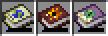 Custom Atlas Icons for the Overworld, Nether and End Icons by Pillowsledder. Follow him on Bluesky! @pillowsledder.bsky.social
 -
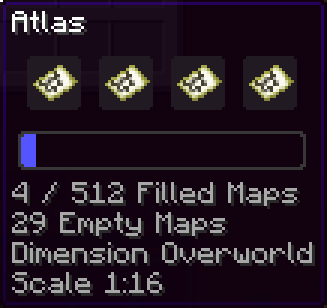 Atlas Atlas item with 4 filled maps, 29 empty maps
 -
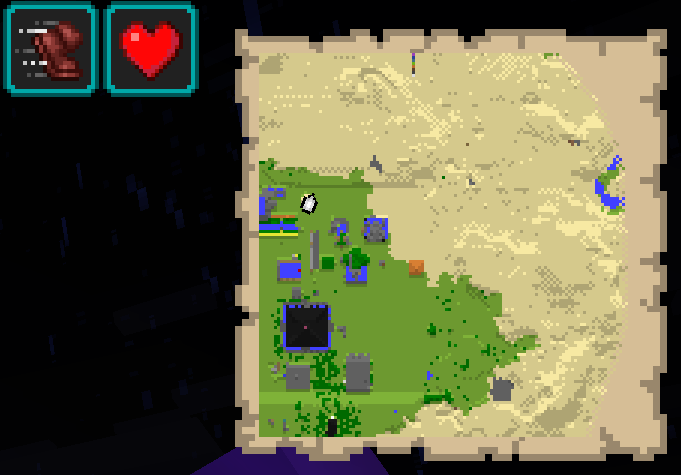 Minimap Minimap shows the last selected Atlas in your inventory. If placed on the top-right it will move status effect icons so they don't overlap.
 -
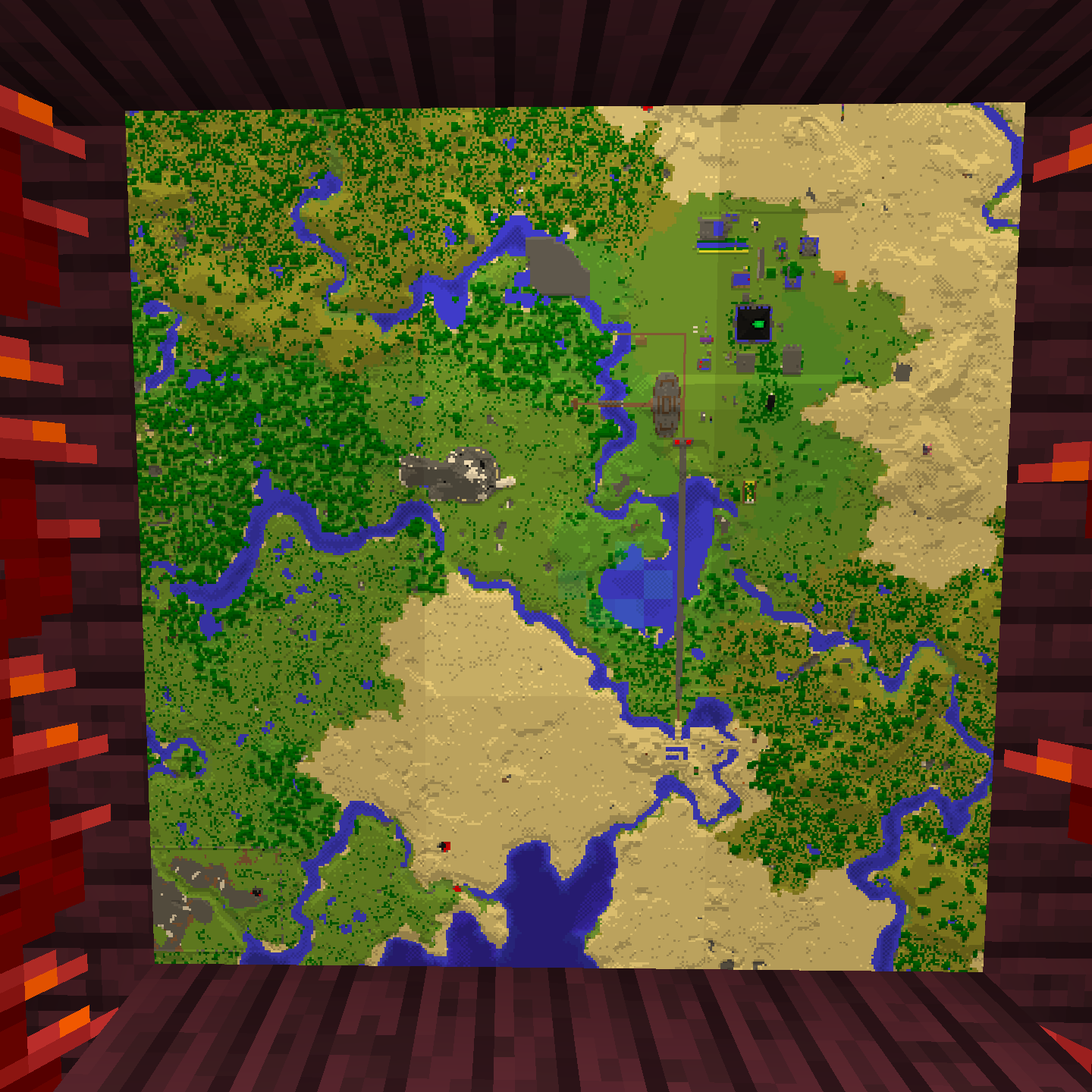 Biome-based tinting for grass, water and leaf blocks A map-wall showing off savanah and standard grass and leaf tints
 -
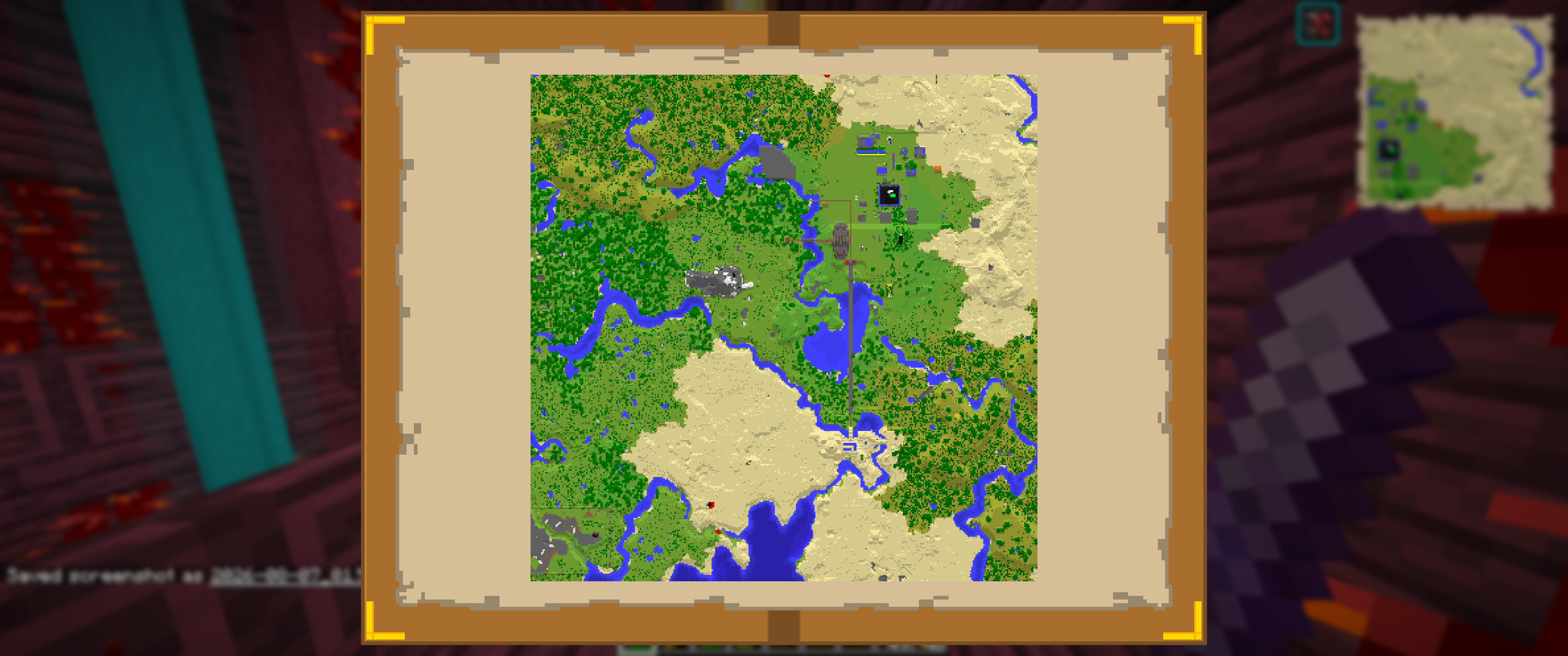 Atlas View Pan and zoom around the entire contents of your Atlas
 -
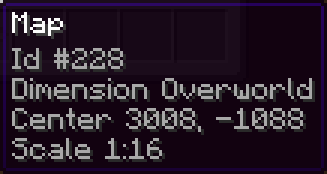 Map Tooltips Map with coordinates and scale in the tooltip
Versions
Files
Relations
Project Relations
More like this
Similar Mods
Suggestions use data such as tags, dependencies, dependents, descriptions, titles, and more to rank how much they overlap with this mod.
On ModDex
Community snapshot
By the numbers
Statistics

Want to reach Minecraft players?
We're looking for a server hosting partner to feature here and other parts of the site. Interested? Send us a message!
Get in touchGet it on
Available Platforms
On ModDex
Community snapshot
By the numbers