
Community listing page, reviews here may not be monitored by the author.
Infinite Display

No reviews yet
This mod removes the vanilla limits on display settings, allowing much larger models to be shown in item frames, GUIs, and beyond.

Community voices
Reviews
No reviews yet. Be the first to review this project!
Get it on
Available Platforms
Compatibility
Supported Environments
Runs entirely on the client. Works on vanilla servers.
About
Project Details
For authors
Embed Badge
If you're the author of this project, you can embed a live badge anywhere that supports HTML or Markdown. It updates automatically whenever ratings change.
Use HTML for any page that supports it, or Markdown for README files and Markdown-based descriptions.
Identifiers
Platform IDs
About
Description



Infinite Display
Infinite Display removes the vanilla limits on display settings, allowing much larger models to be shown in item frames, GUIs, and beyond.
Installation
Requirements
- Minecraft Fabric Loader and API for 1.21.10 — Download from FabricMC
Steps
1. Install Minecraft Fabric
2. Download the mod
3. Place the .jar file into your Minecraft mods folder
4. Launch Minecraft — done!
Item Model Display Settings Example
Translation values can exceed vanilla's limit of 5 and scale values can exceed vanilla's limit of 4
"display": {
    "fixed": {
        "translation": [16, 32, 8],
        "scale": [8, 12, 6]
    }
}
Screenshots
Enabled

Disabled

License
Screenshots
Gallery
-
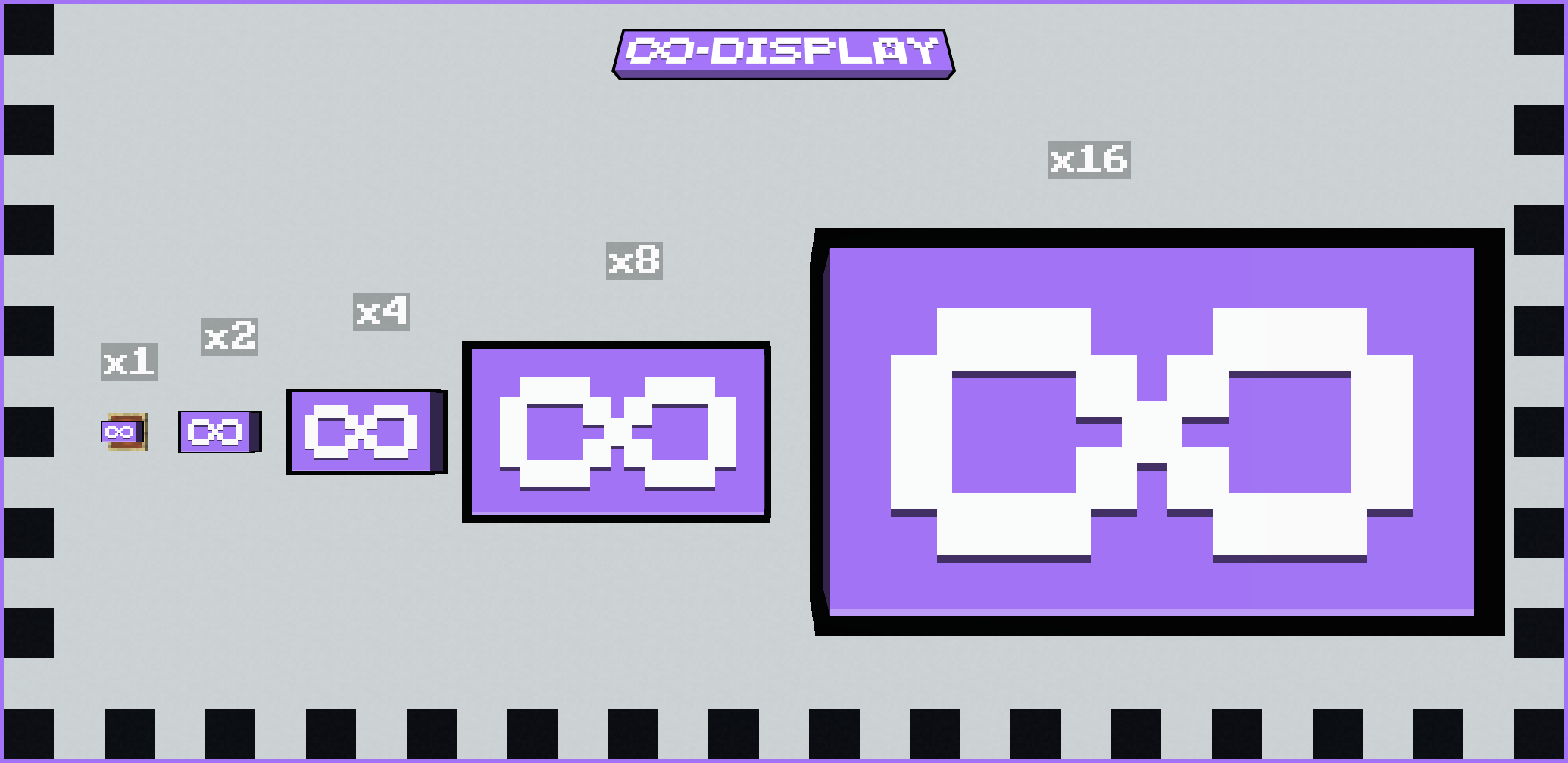 Infinite Display - Enabled
 -
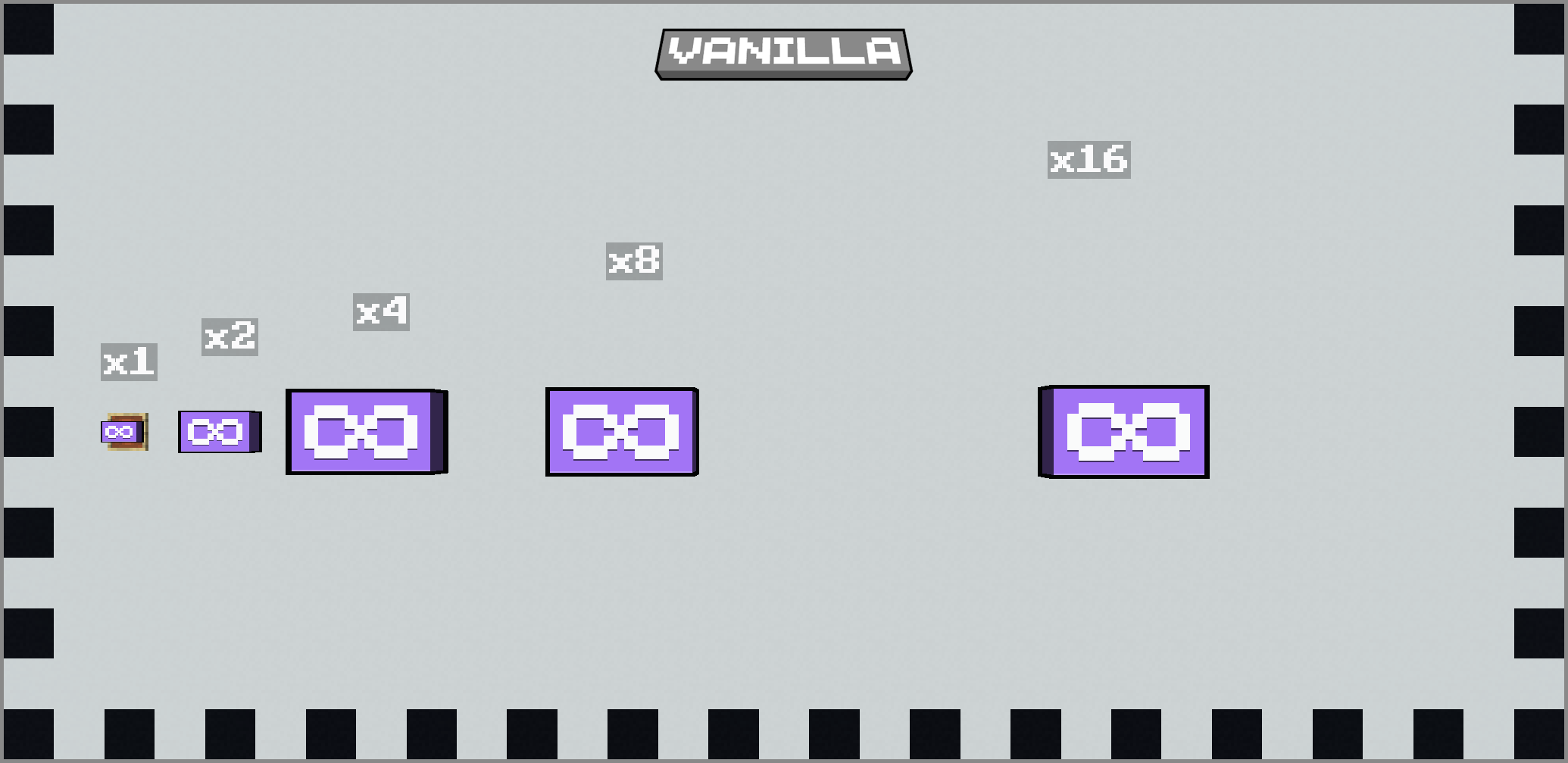 Infinite Display - Disabled
Versions
Files
Relations
Project Relations
More like this
Similar Mods
Suggestions use data such as tags, dependencies, dependents, descriptions, titles, and more to rank how much they overlap with this mod.
On ModDex
Community snapshot
By the numbers
Statistics

 (opens in a new tab)
Get it on
Available Platforms
On ModDex
Community snapshot
By the numbers