

Community listing page, reviews here may not be monitored by the author.
InfoHotbar

No reviews yet
Minimalist HUD utility displaying coordinates, time, biome, and other useful info above the hotbar.

Community voices
Reviews
No reviews yet. Be the first to review this project!
Get it on
Available Platforms
Compatibility
Supported Environments
Runs entirely on the client. Works on vanilla servers.
About
Project Details
For authors
Embed Badge
If you're the author of this project, you can embed a live badge anywhere that supports HTML or Markdown. It updates automatically whenever ratings change.
Use HTML for any page that supports it, or Markdown for README files and Markdown-based descriptions.
Identifiers
Platform IDs
Resources
External Links
About
Description
🧭 InfoHotbar
Minimalist. Customizable. Informative.
InfoHotbar is a lightweight Fabric client-side mod that displays essential player information directly above the hotbar. Stop cluttering your screen with F3 debug screens — get exactly what you need, right where you need it.

✨ Features
- Real-time Coordinates: Display X, Y, Z cleanly above your hotbar.
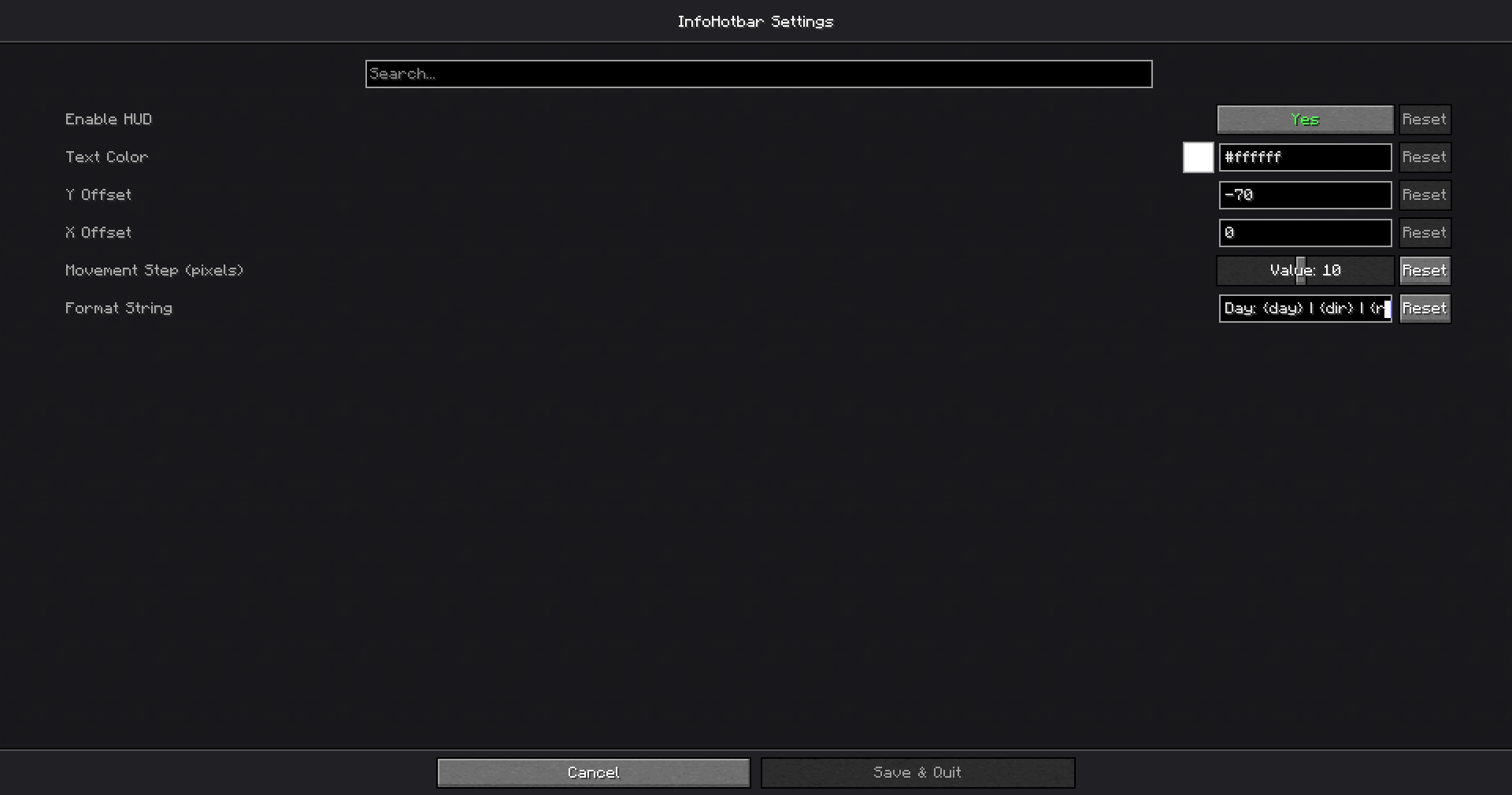
- Fully Customizable: Change text color (supports RGB & Hex), position, and format via an easy-to-use settings menu.
- Smart Placeholders: Customize the information you want to see:
{x},{y},{z}- Coordinates{dir}- Cardinal direction (N, S, E, W){biome}- Current biome name{realtime}- Your local PC time{gametime}- In-game time (HH:MM){light}- Current block light level (useful for spawn proofing!){nether}- Smart conversion (shows Nether coords in Overworld and vice versa){fps}- Player FPS Counter{day}- Current number of days lived by the player
- Localization: Fully translated into English 🇺🇸 and Russian 🇷u.
⚙️ Configuration
Press your assigned key (or use Mod Menu) to open settings. You can use the Format String field to design your own HUD.
Example formats:
XYZ: {x} {y} {z} | {dir}{realtime} | Light: {light} | {biome}
📥 Installation
- Download and install Fabric Loader.
- Download InfoHotbar.
- Required Dependencies:
- Fabric API
- Cloth Config API (For settings screen)
- Mod Menu (To access settings)
- Drop the
.jarfiles into yourmodsfolder.
📜 License
This mod is available under the MIT License. Feel free to use it in your modpacks!
Screenshots
Gallery
Versions
Files
Relations
Project Relations
More like this
Similar Mods
Suggestions use data such as tags, dependencies, dependents, descriptions, titles, and more to rank how much they overlap with this mod.
On ModDex
Community snapshot
By the numbers
Statistics

 (opens in a new tab)
Get it on
Available Platforms
On ModDex
Community snapshot
By the numbers
Statistics
Resources