
Community listing page, reviews here may not be monitored by the author.
Inspector 🔎

No reviews yet
A survival-friendly implementation of the ability to view block history via a new item — the magnifying glass.
Community voices
Reviews
No reviews yet. Be the first to review this project!
Get it on
Available Platforms
 Modrinth
Compatibility
Supported Environments
Must be installed on both the client and the server.
About
Project Details
For authors
Embed Badge
If you're the author of this project, you can embed a live badge anywhere that supports HTML or Markdown. It updates automatically whenever ratings change.
Use HTML for any page that supports it, or Markdown for README files and Markdown-based descriptions.
Identifiers
Platform IDs
Resources
External Links
About
Description

A survival-friendly implementation of the ability to view block history via a new item — the magnifying glass.
Every block break, place, container transaction, entity kill, redstone interaction, and explosion is logged to a SQLite database with full player attribution. Right-click any block with the magnifier to open a GUI showing its complete history, including player heads, item icons, and relative timestamps.

Features
- Magnifier Item - craftable tool (256 durability) for inspecting block history at a glance
- Block Event Logging - breaks, places, fluid changes with player, position, and timestamp
- Container Diffing - snapshots container contents on open/close, logs individual item additions and removals with full NBT data (enchantments, lore, etc.)
- Entity Kill Logging - tracks entity kills by players
- Redstone Interaction Logging - button, lever, door, trapdoor, pressure plate, note block, fence gate, repeater, comparator usage
- Anvil Tracking - logs anvil use and breakage
- Explosion Logging - logs every block destroyed by player-caused explosions
- History GUI - custom screen with player heads, item icons, color-coded actions, relative timestamps, and full tooltips on hover
- Block Glow Overlay - semi-transparent highlight on the targeted block with smooth animation
/inspectCommand - query player or block history from chat with autocomplete- SQLite Database - persistent storage with WAL mode, async batched writes, in-memory caching
- Configurable - database path, batch settings, glow animation toggle, player head rendering toggle
Crafting Recipe
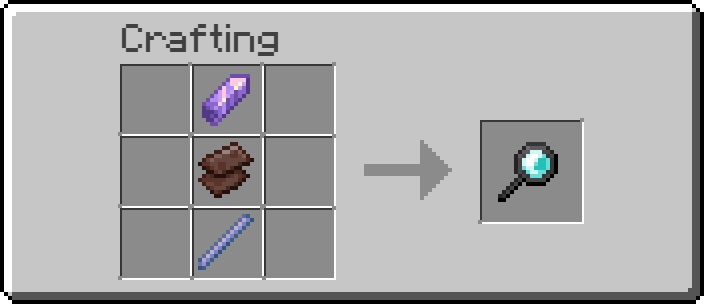
Usage
- Craft the magnifier and hold it in your main hand
- Sneak + scroll to adjust inspection depth offset
- Right-click on a block to view its history
- The targeted block is highlighted with a colored glow overlay
Dependencies
- NeoForge (required)
- YetAnotherConfigLib (required, client-side)
A survival-friendly implementation of the ability to view block history via a new item — the magnifying glass.
Every block break, place, container transaction, entity kill, redstone interaction, and explosion is logged to a SQLite database with full player attribution. Right-click any block with the magnifier to open a GUI showing its complete history, including player heads, item icons, and relative timestamps.
Features
- Magnifier Item - craftable tool (256 durability) for inspecting block history at a glance
- Block Event Logging - breaks, places, fluid changes with player, position, and timestamp
- Container Diffing - snapshots container contents on open/close, logs individual item additions and removals with full NBT data (enchantments, lore, etc.)
- Entity Kill Logging - tracks entity kills by players
- Redstone Interaction Logging - button, lever, door, trapdoor, pressure plate, note block, fence gate, repeater, comparator usage
- Anvil Tracking - logs anvil use and breakage
- Explosion Logging - logs every block destroyed by player-caused explosions
- History GUI - custom screen with player heads, item icons, color-coded actions, relative timestamps, and full tooltips on hover
- Block Glow Overlay - semi-transparent highlight on the targeted block with smooth animation
/inspectCommand - query player or block history from chat with autocomplete- SQLite Database - persistent storage with WAL mode, async batched writes, in-memory caching
- Configurable - database path, batch settings, glow animation toggle, player head rendering toggle
Crafting Recipe
Usage
- Craft the magnifier and hold it in your main hand
- Sneak + scroll to adjust inspection depth offset
- Right-click on a block to view its history
- The targeted block is highlighted with a colored glow overlay
Dependencies
- NeoForge (required)
- YetAnotherConfigLib (required, client-side)
Screenshots
Gallery
-
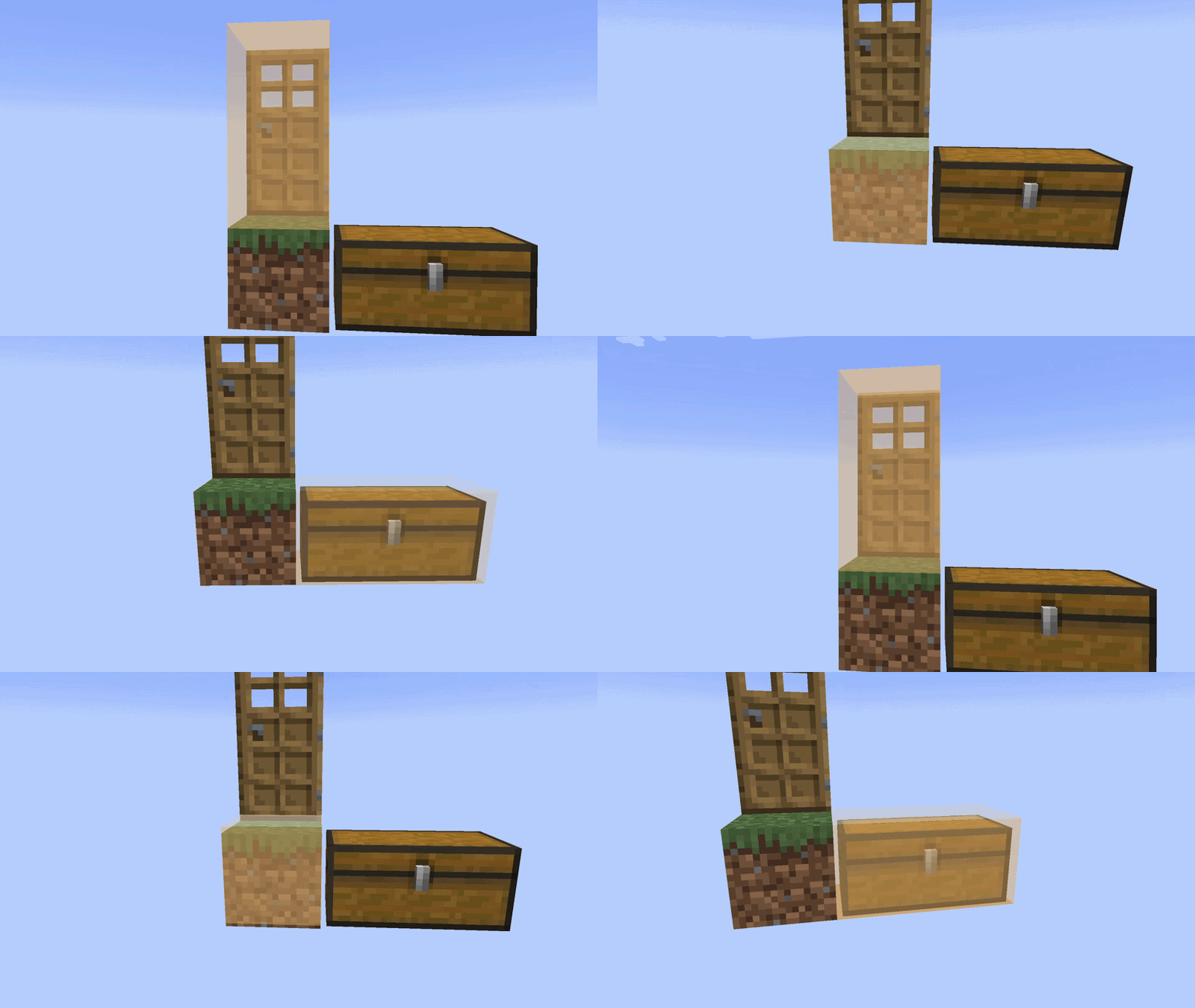 Glow Preview ezgif-1852df9dd157c265.gif
 -
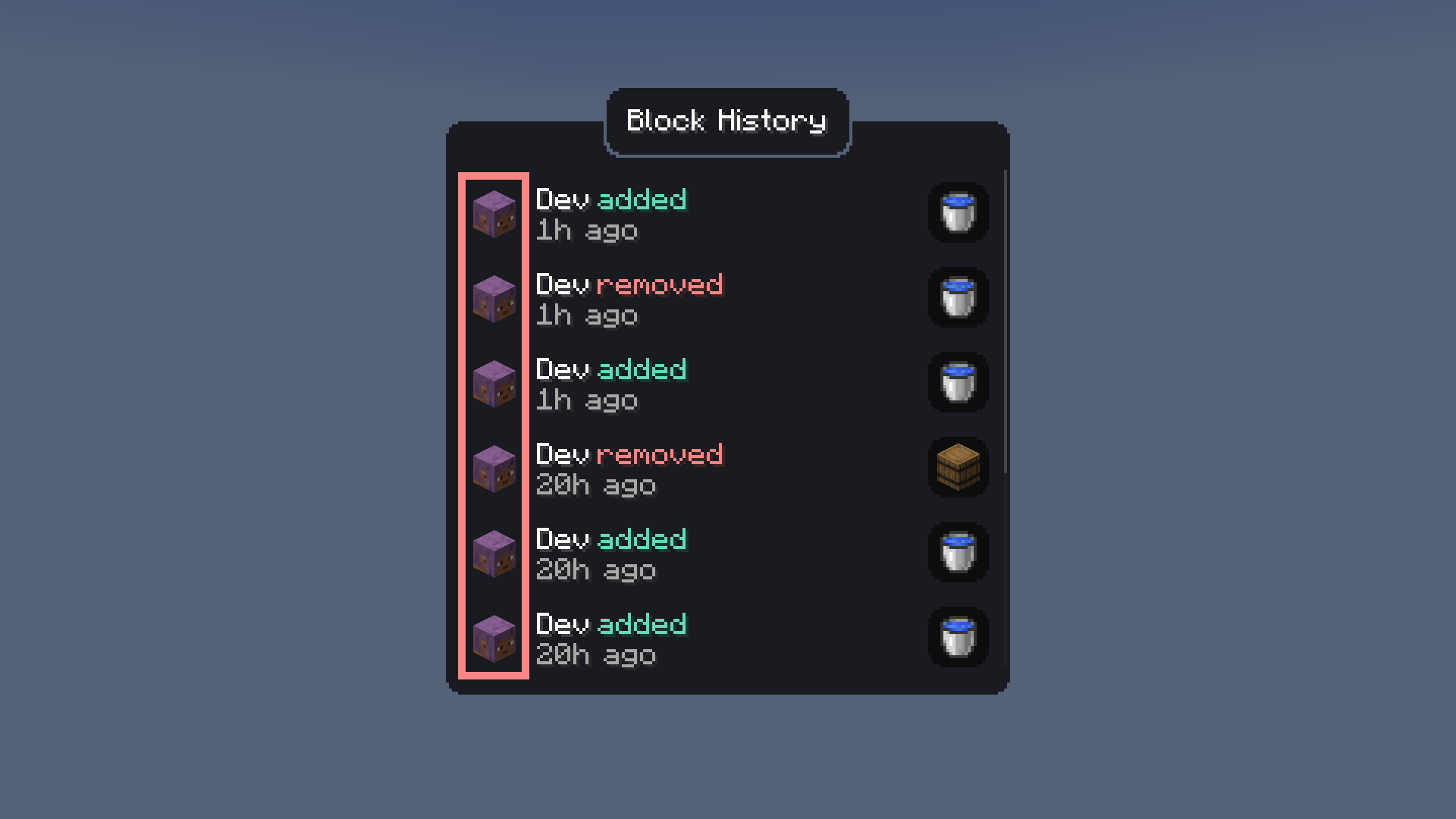 Heads image (2).png
-
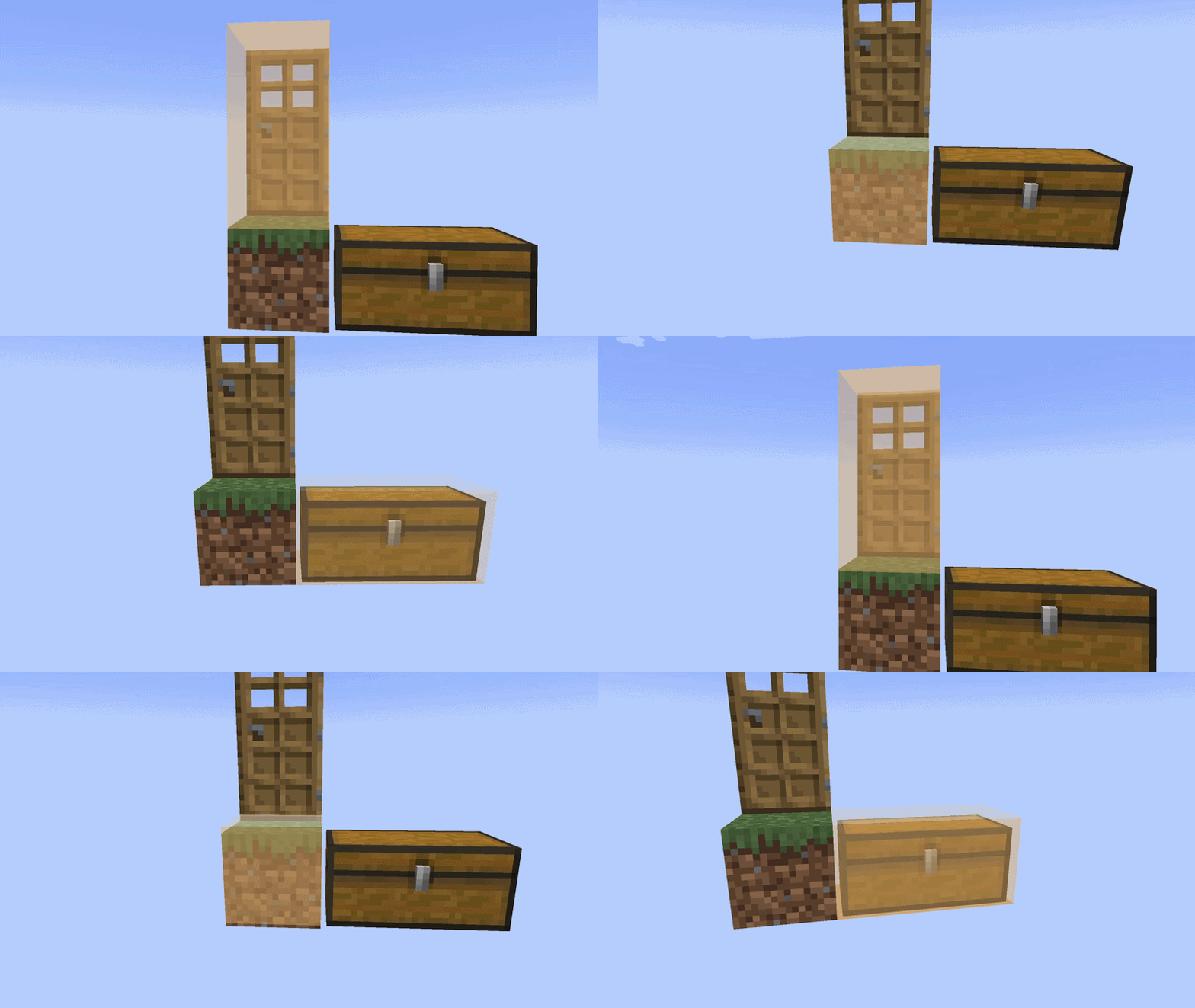 Glow Animation
 -
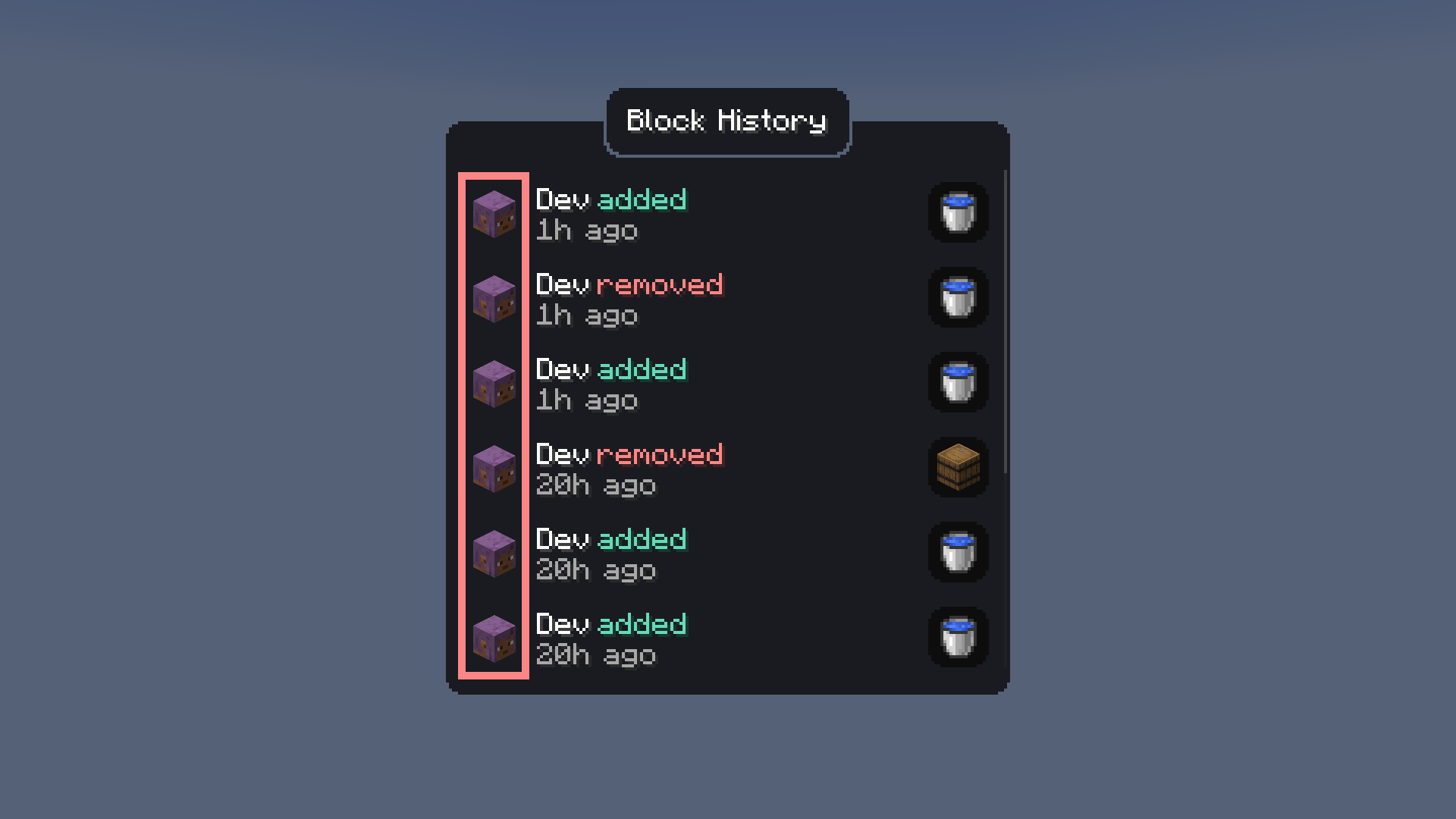 Heads in Block History Screen
Versions
Files
Relations
Project Relations
More like this
Similar Mods
Suggestions use data such as tags, dependencies, dependents, descriptions, titles, and more to rank how much they overlap with this mod.
On ModDex
Community snapshot
By the numbers
Statistics
Want to reach Minecraft players?
We're looking for a server hosting partner to feature here and other parts of the site. Interested? Send us a message!
Get in touchGet it on
Available Platforms
Modrinth
On ModDex
Community snapshot
By the numbers
Statistics
Resources