
Community listing page, reviews here may not be monitored by the author.
Inventory Sorting


No reviews yet
Quick, simple, and lightweight inventory sorting

Community voices
Reviews
No reviews yet. Be the first to review this project!
Get it on
Available Platforms
Compatibility
Supported Environments
Required on the server. Installing it on the client adds functionality.
Works on the client or the server alone, but does more when on both.
Varies by version.
About
Project Details
For authors
Embed Badge
If you're the author of this project, you can embed a live badge anywhere that supports HTML or Markdown. It updates automatically whenever ratings change.
Use HTML for any page that supports it, or Markdown for README files and Markdown-based descriptions.
Identifiers
Platform IDs
About
Description
Inventory Sorter 
Inventory Sorter is a lightweight mod that keeps your inventory clean with minimal effort.
It’s used by millions of players across Modrinth and CurseForge.
Designed to run server-side, it works out of the box, even with vanilla clients, making it perfect for modpacks, multiplayer servers, and anyone who wants frictionless sorting without needing client-side mods.
It also works perfectly in single-player, since Minecraft runs an integrated server behind the scenes.
Features
Inventory Sorter supports several ways to trigger a sort:
- Click the sort button (client mod required)
- Use the keybind (client mod required)
- Double-click an empty slot (works with vanilla client)
- Use
/invsort sortor/invsort sortmein chat (works with vanilla client)
The mod is designed to run server-side. Sorting actions like middle-click, double-click, and commands work even if the client has no mods installed. If you're using the optional client mod, you'll also get visual buttons, keybind support, and in-game configuration menus.
Compatibility and Configuration
Inventory Sorter supports all inventories, including those from other mods. You can control where sorting is enabled, customize how it behaves, and hide UI elements for specific containers.
All configuration options are documented at:
https://inventorysorter.meza.gg
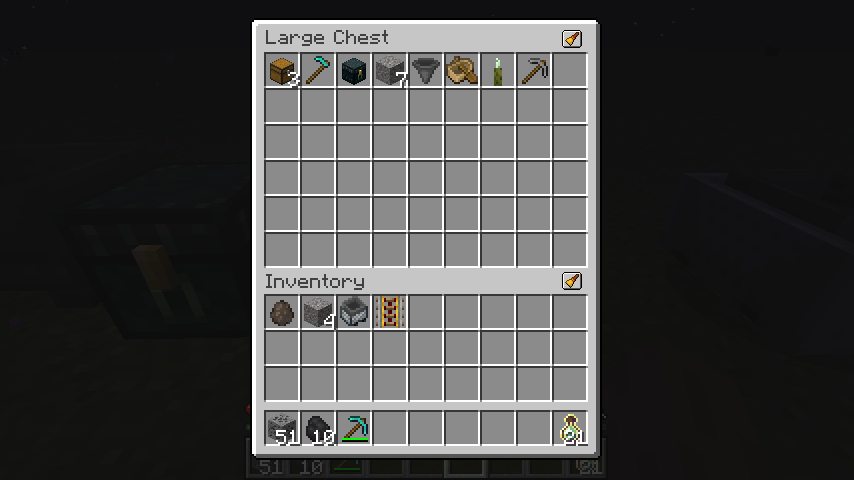
Before and After
Before
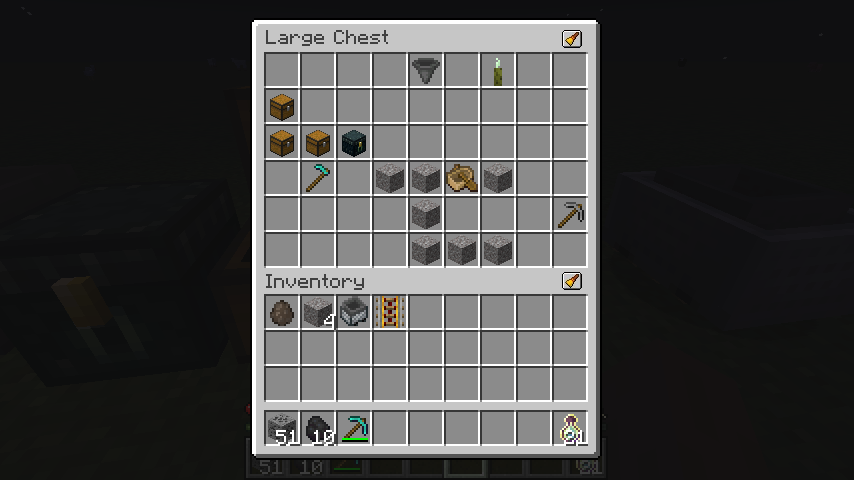
After
Dependencies
For client-side configuration and UI features, you’ll need:
- Cloth Config (required)
- Mod Menu (optional, for easier access to config)
The mod functions server-side without any client dependencies.
Translations
Inventory Sorter is available in multiple languages.
If you want to help translate the mod into your language, please check out the translation guide.
Project Status
Inventory Sorter is actively maintained and safe to use in modpacks and multiplayer environments. Compatibility issues with certain modded inventories can be resolved using the built-in configuration system, described in the documentation.
Inventory Sorter 
Inventory Sorter is a lightweight mod that keeps your inventory clean with minimal effort.
It’s used by millions of players across Modrinth and CurseForge.
Designed to run server-side, it works out of the box, even with vanilla clients, making it perfect for modpacks, multiplayer servers, and anyone who wants frictionless sorting without needing client-side mods.
It also works perfectly in single-player, since Minecraft runs an integrated server behind the scenes.
Features
Inventory Sorter supports several ways to trigger a sort:
- Click the sort button (client mod required)
- Use the keybind (client mod required)
- Double-click an empty slot (works with vanilla client)
- Use
/invsort sortor/invsort sortmein chat (works with vanilla client)
The mod is designed to run server-side. Sorting actions like middle-click, double-click, and commands work even if the client has no mods installed. If you're using the optional client mod, you'll also get visual buttons, keybind support, and in-game configuration menus.
Compatibility and Configuration
Inventory Sorter supports all inventories, including those from other mods. You can control where sorting is enabled, customize how it behaves, and hide UI elements for specific containers.
All configuration options are documented at:
https://inventorysorter.meza.gg
Before and After
Before
After
Dependencies
For client-side configuration and UI features, you’ll need:
- Cloth Config (required)
- Mod Menu (optional, for easier access to config)
The mod functions server-side without any client dependencies.
Translations
Inventory Sorter is available in multiple languages.
If you want to help translate the mod into your language, please check out the translation guide.
Project Status
Inventory Sorter is actively maintained and safe to use in modpacks and multiplayer environments. Compatibility issues with certain modded inventories can be resolved using the built-in configuration system, described in the documentation.
Screenshots
Gallery
-
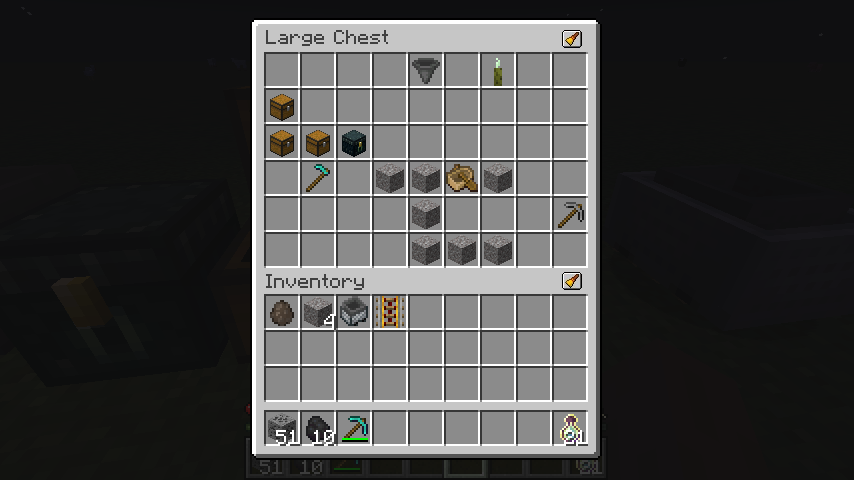 Before
 -
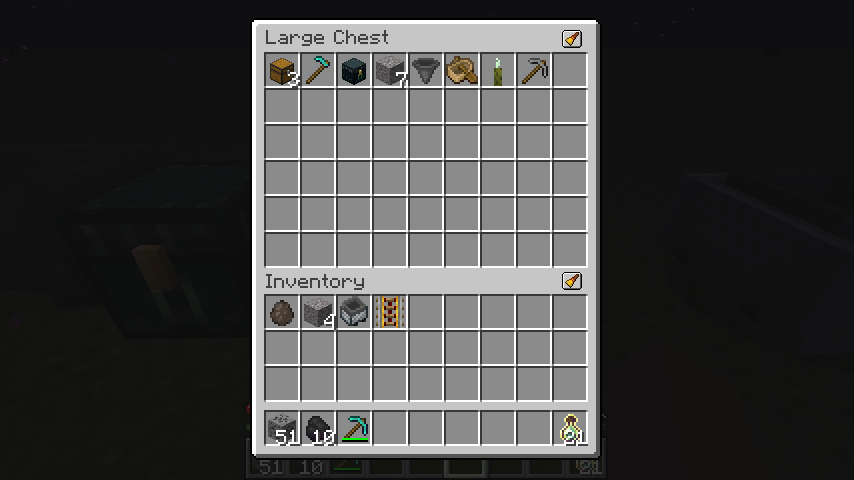 After
After -
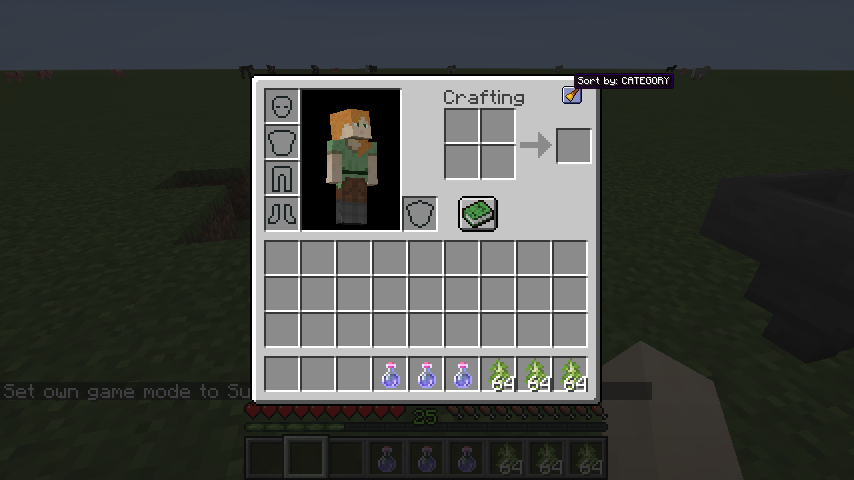 Inventory
 -
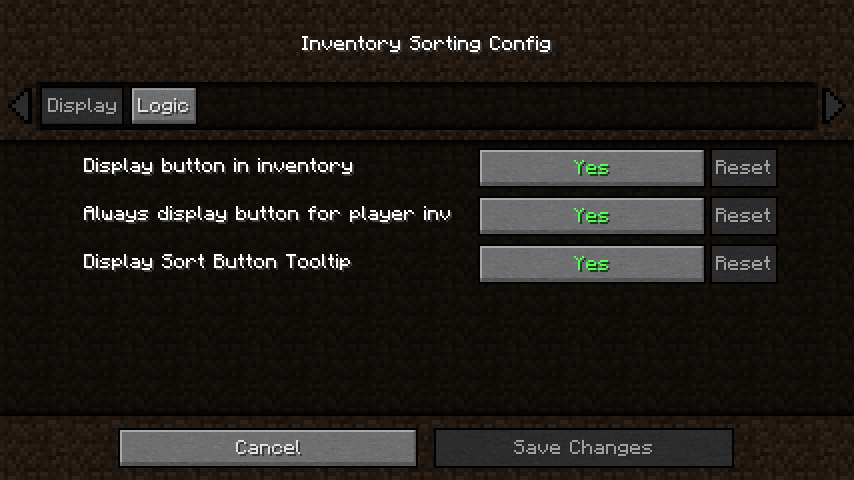 Config
 -
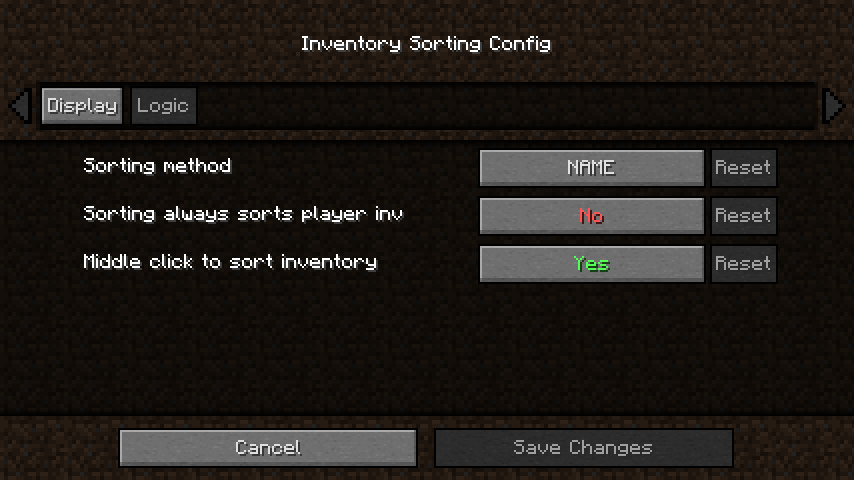 Config
Versions
Files
Relations
Project Relations
More like this
Similar Mods
Suggestions use data such as tags, dependencies, dependents, descriptions, titles, and more to rank how much they overlap with this mod.
On ModDex
Community snapshot
By the numbers
Statistics
 (opens in a new tab)
Get it on
Available Platforms
On ModDex
Community snapshot
By the numbers