
InventoryHUD
No reviews yet
See your whole inventory at a glance — no more opening your bag mid-fight.
Features systems for better item storage and organization.
Forge is a popular mod loader for versions 1.1+ of Minecraft.
Neoforge is a fork of the Minecraft Forge available for versions 1.20.1+ of Minecraft. Many Forge mods are compatible with Neoforge and vice versa.
Fabric is a mod loader for versions 1.14+ of Minecraft, particularly popular for client side and optimization mods.
Community voices
Reviews
Click once to include, again to exclude, again to clear
No reviews yet. Be the first to review this project!
Get it on
Available Platforms
 Modrinth
Compatibility
Supported Environments
About
Project Details
For authors
Embed Badge
If you're the author of this project, you can embed a live badge anywhere that supports HTML or Markdown. It updates automatically whenever ratings change.
Use HTML for any page that supports it, or Markdown for README files and Markdown-based descriptions.
Identifiers
Platform IDs
Resources
External Links
About
Description
🎒 InventoryHUD
See your whole inventory at a glance — no more opening your bag mid-fight.
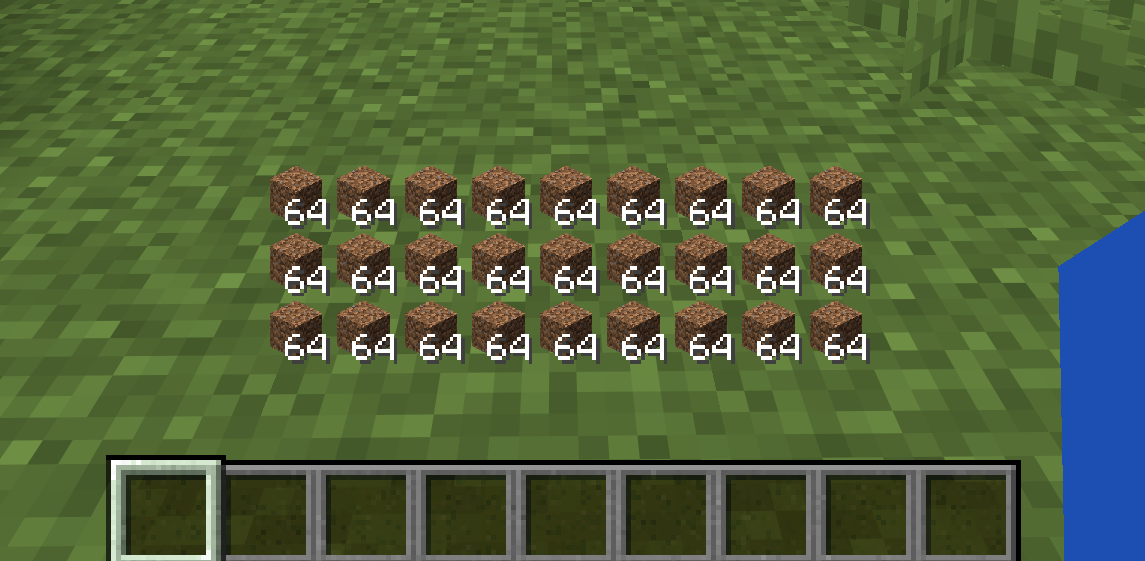
InventoryHUD shows your main inventory (the 27 backpack slots) as a clean, always-on overlay, so you can keep an eye on your items, food and blocks without ever pressing E. Lightweight, fully configurable, and completely client-side.
✨ Features
- 🎒 Live inventory overlay — your 3 main inventory rows rendered right on the HUD, with stack counts
- 🖱️ Drag to move — place it anywhere on screen
- 🔍 Resize freely — scroll or use buttons (25% – 300%)
- 👁️ Instant toggle — show/hide with a single key
- 💬 Renders behind chat — your chat and hotbar stay fully readable
- 💾 Settings are saved — position, size and on/off persist across restarts
- 🌐 English & Japanese built in
- 🪶 Client-side only — works on vanilla servers, Realms and multiplayer; nothing to install server-side
⌨️ Controls
Rebindable in Options → Controls → "InventoryHUD".
| Key | Action |
|---|---|
| K | Open the InventoryHUD settings screen |
| N | Toggle the HUD on / off |
⚙️ Configuration
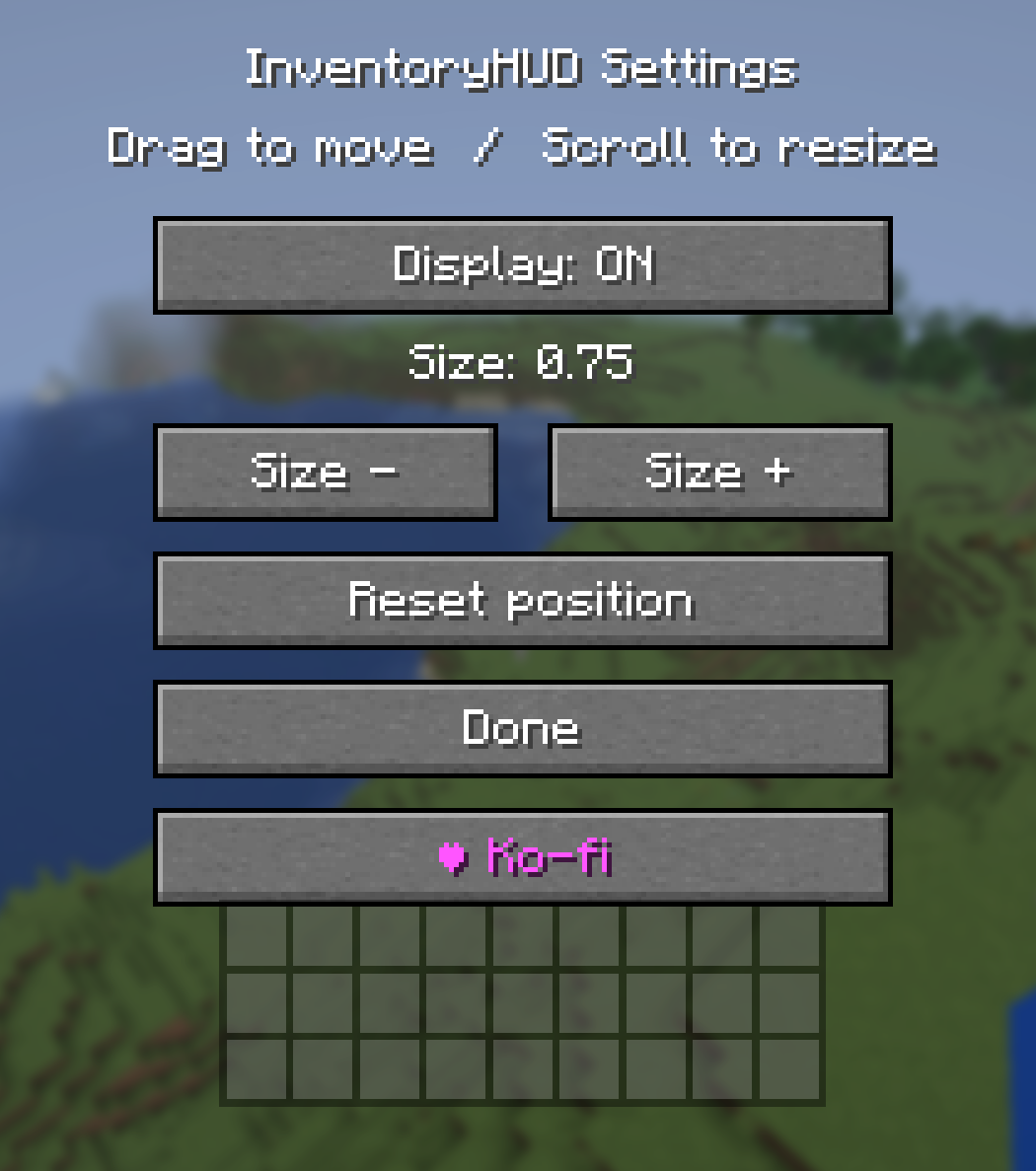
Press K to open settings, where you can:
- Toggle the display ON / OFF
- Change the size (− / +)
- Drag the inventory grid to reposition it
- Scroll over it to resize
- Reset the position to default
📦 Requirements
- Fabric builds require Fabric API.
- Forge / NeoForge builds have no dependencies.
⚠️ Download the file that matches both your Minecraft version and your mod loader.
🧩 Supported versions
- Fabric: 1.20.1 / 1.20.2 / 1.20.4 / 1.20.6 / 1.21.1 / 1.21.3 / 1.21.4 / 1.21.5 / 1.21.8 / 1.21.10 / 1.21.11
- Forge: 1.20.1 / 1.20.2 / 1.20.4 / 1.20.6
- NeoForge: 1.21.1 / 1.21.3 / 1.21.4 / 1.21.5 / 1.21.8 / 1.21.10 / 1.21.11 / 26.1
❤️ Support
If you enjoy InventoryHUD, you can support development on Ko-fi — thank you!
Screenshots
Gallery
Versions
Files
Relations
Project Relations
More like this
Similar Mods
Suggestions use data such as tags, dependencies, dependents, descriptions, titles, and more to rank how much they overlap with this mod.
On ModDex
Community snapshot
By the numbers
Statistics

Want to reach Minecraft players?
We're looking for a server hosting partner to feature here and other parts of the site. Interested? Send us a message!
Get in touchGet it on
Available Platforms
On ModDex
Community snapshot
By the numbers
Statistics
Resources