Community listing page, reviews here may not be monitored by the author.
InventoryManager


No reviews yet
A client side mod for Minecraft featuring instant inventory sorting, chest sorting, slot locking, and advanced item search.
Community voices
Reviews
No reviews yet. Be the first to review this project!
Get it on
Available Platforms
Compatibility
Supported Environments
Runs entirely on the client. Works on vanilla servers.
About
Project Details
For authors
Embed Badge
If you're the author of this project, you can embed a live badge anywhere that supports HTML or Markdown. It updates automatically whenever ratings change.
Use HTML for any page that supports it, or Markdown for README files and Markdown-based descriptions.
Identifiers
Platform IDs
Resources
External Links
About
Description
Inventory Manager
A client-side mod that gives you full control over your Minecraft inventory. Works on any server without any server-side installation.
Features
Sorting — Sort your inventory or any open container by item type, alphabetical order, or item count. Direction can be reversed. Stacks merge before sorting.
Slot Locking — Hold Alt or Ctrl and left-click a slot to lock it. Locked slots are skipped during sorting and transfers. Dropping a locked item requires pressing Q twice within 600 milliseconds to confirm. A padlock icon is shown on locked slots.
Slot Presets — Assign a specific item to a specific slot. The mod moves matching items into their preset slots automatically every game tick. Configure presets from the visual editor accessible via the settings screen.
Container Transfers — When a storage container is open, buttons appear to sort the container, pull everything to your inventory, or push everything from your inventory into the container.
Item Search — A search bar appears on every inventory screen. Matching items are highlighted and non-matching items are dimmed. Supports plain text, #tag, t:type, @type, and a:letter syntax.
Mod Toggle — Press I to enable or disable the mod at any time. Toggling is blocked when a text field is focused. A visible label shows when the mod is off.
Keybinds
All keybinds can be changed under Options, Controls, Keybinds, Inventory Manager.
| Action | Default |
|---|---|
| Toggle mod | I |
| Open settings | K |
| Sort player inventory | unbound |
| Sort open container | unbound |
| Group hotbar stacks | unbound |
Dependency
Fabric API is required. Download it and place it in your mods folder alongside this mod.
Inventory Manager
A client-side mod that gives you full control over your Minecraft inventory. Works on any server without any server-side installation.
Features
Sorting — Sort your inventory or any open container by item type, alphabetical order, or item count. Direction can be reversed. Stacks merge before sorting.
Slot Locking — Hold Alt or Ctrl and left-click a slot to lock it. Locked slots are skipped during sorting and transfers. Dropping a locked item requires pressing Q twice within 600 milliseconds to confirm. A padlock icon is shown on locked slots.
Slot Presets — Assign a specific item to a specific slot. The mod moves matching items into their preset slots automatically every game tick. Configure presets from the visual editor accessible via the settings screen.
Container Transfers — When a storage container is open, buttons appear to sort the container, pull everything to your inventory, or push everything from your inventory into the container.
Item Search — A search bar appears on every inventory screen. Matching items are highlighted and non-matching items are dimmed. Supports plain text, #tag, t:type, @type, and a:letter syntax.
Mod Toggle — Press I to enable or disable the mod at any time. Toggling is blocked when a text field is focused. A visible label shows when the mod is off.
Keybinds
All keybinds can be changed under Options, Controls, Keybinds, Inventory Manager.
| Action | Default |
|---|---|
| Toggle mod | I |
| Open settings | K |
| Sort player inventory | unbound |
| Sort open container | unbound |
| Group hotbar stacks | unbound |
Dependency
Fabric API is required. Download it and place it in your mods folder alongside this mod.
Screenshots
Gallery
-
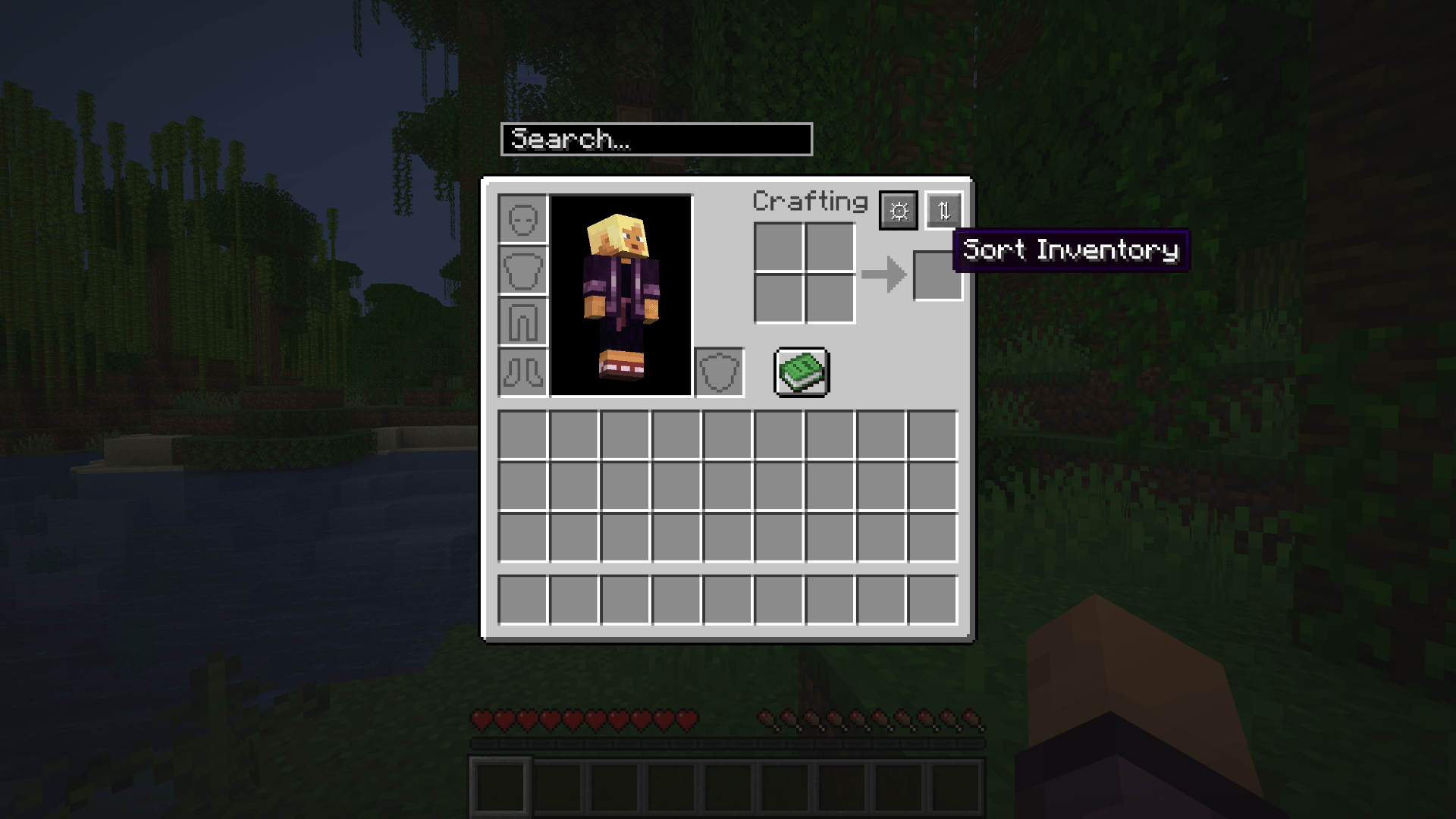 Screenshot From 2026-07-17 15-28-15.png Screenshot From 2026-07-17 15-28-15.png
 -
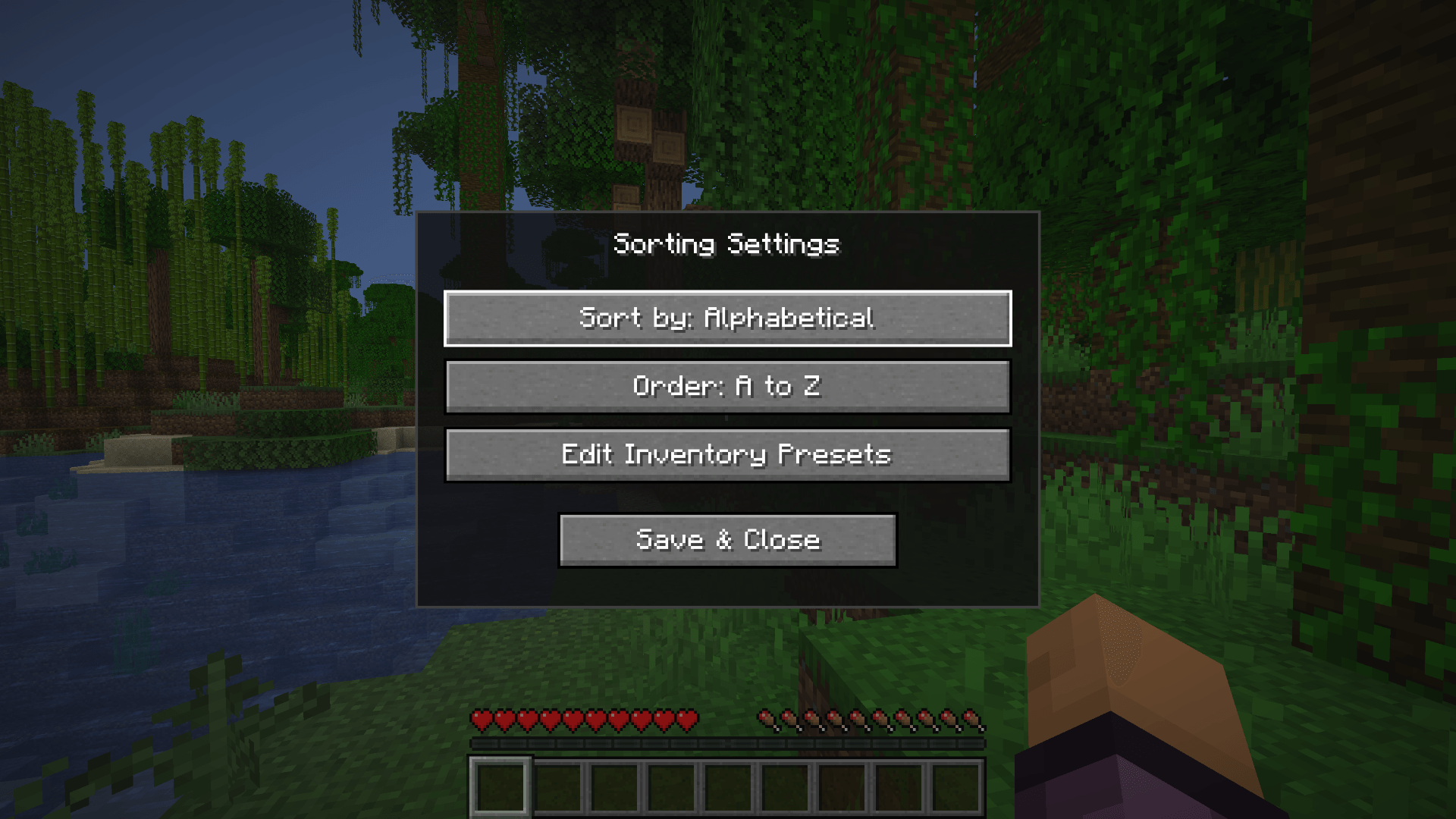 Screenshot From 2026-07-17 15-28-25.png Screenshot From 2026-07-17 15-28-25.png
 -
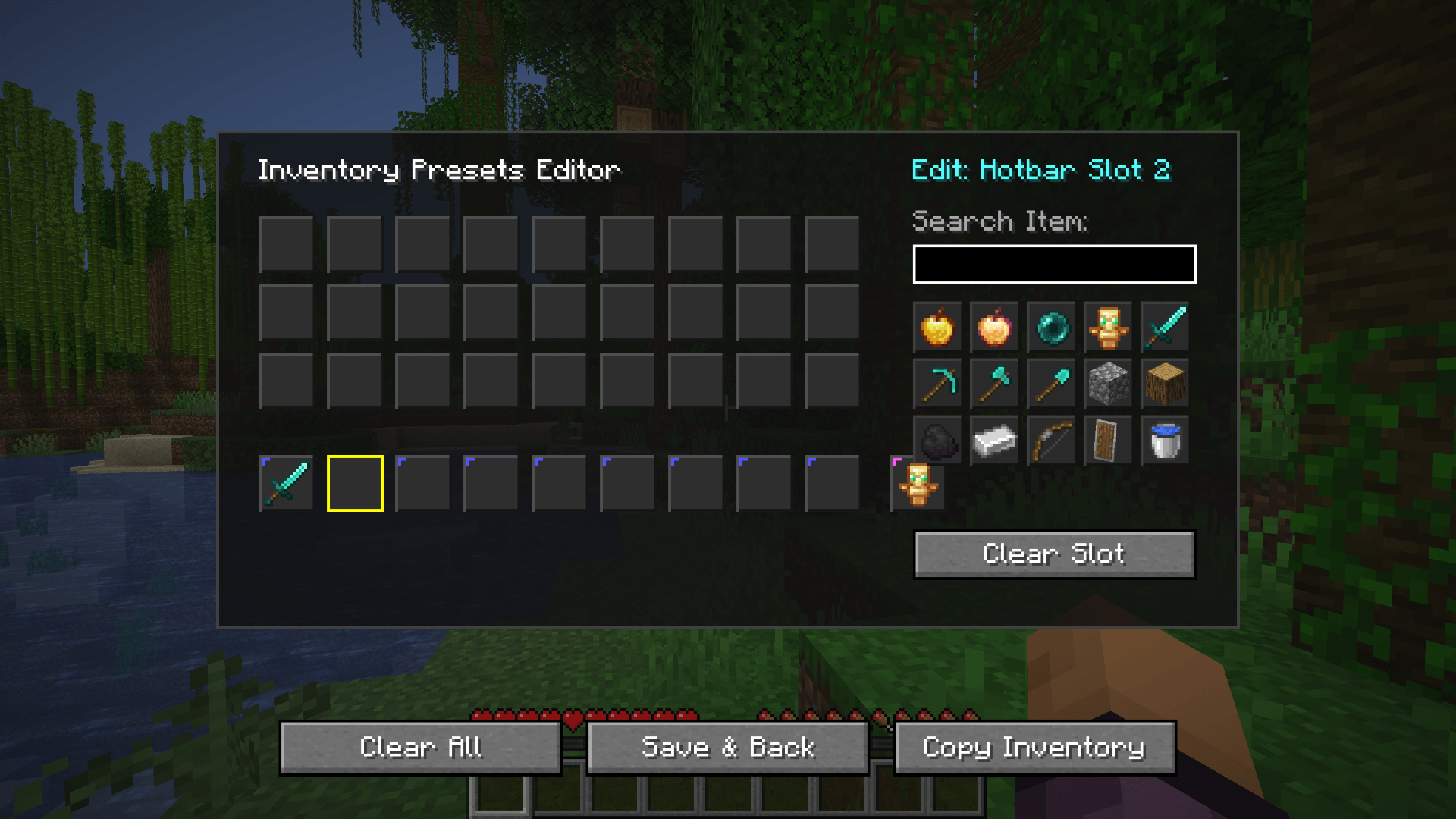 Screenshot From 2026-07-17 15-28-53.png Screenshot From 2026-07-17 15-28-53.png
 -
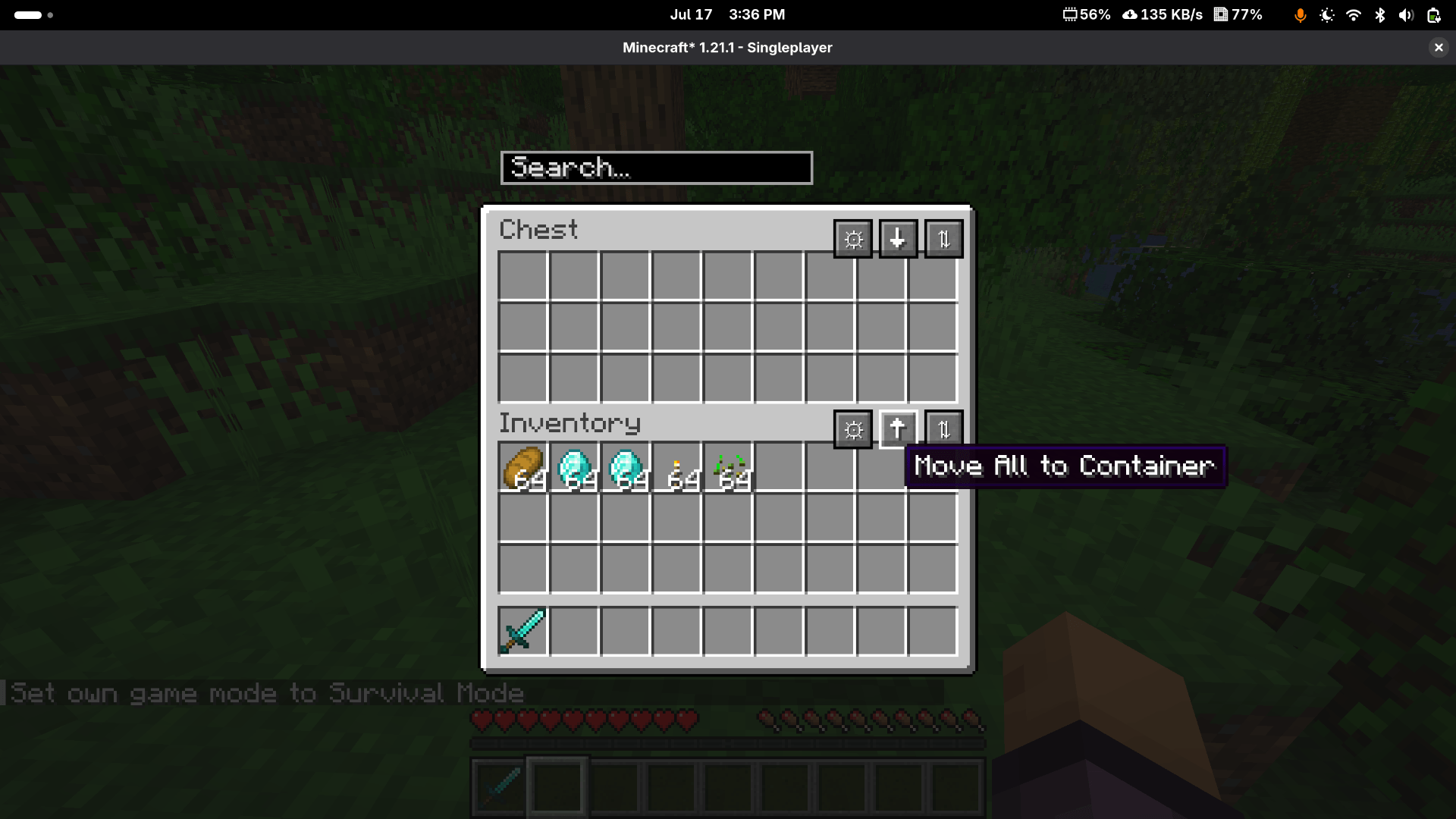 Screenshot From 2026-07-17 15-36-04.png Screenshot From 2026-07-17 15-36-04.png
-
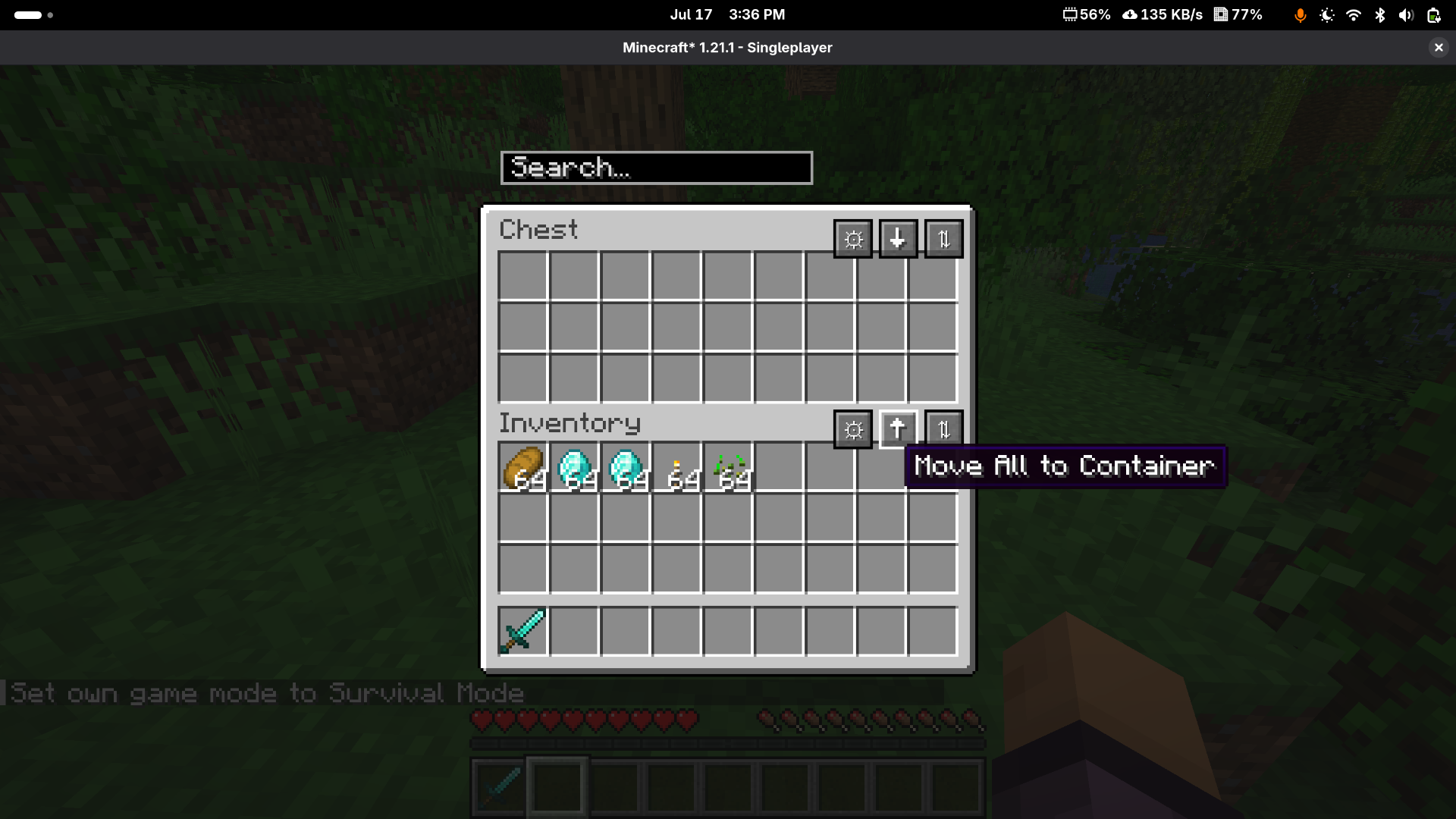 Sort inventory Sort and move inventory options
 -
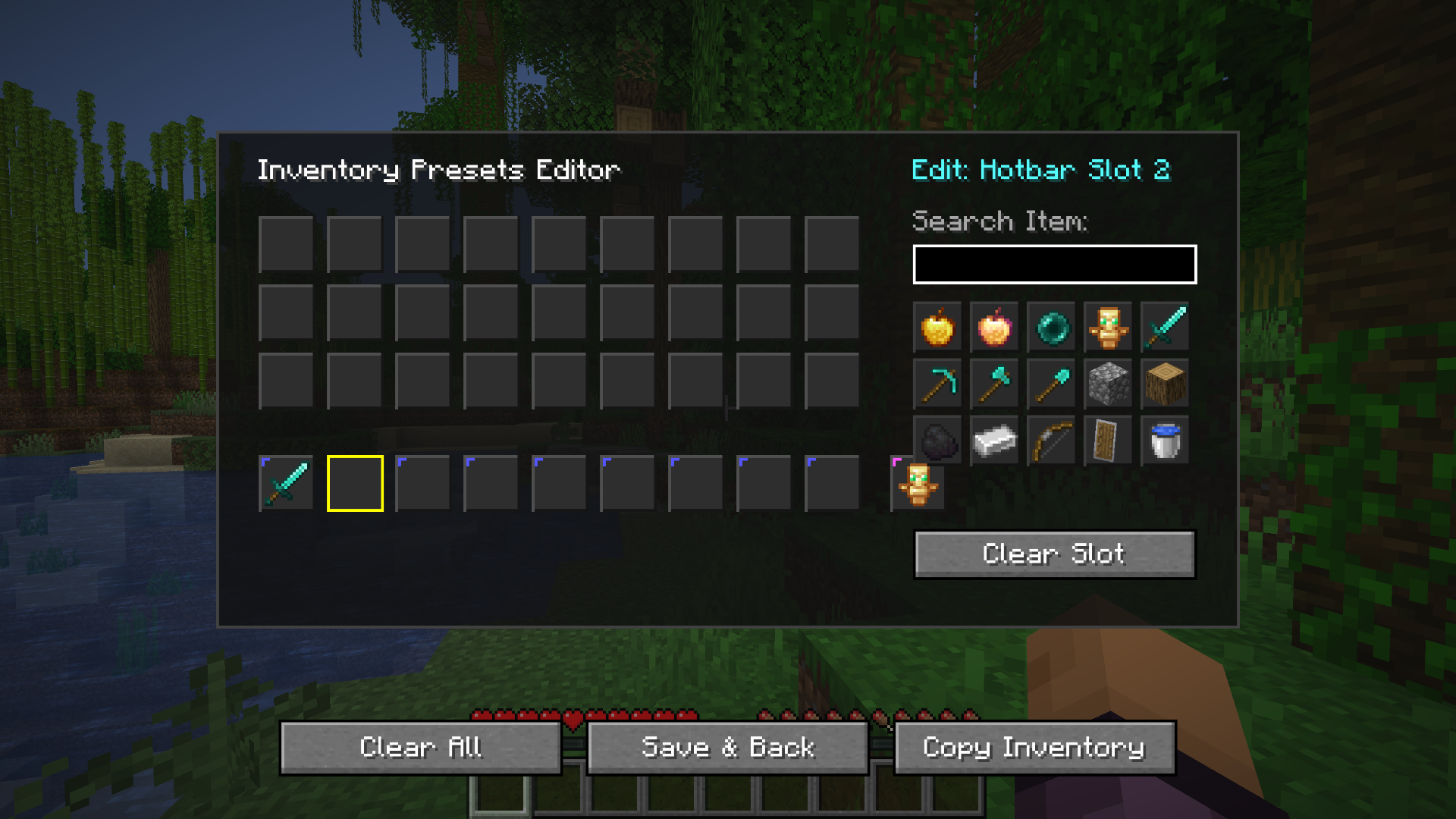 Hotbar preset Hotbar preset editor screen
 -
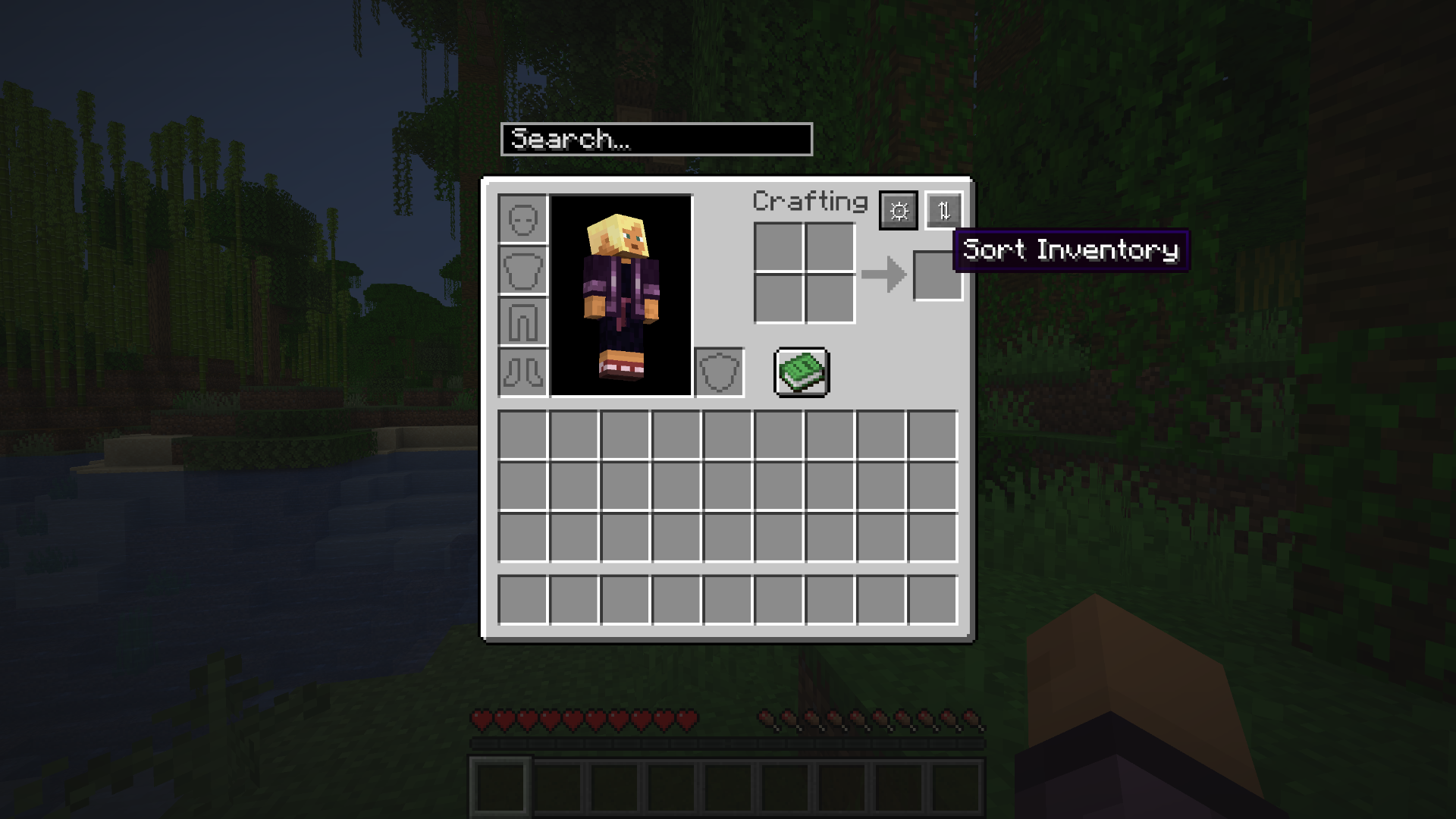 Sort inventory Sort inventory feature
 -
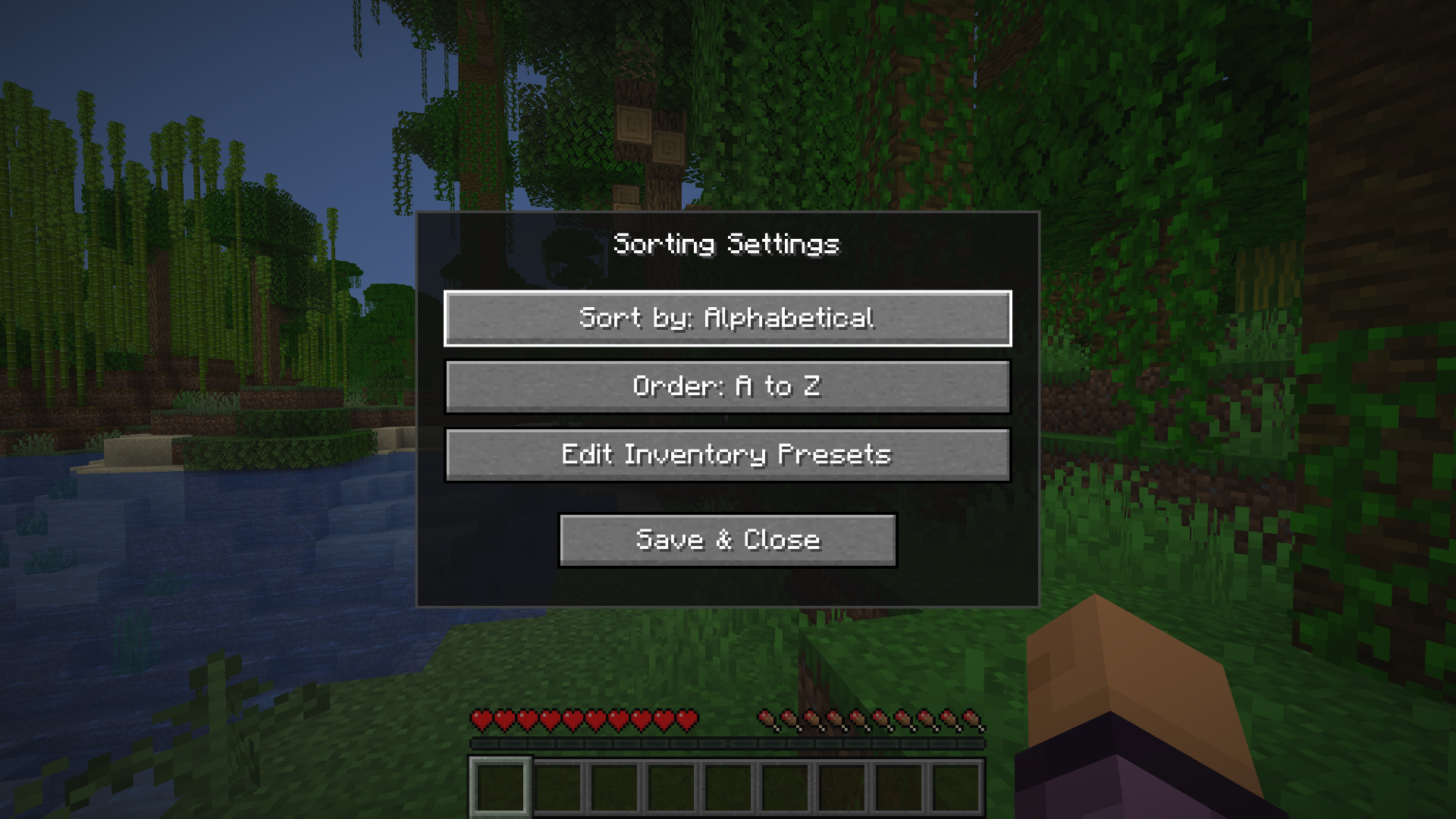 Setting Settings to edit different features
Versions
Files
Relations
Project Relations
More like this
Similar Mods
Suggestions use data such as tags, dependencies, dependents, descriptions, titles, and more to rank how much they overlap with this mod.
On ModDex
Community snapshot
By the numbers
Statistics
Want to reach Minecraft players?
We're looking for a server hosting partner to feature here and other parts of the site. Interested? Send us a message!
Get in touchGet it on
Available Platforms
On ModDex
Community snapshot
By the numbers
Statistics
Resources