Community listing page, reviews here may not be monitored by the author.
Islands


No reviews yet
A simple minecraft mod that adds a new World Type generating an endless ocean filled with islands.
Community voices
Reviews
No reviews yet. Be the first to review this project!
Get it on
Available Platforms
Compatibility
Supported Environments
Runs entirely on the server. Also works in singleplayer.
About
Project Details
For authors
Embed Badge
If you're the author of this project, you can embed a live badge anywhere that supports HTML or Markdown. It updates automatically whenever ratings change.
Use HTML for any page that supports it, or Markdown for README files and Markdown-based descriptions.
Identifiers
Platform IDs
About
Description

A simple minecraft mod that adds a new World Type generating an endless ocean filled with islands.
You can always customize the min and max sizes of the islands along with some other settings in the config!
[Website] | [Discord Server]
How to Install
1. Download and install MinecraftForge from their official website
2. Download the Mod from either our official website, or the curse page
3. Create a new "mods" folder, if not already present, inside your ".minecraft" folder
4. Move the Mod file (the .jar file) inside this folder
5. Start Minecraft and choose the newly created "forge" profile
6. Enjoy
FAQ
How to Use
Singleplayer
- When starting a new world open the "More World Options..." menu
- Set the World Type to Islands
- Create the world
Multiplayer
For Multiplayer 1.14.4:
- Open the server.properties file found in the same folder as your server
- Add use-modded-worldtype=islands at the end of the file
- Save it
- Make sure the server doesn't already have a world generated, this only works when first generating the server's world!
For Multiplayer 1.15.2:
- Open the server.properties file found in the same folder as your server
- Replace level-type=default with level-type=islands
- Save it
- Make sure the server doesn't already have a world generated, this only works when first generating the server's world!
For Multiplayer 1.16.5 and 1.17.1:
- Open the server.properties file found in the same folder as your server
- Replace level-type=default with level-type=islands:islands
- Save it
- Make sure the server doesn't already have a world generated, this only works when first generating the server's world!
Will this work with other mods that add new biomes ?
In almost all cases yes! As long as you choose the Islands world type registered biomes added by other mods will spawn as islands. As with everything however there are exception where mods implement their biomes differently or lock them to their own world types and we can't do anything about that.
A simple minecraft mod that adds a new World Type generating an endless ocean filled with islands.
You can always customize the min and max sizes of the islands along with some other settings in the config!
How to Install
- Download and install MinecraftForge from their official website
- Download the Mod from either our official website, or the curse page
- Create a new "mods" folder, if not already present, inside your ".minecraft" folder
- Move the Mod file (the .jar file) inside this folder
- Start Minecraft and choose the newly created "forge" profile
- Enjoy
FAQ
How to Use
Singleplayer
- When starting a new world open the "More World Options..." menu
- Set the World Type to Islands
- Create the world
Multiplayer
For Multiplayer 1.14.4:
- Open the server.properties file found in the same folder as your server
- Add use-modded-worldtype=islands at the end of the file
- Save it
- Make sure the server doesn't already have a world generated, this only works when first generating the server's world!
For Multiplayer 1.15.2:
- Open the server.properties file found in the same folder as your server
- Replace level-type=default with level-type=islands
- Save it
- Make sure the server doesn't already have a world generated, this only works when first generating the server's world!
For Multiplayer 1.16.5 and 1.17.1:
- Open the server.properties file found in the same folder as your server
- Replace level-type=default with level-type=islands:islands
- Save it
- Make sure the server doesn't already have a world generated, this only works when first generating the server's world!
Will this work with other mods that add new biomes ?
In almost all cases yes! As long as you choose the Islands world type registered biomes added by other mods will spawn as islands. As with everything however there are exception where mods implement their biomes differently or lock them to their own world types and we can't do anything about that.
Screenshots
Gallery
-
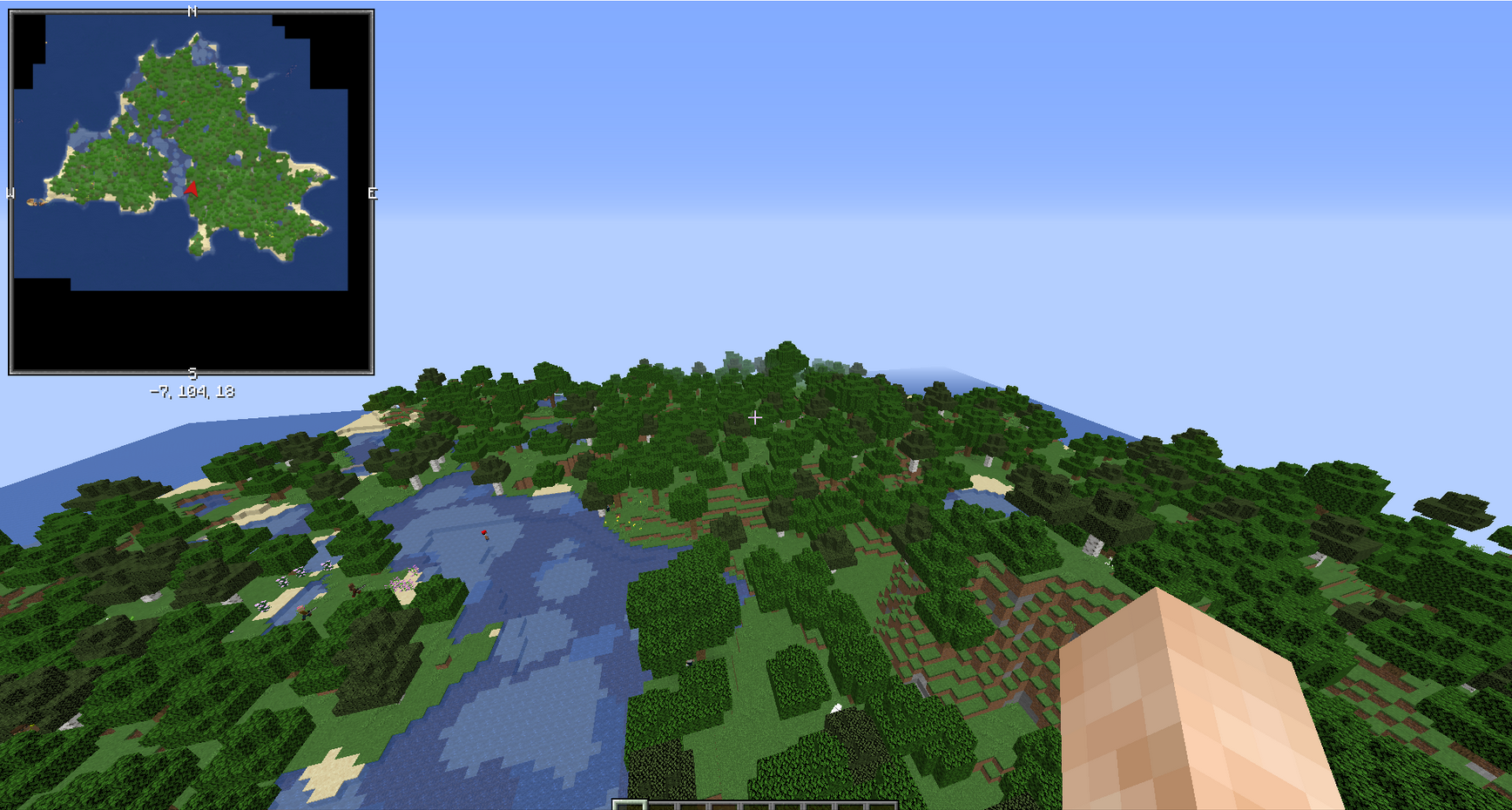 large island
Versions
Files
Relations
Project Relations
More like this
Similar Mods
Suggestions use data such as tags, dependencies, dependents, descriptions, titles, and more to rank how much they overlap with this mod.
On ModDex
Community snapshot
By the numbers
Statistics
Want to reach Minecraft players?
We're looking for a server hosting partner to feature here and other parts of the site. Interested? Send us a message!
Get in touchGet it on
Available Platforms
On ModDex
Community snapshot
By the numbers