
Community listing page, reviews here may not be monitored by the author.
Item Render Toggle

No reviews yet
Hide dropped-item models and shadows client-side while keeping every item fully collectible.
Community voices
Reviews
No reviews yet. Be the first to review this project!
Get it on
Available Platforms
Compatibility
Supported Environments
Runs entirely on the client. Works on vanilla servers.
About
Project Details
For authors
Embed Badge
If you're the author of this project, you can embed a live badge anywhere that supports HTML or Markdown. It updates automatically whenever ratings change.
Use HTML for any page that supports it, or Markdown for README files and Markdown-based descriptions.
Identifiers
Platform IDs
Resources
External Links
About
Description
Item Render Toggle
Item Render Toggle is a lightweight client-side Fabric mod that lets you hide dropped items and their shadows with one configurable keybind.
It is useful near large farms, storage systems, mob grinders and PvP areas where hundreds of dropped items can create unnecessary rendering load.
Safe client-side hiding
The mod only cancels the rendering of dropped ItemEntity objects. It never removes, discards, modifies, collects or interacts with the actual entities.
Hidden items:
- Remain present on the server and client
- Can still be collected normally
- Continue behaving exactly as usual
- Reappear immediately when rendering is enabled
- Are never modified through packets or server actions
Only their models and shadows are hidden.
Features
- Toggle dropped-item rendering instantly
- Configurable keybind
- Defaults to the
Ikey - Displays a short confirmation message when toggled
- Saves the selected setting between game restarts
- Defaults to showing dropped items
- Works in multiplayer and single-player
- Client-side only
- No server installation required
- Can reduce rendering load in item-heavy areas
What remains unaffected?
Item Render Toggle does not affect:
- Inventory items
- Items held by players
- Armor and equipment
- Item frames
- Projectiles
- Blocks or block entities
- Item collection and interaction
- Server-side entity behavior
Compatibility
- Minecraft Java Edition 1.21.11
- Fabric Loader
- Java 21
- Client-side only
Installation
- Install Fabric Loader for Minecraft 1.21.11.
- Place the Item Render Toggle JAR inside your
modsfolder. - Launch Minecraft using your Fabric profile.
- Press
Ito hide or show dropped items.
The keybind can be changed through Minecraft’s Controls menu.
Important
This is a visual and performance-focused client modification. Hiding an item does not delete it or prevent other players from seeing it. Items immediately become visible again when the feature is disabled.
Screenshots
Gallery
-
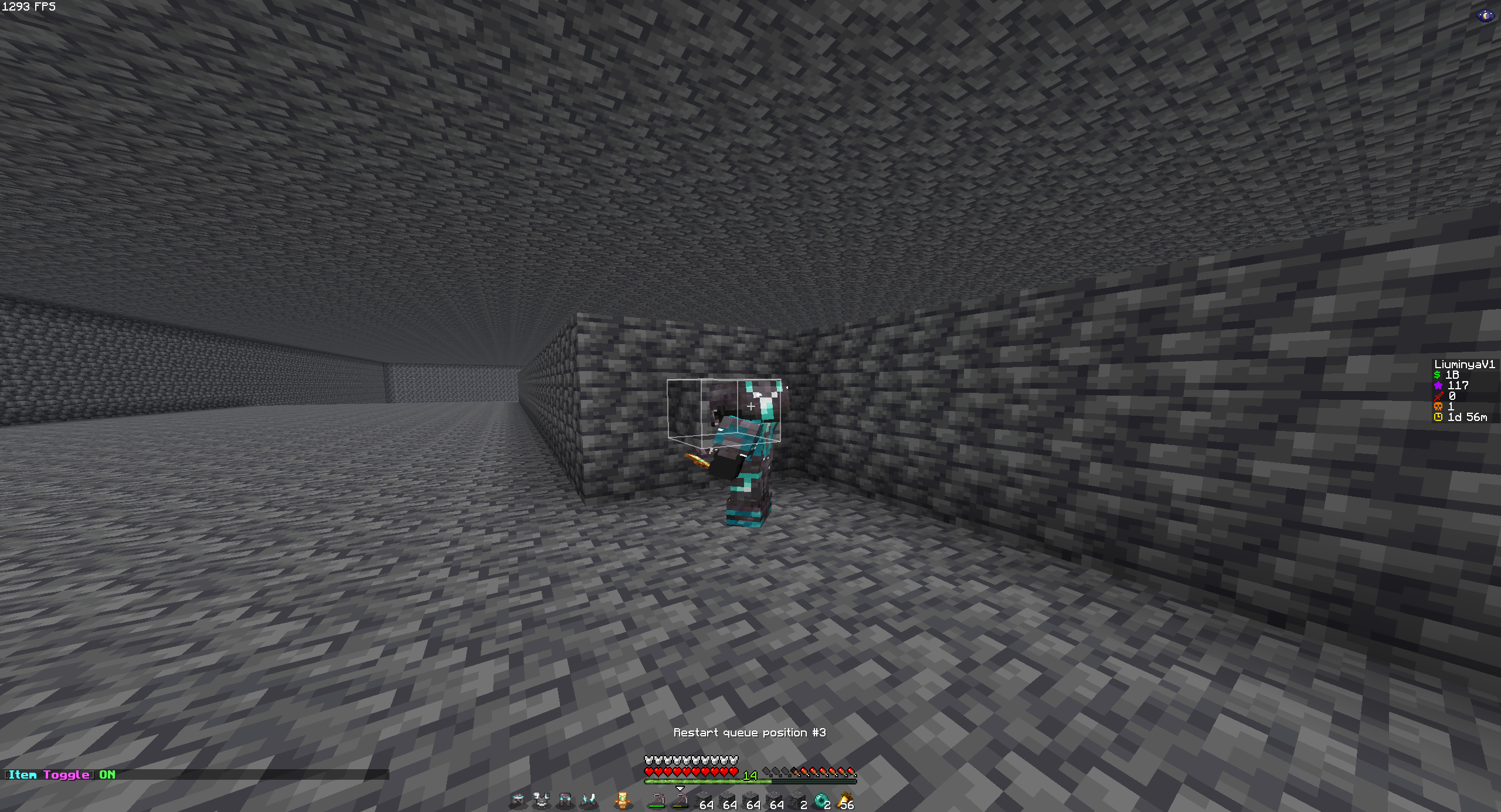 Enabled
 -
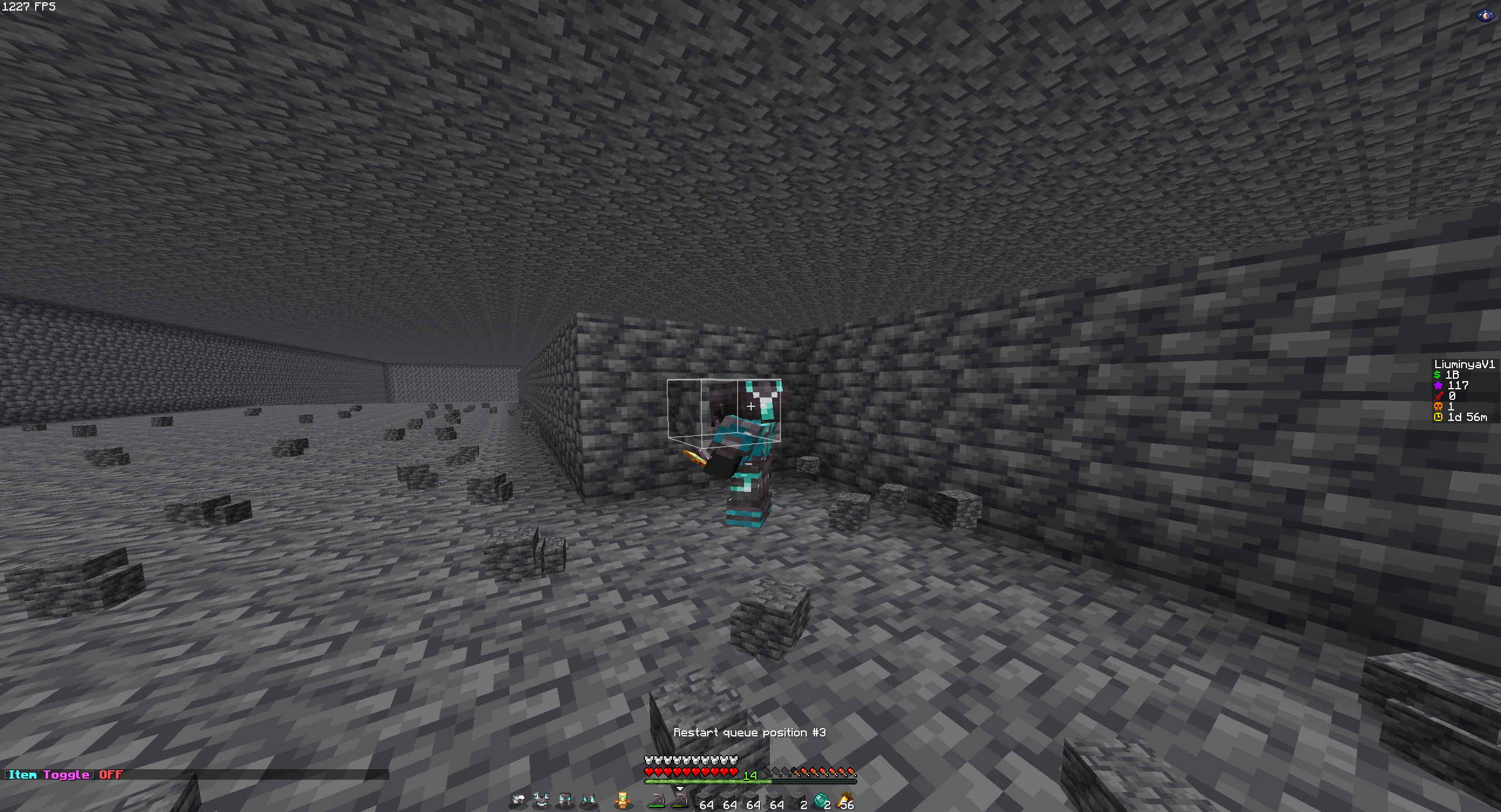 Disabled
Versions
Files
Relations
Project Relations
More like this
Similar Mods
Suggestions use data such as tags, dependencies, dependents, descriptions, titles, and more to rank how much they overlap with this mod.
On ModDex
Community snapshot
By the numbers
Statistics

Want to reach Minecraft players?
We're looking for a server hosting partner to feature here and other parts of the site. Interested? Send us a message!
Get in touchGet it on
Available Platforms
On ModDex
Community snapshot
By the numbers
Statistics
Resources