
Community listing page, reviews may not be monitored by the author.
ItemCooldowns

No reviews yet
Allows you to easily set a cooldown for any item!

Community voices
Reviews
No reviews yet. Be the first to review this project!
Get it on
Available Platforms
About
Project Details
For authors
Embed Badge
If you're the author of this project, you can embed a live badge anywhere that supports HTML or Markdown. It updates automatically whenever ratings change.
Use HTML for any page that supports it, or Markdown for README files and Markdown-based descriptions.
Identifiers
Platform IDs
About
Description
ItemCooldowns


Per-item cooldowns for PvP, survival, and minigame servers configured in-game with a GUI, as rules.
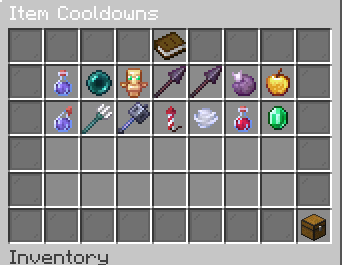
📋 Rule list & GUI
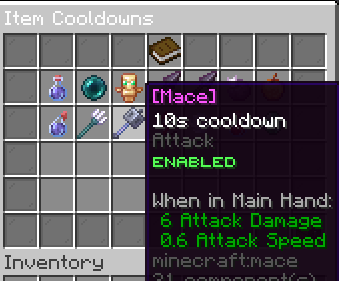
Every cooldown is a rule: one timer per item, smart matching, and optional filters (potion type, custom model data, item model).
- Left-click a rule → open the rule editor
- Right-click a rule → enable or disable (disabled rules will not apply)
⏱️ Edit cooldown time
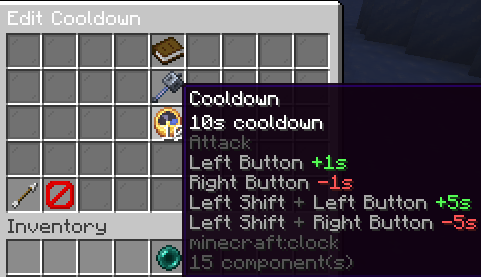
- Left-click +1s · Right-click −1s
- Shift + left-click +5s · Shift + right-click −5s
- Drop a specific item in the center slot, or use a preset / group rule
- Auto-saves when you leave the editor (no save button)
📦 Presets
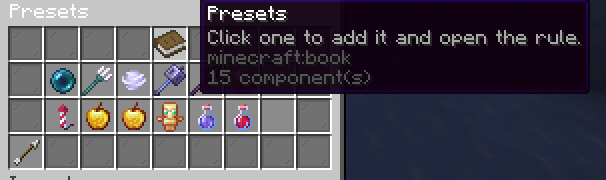
One-click presets to add common rules which i think are quite commonly needed:
Ender pearl, trident, wind charge, mace, chorus fruit, firework rocket, golden apple, enchanted golden apple, totem of undying, plus grouped Spear, Turtle Master (10s), and Instant Health (5s).
⚔️ Combat & Showcase
Cooldowns apply on real use which i have tried to capture (if im missing any join the discord or open an issue on github):
| Item / action | When the timer starts |
|---|---|
| Mace | Melee hit (attack) |
| Wind charge | Throw / use |
| Trident | Throw or riptide |
| Totem of Undying | On resurrection |
| Spear | Lunge only full charge lunge |
| Potions, pearls, bows, shield, elytra firework & everything else | Use / Interact event |
Totem
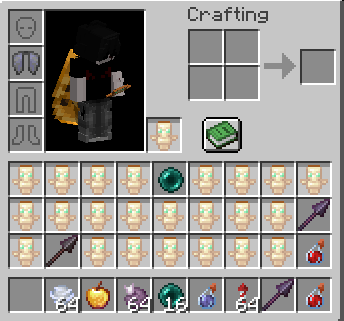
Trident (throw & riptide)
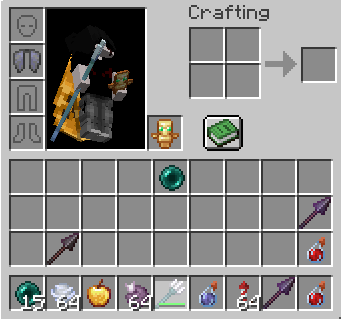
Spear lunge
Grouped spear rules share one timer across all tiers. Includes protection against attribute-swap abuse around lunges.
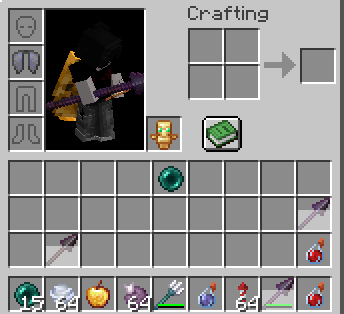
Mace & wind charge
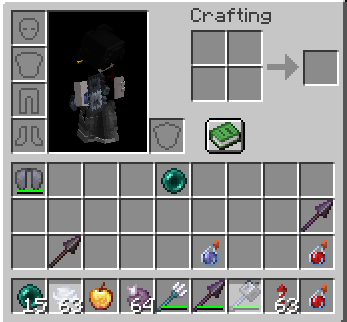
Commands
| Command | Permission | Description |
|---|---|---|
/itemcooldowns |
itemcooldowns.admin |
Open the cooldown GUI |
/itemcooldowns reload |
itemcooldowns.admin |
Reload config and messages |
/setcooldown <item> <seconds> |
itemcooldowns.set |
Add or update a material-wide rule |
/getcooldown <item> |
itemcooldowns.get |
Show configured time for a material |
/resetcooldown <item|all> |
itemcooldowns.reset |
Remove rule(s) from config |
No command aliases. Namespaced itemcooldowns:* suggestions are hidden from the client list.
Permissions
| Permission | Default | Description |
|---|---|---|
itemcooldowns.admin |
OP | GUI and reload |
itemcooldowns.set |
OP | /setcooldown |
itemcooldowns.get |
OP | /getcooldown |
itemcooldowns.reset |
OP | /resetcooldown |
Configuration
| File | Purpose |
|---|---|
plugins/ItemCooldowns/config.yml |
Rule list (rules:), schema version |
plugins/ItemCooldowns/messages.yml |
GUI and command text (auto-updated by version) |
Rules are saved from the GUI; you can also edit YAML by hand. Use /itemcooldowns reload after manual edits.
Contact


Statistics

Screenshots
Gallery
Versions
Files
Relations
Project Relations
More like this
Similar Mods
Suggestions use data such as tags, dependencies, dependents, descriptions, titles, and more to rank how much they overlap with this mod.
On ModDex
Community snapshot
By the numbers
Statistics


Get it on
Available Platforms
On ModDex
Community snapshot
By the numbers