Community listing page, reviews here may not be monitored by the author.
ItemFinderV2

No reviews yet
Instantly search and locate any item across nearby chests. Press a key, pick an item, and get guided straight to it with coordinates, a particle trail, and a world highlight.
Community voices
Reviews
No reviews yet. Be the first to review this project!
Get it on
Available Platforms
Compatibility
Supported Environments
Must be installed on both the client and the server.
About
Project Details
For authors
Embed Badge
If you're the author of this project, you can embed a live badge anywhere that supports HTML or Markdown. It updates automatically whenever ratings change.
Use HTML for any page that supports it, or Markdown for README files and Markdown-based descriptions.
Identifiers
Platform IDs
Resources
External Links
About
Description
Item Finder
Never dig through a wall of chests again. Item Finder lets you search for any item by name and instantly find every nearby container that has it — no more manual searching.
✨ Features
- Instant search UI — press a key, type an item name, and see every matching item (vanilla or modded) filtered live.
- Real container scanning — accurately reads chest and shulker box contents nearby, even containers you haven't opened yet, using proper client-server networking.
- Chat results — get a clean list of matching containers with exact coordinates.
- World highlight — matching chests are outlined in green when in your line of sight. (Through-wall/X-ray highlighting is under construction — coming in a future update.)
- Particle trail — follow a trail of particles straight to the nearest match.
- On-screen HUD — see found containers and their distance from you at all times.
- Auto-detect pickup — the moment you pick up the item you were looking for, the mod detects it, sends a confirmation message, and automatically stops the search.
🚧 Coming Soon
- Through-wall (X-ray style) chest highlighting
- Highlighting the exact slot inside a chest once you open it
- Item icons in the search list
- Support for more container types (barrels, hoppers, ender chests)
🎮 How to Use
- Press O (rebindable in Options → Controls) to open the search screen.
- Type the item name.
- Click it from the list — the screen closes and scanning begins.
- Follow the chat coordinates, particle trail, or highlight to the chest.
- Pick it up — you'll get a confirmation and the search ends automatically.
📋 Requirements
- Fabric Loader
- Fabric API
🔗 Source
Source code is available on GitHub.
Screenshots
Gallery
-
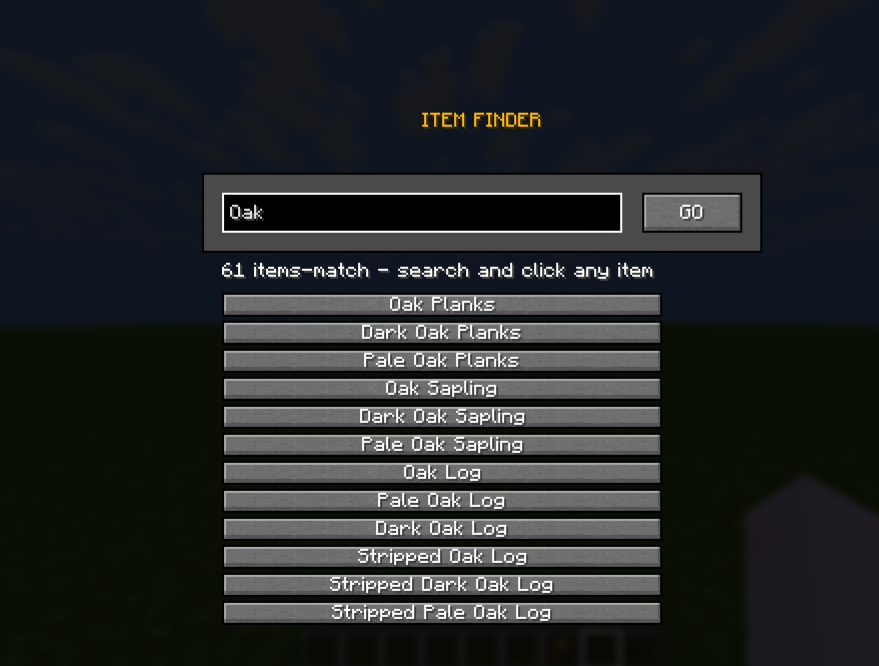 Search Menu
 -
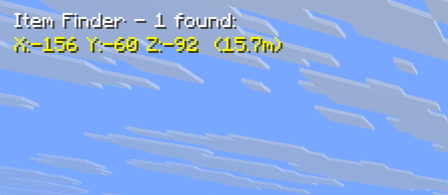 Codinets or Distance
 -
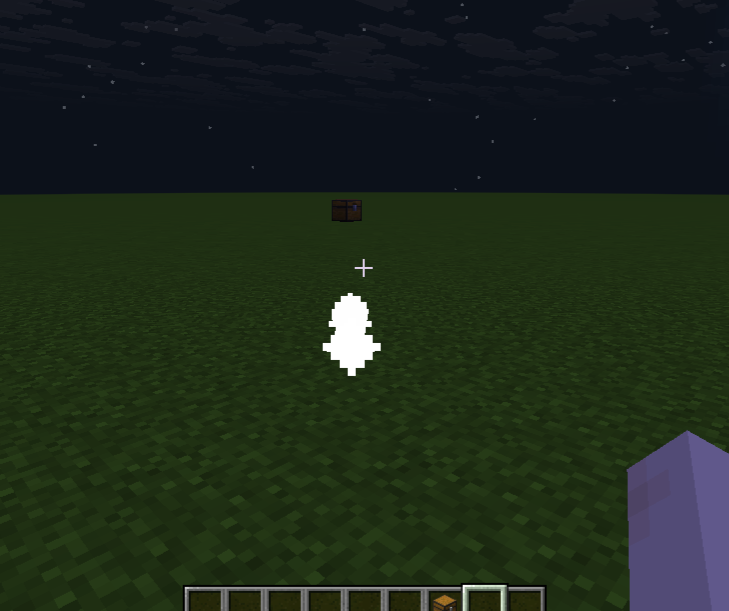 Trail Particles
Versions
Files
Relations
Project Relations
More like this
Similar Mods
Suggestions use data such as tags, dependencies, dependents, descriptions, titles, and more to rank how much they overlap with this mod.
On ModDex
Community snapshot
By the numbers
Statistics

Want to reach Minecraft players?
We're looking for a server hosting partner to feature here and other parts of the site. Interested? Send us a message!
Get in touchGet it on
Available Platforms
On ModDex
Community snapshot
By the numbers
Statistics
Resources