
NBT viewer
No reviews yet
NBT Viewer lets you inspect item NBT data at a glance by displaying it directly in tooltips, making debugging and mod development easier.
Neoforge is a fork of the Minecraft Forge available for versions 1.20.1+ of Minecraft. Many Forge mods are compatible with Neoforge and vice versa.
Fabric is a mod loader for versions 1.14+ of Minecraft, particularly popular for client side and optimization mods.
Community voices
Reviews
Click once to include, again to exclude, again to clear
No reviews yet. Be the first to review this project!
Get it on
Available Platforms
 Modrinth
Compatibility
Supported Environments
Runs entirely on the client. Works on vanilla servers.
About
Project Details
For authors
Embed Badge
If you're the author of this project, you can embed a live badge anywhere that supports HTML or Markdown. It updates automatically whenever ratings change.
Use HTML for any page that supports it, or Markdown for README files and Markdown-based descriptions.
Identifiers
Platform IDs
Resources
External Links
About
Description
NBTviewer
NBTviewer is a lightweight client-side NeoForge mod that displays NBT (SNBT) data directly in-game.
It is designed for modders, pack makers, and advanced players who want to inspect, debug, and understand data instantly — without commands or external tools.
Main Features
NBT directly in tooltips
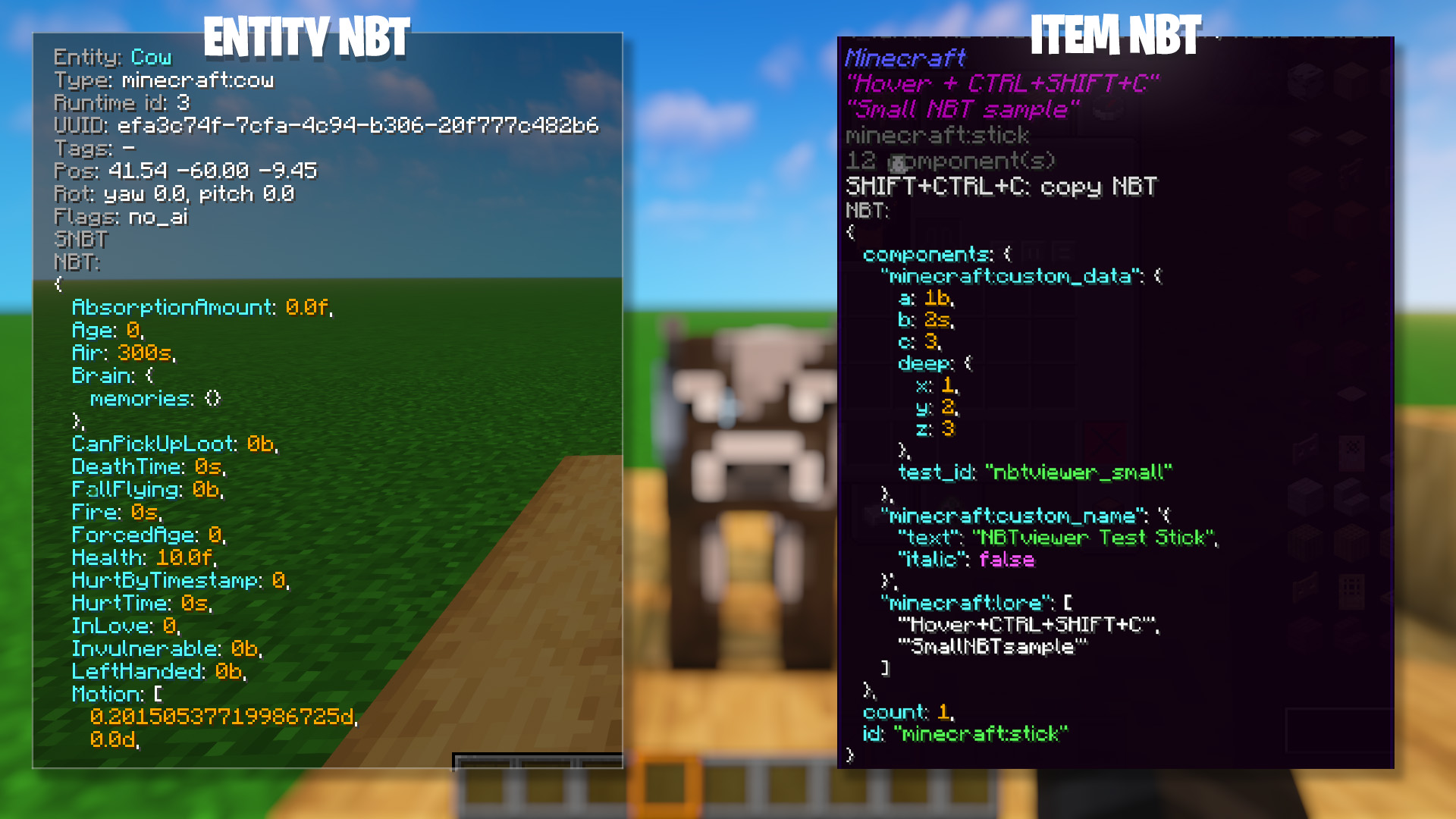
- Displays the full SNBT of the hovered item directly in its tooltip
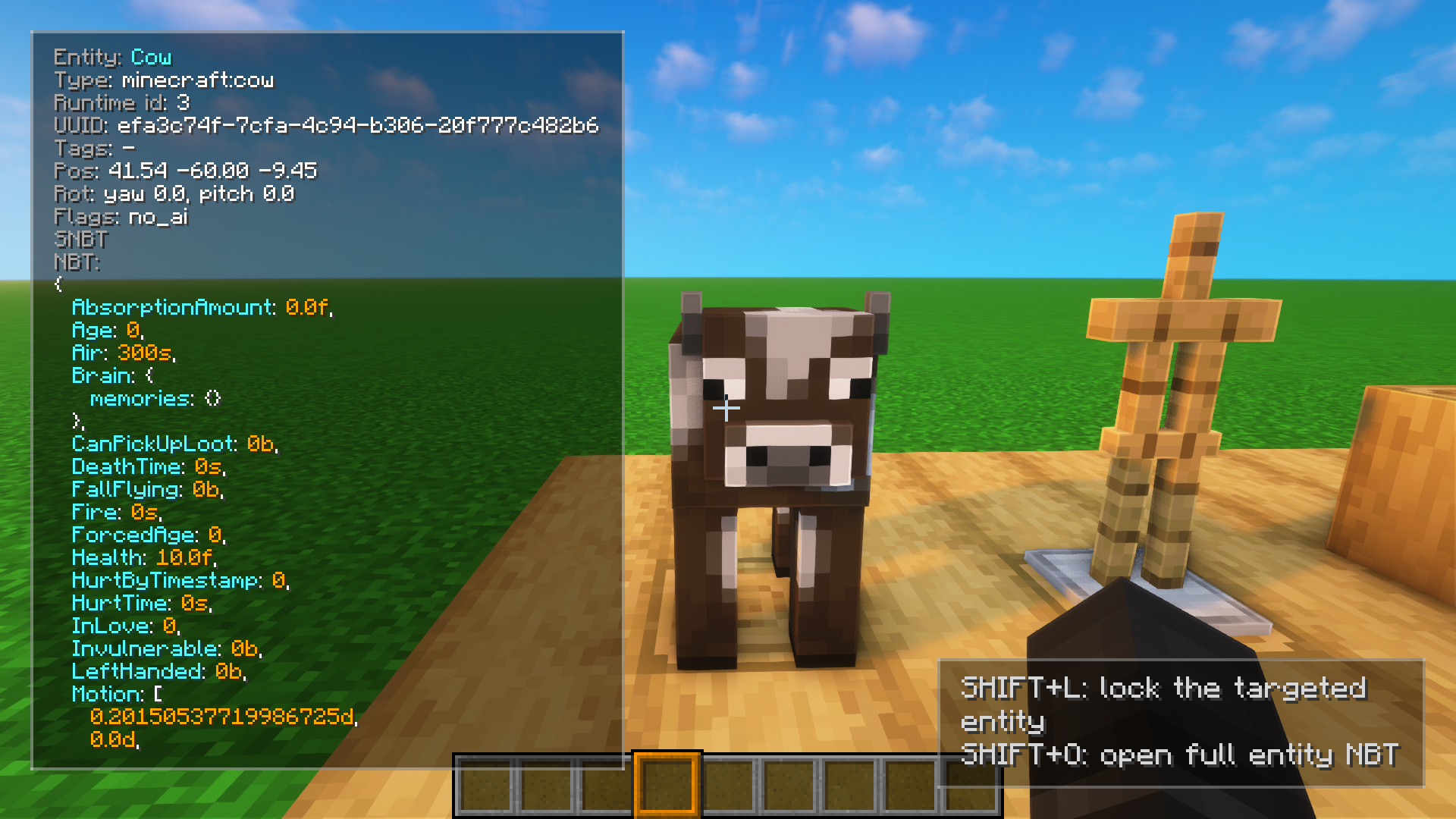
Entity NBT overlay
- Press N to toggle entity NBT display while looking at entities
- Displays key entity data directly on the player HUD
- Works seamlessly alongside item tooltips
Entity lock system
- Shift + L to lock the currently targeted entity
- Keeps displaying its NBT even when not looking at it anymore
Advanced entity NBT viewer
- Shift + O to open a clean and scrollable interface
- Better readability for large and complex NBT structures
- Includes a copy button for quick access
Hold SHIFT to show (optional)
- By default, NBT is only shown while holding SHIFT
- Optional hint line when SHIFT is not held
Syntax highlighting (HEX colors)
- Keys
- Strings
- Numbers
- Booleans
- Punctuation (
{ } [ ] , :) - Identifiers
All colors are configurable using HEX format (#RRGGBB).
Formatting modes
- Single-line: compact raw SNBT on one line
- Multi-line: formatted with indentation and line breaks
Includes safety limits to avoid excessively large tooltips.
Safe truncation & limits
- Maximum total character count
- Maximum line length
- Configurable indentation size
Tooltip scaling
- Auto-scale: adapts to NBT size and line count
- Manual scale: fixed size (ignored when auto-scale is enabled)
Copy NBT to clipboard
- Press CTRL + SHIFT + C to copy item SNBT
- Optional feedback:
- Small popup confirmation
- Optional local sound effects (client-side only)
Configuration
- SHIFT-only display
- Single-line or multi-line formatting
- Tooltip hint lines
- Tooltip size limits
- Indentation spacing
- Auto-scale or manual scale
- Clipboard popup and sounds
- Full HEX color customization
Multiplayer
- Client-side only
- No server installation required
- No network traffic
- Only affects local tooltips
Language Support
- English
- French
- German
- Spanish
- Italian
- Portuguese (Brazil)
Screenshots
Gallery
-
-
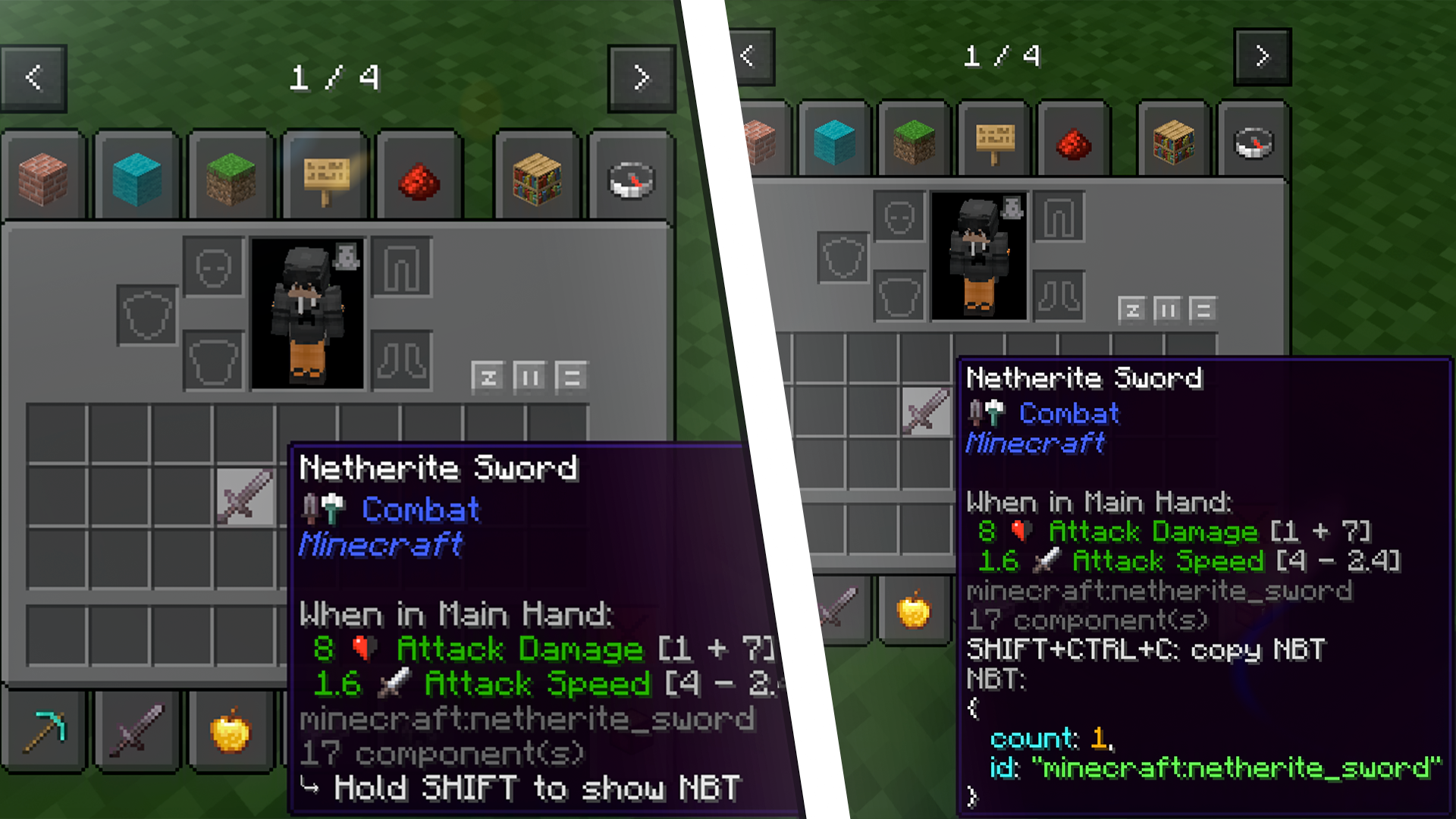 NBT tooltip
 -
-
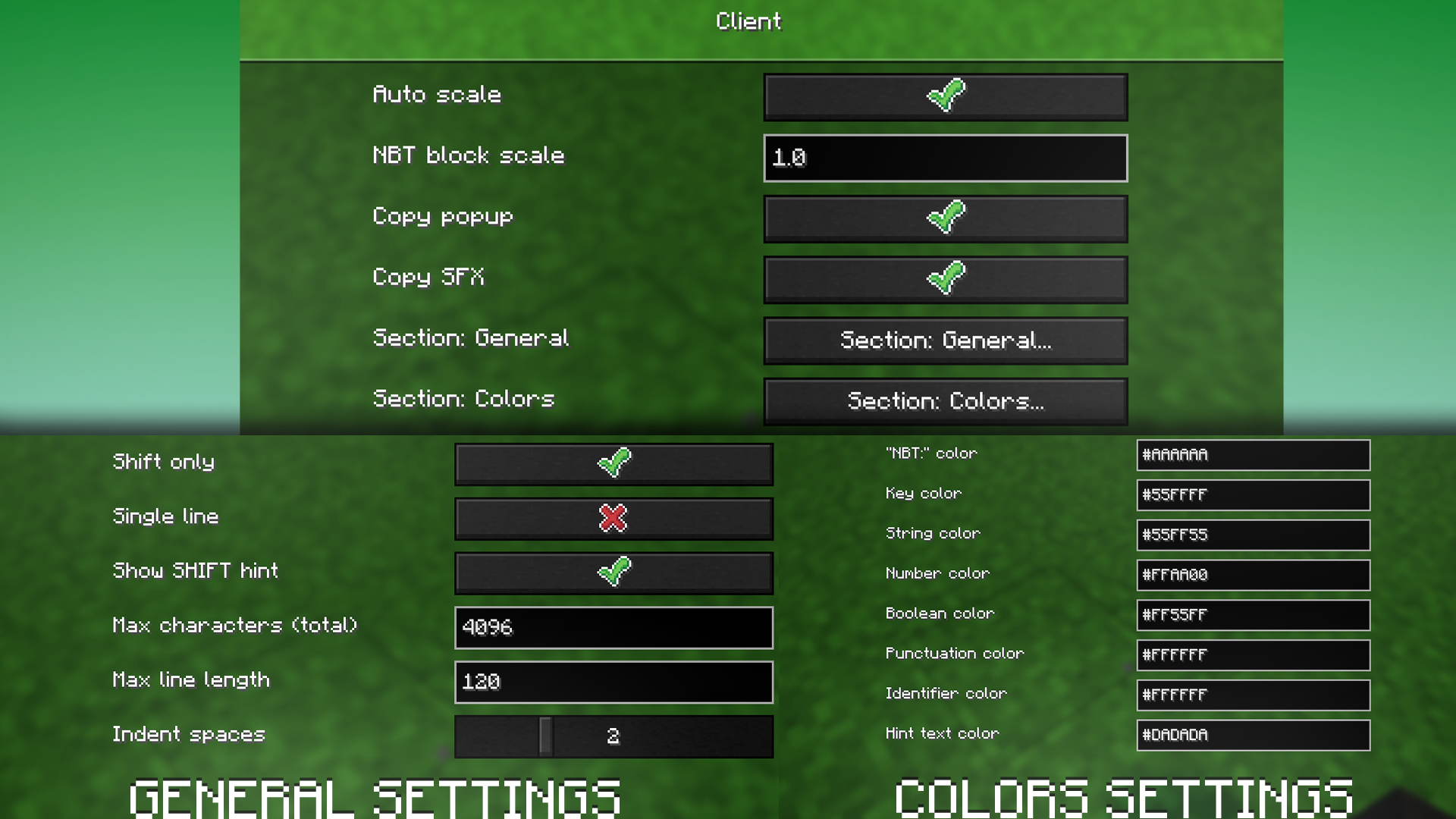 Settings screen
 -
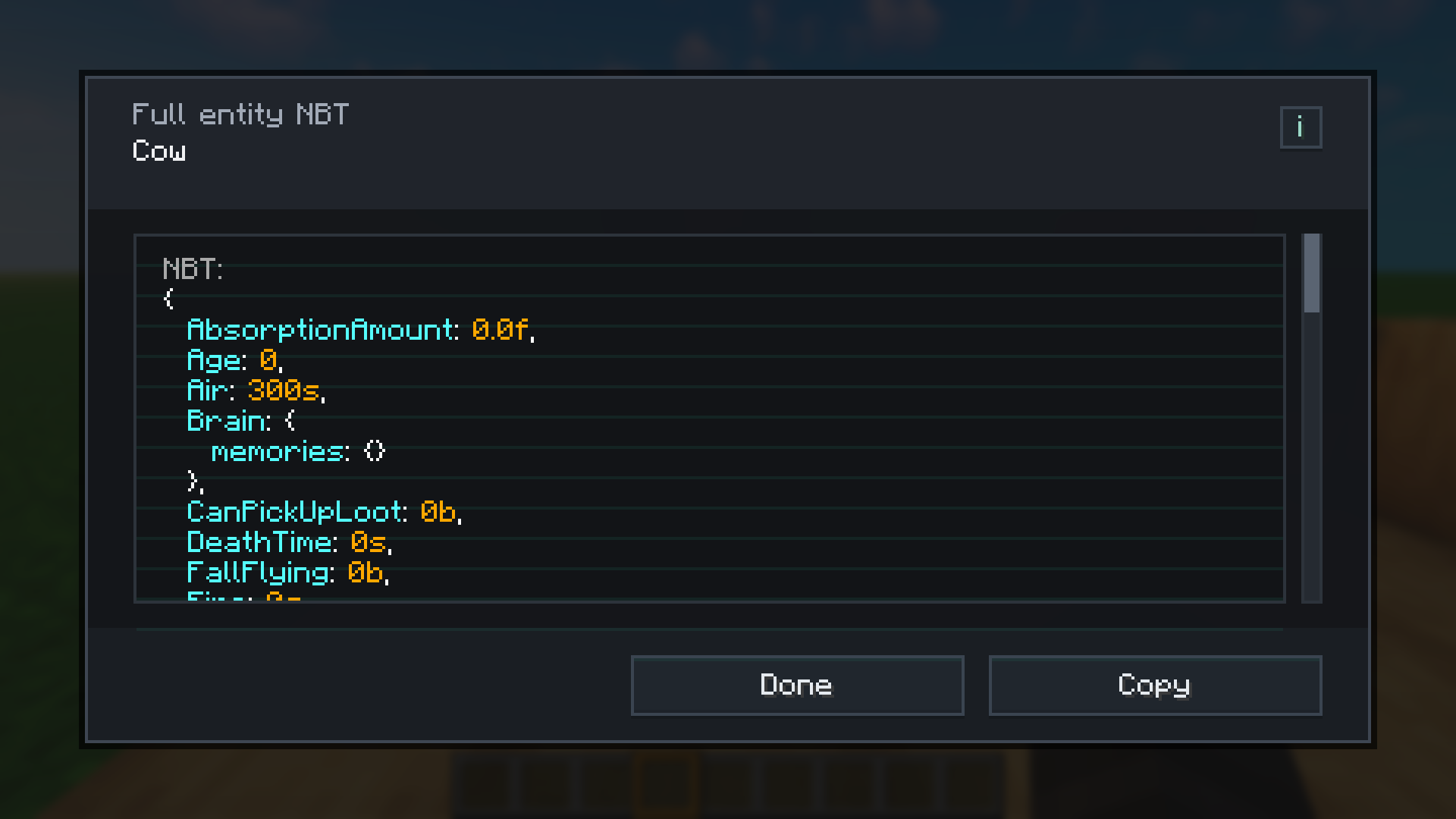 Entity NBT UI
 -
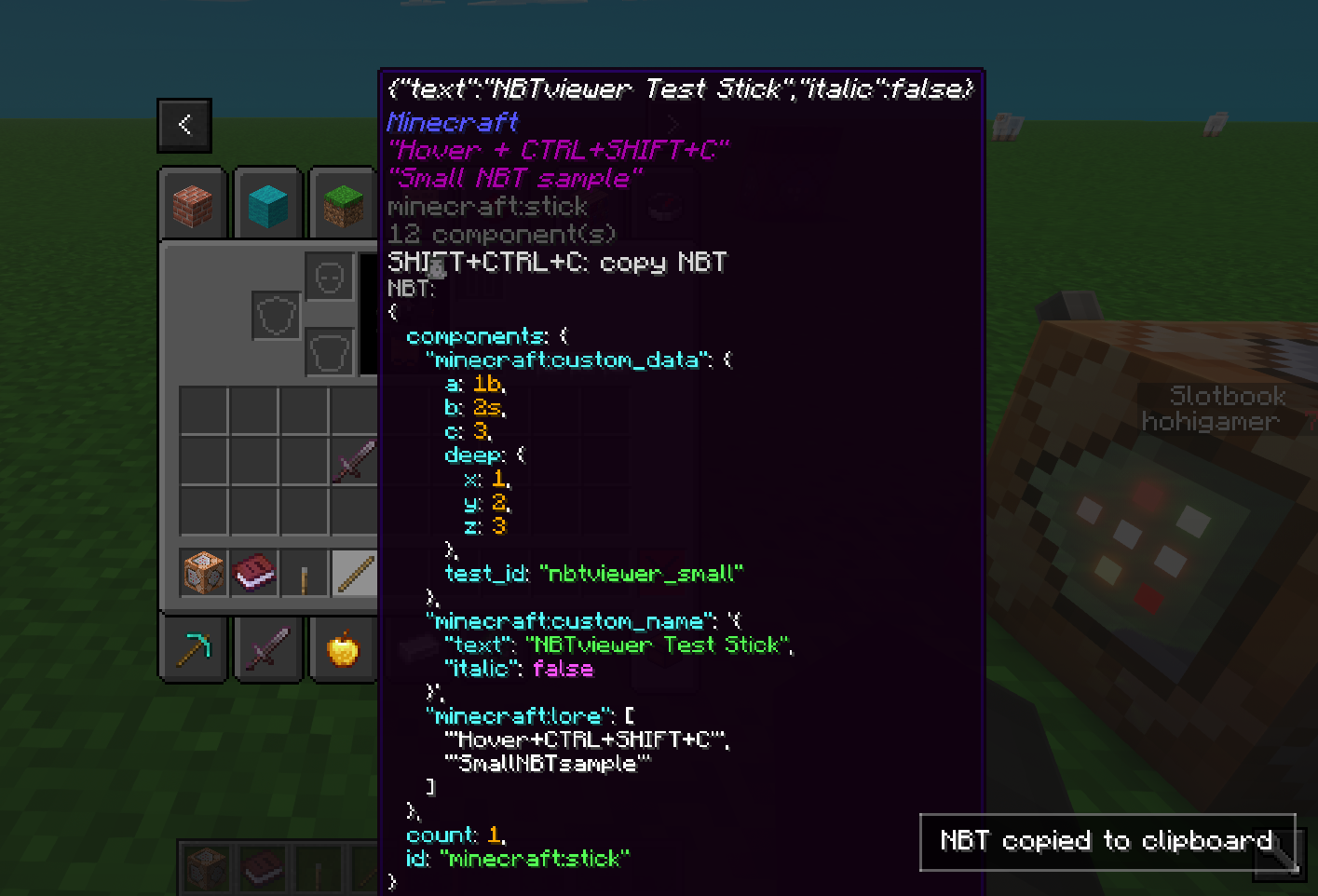 Copy NBT clipboard
Versions
Files
Relations
Project Relations
More like this
Similar Mods
Suggestions use data such as tags, dependencies, dependents, descriptions, titles, and more to rank how much they overlap with this mod.
On ModDex
Community snapshot
By the numbers
Statistics

Want to reach Minecraft players?
We're looking for a server hosting partner to feature here and other parts of the site. Interested? Send us a message!
Get in touchGet it on
Available Platforms
On ModDex
Community snapshot
By the numbers
Statistics
Resources