Community listing page, reviews may not be monitored by the author.
Jacob's Tapes

No reviews yet
Minecraft recordings from a cursed cassette recorder.

Community voices
Reviews
No reviews yet. Be the first to review this project!
Get it on
Available Platforms
About
Project Details
For authors
Embed Badge
If you're the author of this project, you can embed a live badge anywhere that supports HTML or Markdown. It updates automatically whenever ratings change.
Use HTML for any page that supports it, or Markdown for README files and Markdown-based descriptions.
Identifiers
Platform IDs
Resources
External Links
About
Description
FINAL ENTRY, 1990: DO NOT WATCH. DO NOT LISTEN.
Versions: Forge 1.19.2 / 1.20.1 / 1.21.1 - Fabric 1.20.1 / 1.21.1 - NeoForge 1.21.11 / 26.1.2 / 26.3
Author: jacobfromnm
Requires: Fabric API (Fabric only). Cloth Config is optional and adds an in-game settings screen.
Had Jacob's Audio Tapes? It's built into this mod now! You can safely remove the old Jacob's Audio Tapes jar from your mods folder (Jacob's Tapes will refuse to load next to it). The configs are safe, and your Video Tapes and Audio Tapes settings will carry over as they are.
Overview
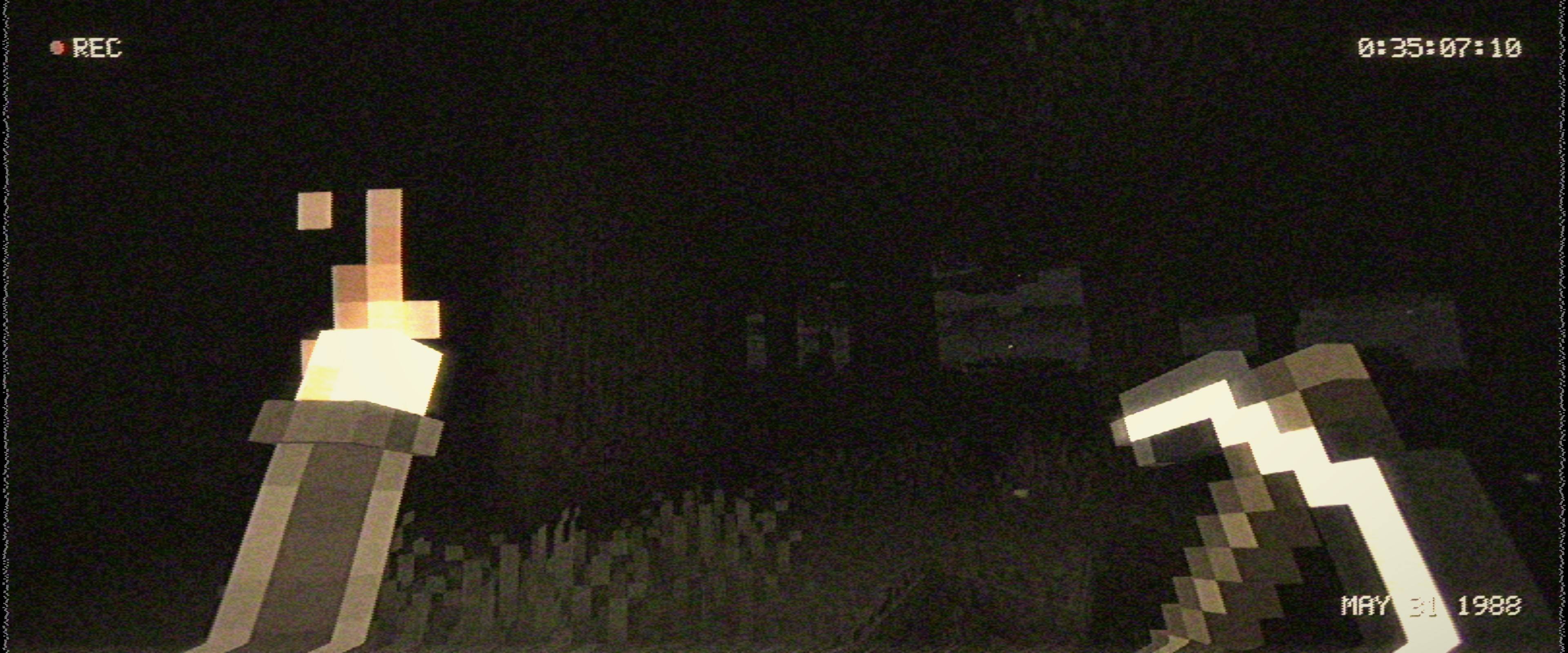
This mod aims to capture the analog look and sound of the pre-00s era - like watching the kind of footage you'd find on an unlabelled tape at the back of a closet. Smeared colour, rolling tracking errors, a REC timecode in the corner, tape hiss and wobble, and a tape that gets progressively worse the longer you watch. The picture and the sound play off one tape, so they glitch in sync.
Only want half of it? Switch Sound or Picture off on the first page of the settings for a video-only or audio-only tape (psst: the rewind comes with the picture).
Features:
- Client-Side Only
- Camcorder Picture: Smeared colour, interlacing, grain, soft focus, head-switch noise and a faded colour grade (with a few other grades to pick from).
- Worn-Out Tape: Tracking errors rolling through the picture, dropouts, skew, creases, signal loss and flashes of the colour-bars test card. The sound hisses, hums, crackles and wobbles, and drifts out of tune while it plays. The whole tape slowly wears out the more you play a world.
- Glitches: Stutters, tape hiccups, a squealing pinch roller, crinkled stretches of tape, and crunchy, corrupted (sometimes reversed) copies of sounds. When the picture drops to a blue screen, the sound drops out with it, and the colour bars come with their own little test tone.
- 80s or 90s Camera: Pick the camera's era in the settings. The 90s camera is the default. The 80s tube camera smears anything moving, drags glowing comet tails behind lights in the dark, swells bright lights into big warm blobs, and burns in anything bright you stare at, leaving a fading ghost behind. Its iris is slow to settle and its gain turns the dark into a crawling, noisy mush. Both eras hunt for the white balance (torchlight goes orange, daylight blue for a moment) and get the thin vertical smear line brighter light sources at night.
- Recorded On: The sound follows the camera: thin, narrow mono-ish 80s VHS sound, or full 90s Hi-Fi stereo (or a plain cassette feel, if you switch the picture off).
- Phantom Sounds: Is… there… someone there? Yes.
- On-Screen Display: A REC timecode counts your play time, with an 80s or 90s date stamp sitting in the corner.
- The Deck: Joining a world plays the tape in from a blue PLAY screen, pausing freezes the frame, sleeping fast-forwards and dying hits STOP. The sound winds down when you pause or die, and spins back up after.
- Be Kind, Rewind: Hold
[to wind the tape back (up to 10 seconds) and let go to play on from there. Died? The death screen has a Rewind button too. Only you get rewound, not the world, and anything you placed or put in a chest jams the tape so nothing can be duplicated, and whatever got carried off for good while you weren't looking stays lost, hehe. But every rewind damages the tape in that world, so lean on it too much and it'll get messy for a while. Single-player only. - Handheld Camera: The camera sways in your hands, shakes when you jump, land or get hurt, gets wobblier the more hurt you are, takes a moment to adjust to the light, hunts for focus, and can zoom with a key (Z by default - you can tweak this in Minecraft's settings). Prefer a chest-mounted bodycam? There's a style for that.
- Filters and Photos: Press
]to flip through the camcorder's filters (black and white, night green, red, negative, poster, neon, tiled triple and grid shots, and the camera operator's little viewfinder screen, in black and white or colour), and\to take a photo of the tape without the HUD, saved to screenshots/jacobsvideo. - Real Darkness: Nights and caves are darker, and light sources will dynamically light up the area around you. Light Reach sets how far any light pushes into the dark, so the shadows between torches stay black. If you already use True Darkness or another dynamic lights mod, those will take precedence.
- Escalation: The tape gets worse at night, in the dark, underground, at low health and the longer you play, with the occasional sudden spike. Picture and sound get worse together.
- Every Sound: Music, records, weather, blocks, mobs, players, ambience, voice, and even other mods' sounds - each one can be toggled or turned up/down.
- Simple Settings: The settings screen opens on one Simple page: Sound and Picture switches, a Subtle, Normal or Cursed (good luck) preset, how strong each half is, the camera's era, style and body motion, glitches, rewind and the on-screen display. Tick Show Advanced for for more fine tuning via config screen ingame.
Works With:
Sodium and Iris, Sound Physics Remastered, Simple Voice Chat, True Darkness and dynamic lights mods (they take over the darkness and held lights) - please let me know if you spot anything funky!
Spoiler / Hints
Warning:
This mod has flickering, rolling and flashing picture glitches, plus handheld camera sway and shake. If you're sensitive to flashing images, switch on Photosensitive Mode (first page of the settings, or /jacobsvideo photosensitive on in game): it takes out every quick, bright flash, whatever the rest of the settings say. For motion sickness, turn the camera movement down (or off) before diving in!
It also affects every sound in the game on purpose, including music and the menus (except a couple that have to play clean, like Presence's whispers and the deck's own sounds). If you're playing with headphones on, the corrupted sounds and static bursts can get crunchy - turn things down (or off) to your personal taste.
Feedback/Suggestions are welcome - thanks for checking it out, I hope it adds to your experience!
Known Limitations:
- Every rewind hitches for a moment on big worlds, like opening the pause menu does (both save the world).
- Gravestone and corpse mods: death drops they grab aren't seen by the rewind. It writes them off or jams the tape, but never duplicates them.
- The sound holds one of Minecraft's 8 streaming audio channels. In packs with lots of other streaming audio, music can occasionally be cut short.
- With an Iris shader pack, the 80s camera's burn-in may only catch the sun.
- Rewind is single-player only (off on LAN and servers, by design).
No known bugs at the time - please report if any are found.
Check Out My Other Mods!
It Follows (Inspired by the film "It Follows")
Screenshots
Gallery
-
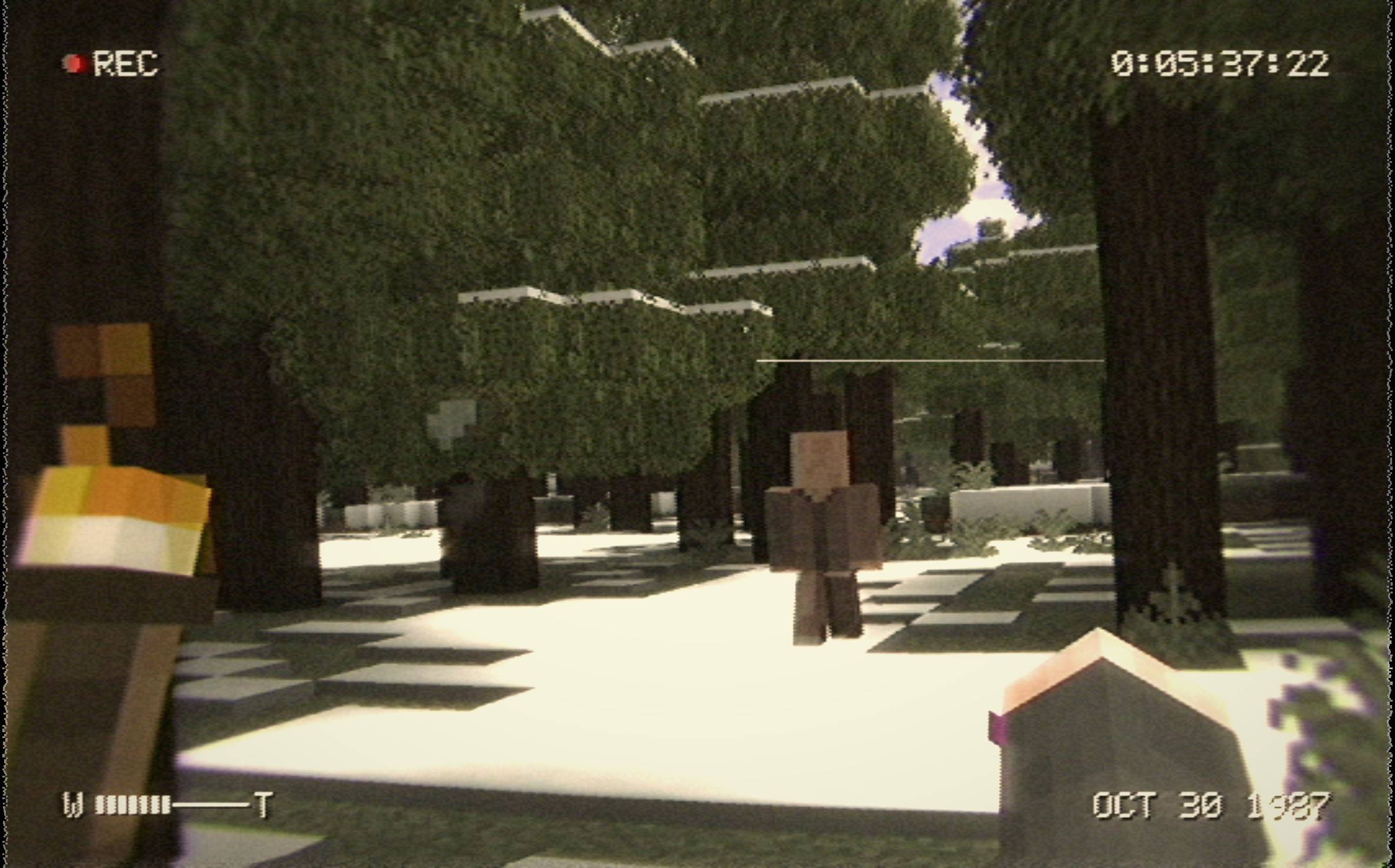 oct301987.jpg follower
-
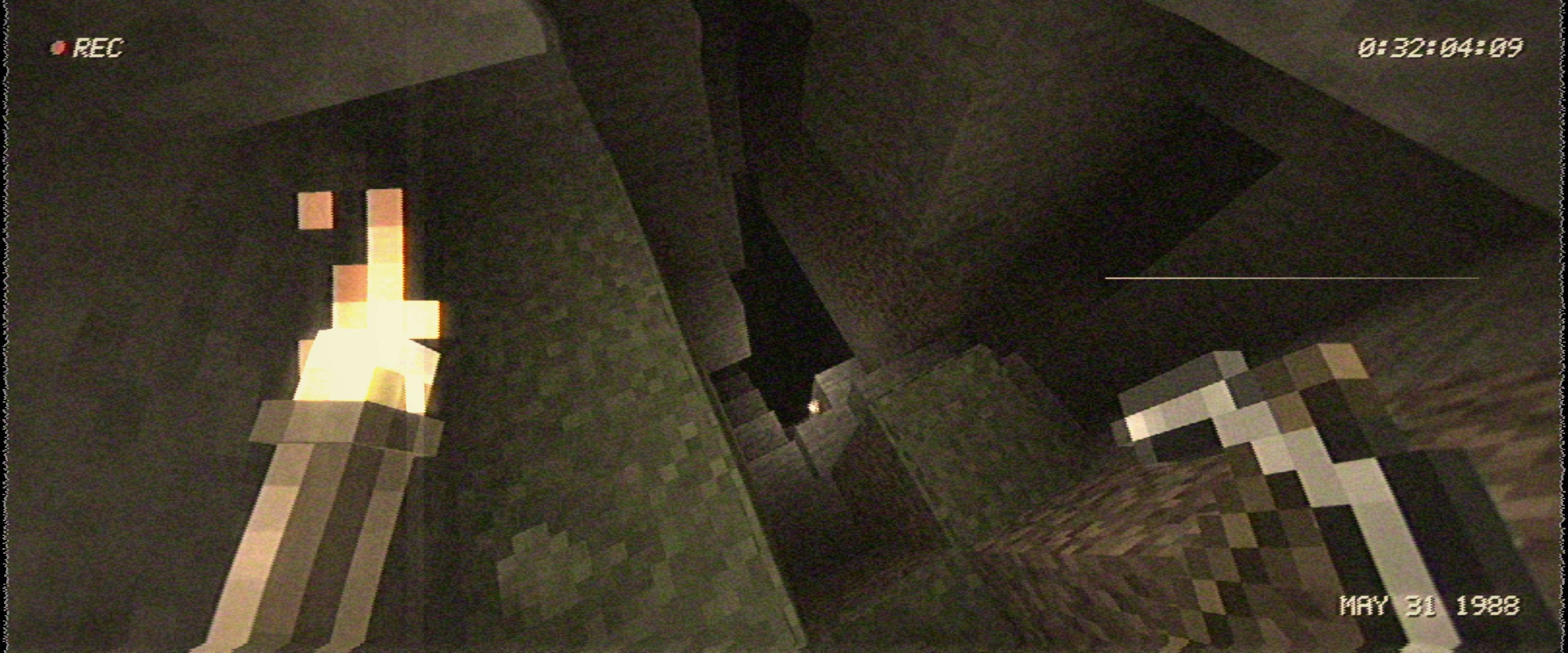 may312988.jpg cave
-
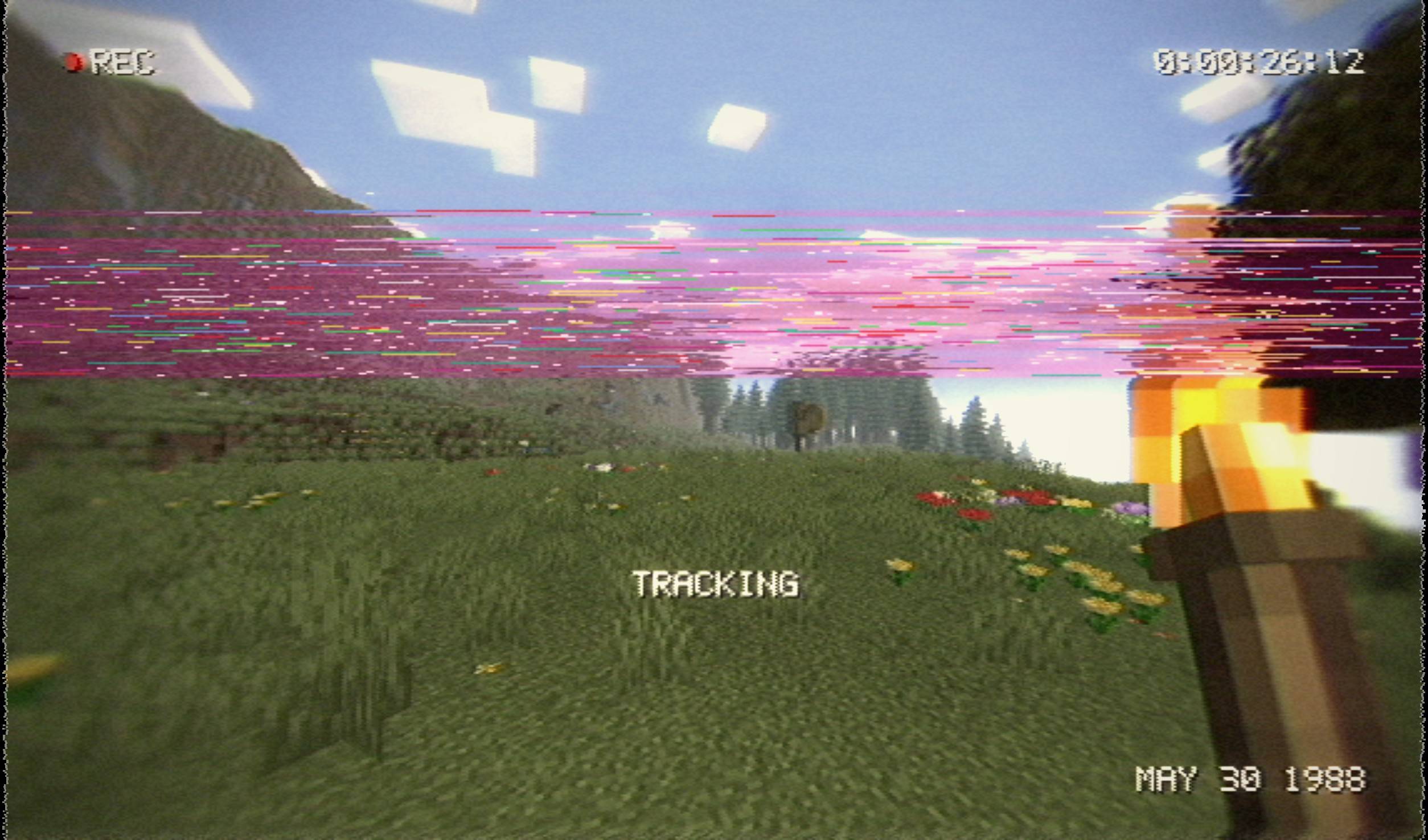 may301998.jpg tracking
-
 may311988.jpg night
Versions
Files
Relations
Project Relations
More like this
Similar Mods
Suggestions use data such as tags, dependencies, dependents, descriptions, titles, and more to rank how much they overlap with this mod.
On ModDex
Community snapshot
By the numbers
Statistics

Get it on
Available Platforms
On ModDex
Community snapshot
By the numbers
Statistics
Resources