
Community listing page, reviews may not be monitored by the author.


Community voices
Reviews
No reviews yet. Be the first to review this project!
Get it on
Available Platforms
About
Project Details
For authors
Embed Badge
If you're the author of this project, you can embed a live badge anywhere that supports HTML or Markdown. It updates automatically whenever ratings change.
Use HTML for any page that supports it, or Markdown for README files and Markdown-based descriptions.
Identifiers
Platform IDs
Resources
External Links
About
Description
Problem Inna Nutshell: You can't quickly switch between several different biome bases on a single world in Minecraft. Imagine trying to have one base on every biome on a single minecraft world! It could take hours to travel between each of those bases! I don't mind starting a new game on foot, and I even really like searching areas on a horse, but I DO mind travelling 10,000 blocks to reach another biome/base I love.
Solution: I created a simple and fair Minecraft teleportation mod that I love! Other teleportation mods exist, but this is why I LOVE and created this mod:
- 16 different colored teleporters (one for each type of dye)
- Fair recipe (Not too OP!!)
- Instant teleportation
Recipe:
- 1 Obsidian
- 1 Emerald
- 1 of any of the 16 types of dye (Plus a few dye alternative ingredients: cocoa beans, bone meal, ink, and lapis lazuli for a total of 20 recipes but 16 types of teleporters)
How do the teleporters work Inna Nutshell:
- Teleporters teleport to teleporters of the same color (white - white, red - red)
- Place two teleporters of the same color
- Right click to teleport between the two teleporters!
- Add a third and continuing teleporting!
How do the teleporters work:
- Teleporters teleport to other teleporters of the same color (white - white, red - red)
- When you place a teleporter it automatically becomes the next available teleporter. For example, the first teleporter you place becomes teleporter 1. The second teleporter you place becomes teleporter 2. The third teleporter you place becomes teleporter 3. When you right click teleporter 1 you will travel to teleporter 2. When you right click teleporter 2 you will travel to teleporter 3. When you right click teleporter 3 you will travel to teleporter 1
- If you break a teleporter, the other teleporters will skip that teleporter in the line of teleporters. When a new teleporter of the same color is placed, it will fill that open spot in the line. For example: I have green teleporters 1, 2, 3, 4, 5, and 6. I break teleporters 4 and 5. The teleporters will still work and will teleport from 1, to 2, to 3, to 6. When I place a new teleporter it will fill the 4th spot and the teleporters will go from 1, to 2, to 3, to 4, to 6.
- A maximum of 10 teleporters are allowed for each colored teleporter per dimension (160 total are allowed in each dimension. 10 of each color type). When you place your 11th teleporter of a specific color, it will not link to anything. It will be just act like an ordinary block until broken and placed when an open spot is available (even if a spot opens up in a teleporter line. You must still break and replace the 11th block for it to take place in an open spot)
- You cannot teleport with just one teleporter
Screenshots
Gallery
-
 Teleporters Galore
 -
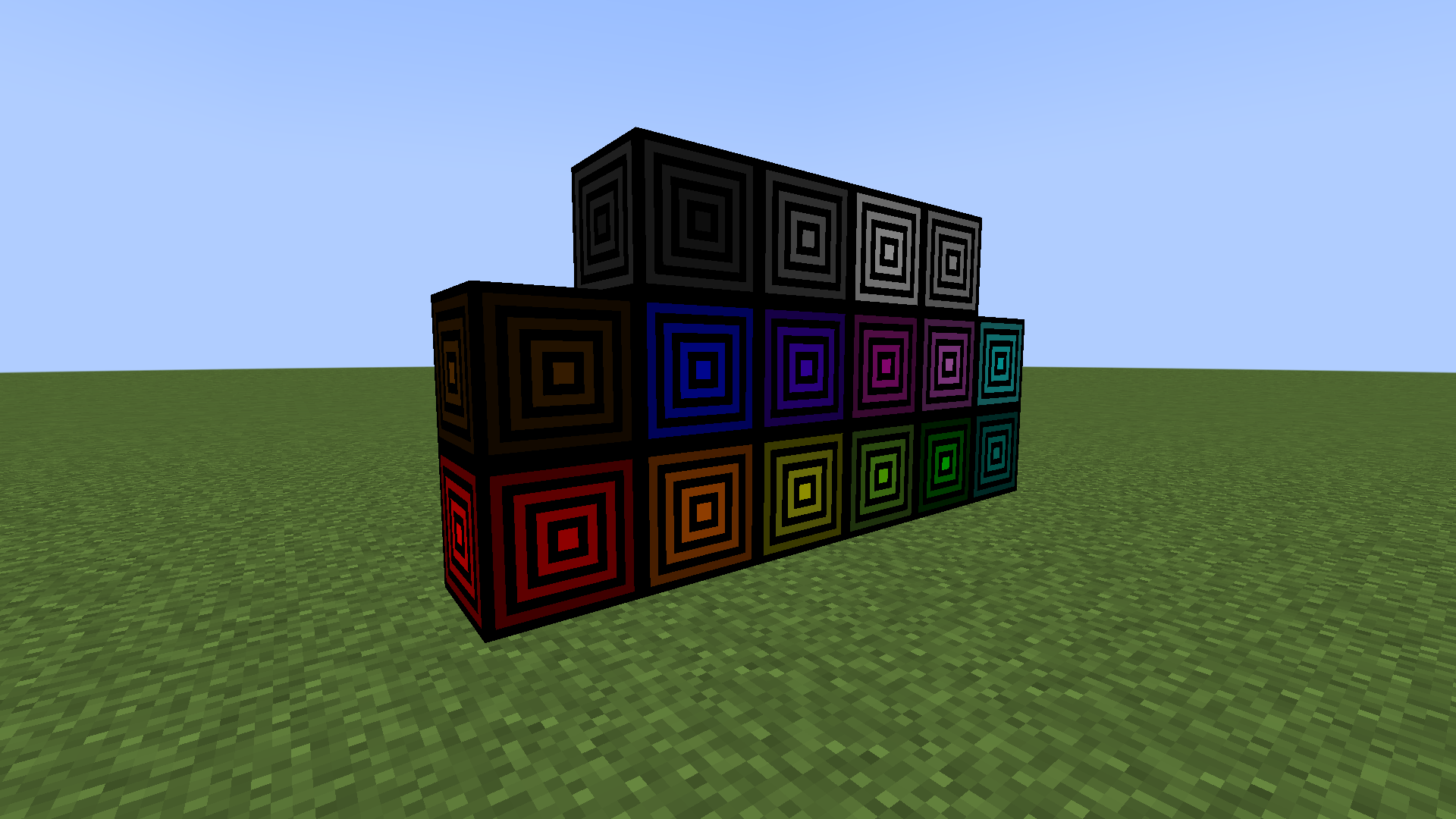 All Teleporters
Versions
Files
Relations
Project Relations
More like this
Similar Mods
Suggestions use data such as tags, dependencies, dependents, descriptions, titles, and more to rank how much they overlap with this mod.
On ModDex
Community snapshot
By the numbers
Statistics

Get it on
Available Platforms
On ModDex
Community snapshot
By the numbers
Statistics
Resources