
Community listing page, reviews may not be monitored by the author.
Java: Education Edition

No reviews yet
Brings Education Edition to Java.

Community voices
Reviews
No reviews yet. Be the first to review this project!
Get it on
Available Platforms
About
Project Details
For authors
Embed Badge
If you're the author of this project, you can embed a live badge anywhere that supports HTML or Markdown. It updates automatically whenever ratings change.
Use HTML for any page that supports it, or Markdown for README files and Markdown-based descriptions.
Identifiers
Platform IDs
About
Description
Minecraft Education's chemistry and classroom features, on Java Edition.



The chemistry and classroom content from Minecraft Education is some of the coolest stuff Minecraft has ever had, but it's been stuck on Bedrock, or behind a school login. This mod brings it over to Java on Fabric, kept as close to the original as possible.
Version 2.2.0 runs on Minecraft 26.1.2, 26.3 and 1.21.1, and adds the Agent and Code Builder.
Features
The Agent
Your own robot helper, just like in Education. Place it with the Agent Spawn Egg (it turns to face you) or use /agent create. Every player gets their own Agent, and right-clicking it opens its 27-slot inventory.
- Control it with
/agentcommands: move, turn, destroy, place, till, attack, collect, drop, dropall and transfer. Ask it about the world with detect, detectredstone, inspect, getitemcount, getitemdetail and getposition. - It presses pressure plates, sets off tripwires and travels through nether portals, end portals and end gateways.
/agent tpbrings it back from anywhere, even another dimension. - It keeps the area around it loaded while its owner is online, so it keeps working even far away.
Code Builder
Press C to open MakeCode for Minecraft in your web browser, connected to your world. Code with blocks, JavaScript or Python, press Run, and watch it happen in game.
- Programs can move and use the Agent, place and fill blocks, summon mobs, give items, teleport, and change the time, weather and game rules.
- They can react to chat commands, blocks broken or placed, mobs killed, arrows shot, pictures taken and more.
- The world's host and World Builders can use operator commands from Code Builder, even in a world without cheats, like in Education.
- Code Builder needs an internet connection. Your projects are saved in your browser.
Chemistry
- Element Constructor: build any of the 118 elements by setting protons, neutrons and electrons. Change the neutrons to make isotopes.
- Compound Creator: combine elements into compounds. The recipe book shows every compound you've unlocked and can fill the grid for you.
- Lab Table: react elements and compounds together to make new items. Anything that isn't a real reaction fizzles out into Garbage.
- Material Reducer: break blocks and compounds back down into their elements.
The Element Constructor, Compound Creator and Lab Table can all be crafted. The Material Reducer can't, so get it from the Creative inventory or buy one from a Master Chemist.
Products
Everything you make with chemistry: balloons, glow sticks, sparklers, colored torches, underwater torches, underwater TNT, ice bombs, super fertilizer, hardened glass, bleach and more.
- Balloons float, sway on their own, and tie to mobs, boats or fences with a real lead. Tie one to a mob and it lifts it off the ground. Hit the balloon and it drags the mob along. If it pops up high, whatever was tied to it falls back down.
- Medicines (Antidote, Elixir, Eye Drops and Tonic) are brewed in a regular brewing stand.
Classroom tools
- Chalkboards: Slates, Posters and Boards to write on, on a wall or standing on legs. The text looks like it does in Education. World Builders can lock a board so only they can edit it, and boards a World Builder places can only be broken by World Builders.
- Camera and Portfolio: take pictures in game, or set the camera up on its tripod for a selfie. The pictures go into your portfolio, where you can caption them, export them all as a PDF, or turn them into photo items. A photo is held like a map and fills an item frame the way a map does.
- NPCs: place characters with names, dialogue and buttons that run commands. They turn to watch you when you get close, and they press pressure plates, set off tripwires and go through portals like mobs do.
- Allow, Deny and Border blocks: control where people can build and where they can go.
Chemist villager
A villager without a job who finds a Lab Table becomes a Chemist. Chemists wear a lab coat and goggles and trade elements, salt, bleach, glow sticks, sparklers, balloons, medicines and more. Master Chemists sell the Material Reducer.
Villages can generate a Chemist's lab, with its own design for each village type: plains, desert, savanna, snowy and taiga. Each lab comes with a Lab Table, a loot chest of chemistry supplies and a villager to move in.
Control tips
Education's on-screen control tips, using your own key bindings:
- Right side: what your buttons do right now (Place, Mine, Attack, Trade, Eat, Drop and so on). The list follows what you're looking at and holding, and moves up out of the way of closed captions.
- Left side: press H to open a panel of the movement and menu keys, including the Code Builder key, and number every hotbar slot with its key. Press H again to hide it.
Control tips can be switched off with the Control Tips toggle in Options → Controls → Key Binds. The H and C keys can be rebound there, under Miscellaneous.
Chemistry Guide
Craft the guide book with a book and a glass bottle. It's an in-game book with every recipe in the mod, with pictures, and explains how the stations, classroom tools, the Agent and Code Builder work. Bookmarks on the side jump to each chapter.
Turning it on
Everything in the mod is tied to a world setting, like Bedrock's Education Edition toggle. It's off by default.
- New worlds: switch on Education Edition in the Game tab of the world creation screen.
- Existing worlds: run
/gamerule edu:education_features true.
While it's off, the Education Edition creative tab is hidden, labs don't generate in villages, and control tips, the Agent and Code Builder don't work.
World Builder
| Command | What it does |
|---|---|
/wb |
Turns World Builder on or off for yourself |
/wb <players> |
Turns it on or off for those players |
/wb <players> true|false |
Sets it for those players |
/worldbuilder works the same way. World Builders can build anywhere, edit NPCs and locked chalkboards, and ignore the permission blocks.
Only the world's host can use World Builder commands, or owner-level operators on a dedicated server. Players who join your world can't give it to themselves. The commands also work in command blocks, functions and the server console.
Game rules
| Rule | Default | What it does |
|---|---|---|
edu:education_features |
false |
Switches all of the mod's content on or off |
edu:immutable_world |
false |
Only World Builders can build, except above Allow blocks |
Installation
Install Fabric Loader for your Minecraft version.
Put Fabric API in your
modsfolder.Download the jar for your Minecraft version and put it in your
modsfolder:education-edition-<version>+<minecraft>.jarworks on its own.education-edition-<version>+<minecraft>-jei.jaralso adds JEI support: element, compound and Lab Table recipes, and the medicines in JEI's brewing tab.
<minecraft>is26.1.2,26.3or1.21.1. Install only one Education Edition jar. You don't need JEI to play.
Requirements
| Minecraft 26.1.2 / 26.3 | Minecraft 1.21.1 | |
|---|---|---|
| Fabric Loader | 0.19.3 or newer | 0.16.0 or newer |
| Fabric API | any | any for 1.21.1 |
| Java | 25 | 21 |
| JEI | optional | optional (a recent JEI 19 version) |
On 1.21.1, blocks and mobs added to Minecraft after that version can't be used from Code Builder, because they don't exist there.
License
The mod's code is licensed under the MIT License.
This is a fan port and isn't affiliated with Mojang or Microsoft. The original Minecraft textures, sounds and other assets belong to Mojang and aren't covered by the MIT license. Code Builder opens Microsoft's MakeCode for Minecraft website, which isn't part of the mod.
Bugs and suggestions
Found a bug or something that doesn't match Education? Leave a comment or open an issue. The mod is still being worked on.
Screenshots
Gallery
-
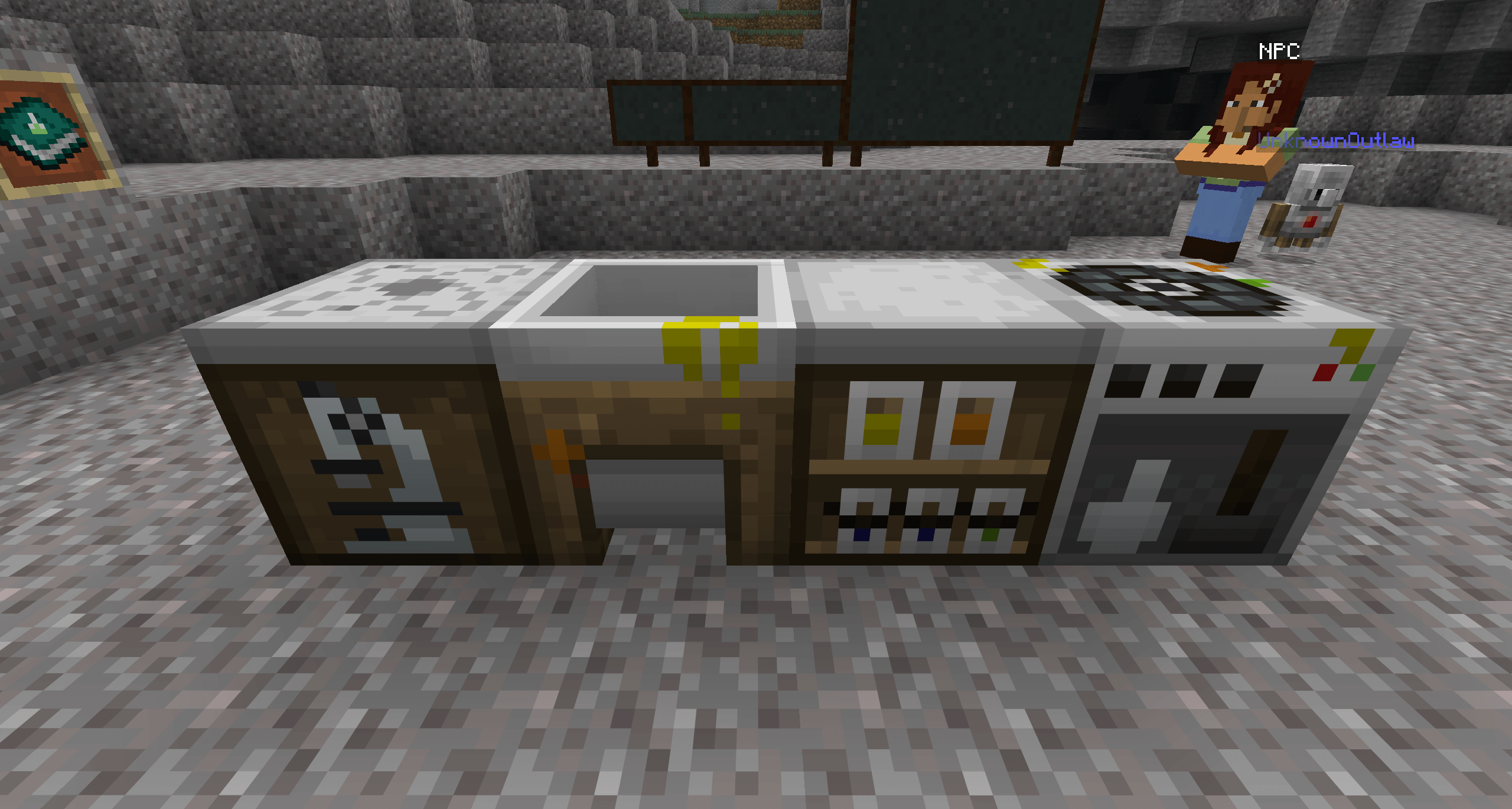 image-attachment_8c316d81-f048-4206-824b-fbc54286c0ed.png Chemistry Tables
 -
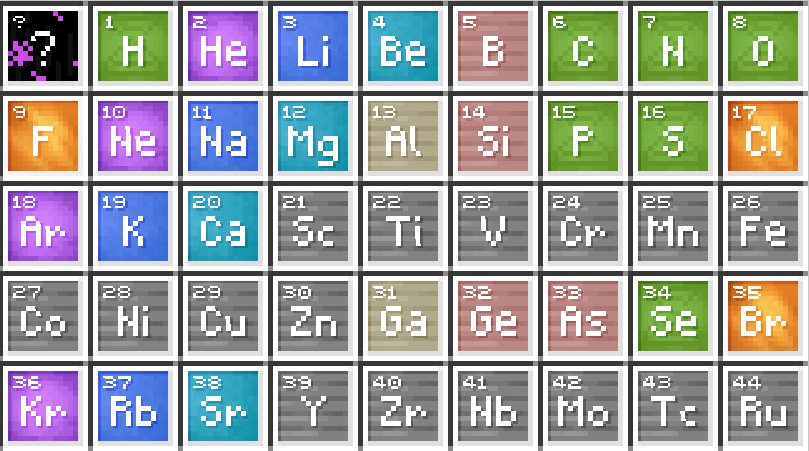 image-attachment_bf444e5e-55e9-4d22-917a-28b5160453da.png Elements
 -
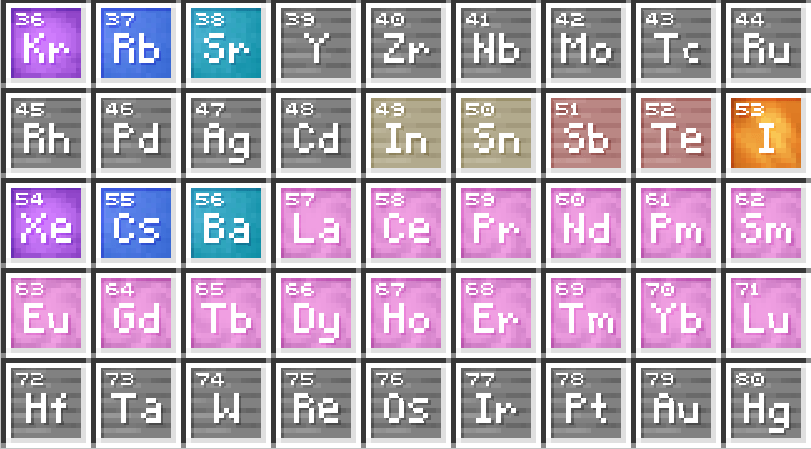 image-attachment_71c99a6e-119c-489f-b559-521fce29e35a.png Elements
 -
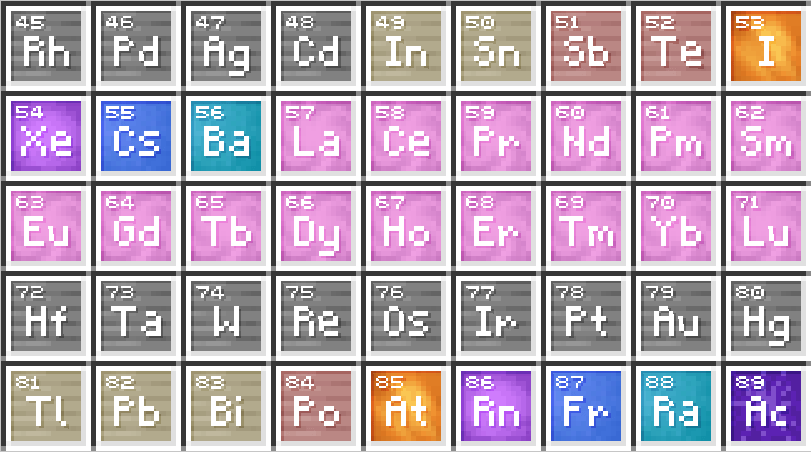 image-attachment_b2b2e6a4-df00-46ef-970a-2969532ab96e.png Elements
 -
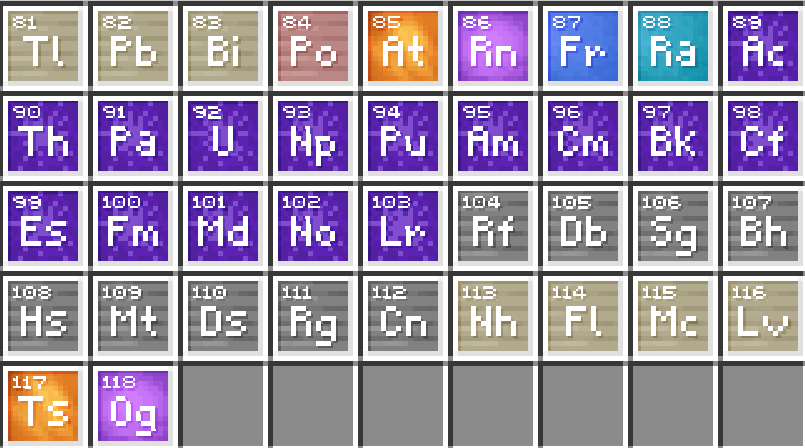 image-attachment_91c74c0f-24b8-4f74-9963-f71e8c59d2d5.png Elements
 -
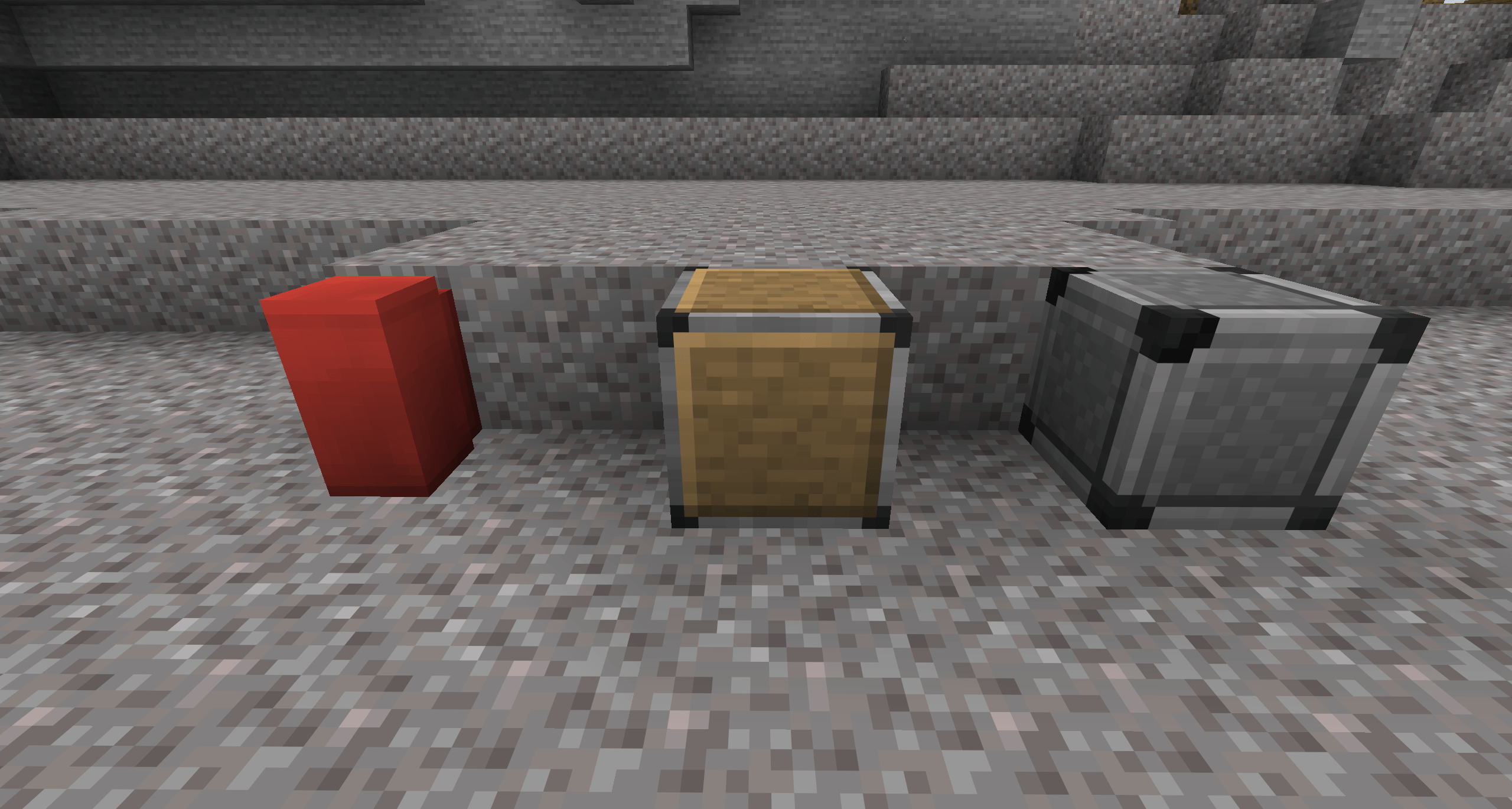 image-attachment_ccb583e0-26ec-4ece-b396-276255ec9914.png Permission Blocks
 -
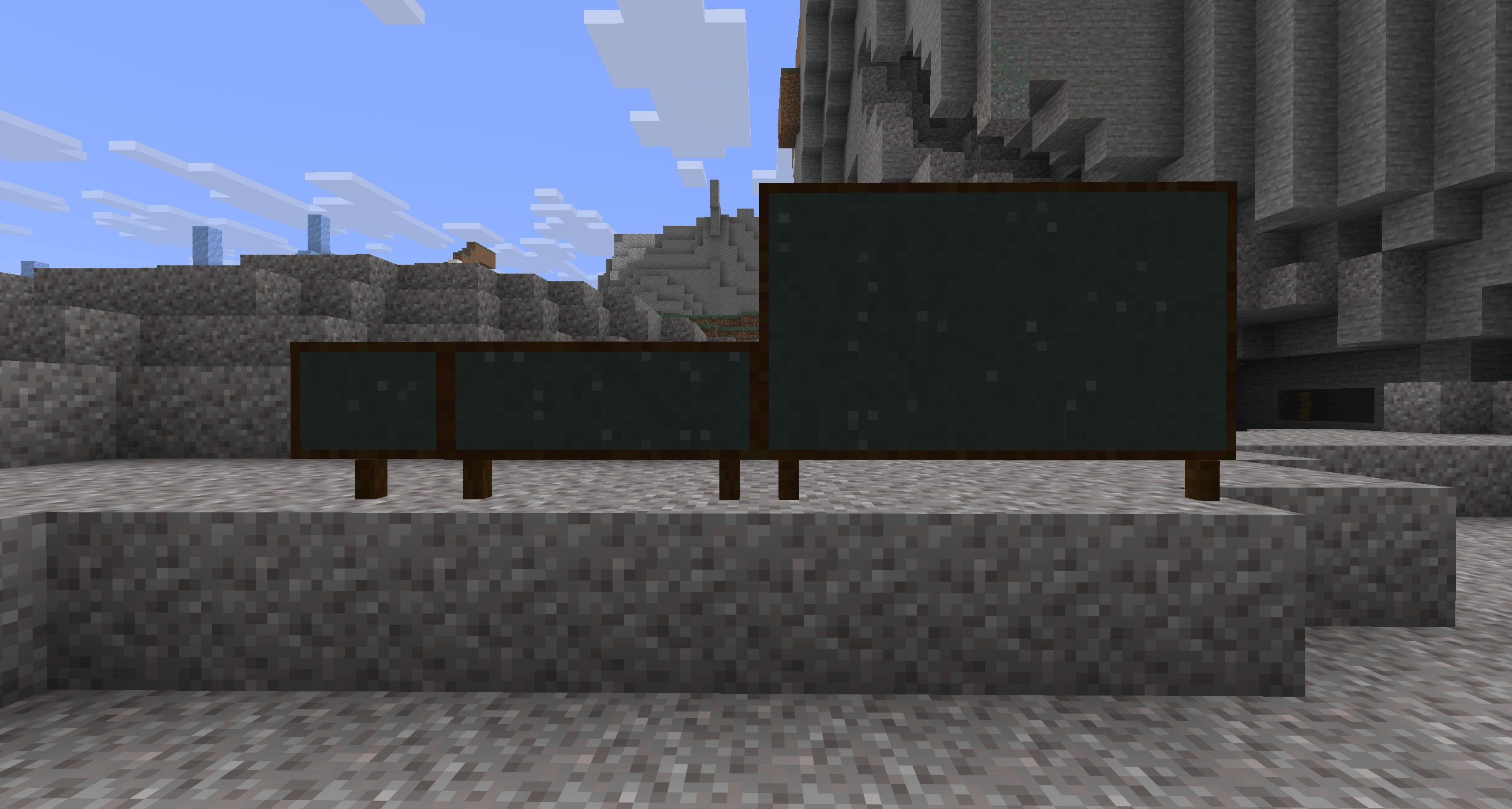 image-attachment_8f91b2d3-9c15-4c0b-b3f6-833ac6c80a6c.png Boards
Versions
Files
Relations
Project Relations
More like this
Similar Mods
Suggestions use data such as tags, dependencies, dependents, descriptions, titles, and more to rank how much they overlap with this mod.
On ModDex
Community snapshot
By the numbers
Statistics

Get it on
Available Platforms
On ModDex
Community snapshot
By the numbers