Community listing page, reviews here may not be monitored by the author.
Jobs+


No reviews yet
Adds 10 jobs to Minecraft. You can now add your own jobs!

Community voices
Reviews
No reviews yet. Be the first to review this project!
Get it on
Available Platforms
Compatibility
Supported Environments
Must be installed on both the client and the server.
About
Project Details
For authors
Embed Badge
If you're the author of this project, you can embed a live badge anywhere that supports HTML or Markdown. It updates automatically whenever ratings change.
Use HTML for any page that supports it, or Markdown for README files and Markdown-based descriptions.
Identifiers
Platform IDs
About
Description

Take your Minecraft experience to the next level with Jobs+! Choose from 10 unique jobs, level up, earn rewards, and unlock powerful power-ups — all while customizing the mod to suit your gameplay style.
Key Features
⚒️ 10 Unique Jobs: Alchemist, Builder, Digger, Enchanter, Farmer, Fisherman, Hunter, Lumberjack, Miner, Smith.
⬆️ Level Up to 100: Gain experience by completing job-specific tasks and unlock recipes and rewards.
🪙 Job Coins & Power-Ups: Spend coins to unlock jobs and purchase unique power-ups for each role.
📋 Full Customization: Create custom jobs, recipes, and power-ups using datapacks.
Getting Started
- Open the Jobs+ Menu: Press 'J' in-game to open the Jobs+ interface.
- Pick Your Job: Choose your first two jobs and start completing tasks to earn job XP.
- Spend Job Coins: Use coins to unlock new jobs and their power-ups.
Showcase
Customization
Jobs+ is fully customizable! Use datapacks to create your own jobs, adjust rewards, and add unique features to your gameplay.
Expansions
| Jobs+ Tools |
|---|
 |
FAQ
Q: Does Jobs+ have any dependencies?
A: Yes, Jobs+ depends on the following mods: Knot, UI Lib, YAML Config, Arc Lib and Item Restrictions.
Q: How do I level up in a job?
A: Perform tasks related to your job, such as mining for a Miner or harvesting crops for a Farmer. Each task earns experience points.
Q: Can I create custom jobs?
A: Yes! Jobs+ supports datapacks, allowing you to design your own jobs, recipes, and power-ups. For examples no how the base jobs are made, take a look here.
Q: Is Jobs+ multiplayer compatible?
A: Absolutely! Players can work together to level up their levels even faster. Players will also get notified whenever you level up!
Q: How do I get started?
A: Simply press 'J' in-game to open the Jobs+ menu, pick a job, and begin your journey!
Q: The 'J' key doesn't work, what do I do?
A: There might be another mod that uses the 'J' key. Check your keykind settings and look for the 'Jobs+ Menu'. Make sure it is set to your preffered key and try again.
Credits

Take your Minecraft experience to the next level with Jobs+! Choose from 10 unique jobs, level up, earn rewards, and unlock powerful power-ups — all while customizing the mod to suit your gameplay style.
Key Features
⚒️ 10 Unique Jobs: Alchemist, Builder, Digger, Enchanter, Farmer, Fisherman, Hunter, Lumberjack, Miner, Smith.
⬆️ Level Up to 100: Gain experience by completing job-specific tasks and unlock recipes and rewards.
🪙 Job Coins & Power-Ups: Spend coins to unlock jobs and purchase unique power-ups for each role.
📋 Full Customization: Create custom jobs, recipes, and power-ups using datapacks.
Getting Started
- Open the Jobs+ Menu: Press 'J' in-game to open the Jobs+ interface.
- Pick Your Job: Choose your first two jobs and start completing tasks to earn job XP.
- Spend Job Coins: Use coins to unlock new jobs and their power-ups.
Showcase
Customization
Jobs+ is fully customizable! Use datapacks to create your own jobs, adjust rewards, and add unique features to your gameplay.
Expansions
 |
|---|
| Jobs+ Tools |
FAQ
Q: Does Jobs+ have any dependencies?
A: Yes, Jobs+ depends on the following mods: Knot, UI Lib, YAML Config, Arc Lib and Item Restrictions.
Q: How do I level up in a job?
A: Perform tasks related to your job, such as mining for a Miner or harvesting crops for a Farmer. Each task earns experience points.
Q: Can I create custom jobs?
A: Yes! Jobs+ supports datapacks, allowing you to design your own jobs, recipes, and power-ups. For examples no how the base jobs are made, take a look here.
Q: Is Jobs+ multiplayer compatible?
A: Absolutely! Players can work together to level up their levels even faster. Players will also get notified whenever you level up!
Q: How do I get started?
A: Simply press 'J' in-game to open the Jobs+ menu, pick a job, and begin your journey!
Q: The 'J' key doesn't work, what do I do?
A: There might be another mod that uses the 'J' key. Check your keykind settings and look for the 'Jobs+ Menu'. Make sure it is set to your preffered key and try again.
Credits
Screenshots
Gallery
-
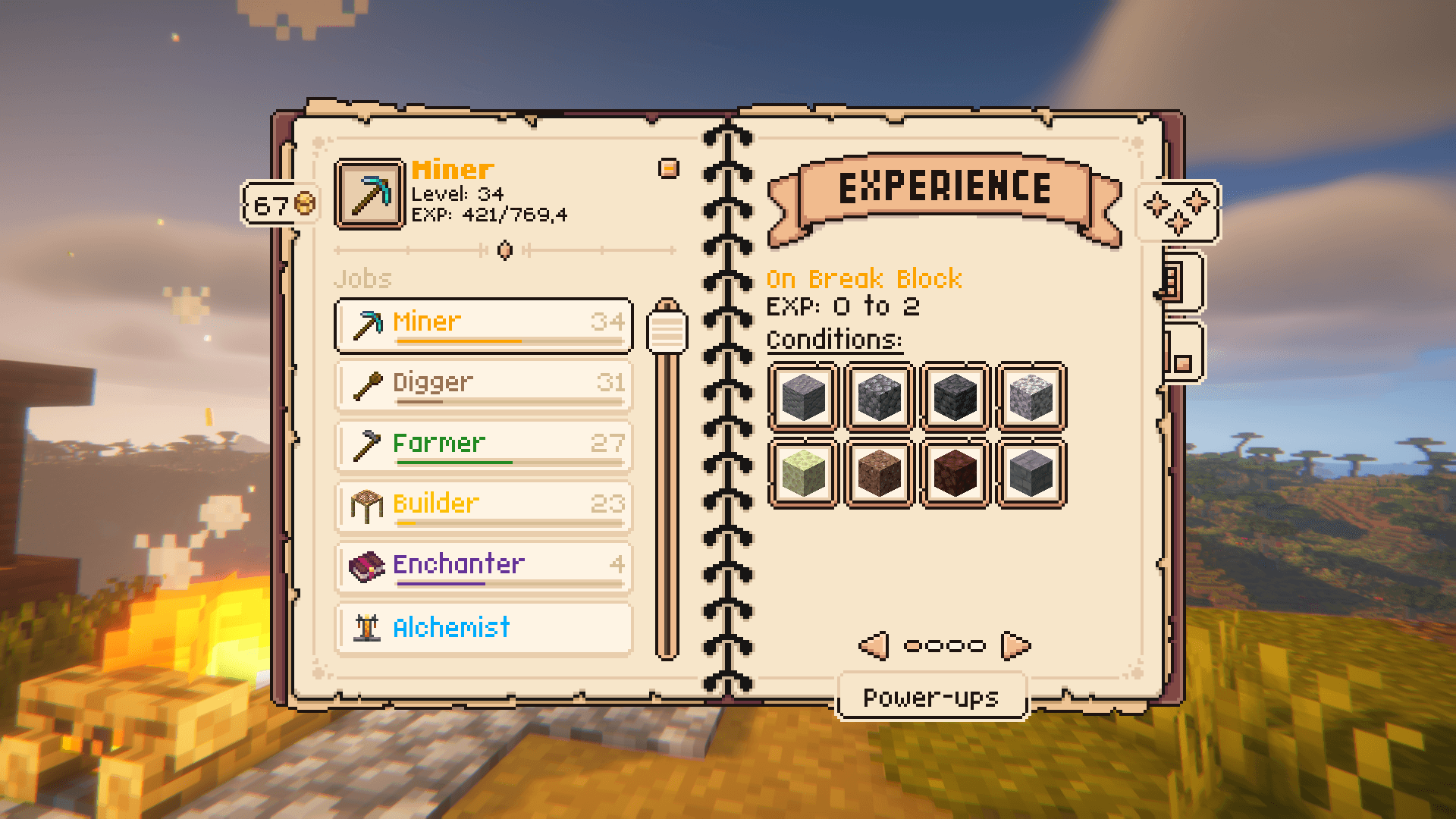 Main Menu This page shows the available jobs with their ways of gaining job-experience. The bar underneath the job indicates the job-experience percentage until leveling up the job.
 -
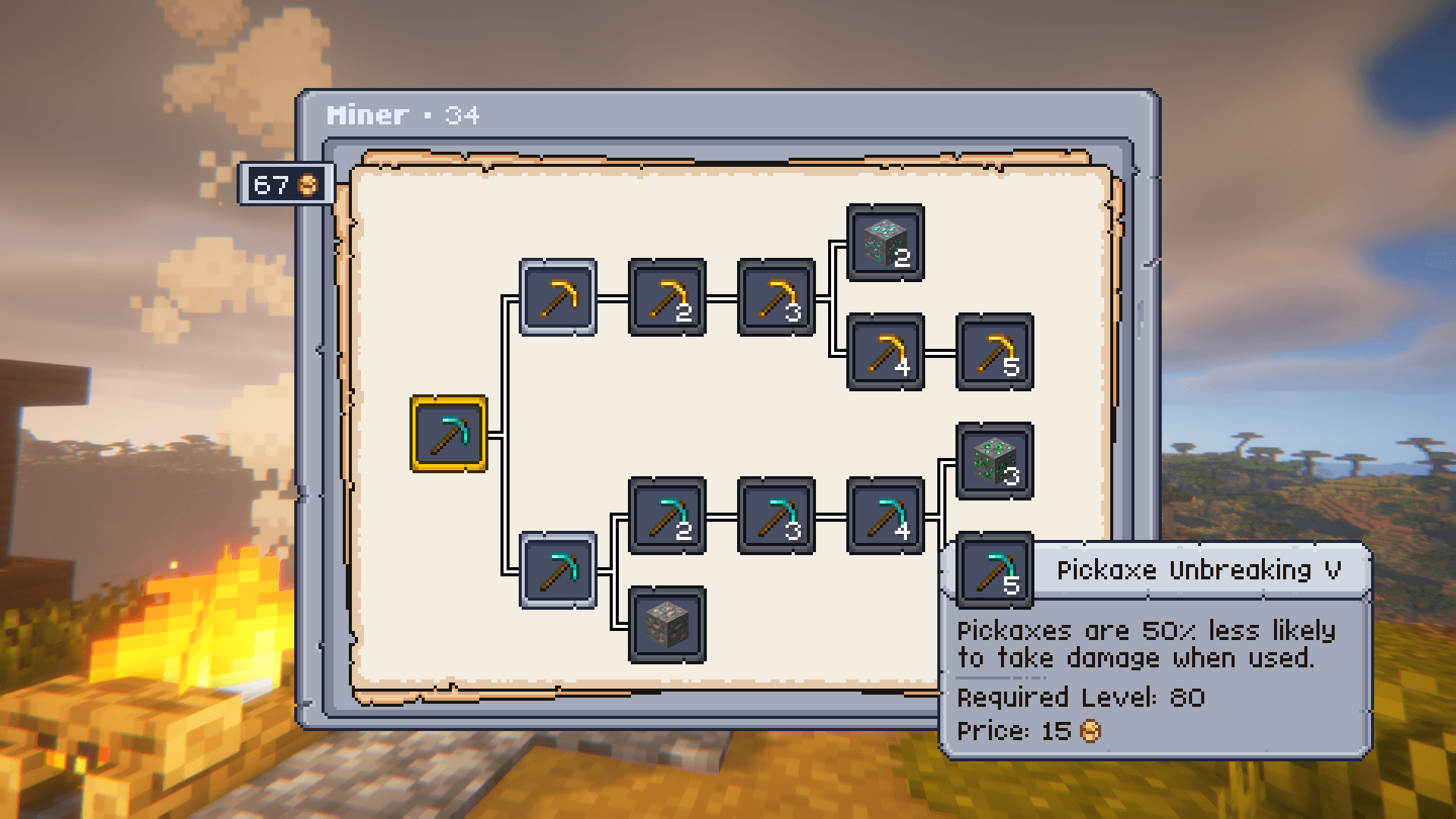 Power-ups This menu shows the available power-ups for a certain jobs. Power-ups don't stack but are a upgrade from the previous one. Power-ups can also be disabled when purchased by clicking on them (will mark the power-up in red)
 -
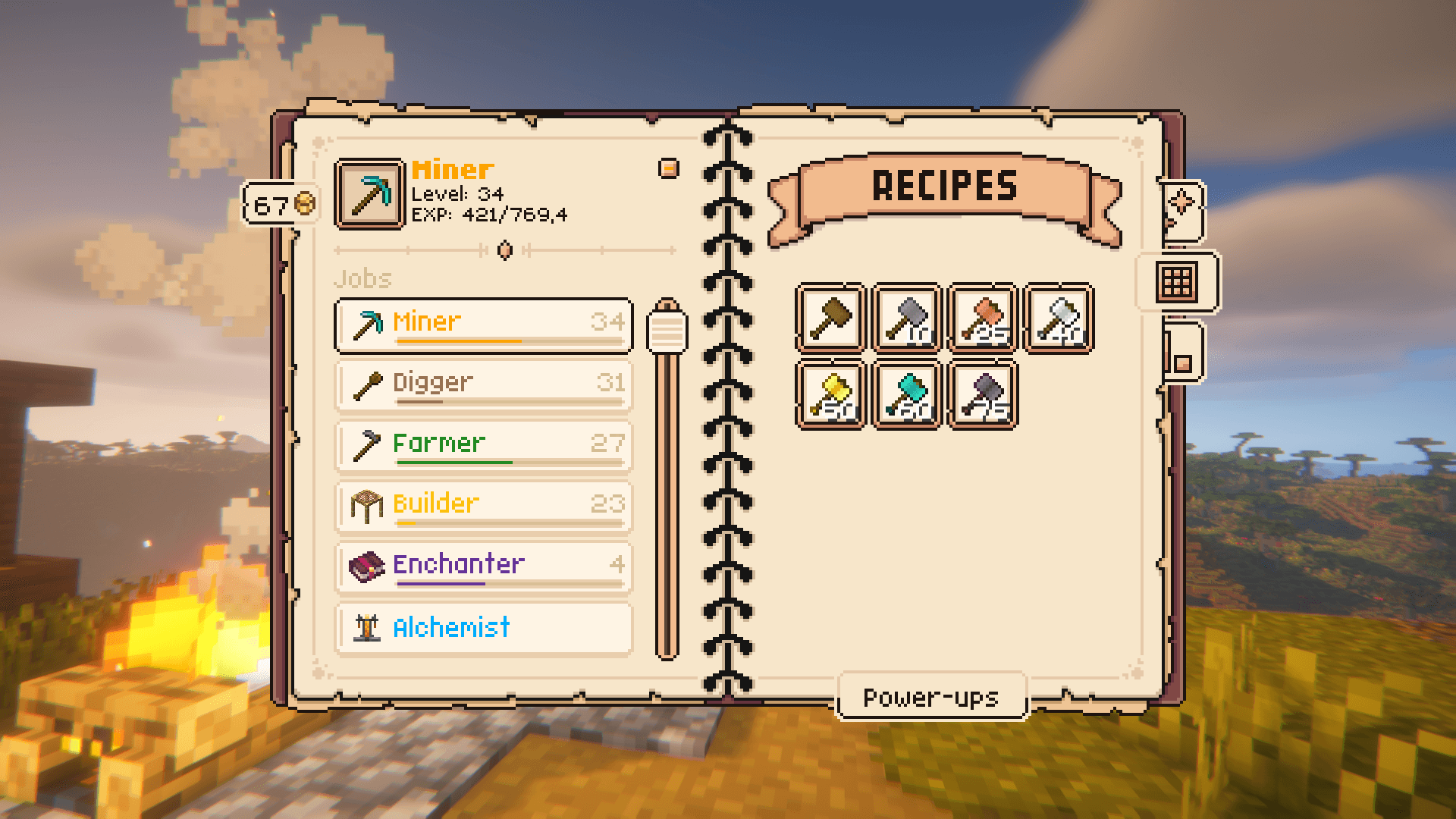 Jobs+ Tools integration This pages shows the items that can only be used when preforming this jobs at a certain level. The number indicates the required level to unlock this item. This is mainly used by Jobs+ Tools, but is customizable using the Item Restrictions mod.
 -
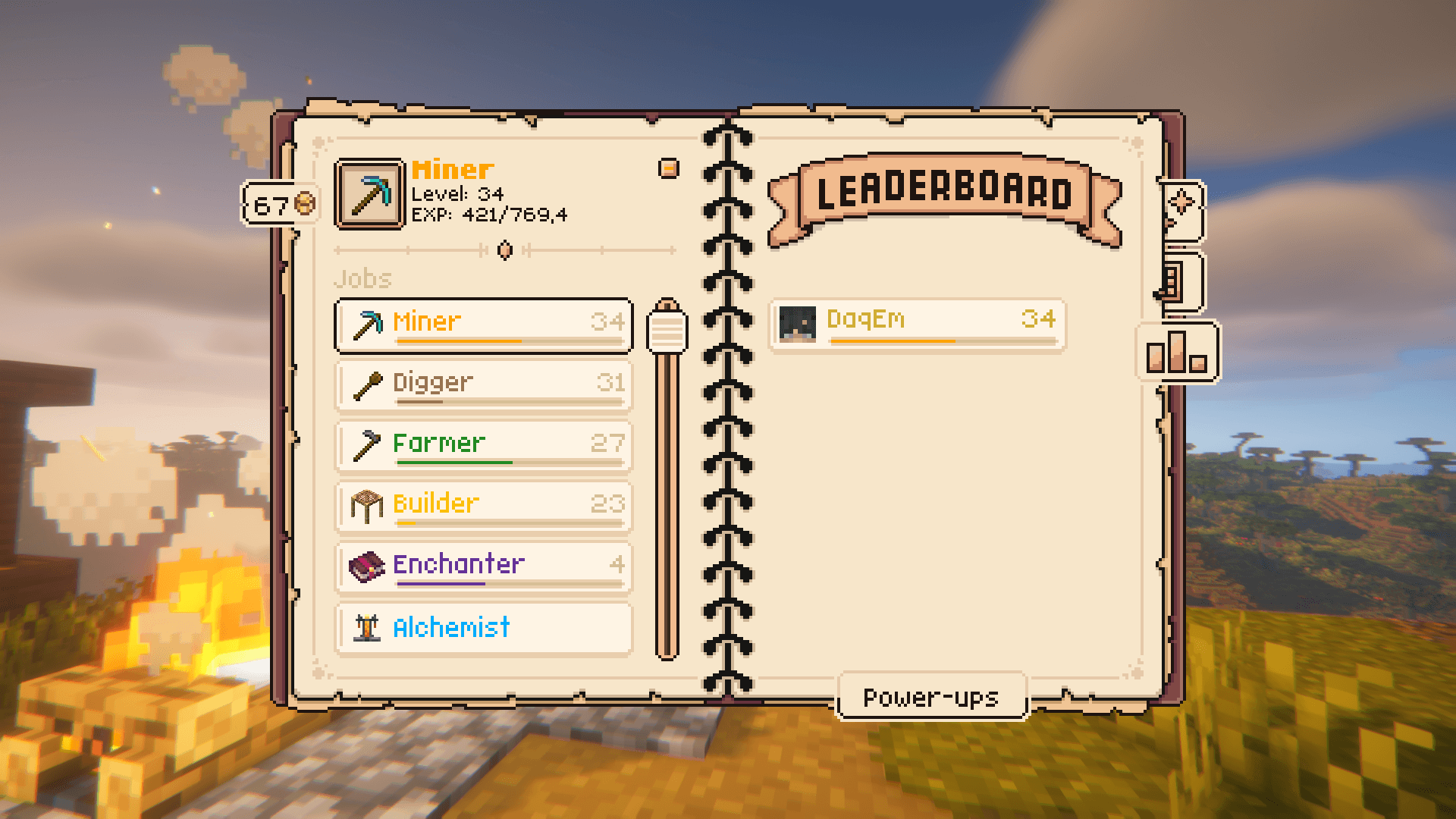 Job Leaderboard This page shows a server-wide leaderboard of every player preforming this job.
-
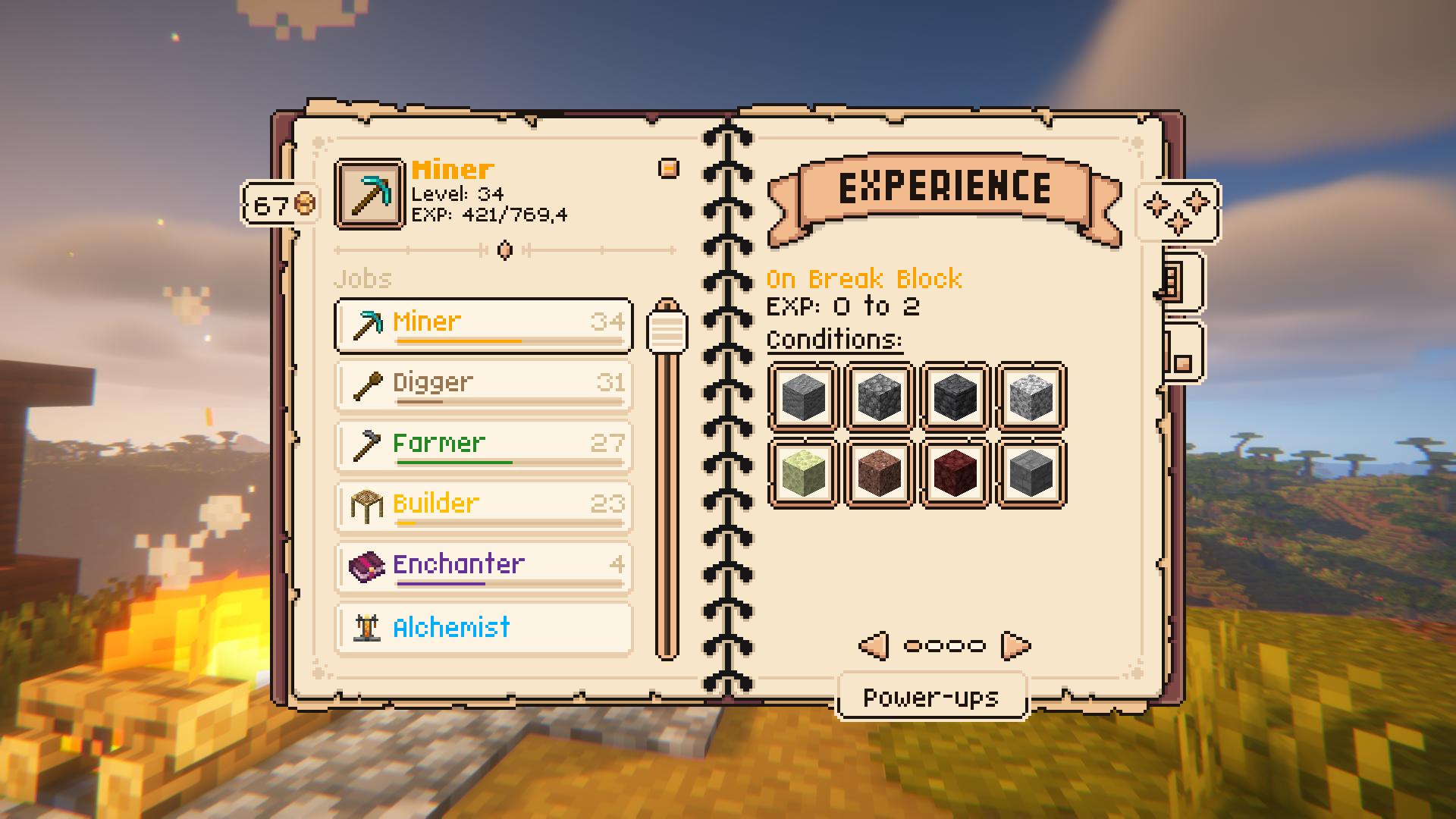 Main Menu This page shows the available jobs with their ways of gaining job-experience. The bar underneath the job indicates the job-experience percentage until leveling up the job.
 -
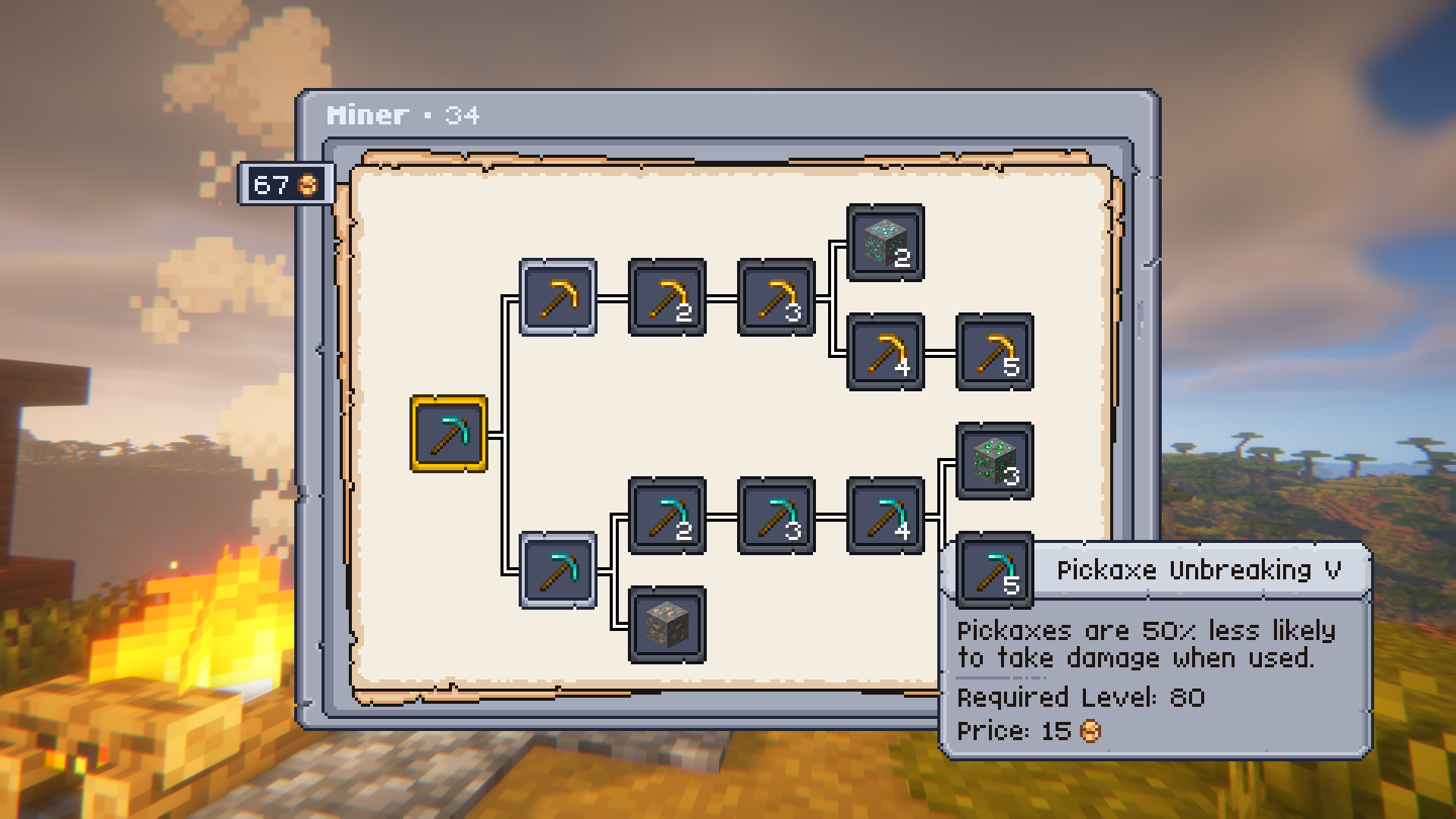 Power-ups This menu shows the available power-ups for a certain jobs. Power-ups don't stack but are a upgrade from the previous one. Power-ups can also be disabled when purchased by clicking on them (will mark the power-up in red)
 -
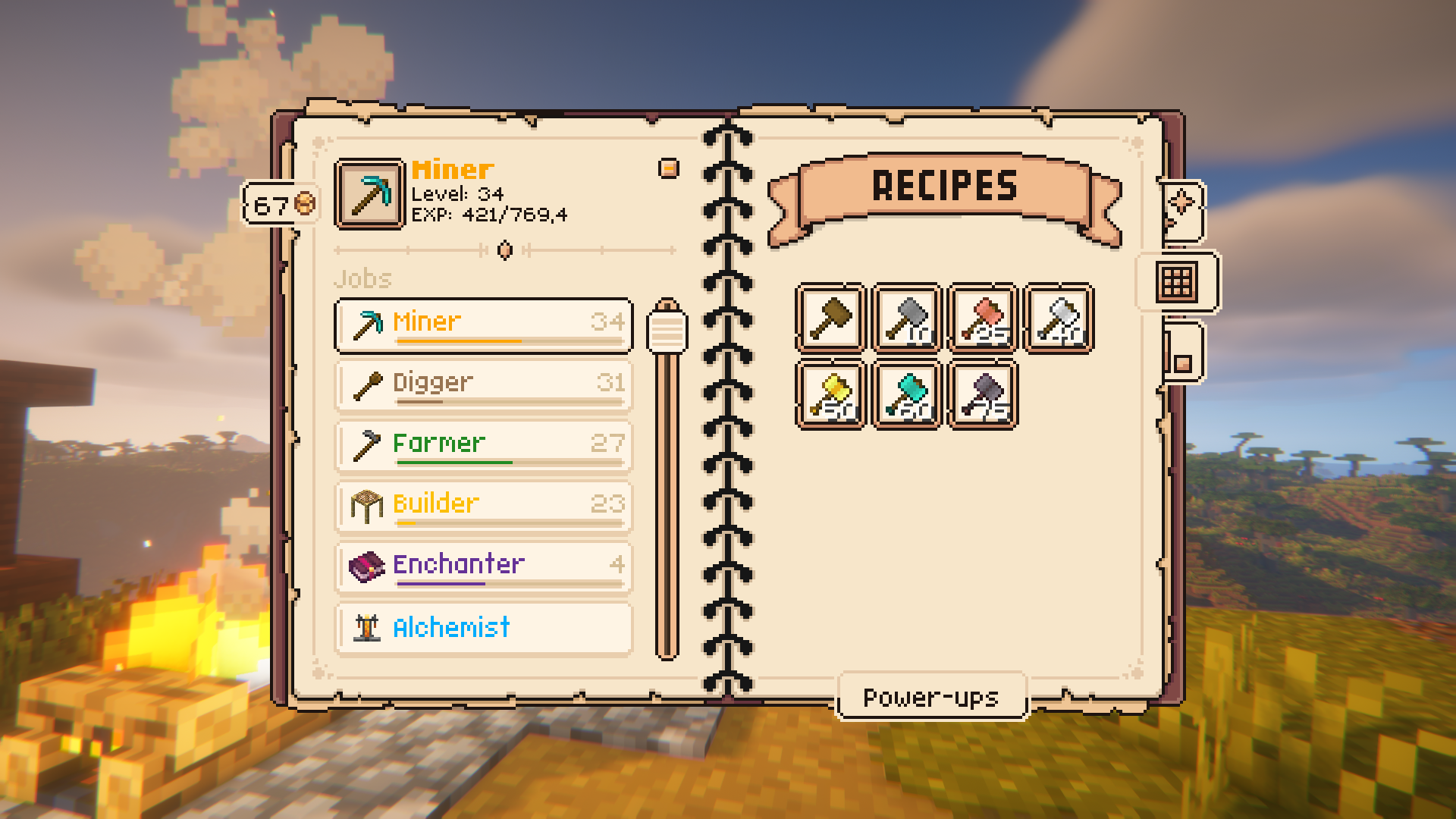 Jobs+ Tools integration This pages shows the items that can only be used when preforming this jobs at a certain level. The number indicates the required level to unlock this item. This is mainly used by Jobs+ Tools, but is customizable using the Item Restrictions mod.
 -
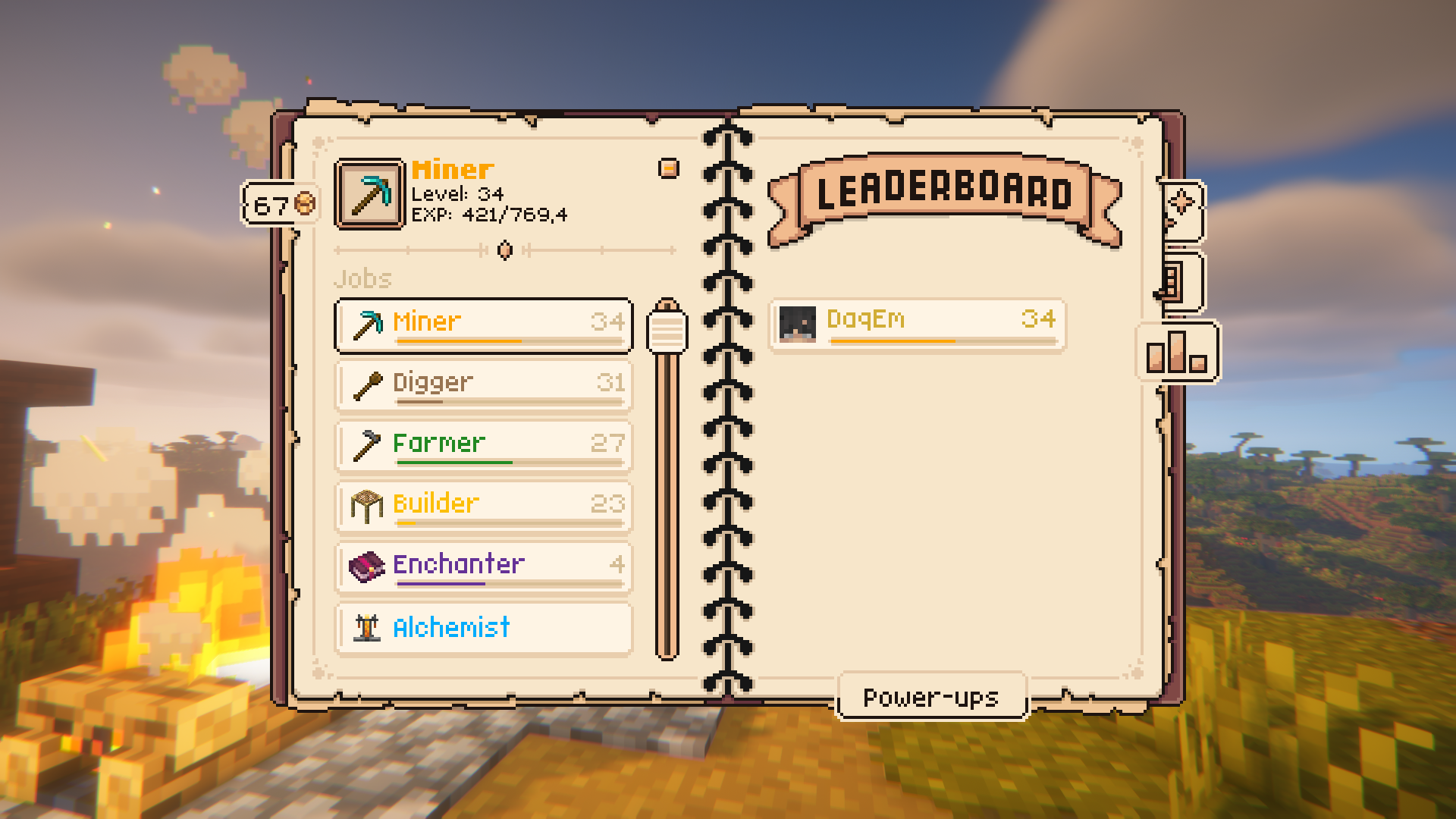 Job Leaderboard This page shows a server-wide leaderboard of every player preforming this job.
Versions
Files
Relations
Project Relations
More like this
Similar Mods
Suggestions use data such as tags, dependencies, dependents, descriptions, titles, and more to rank how much they overlap with this mod.
On ModDex
Community snapshot
By the numbers
Statistics
 (opens in a new tab)
Get it on
Available Platforms
On ModDex
Community snapshot
By the numbers