
Community listing page, reviews may not be monitored by the author.
Jumpaura

No reviews yet
Add jumpaura for minecraft!

Community voices
Reviews
No reviews yet. Be the first to review this project!
Get it on
Available Platforms
Compatibility
Supported Environments
Runs entirely on the client. Works on vanilla servers.
About
Project Details
For authors
Embed Badge
If you're the author of this project, you can embed a live badge anywhere that supports HTML or Markdown. It updates automatically whenever ratings change.
Use HTML for any page that supports it, or Markdown for README files and Markdown-based descriptions.
Identifiers
Platform IDs
Resources
External Links
About
Description
Jump Aura
Add a unique visual spectacle to every jump! Jump Aura is a highly customizable client-side mod that generates elegant and华丽 (gorgeous) ring particle effects at your feet whenever you jump or land.
✨ Key Features
🎨 Three Pre-built Styles Choose from three carefully designed aura styles with a simple config change:
Style 1: Outer circle with an inner rotating triangle.
Style 2: Full shape composed of rotating diamonds/rhombuses.
Style 3: Outer circle with an inner rotating diamond/rhombus.
The color cannot be customized, but it will cycle through all RGB colors.
⚙️ High Customizability
Want something unique? The mod offers extensive customization through its JSON config file.
JSON Configuration: Every visual and behavioral aspect is controlled via a clear, well-documented JSON file.
Fine-Tuned Control:
Visuals: Toggle the effect, choose the style (1-3), and adjust the circle's radius, thickness and opacity.
Animation: Control the color cycle speed, maximum scale, and the timing for grow, stay, and fade phases.
Gameplay Logic: Configure cooldowns, allow or disallow effects during flight (e.g., creative mode), and enable/disable multi-jump detection.
📖 How to Use
Install: Place the mod jar file into your Minecraft mods folder.
Configure:
Locate the configuration file at config/jumpaura_config.json.
Edit the file with any text editor to customize the effect to your liking (see example below).
Save the file. After saving, click '重新加载配置' to take effect.
Jump: Press spacebar in-game and enjoy your personal aura!
⚙️ Configuration Example
Here is the default configuration file with explanations for key options:
{
  "enabled": true,          // Master toggle for the mod.
  "showCircle": true,       // Toggles the visibility of the main ring/circle base.
  "circleRadius": 1,        // The base radius of the effect.
  "circleThickness": 0.15,  // The thickness of the ring lines.
  "alpha": 180,             // Opacity of the effect (0-255).
  "colorSpeed": 1.0,        // Speed of the automatic color cycling.
  "maxScale": 1.0,          // Maximum scale the effect grows to during animation.
  "growTime": 0.2,          // Time (in seconds) for the effect to grow to maxScale.
  "stayTime": 0.5,          // Time (in seconds) the effect stays at maxScale.
  "fadeTime": 0.3,          // Time (in seconds) for the effect to fade out.
  "allowFlightJump": false, // Whether the effect triggers from jumps while flying (creative/elytra).
  "jumpCooldown": 0.3,      // Minimum time (in seconds) between triggered effects.
  "allowMultiJump": true,   // Whether effects can trigger from multi-jump mods or abilities.
  "style": 2                // The visual style (1, 2, or 3).
}
🔧 Compatibility & Notes
Loader: Forge. Minecraft: 1.8.9.
Side: Client-side only. It only needs to be installed on the player's client. Servers do not need it.
Performance: The mod uses efficient rendering. Significant performance impact is unlikely unless circleRadius is set extremely high.
❓ FAQ
Q: Is there an in-game configuration menu? A: Not currently. All configuration is done by manually editing the config/jump_aura.json file. This allows for precise control and easy sharing of configs.
Q: Does this mod add new particles or blocks? A: No. This mod creates its visual effects using custom rendering, not Minecraft's particle system. It does not add any new items, blocks, or standard particles.
Happy Jumping!
Screenshots
Gallery
-
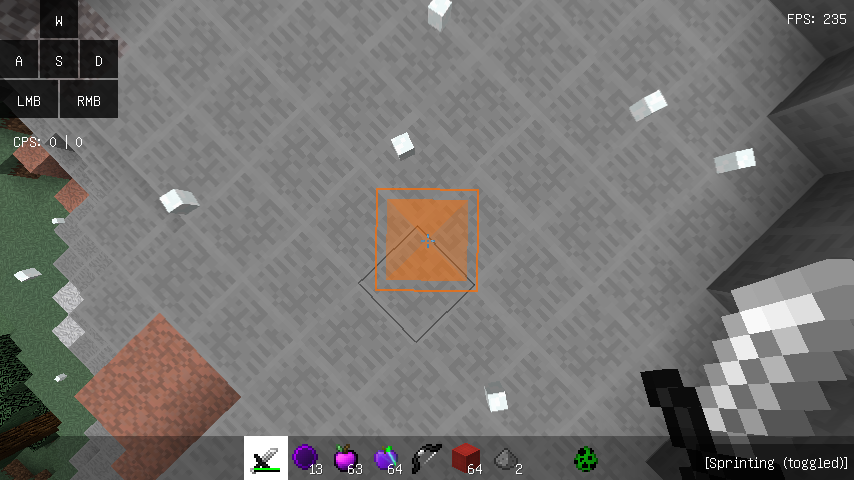 style 2 This style is my favorite!! :)
 -
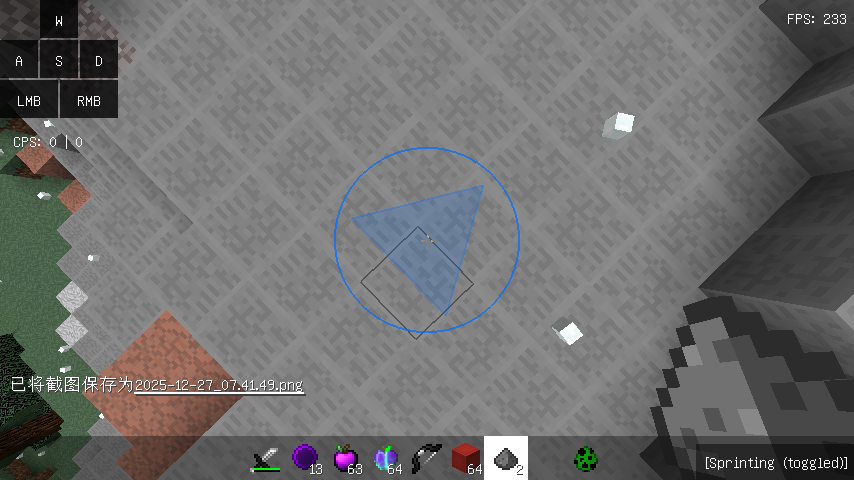 style 1
 -
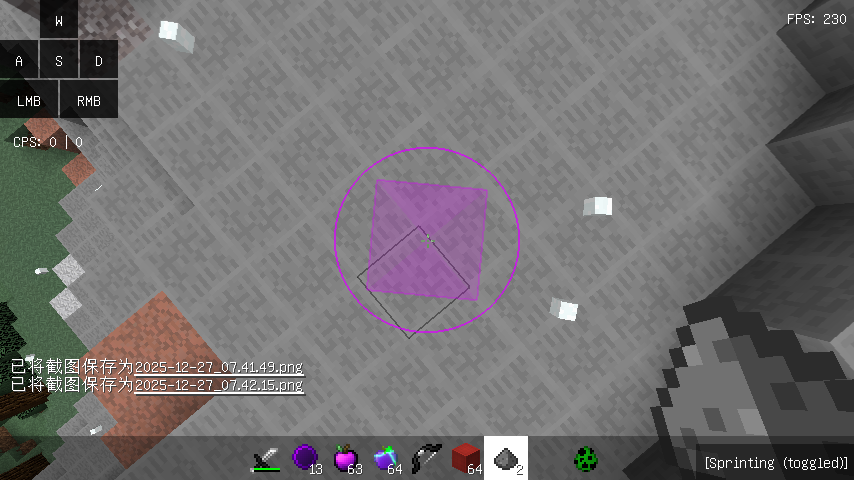 style 3
Versions
Files
Relations
Project Relations
More like this
Similar Mods
Suggestions use data such as tags, dependencies, dependents, descriptions, titles, and more to rank how much they overlap with this mod.
On ModDex
Community snapshot
By the numbers
Statistics


Get it on
Available Platforms
On ModDex
Community snapshot
By the numbers
Statistics
Resources