Community listing page, reviews here may not be monitored by the author.
Just Enough Building Blocks


No reviews yet
Adds a variety of different building blocks
Community voices
Reviews
No reviews yet. Be the first to review this project!
Get it on
Available Platforms
Compatibility
Supported Environments
Must be installed on both the client and the server.
About
Project Details
For authors
Embed Badge
If you're the author of this project, you can embed a live badge anywhere that supports HTML or Markdown. It updates automatically whenever ratings change.
Use HTML for any page that supports it, or Markdown for README files and Markdown-based descriptions.
Identifiers
Platform IDs
About
Description
Builders’ Expanded: More Blocks, More Possibilities
Tired of the same bulky cubes limiting your creativity? Builders’ Expanded is a lightweight, vanilla-plus mod dedicated to giving you the precise shapes you have always wanted. We focus on the micro-details that turn a simple house into a masterpiece. Instead of reinventing the wheel, this mod fills the gaps in Minecraft’s block palette with a handful of new shapes that look and feel completely native.
Maybe you are a professional terraformer sculpting entire landscapes, or maybe you are just looking to add a little more depth to your starter base. Either way, Builders’ Expanded hands you the geometric freedom Minecraft has been missing. Thinner walls, sharper roof lines, recessed lighting channels, smooth ramps, delicate pillars — all of it becomes possible the moment you install the mod.
Key Features
Vertical Slabs
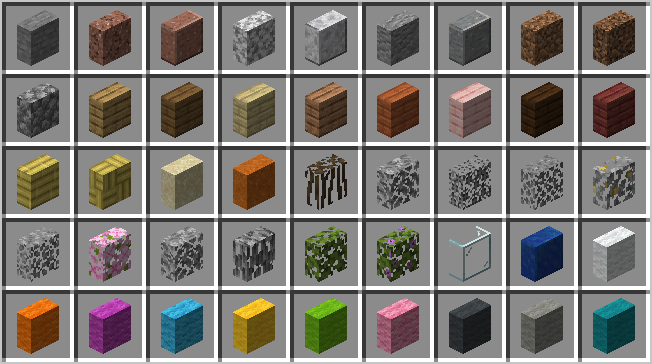
The community’s most requested feature finally arrives. Place slabs on their sides to create slim walls, recessed windows, built-in shelving, decorative beams, and intricate pillars that do not force you to use a full block. With vertical slabs, you can define spaces more clearly without sacrificing floor area. Use them indoors to partition rooms or outdoors to add subtle trim to your facades. The placement logic automatically detects the face you are targeting, so orientation feels natural from the first click.
Quarter Blocks (1/4 Slabs)
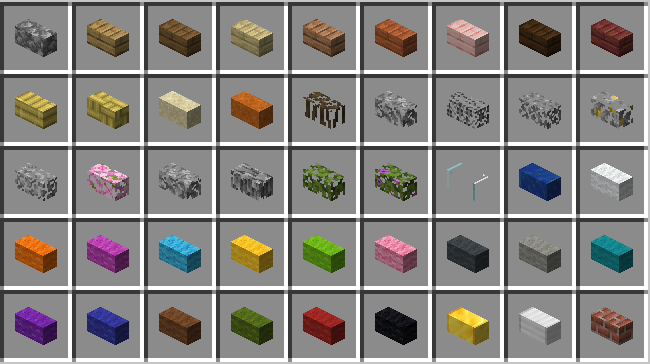
Take detailing to the next level with quarter-height increments. These small blocks let you build custom stairs that rise more gradually, unique crenellations for castle battlements, smooth transitions between terraced gardens, and delicate furniture profiles. Quarter blocks are especially useful for roof design — create gentle slopes, layered overhangs, and subtle shadow lines that make your builds feel alive. Combine them with slabs and full blocks to produce a near-infinite gradient of shapes without ever leaving the vanilla aesthetic.
Seamless Integration
Every new shape is available for all vanilla stone and wood types right out of the box. Whether you are working with oak, deepslate, sandstone, or nether bricks, the corresponding vertical slab and quarter block variants are already there, matching the exact texture and tone of the base material. This consistency means your builds remain visually cohesive, and you never have to compromise your palette just to use a particular shape.
Precise Placement
The placement system has been designed to be intuitive. Point at the upper half of a block face, and your quarter block sits high; point lower, and it sits low. Vertical slabs follow the same kind of predictable rules, snapping to the side of the block you are looking at. There are no complicated UI panels to open and no special modes to memorize — just aim, click, and build.
Compatibility and Performance
Vanilla Friendly
We deliberately avoided any flashy “modded” looking blocks. Every new shape uses the same 16x16 textures you already know and love, so your builds will blend perfectly into both singleplayer worlds and multiplayer servers. The shapes fit naturally alongside stairs, fences, and regular slabs, extending the vanilla toolkit without making it look alien.
Highly Optimized
Builders’ Expanded is designed to be lightweight. You can place thousands of quarter blocks and vertical slabs in a single scene without taking a noticeable hit to your frame rate. The mod adds no ticking block entities for the decorative shapes, and the rendering pipeline is kept as close to vanilla as possible. Whether you are assembling a sprawling city skyline or a detailed interior, performance stays smooth.
Tag and Recipe Support
These blocks function as their base materials for recipes and behavior tags, which means they integrate cleanly with other mods. A vertical oak slab can be used as oak planks in crafting recipes that check the appropriate item tags. This compatibility ensures that your favorite modded workstations, builders’ wands, and block-placement gadgets will treat the new shapes exactly as you would expect.
Getting Started
All of the new shapes are craftable in survival mode. For maximum efficiency, use the Stonecutter — simply drop in your cobblestone, stone bricks, or planks and pick the shape you need from the menu. You can also craft them by hand on a Crafting Table if you prefer. The recipe ratios are kept fair so that building beautifully never feels like a grind.
To install the mod, just drop it into your mods folder on Fabric, Forge, or NeoForge. Once you are in game, grab some basic materials, open the Stonecutter, and start shaping your world block by block.
A quick note: we recommend using a recipe-viewing tool such as EMI, JEI, or REI to quickly browse all the available shapes and their crafting paths. This makes discovering every variant much faster.
Support
Patreon (Global)
Afdian (China)
Support us on Afdian (details available on our mod page).
Built for Fabric, Forge, and NeoForge
Source Code available on GitHub
JEBB: More Blocks, More Possibilities
Tired of the same bulky cubes limiting your creativity? Just Enough Building Blocks is a lightweight, vanilla-plus mod dedicated to giving you the precise shapes you have always wanted. We focus on the micro-details that turn a simple house into a masterpiece. Instead of reinventing the wheel, this mod fills the gaps in Minecraft’s block palette with a handful of new shapes that look and feel completely native.
Key Features
Vertical Slabs
Quarter Blocks (1/4 Slabs)
Screenshots
Gallery
-
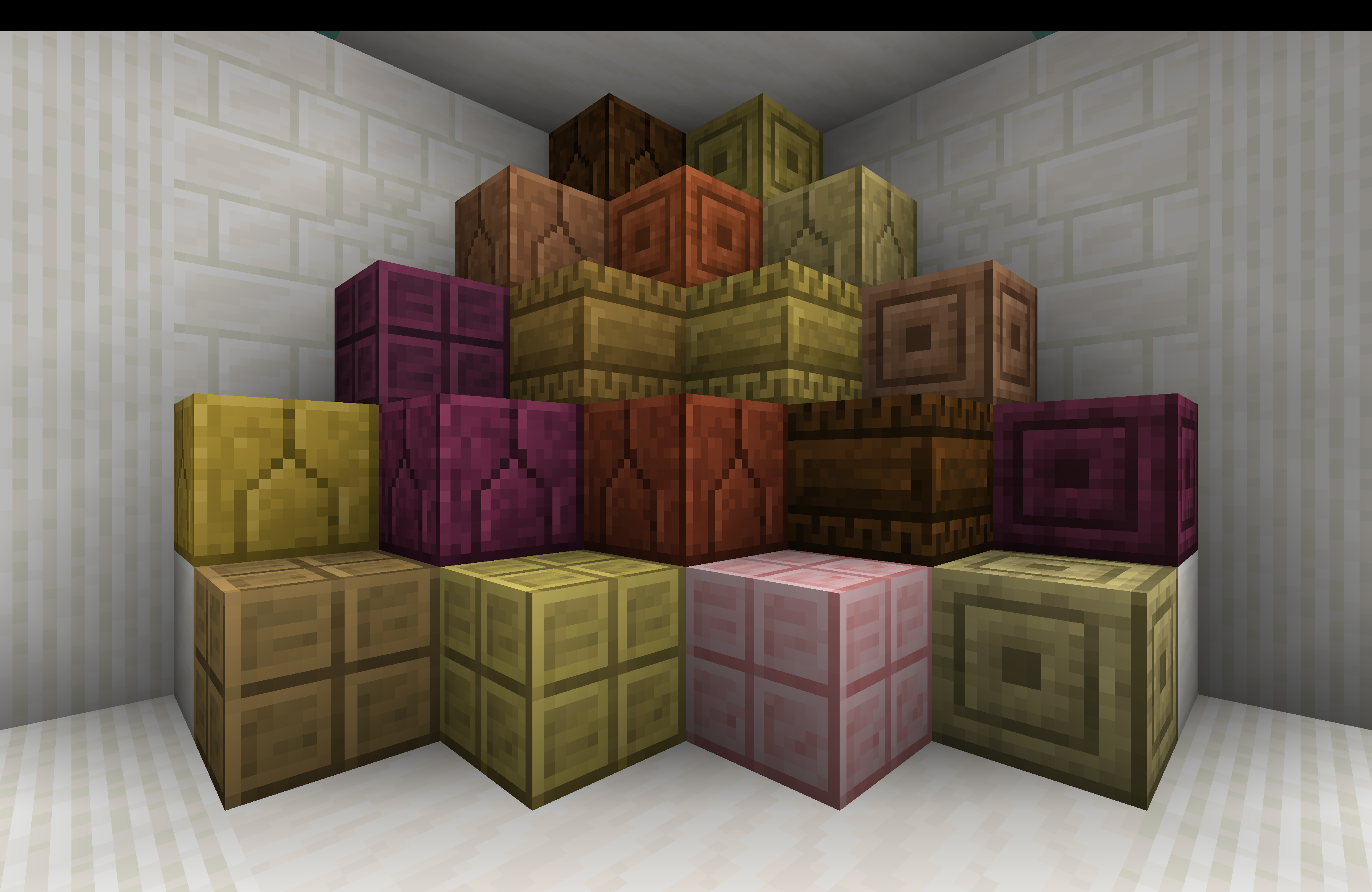 More Variants of Planks Recorded in V 0.8.1 - 1.20.1
 -
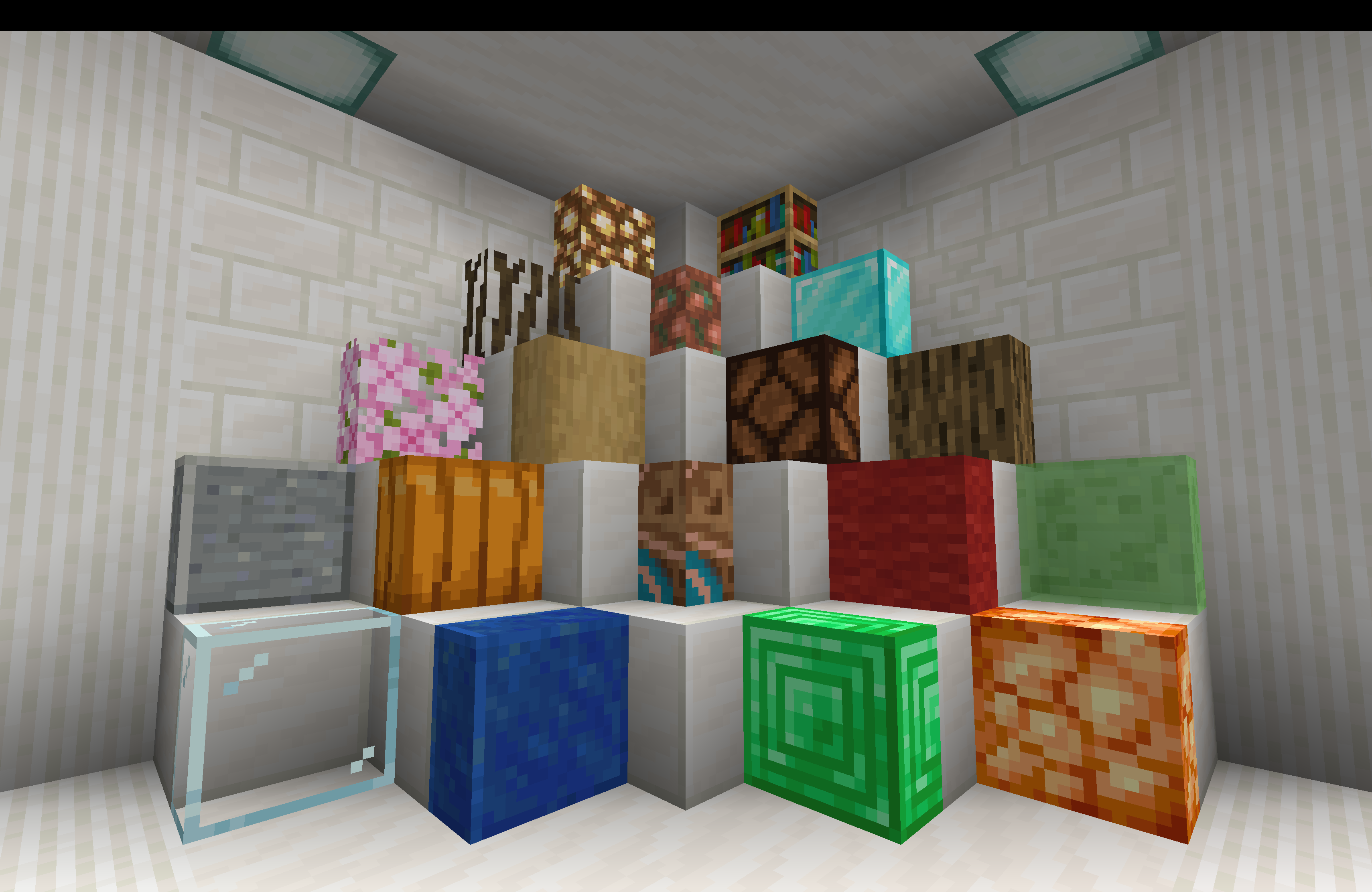 Vertical slabs and Corner Pillars Recorded in V 0.8.1 - 1.20.1
 -
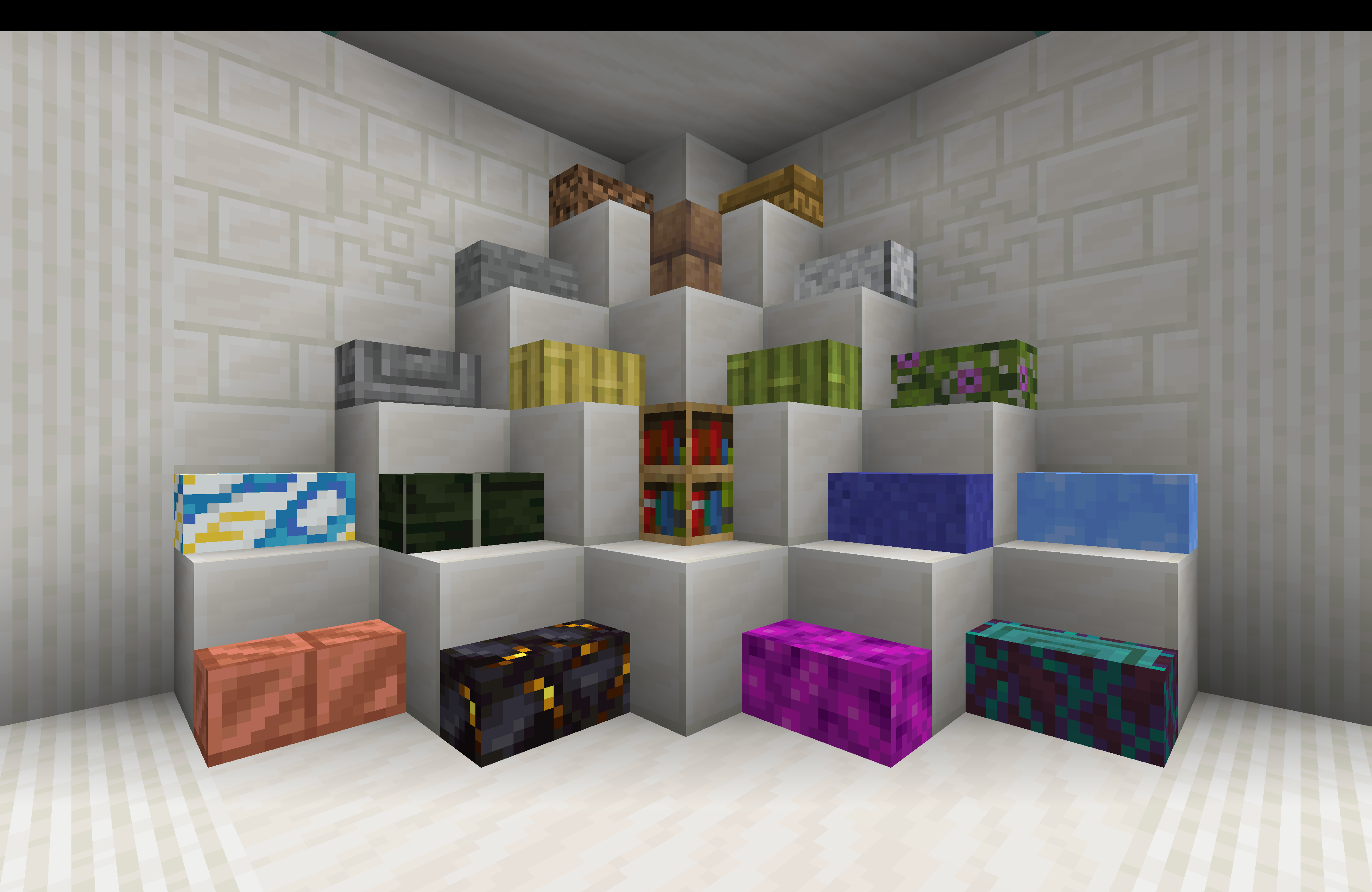 1/4 Blocks and Corner Pillars Recorded in V0.8.1 - 1.20.1
 -
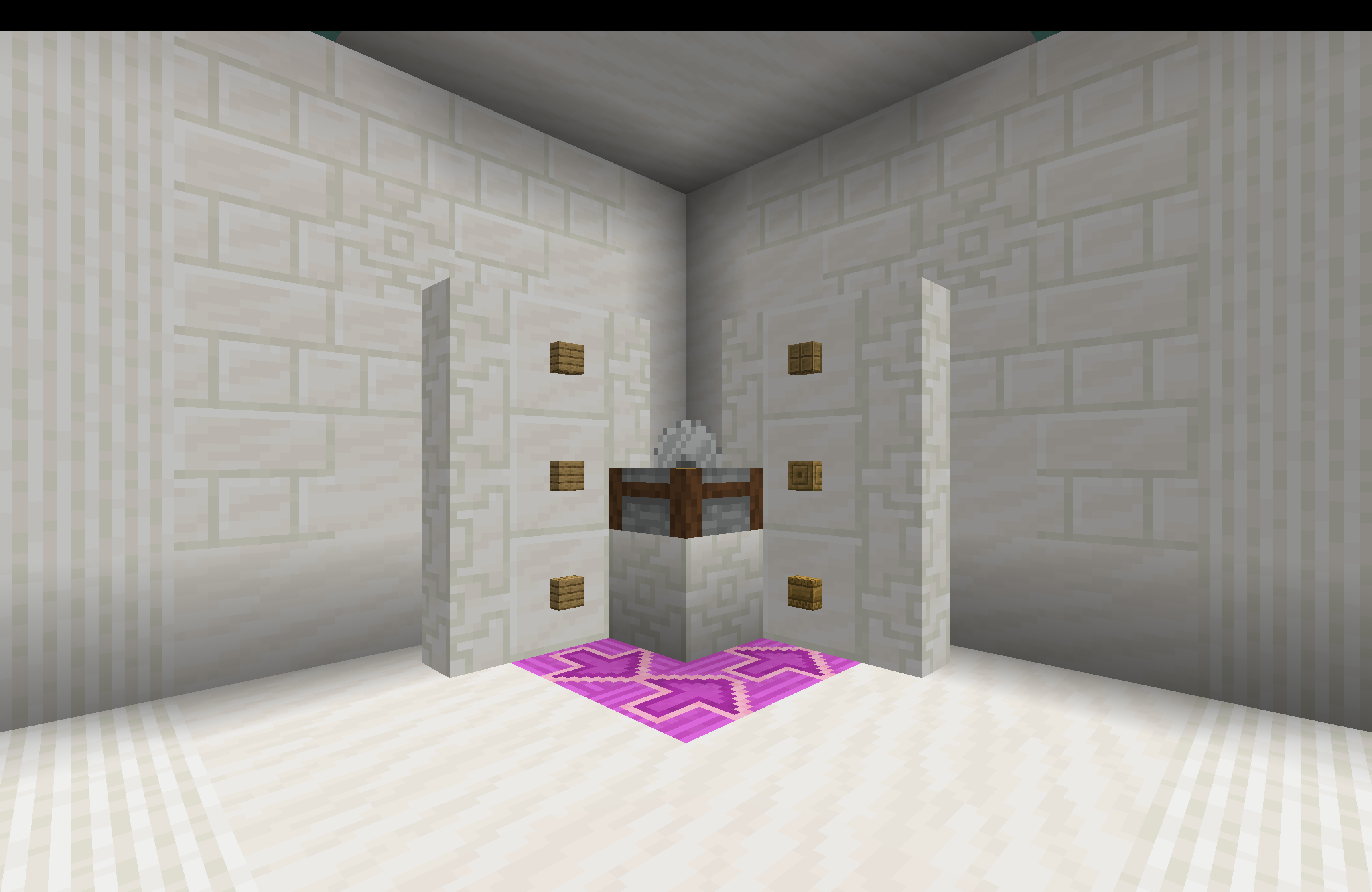 Crafting Recipe 1 to 1 Crafting recipe may change due to version change. Recorded in V 0.8.1 - 1.20.1
 -
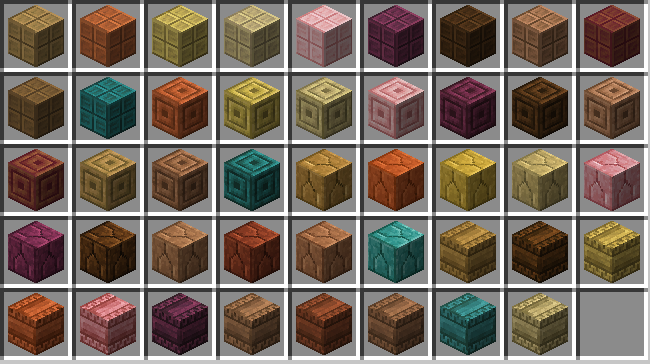 More planks
 -
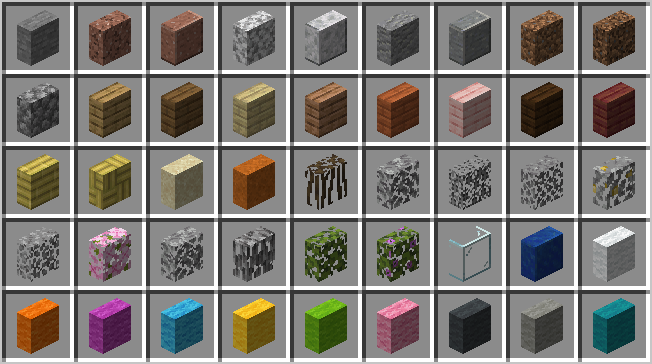 Vertical Slabs Taken in Version 0.5.2
Versions
Files
Relations
Project Relations
More like this
Similar Mods
Suggestions use data such as tags, dependencies, dependents, descriptions, titles, and more to rank how much they overlap with this mod.
On ModDex
Community snapshot
By the numbers
Statistics
Want to reach Minecraft players?
We're looking for a server hosting partner to feature here and other parts of the site. Interested? Send us a message!
Get in touchGet it on
Available Platforms
On ModDex
Community snapshot
By the numbers