
Community listing page, reviews here may not be monitored by the author.
Just Enough Cobblemon


No reviews yet
Stop guessing where things spawn. Just Enough Cobblemon adds a spawn locations tab to the Pokédex and puts every Pokémon's drops directly in JEI and EMI — biome, time, weather, and rarity included.
Community voices
Reviews
No reviews yet. Be the first to review this project!
Get it on
Available Platforms
Compatibility
Supported Environments
Required on the client. Installing it on the server adds functionality.
About
Project Details
For authors
Embed Badge
If you're the author of this project, you can embed a live badge anywhere that supports HTML or Markdown. It updates automatically whenever ratings change.
Use HTML for any page that supports it, or Markdown for README files and Markdown-based descriptions.
Identifiers
Platform IDs
Resources
External Links
About
Description
Just Enough Cobblemon
A lightweight utility addon for Cobblemon. It surfaces two things the base mod keeps hidden: what every Pokémon drops, through JEI or EMI, and where every Pokémon spawns, through a new tab inside the Pokédex. Server installation is optional, but required if you want to access spawn data on a multiplayer server.
The Pokédex tab works on its own. JEI or EMI is only needed for the loot side.





Features
Spawn tab in the Pokédex
A new tab on the Pokédex info panel shows exactly where and when a Pokémon appears — spawn bucket, weight, level range, biomes, structures, Y range, light level, time of day, moon phase, weather, and every other condition Cobblemon supports.
Entries distinguish between forms, so Galarian and Hisuian variants show their own conditions rather than being lumped in with the base species.
Spawn data unlocks per species once you have encountered it, so it follows your progress instead of handing you the whole world map on day one.
Loot tables in JEI / EMI
Every Pokémon's drop table, with the exact percentage chance for each item. Works both ways: look up an item to see which Pokémon drops it, or look up a Pokémon to see everything it can give you.
Everywhere else
- Works on Fabric and NeoForge
- Translated into English, French, German, Spanish, Portuguese (BR), Simplified Chinese and Japanese
How to use
The Spawn tab
- Open your Pokédex and pick a Pokémon you've already encountered.
- Click the Spawn tab — the location pin at the bottom of the info panel.
- Use the arrows to page through each spawn entry.
Each entry lists the full set of conditions for that one location.
JEI / EMI
Hover an item and press R to see which Pokémon drop it, or hover a Pokémon and press U to see its complete loot table.
Installation
- Install Cobblemon 1.8.0 for Minecraft 1.21.1.
- Install the Kotlin bridge for your loader — Fabric Language Kotlin on Fabric, Kotlin for Forge on NeoForge. Cobblemon needs it.
- Drop the Just Enough Cobblemon jar matching your loader into
mods/. - Optionally add JEI or EMI for the loot lookups.
Dependencies
| Required | Version | |
|---|---|---|
| Minecraft | yes | 1.21.1 |
| Cobblemon | yes | 1.8.0+ |
| Fabric API + Fabric Language Kotlin | yes, on Fabric | — |
| Kotlin for Forge | yes, on NeoForge | — |
| JEI or EMI | optional | JEI 19.0+ |
Without JEI or EMI the mod still loads and the Pokédex Spawn tab still works — you simply lose the loot lookups.
Client or server?
Install it on the client to get everything in single-player.
On a multiplayer server, the client-side install gives you the Pokédex tab and the loot lookups for everything shipped in the pack. Installing it server-side as well is what lets spawn data reflect the server's own configuration — custom spawn files, datapack changes, anything the server has altered. Without it, you'll see the defaults rather than what that server actually does.
Credits & License
- Developer: Darcosse
- License: MIT — include it in your modpacks freely, no need to ask
Bug reports and suggestions go to the issue tracker.
Just Enough Cobblemon
Just Enough Cobblemon is a lightweight utility addon for Cobblemon. It provides seamless integration with Just Enough Items (JEI) / EMI to help players discover Pokémon loot, and adds a dedicated Spawn tab directly inside the Pokédex. Server installation is optional, but required if you want to access spawn data on a multiplayer server.
✨ Features
- Loot Tables: View all possible item drops for every Pokémon species directly in JEI / EMI.
- Drop Rates: Displays the exact percentage chance for each item to drop.
- Pokédex Spawn Tab: A new tab inside the Pokédex shows detailed spawn information for each Pokémon — including bucket, weight, level range, biomes, structures, Y range, light levels, time of day, moon phase, weather conditions, and more.
- Form Support: Spawn entries distinguish between different forms (e.g. Galarian, Hisuian) when applicable.
- Available after first encounter: Spawn locations are available once you have encountered the Pokémon.
- Universal Support: Works on both Fabric and NeoForge.
- Multi-language Support: Fully translated in English, French, German, Spanish, Portuguese (BR), Chinese (Simplified) and Japanese.
🛠 How to use
JEI / EMI
- Open your JEI / EMI item list.
- Search for a Pokémon-related item or a specific Pokémon "spawn egg/icon" (if available).
- Press 'R' (Recipe) on an item to see which Pokémon drops it, or 'U' (Usage) on a Pokémon to see its full loot table.
Pokédex Spawn Tab
- Open your Pokédex and select any Pokémon you have encountered.
- Click the new Spawn tab (location icon) at the bottom of the info panel.
- Use the arrow buttons to browse through each spawn entry.
- Each entry shows all available spawn conditions for that location.
📦 Dependencies
To function correctly, this mod requires:
- Cobblemon 1.7.1+
- JEI (Just Enough Items) / EMI
- Architectury API
📜 Credits & License
- Developer: Darcosse
- Compatibility: Designed for Minecraft 1.21.1 and Cobblemon 1.7.1+
- License: MIT License — Feel free to include this in your modpacks!
Screenshots
Gallery
-
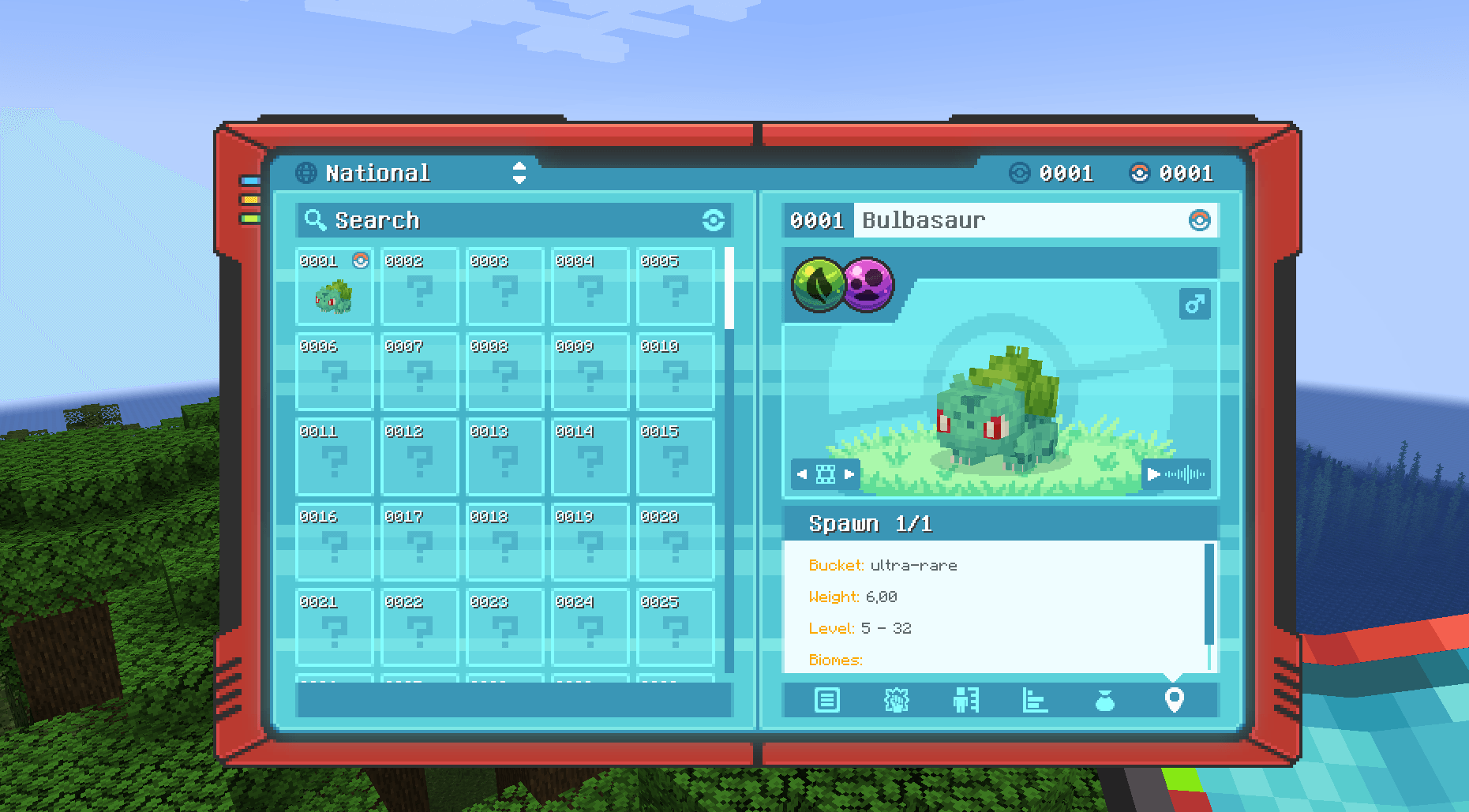 Bulbasaur In the Pokédex, there is an additional Location tab. It displays every spawn location for the selected Pokémon, including biome conditions, time of day, light level, and more. Spawn data is available once you have encountered the Pokémon at least once.
 -
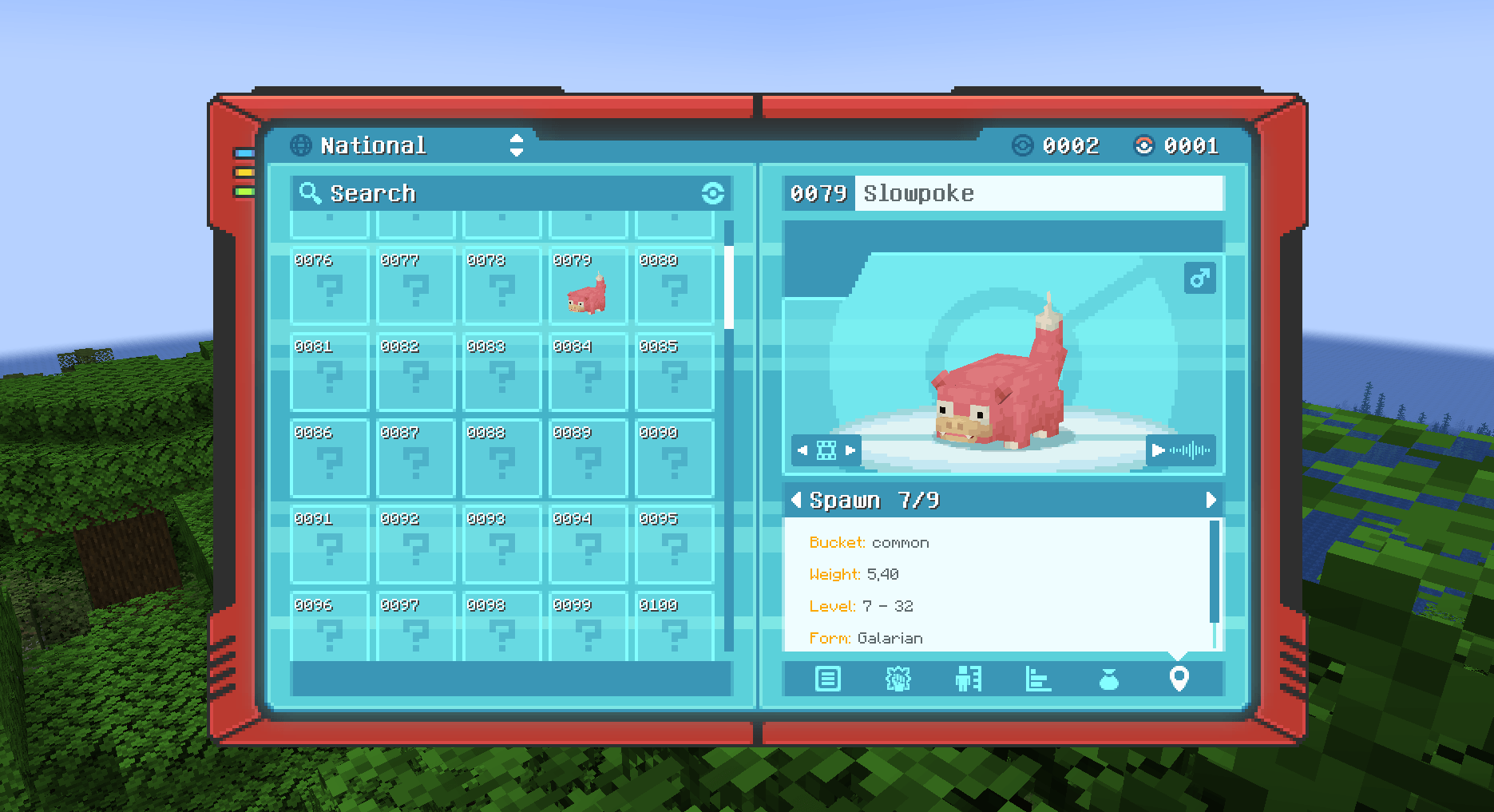 Slowpoke Spawn locations are available once you have encountered the Pokémon
 -
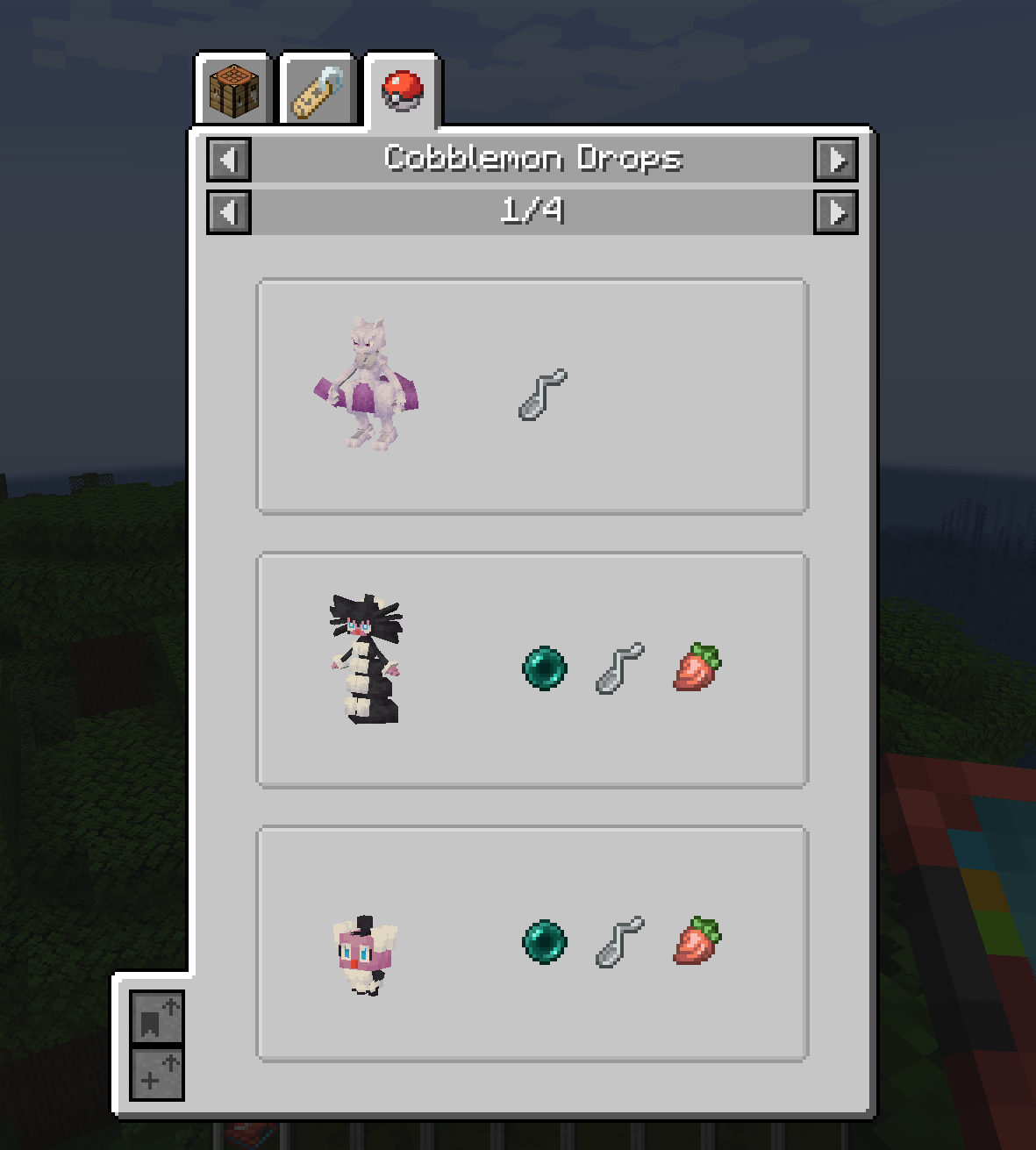 Twisted Spoon drops Here you can see which Pokémon drop the Twisted Spoon.
 -
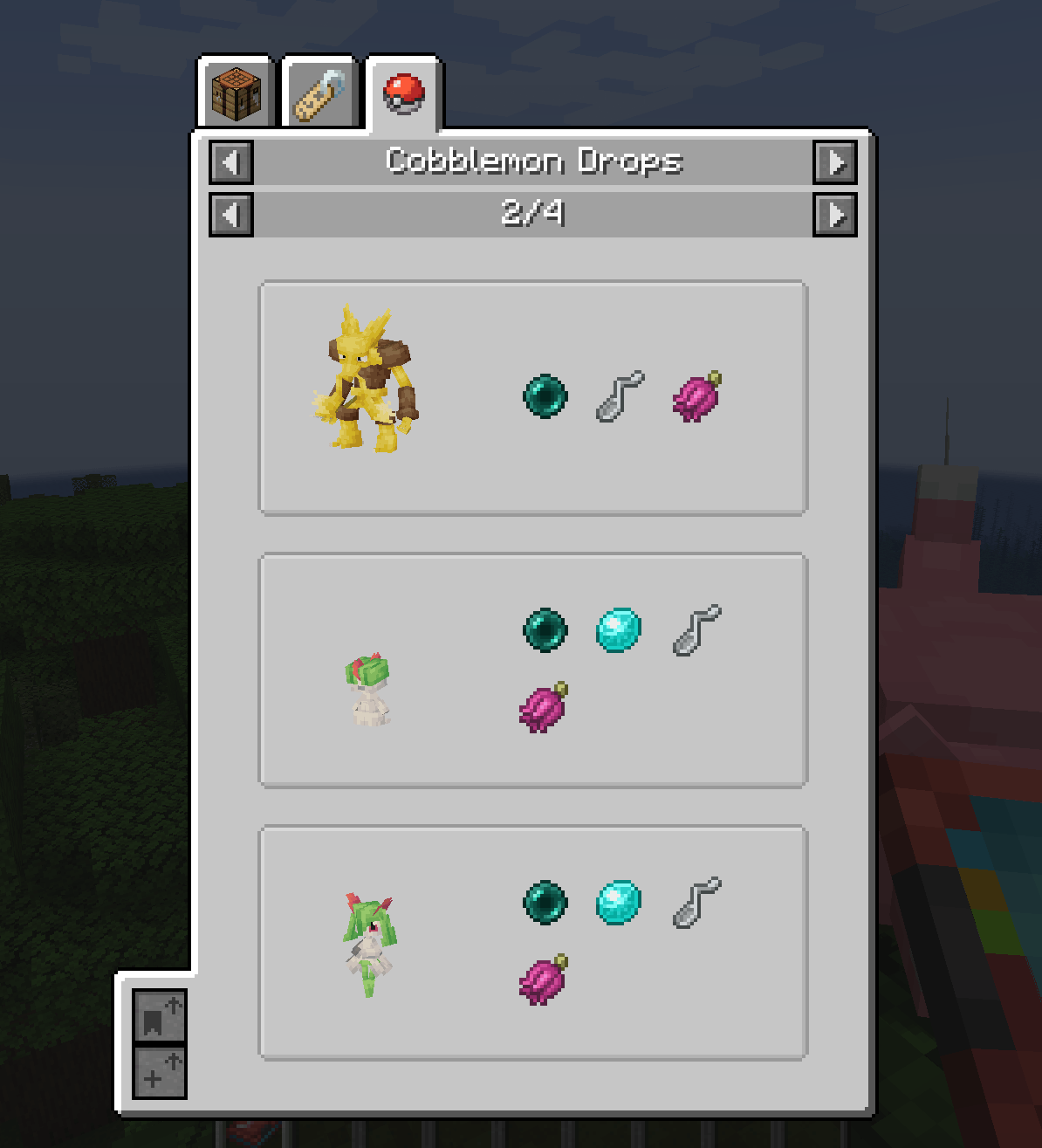 Ender Pearl drops Here you can see which Pokémon drop an Ender Pearl.
-
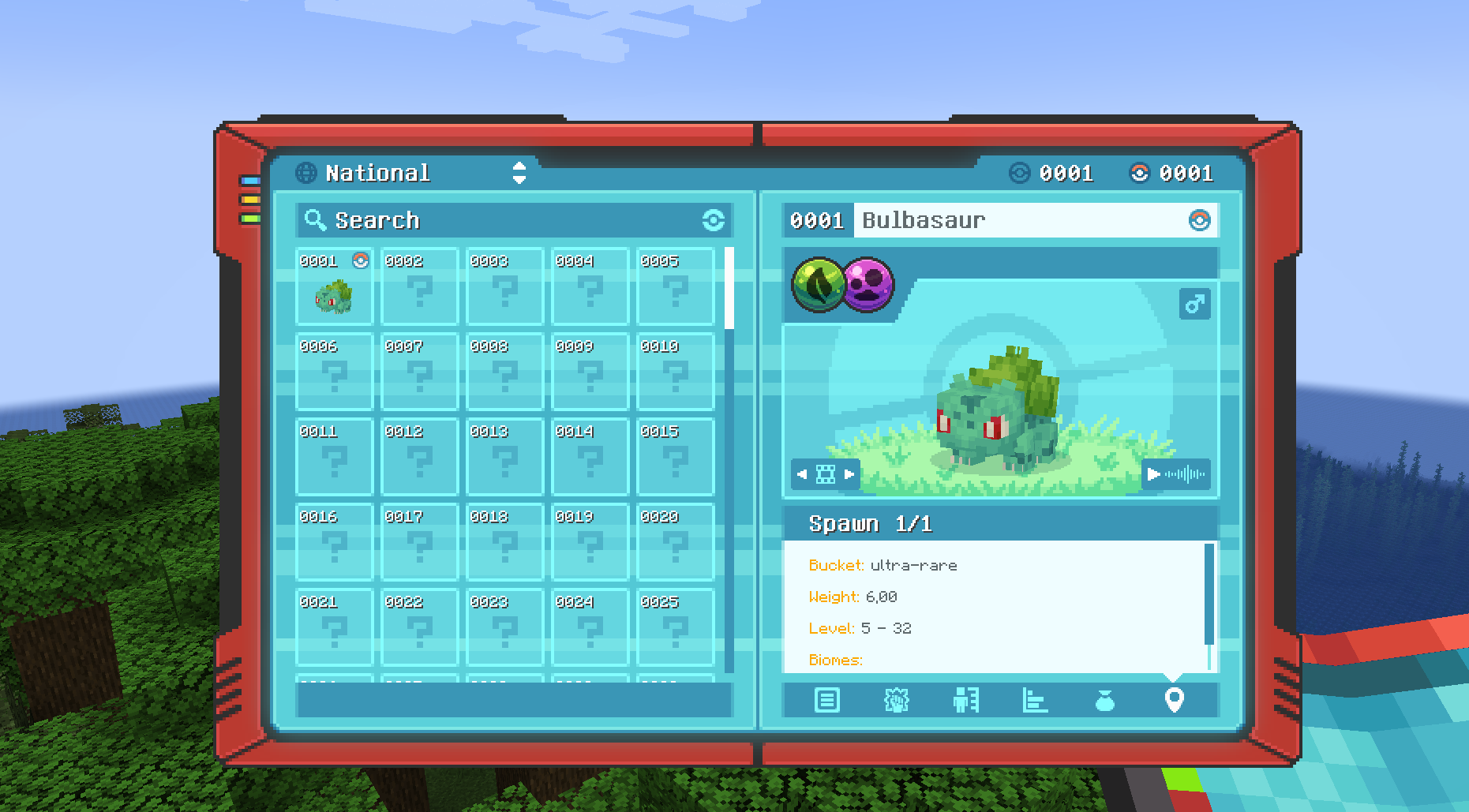 Bulbasaur locations In the Pokédex, there is an additional Location tab. It displays every spawn location for the selected Pokémon, including biome conditions, time of day, light level, and more. Spawn data is available once you have encountered the Pokémon at least once.
 -
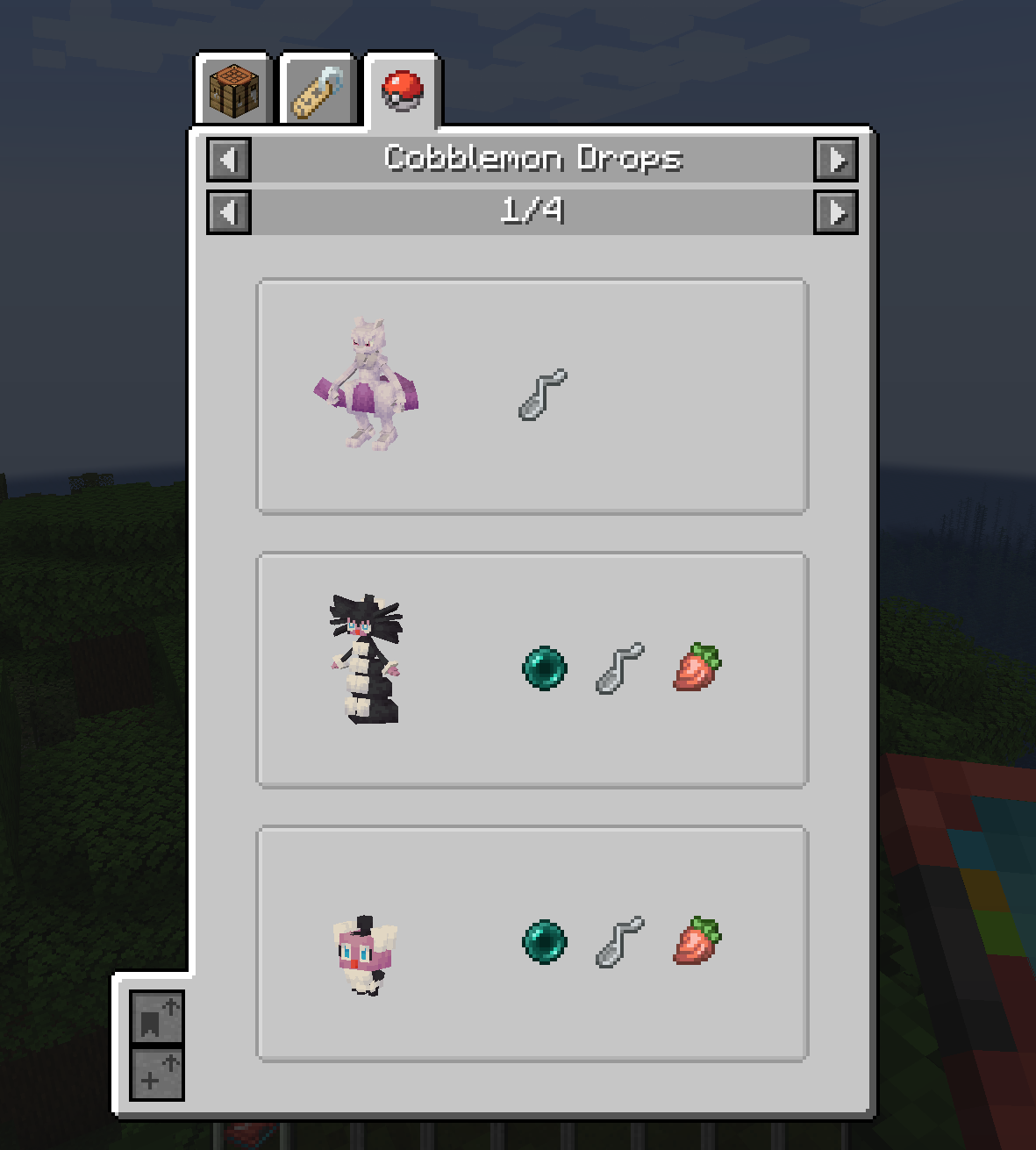 Twisted Spoon drops Here you can see which Pokémon drop the Twisted Spoon.
 -
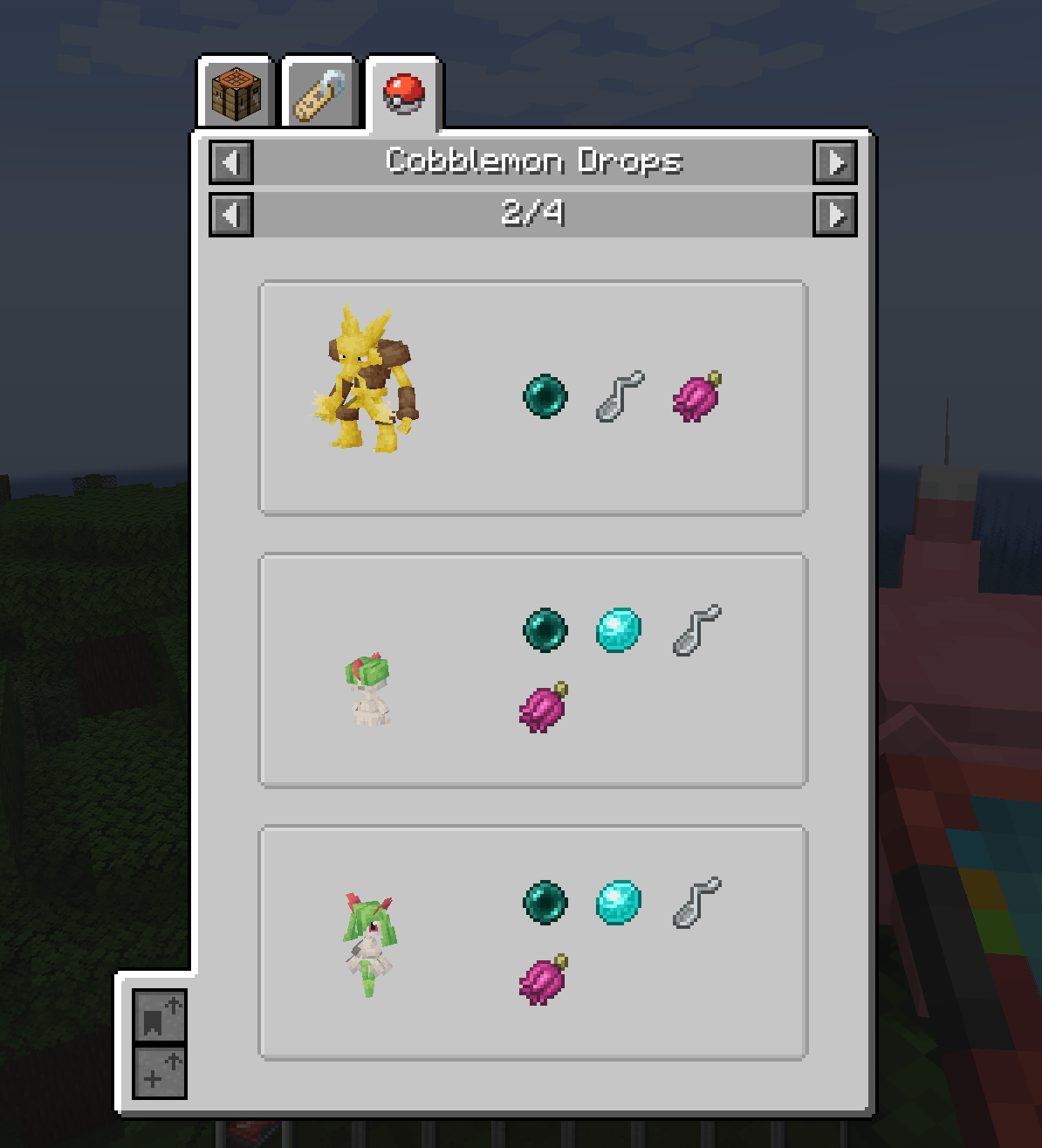 Ender Pearl drops Here you can see which Pokémon drop an Ender Pearl.
 -
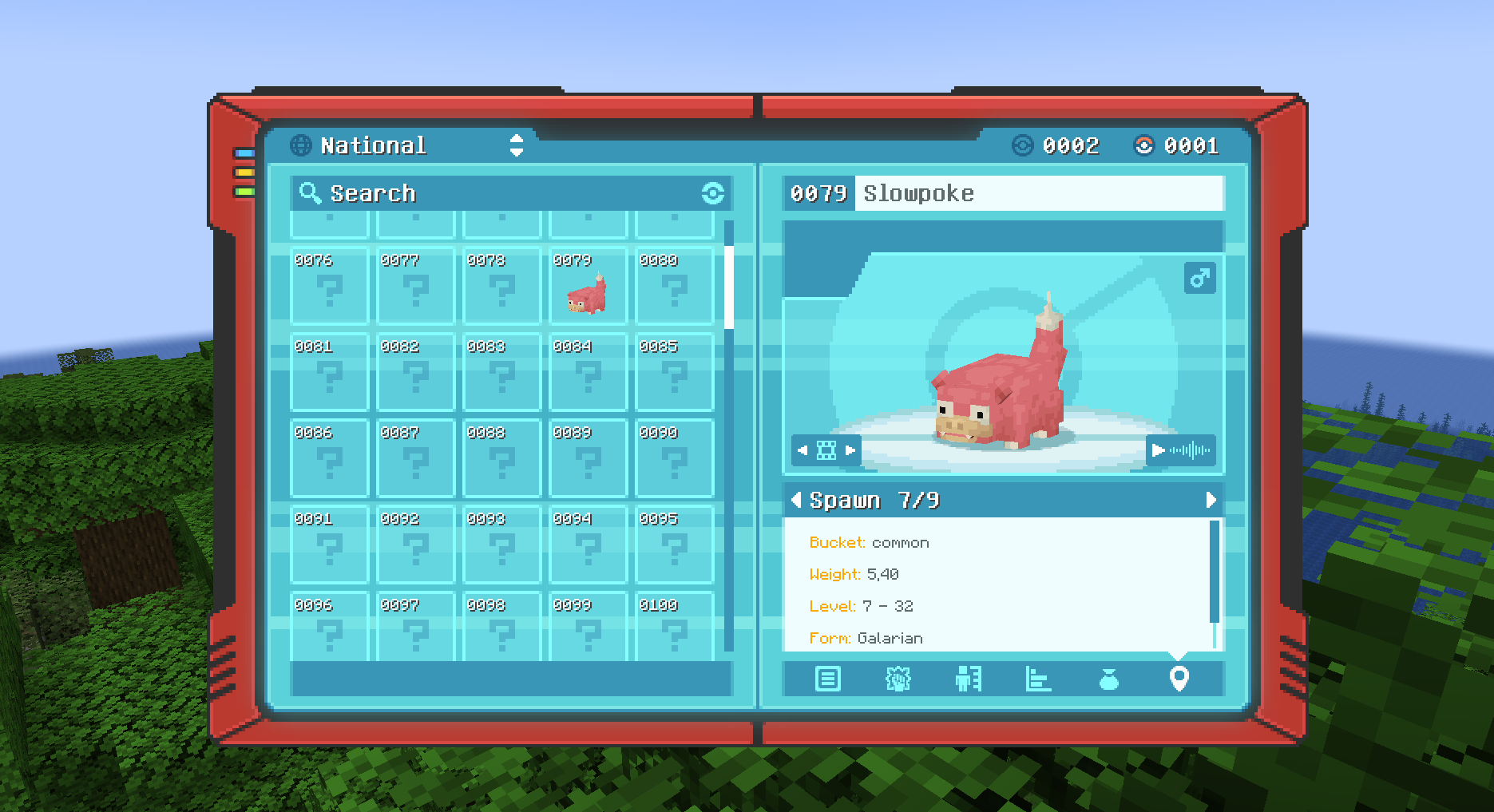 Slowpoke locations Spawn locations are available once you have encountered the Pokémon
Versions
Files
Relations
Project Relations
More like this
Similar Mods
Suggestions use data such as tags, dependencies, dependents, descriptions, titles, and more to rank how much they overlap with this mod.
On ModDex
Community snapshot
By the numbers
Statistics
Want to reach Minecraft players?
We're looking for a server hosting partner to feature here and other parts of the site. Interested? Send us a message!
Get in touchGet it on
Available Platforms
On ModDex
Community snapshot
By the numbers
Statistics
Resources