
Community listing page, reviews here may not be monitored by the author.
JustQuests


No reviews yet
A lightweight, datapack-driven quest book for NeoForge,fabric and forge. with GUI bloat, no complex dependencies — just quests

Community voices
Reviews
No reviews yet. Be the first to review this project!
Get it on
Available Platforms
Compatibility
Supported Environments
Works in singleplayer only; does not function in multiplayer.
About
Project Details
For authors
Embed Badge
If you're the author of this project, you can embed a live badge anywhere that supports HTML or Markdown. It updates automatically whenever ratings change.
Use HTML for any page that supports it, or Markdown for README files and Markdown-based descriptions.
Identifiers
Platform IDs
Resources
External Links
About
Description
JustQuests
A lightweight quest book for NeoForge, Fabric & Forge. No GUI bloat, no heavy dependencies — datapack-driven quests, an in-game quest book, a rotating board of generated quests and a handful of commands. A focused, server-friendly alternative to FTB Quests and HQM.
NeoForge, Fabric and Forge across Minecraft 1.18.2 – 1.21.10 (34 builds). Quest book on 1.20.1 and newer, singleplayer and servers.
✨ Features
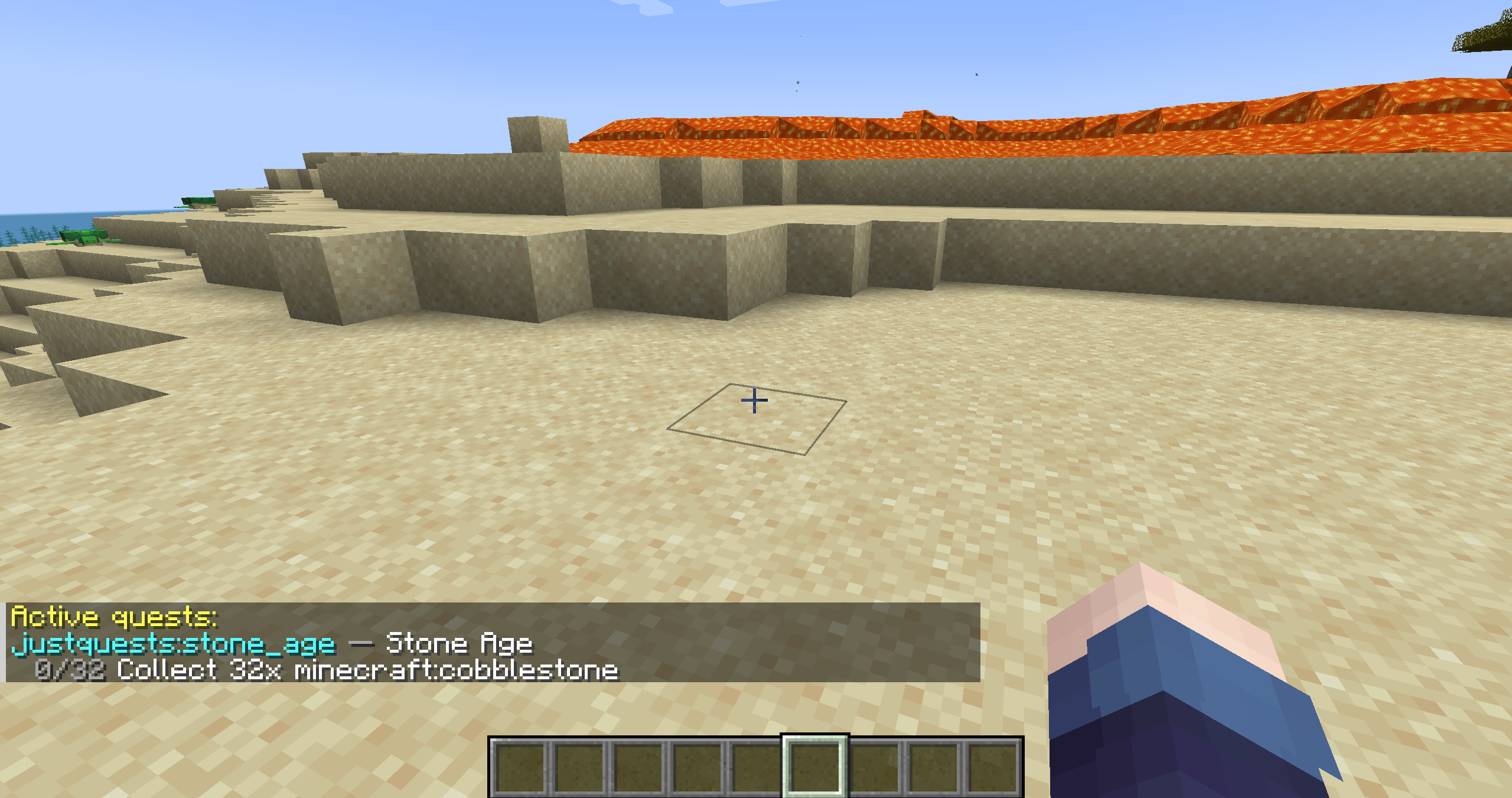
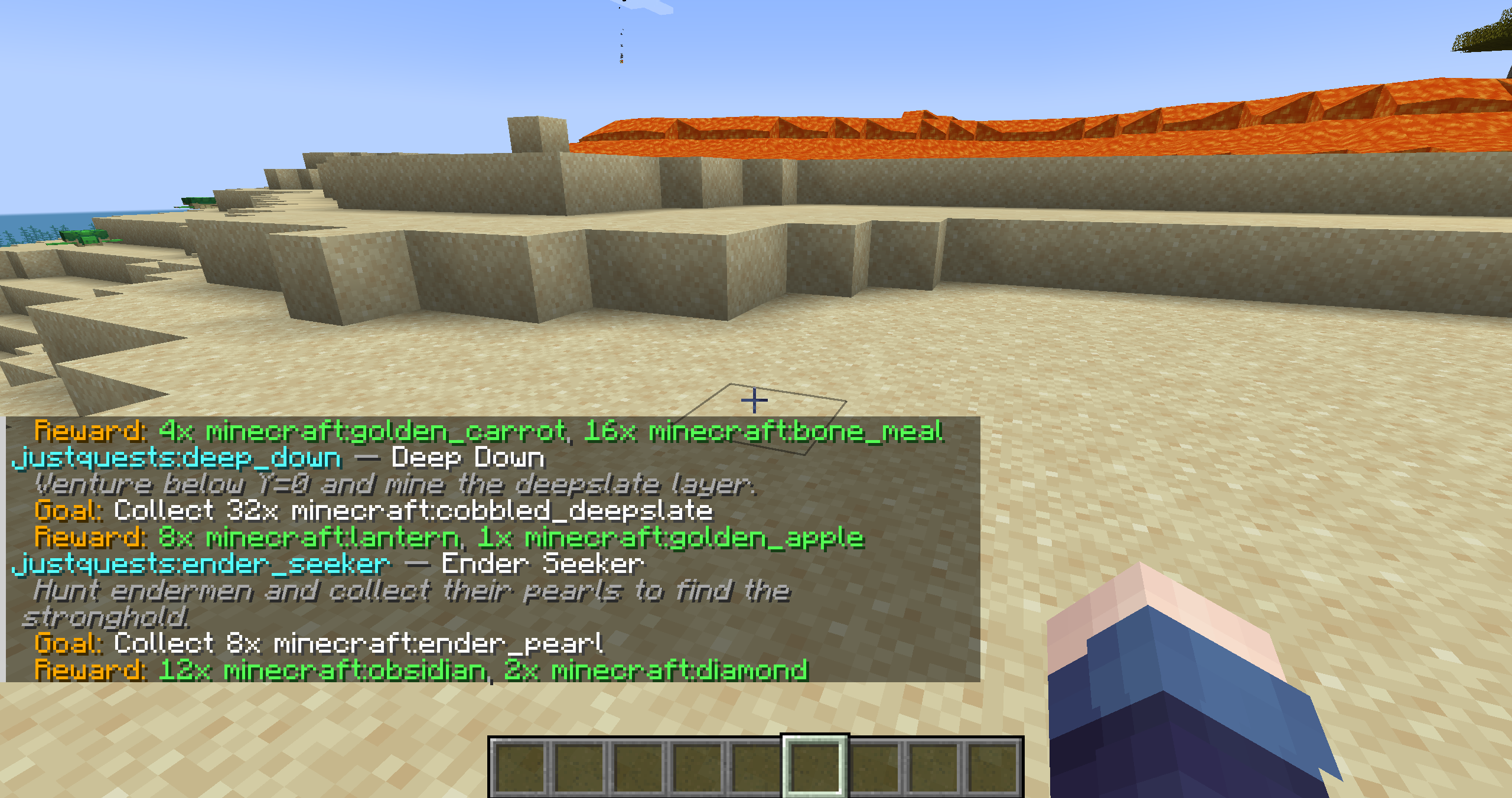
- 📖 Quest book — press J to browse quests, follow progress bars and accept or abandon with a click. Works on servers: every player sees their own progress, live.
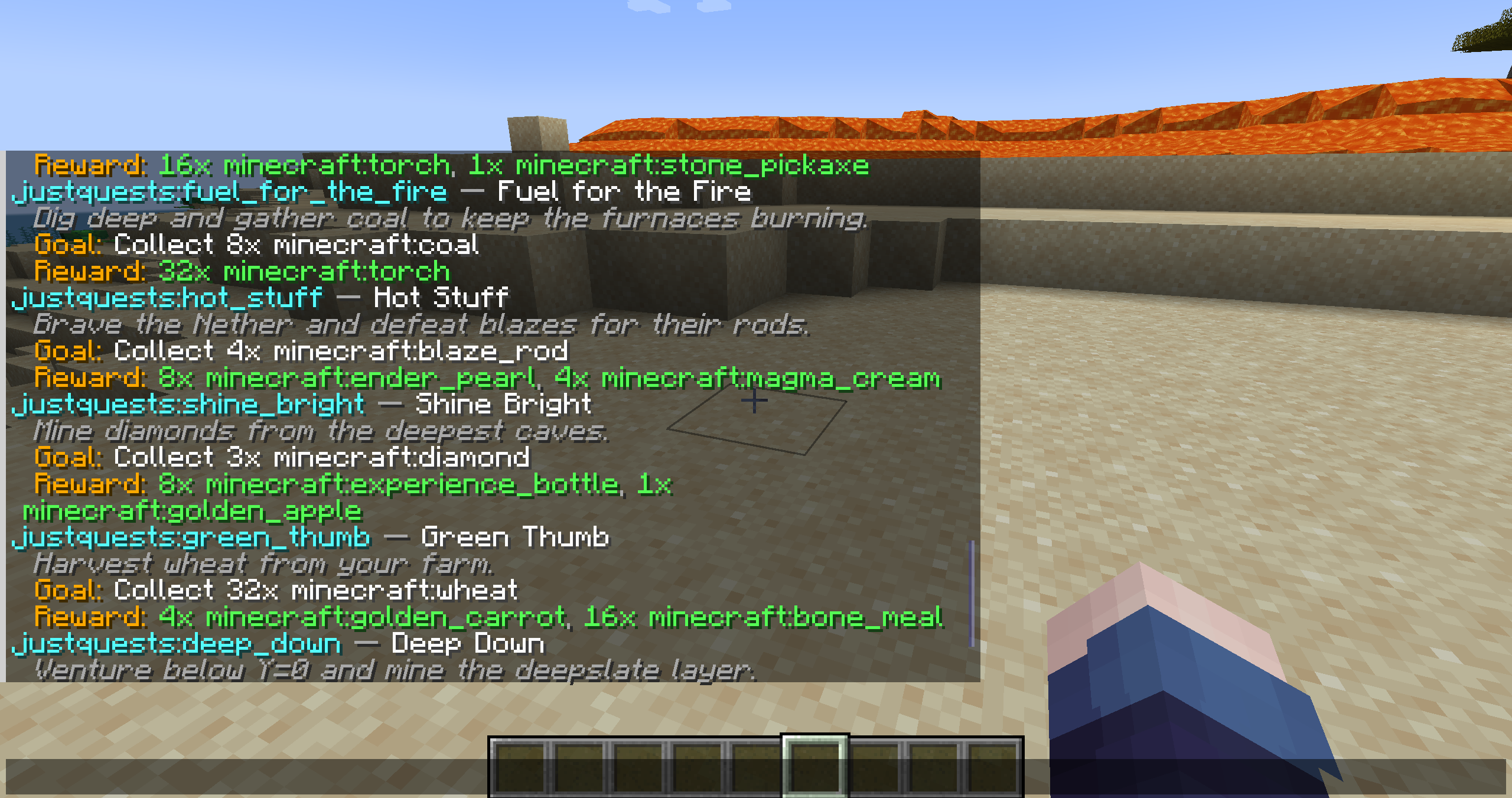
- 🎒 Ready to play — 25 built-in quests in English, German, French and Spanish. Server owners can hide them with
/quest mainquests off. - 🎲 Generated quests — a fresh board every 12 hours (00:00 and 12:00 by default). Every quest is checked to be doable on your version and mod set, sized to a sensible amount of play time and paid with a fitting reward. Nether and End quests appear once players have been there.
- 🧩 Mod support — with Farmer's Delight, Create, Mekanism, The Twilight Forest or Botania installed, the board also offers quests for their crops, meals, ores, machines, mobs and flowers.
- 🏁 First come, first served — on servers a generated quest someone accepted is taken. The quest book shows Taken by Steve, Completed by Steve or Reserved for you.
- ⚖️ Difficulty —
easy,normalorhardfor the whole world (/quest difficulty). - ✍️ Write your own quests — in a datapack or in a per-world
custom-quests.jsonthat reloads by itself while you edit it. - 🌍 Speaks the player's language — quest text can be a per-language map; item, block and mob names are translated by the game.
- 🔗 Quest logic — prerequisites and chains, repeatable quests with cooldowns, "all" or "any" objectives, categories.
- 🛠️ For server owners — completion broadcast, stats and leaderboard, admin commands, a self-test and a per-world
settings.json.
🧩 Objectives & rewards
Objectives:
- collect_item – pick up items (mining, harvesting, mob drops)
- craft_item – craft an item
- smelt_item – smelt items in a furnace
- consume_item – eat or drink an item
- mine_block – break blocks
- place_block – place blocks
- kill_mob – defeat mobs
- tame_animal – tame animals
- breed_animal – breed animals
- reach_level – reach an XP level
- reach_location – arrive at a position (optionally in a set dimension)
- visit_dimension – enter a dimension (vanilla or modded)
- gain_advancement – earn an advancement
Item objectives accept an id (minecraft:oak_log) or a tag (#minecraft:logs).
Rewards:
- give_item – hand over items
- loot_table – roll a loot table
- xp – experience points
- effect – a potion effect
- message – a chat message (per-language)
- command – run any command for the player (
{player}is replaced) — economy payouts and more, with no hard dependency
🎮 Commands
/quest list [category]– all quests, grouped by category/quest categories– categories and how many quests each has/quest accept <id>//quest abandon <id>– start or drop a quest (tab completion)/quest progress– your active quests/quest stats//quest leaderboard– your stats / the server's top 10/quest discord– the community Discord invite
Operators:
/quest reload– reload custom quests and settings/quest mainquests on|off– show or hide the built-in quests/quest difficulty [easy|normal|hard]– difficulty of generated quests/quest reroll– a new set of generated quests now/quest generator status|stats|preview|explain|release– inspect the generator, preview the next board, free a taken quest/quest admin view|reset|complete <player>– manage a player's progress/quest test– self-test with a diagnostics report
✍️ Custom quests
On first start JustQuests writes <world>/justquests/custom-quests.json with an explained example and blank slots. Save the file and your quests appear in-game within seconds — no restart. A custom quest overrides a datapack quest with the same id.
Titles and descriptions can be a plain string or a per-language map:
"title": { "en_us": "Mining Trip", "de_de": "Bergbau-Ausflug" }📥 Installation
- Install NeoForge, Fabric (+ Fabric API) or Forge for your Minecraft version.
- Download the jar for your loader and exact version — the file name says which, e.g.
JustQuests-fabric-1.21.1-0.3.1.jar— into yourmodsfolder. - Start the game and press J, or run
/quest list.
Install it on the server and on the clients.
Note
Other versions for NeoForge, Fabric, and Forge already exist, but they will be released over time; currently, only version 0.3.1 for NeoForge 1.21.1 is available on CurseForge.
✅ Compatibility
- NeoForge: 1.20.4, 1.20.6, 1.21 – 1.21.10
- Fabric (needs Fabric API): 1.18.2, 1.19.2, 1.19.4, 1.20.1, 1.20.4, 1.20.6, 1.21 – 1.21.10
- Forge: 1.18.2, 1.19.2, 1.19.4, 1.20.1
- Quest book on 1.20.1 and newer. 1.18 and 1.19 are command-only — quests, tracking and rewards work the same.
🗺️ Roadmap
- Next (0.3.2): new goals enchant item and use item, item filters (enchantments, potions, names) and a big on-screen title as a reward
- Quest book: claim button, choice rewards, icons, search and an optional HUD tracker
- Generator: more content for the supported mods and more mod profiles
Bug reports and ideas are very welcome on the issue tracker or on Discord.
💬 Community
Join the JustQuests Discord for support, update news and sneak peeks — or run /quest discord in-game.
📄 License
Released under the GNU LGPL v3. Free to use in any modpack, no permission needed. Modified versions must stay open source under the same license.
JustQuests
A lightweight quest book for NeoForge, Fabric & Forge. No GUI bloat, no heavy dependencies — datapack-driven quests, an in-game quest book, a rotating board of generated quests and a handful of commands. A focused, server-friendly alternative to FTB Quests and HQM.
NeoForge, Fabric and Forge across Minecraft 1.18.2 – 1.21.10 (34 builds). Quest book on 1.20.1 and newer, singleplayer and servers.
✨ Features
- 📖 Quest book — press J to browse quests, follow progress bars and accept or abandon with a click. Works on servers: every player sees their own progress, live.
- 🎒 Ready to play — 25 built-in quests in English, German, French and Spanish. Server owners can hide them with
/quest mainquests off. - 🎲 Generated quests — a fresh board every 12 hours (00:00 and 12:00 by default). Every quest is checked to be doable on your version and mod set, sized to a sensible amount of play time and paid with a fitting reward. Nether and End quests appear once players have been there.
- 🧩 Mod support — with Farmer's Delight, Create, Mekanism, The Twilight Forest or Botania installed, the board also offers quests for their crops, meals, ores, machines, mobs and flowers.
- 🏁 First come, first served — on servers a generated quest someone accepted is taken. The quest book shows Taken by Steve, Completed by Steve or Reserved for you.
- ⚖️ Difficulty —
easy,normalorhardfor the whole world (/quest difficulty). - ✍️ Write your own quests — in a datapack or in a per-world
custom-quests.jsonthat reloads by itself while you edit it. - 🌍 Speaks the player's language — quest text can be a per-language map; item, block and mob names are translated by the game.
- 🔗 Quest logic — prerequisites and chains, repeatable quests with cooldowns, "all" or "any" objectives, categories.
- 🛠️ For server owners — completion broadcast, stats and leaderboard, admin commands, a self-test and a per-world
settings.json.
🧩 Objectives & rewards
Objectives:
- collect_item – pick up items (mining, harvesting, mob drops)
- craft_item – craft an item
- smelt_item – smelt items in a furnace
- consume_item – eat or drink an item
- mine_block – break blocks
- place_block – place blocks
- kill_mob – defeat mobs
- tame_animal – tame animals
- breed_animal – breed animals
- reach_level – reach an XP level
- reach_location – arrive at a position (optionally in a set dimension)
- visit_dimension – enter a dimension (vanilla or modded)
- gain_advancement – earn an advancement
Item objectives accept an id (minecraft:oak_log) or a tag (#minecraft:logs).
Rewards:
- give_item – hand over items
- loot_table – roll a loot table
- xp – experience points
- effect – a potion effect
- message – a chat message (per-language)
- command – run any command for the player (
{player}is replaced) — economy payouts and more, with no hard dependency
🎮 Commands
/quest list [category]– all quests, grouped by category/quest categories– categories and how many quests each has/quest accept <id>//quest abandon <id>– start or drop a quest (tab completion)/quest progress– your active quests/quest stats//quest leaderboard– your stats / the server's top 10/quest discord– the community Discord invite
Operators:
/quest reload– reload custom quests and settings/quest mainquests on|off– show or hide the built-in quests/quest difficulty [easy|normal|hard]– difficulty of generated quests/quest reroll– a new set of generated quests now/quest generator status|stats|preview|explain|release– inspect the generator, preview the next board, free a taken quest/quest admin view|reset|complete <player>– manage a player's progress/quest test– self-test with a diagnostics report
✍️ Custom quests
On first start JustQuests writes <world>/justquests/custom-quests.json with an explained example and blank slots. Save the file and your quests appear in-game within seconds — no restart. A custom quest overrides a datapack quest with the same id.
Titles and descriptions can be a plain string or a per-language map:
"title": { "en_us": "Mining Trip", "de_de": "Bergbau-Ausflug" }
A full example datapack with one quest for every objective and reward type is on GitHub.
📥 Installation
- Install NeoForge, Fabric (+ Fabric API) or Forge for your Minecraft version.
- Download the jar for your loader and exact version — the file name says which, e.g.
JustQuests-fabric-1.21.1-0.3.1.jar— into yourmodsfolder. - Start the game and press J, or run
/quest list.
Install it on the server and on the clients.
✅ Compatibility
- NeoForge: 1.20.4, 1.20.6, 1.21 – 1.21.10
- Fabric (needs Fabric API): 1.18.2, 1.19.2, 1.19.4, 1.20.1, 1.20.4, 1.20.6, 1.21 – 1.21.10
- Forge: 1.18.2, 1.19.2, 1.19.4, 1.20.1
- Quest book on 1.20.1 and newer. 1.18 and 1.19 are command-only — quests, tracking and rewards work the same.
🗺️ Roadmap
- Next (0.3.2): new goals enchant item and use item, item filters (enchantments, potions, names) and a big on-screen title as a reward
- Quest book: claim button, choice rewards, icons, search and an optional HUD tracker
- Generator: more content for the supported mods and more mod profiles
Bug reports and ideas are very welcome on the issue tracker or on Discord.
💬 Community
Join the JustQuests Discord for support, update news and sneak peeks — or run /quest discord in-game.
📄 License
Released under the GNU LGPL v3. Free to use in any modpack, no permission needed. Modified versions must stay open source under the same license.
Source & issues: https://github.com/ErikEdits/JustQuests
Screenshots
Gallery
-
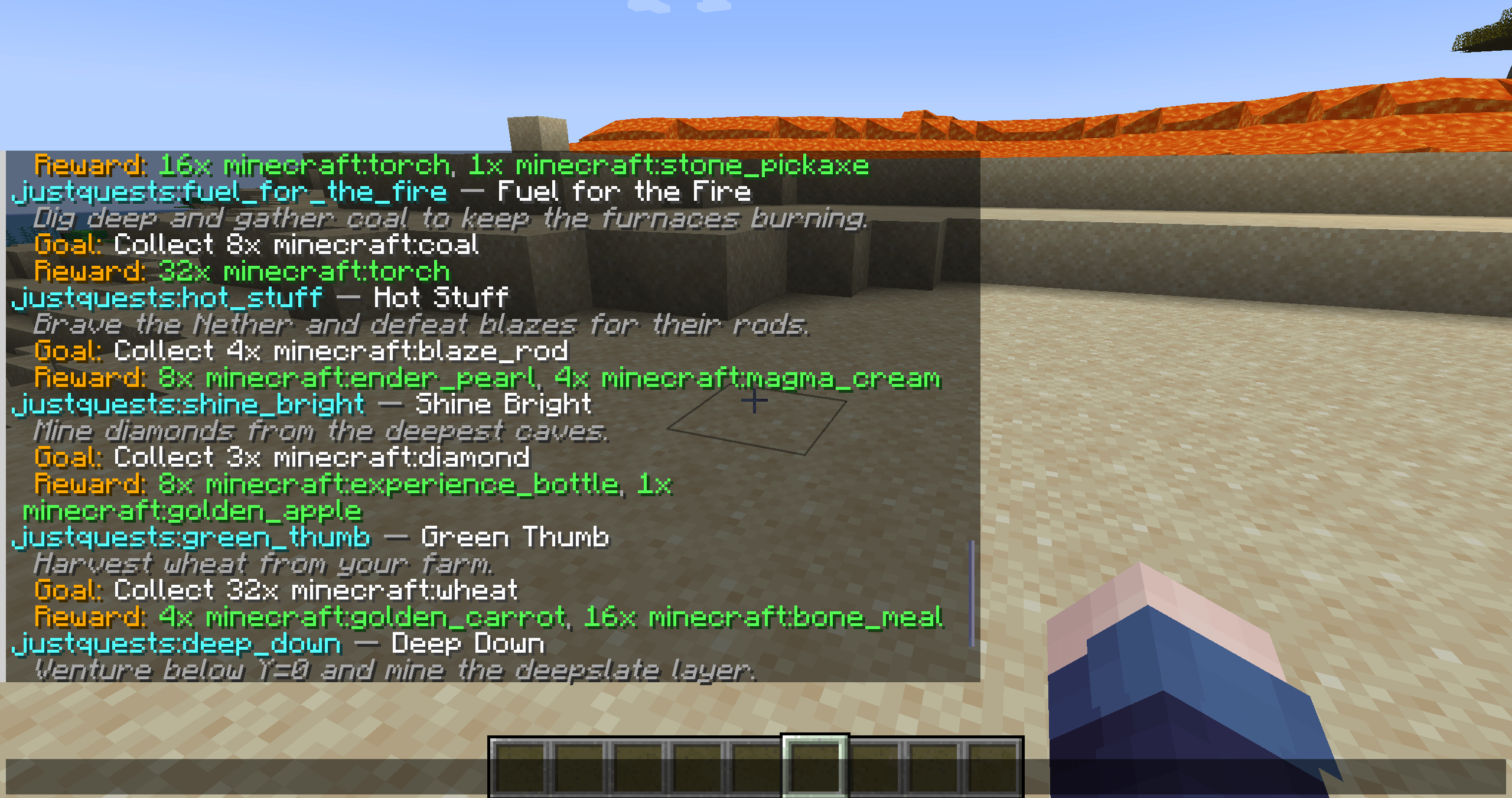 image-attachment_55fd1748-70ff-4193-9221-7af049a94f8c.png
 -
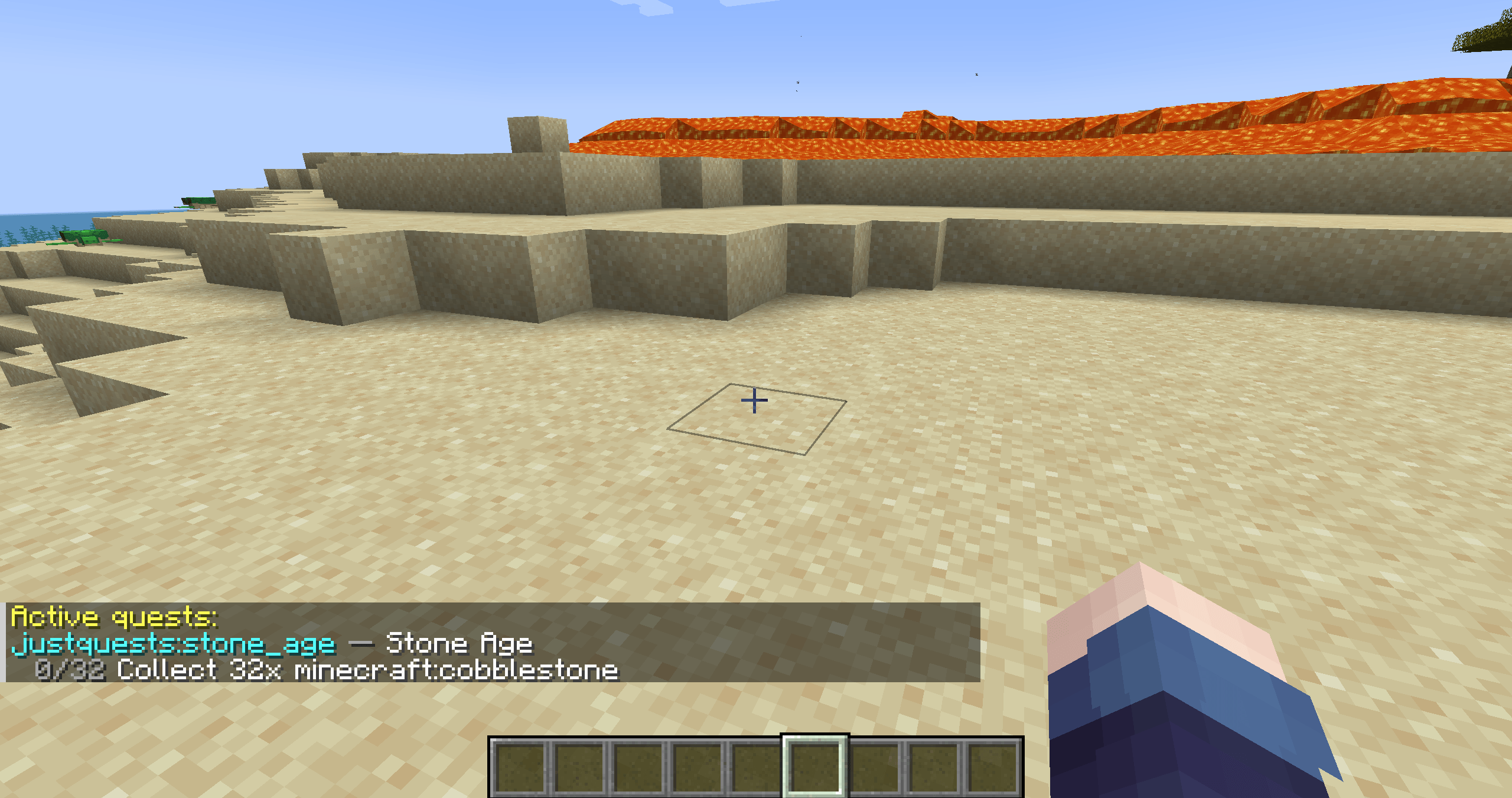 image-attachment_895a08ea-43ea-40be-9e86-a39903f42a41.png
 -
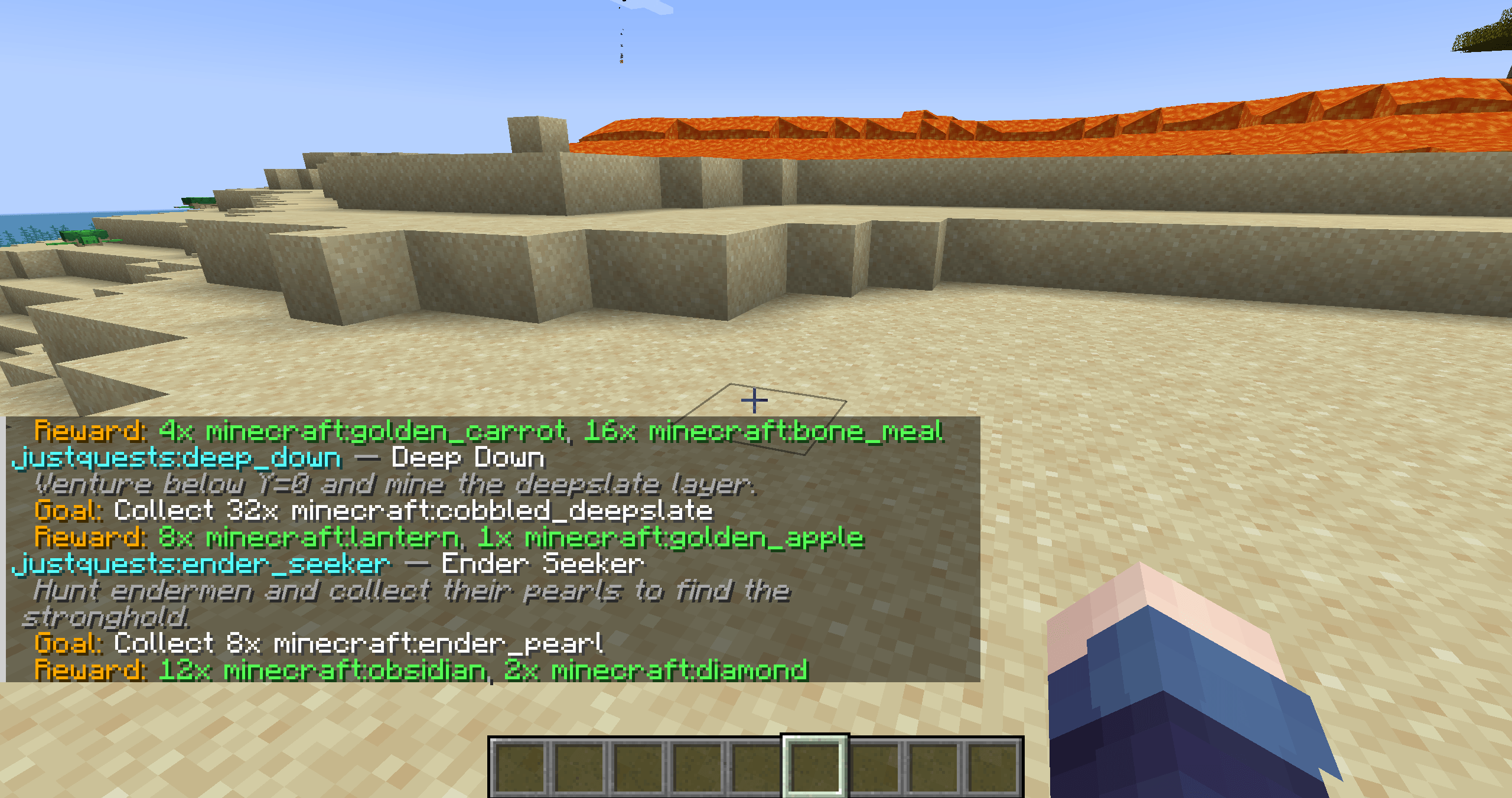 image-attachment_c9f769de-b8a0-4cd0-a07f-ae1ad67a99f5.png
Versions
Files
Relations
Project Relations
More like this
Similar Mods
Suggestions use data such as tags, dependencies, dependents, descriptions, titles, and more to rank how much they overlap with this mod.
On ModDex
Community snapshot
By the numbers
Statistics
 (opens in a new tab)
Get it on
Available Platforms
On ModDex
Community snapshot
By the numbers
Statistics
Resources