
JustQuests
No reviews yet
A lightweight, datapack-driven quest book for NeoForge,fabric and forge. with GUI bloat, no complex dependencies — just quests
Includes a large focus on traversing worlds with enhanced world generation, structures, dungeons, and more for players to find unique loot.
Forge is a popular mod loader for versions 1.1+ of Minecraft.
Neoforge is a fork of the Minecraft Forge available for versions 1.20.1+ of Minecraft. Many Forge mods are compatible with Neoforge and vice versa.
Fabric is a mod loader for versions 1.14+ of Minecraft, particularly popular for client side and optimization mods.
Community voices
Reviews
Click once to include, again to exclude, again to clear
No reviews yet. Be the first to review this project!
Get it on
Available Platforms
 Modrinth
Compatibility
Supported Environments
About
Project Details
For authors
Embed Badge
If you're the author of this project, you can embed a live badge anywhere that supports HTML or Markdown. It updates automatically whenever ratings change.
Use HTML for any page that supports it, or Markdown for README files and Markdown-based descriptions.
Identifiers
Platform IDs
About
Description
JustQuests
A lightweight quest book for NeoForge, Fabric & Forge. No GUI bloat, no heavy dependencies — just quests and a handful of commands. Built as a focused, server-friendly alternative to FTB Quests and HQM for packs that want questing without the weight.
Now on three loaders — NeoForge, Fabric and Forge — across Minecraft 1.18 – 1.21. In-game quest book (press J) on 1.20.1 and newer; older versions are command-only. Singleplayer and servers.
The GUI is an early, interim version — the final design is being chosen by a community Discord poll. Come vote!
💬 Join the community — help shape the GUI
The big in-game GUI is being designed by the community: its style, layout and features will be decided by polls on the Discord. The more people vote, the better the GUI everyone gets.
👉 Join the JustQuests Discord to:
- 🗳️ Vote on the upcoming GUI — style, layout and which features land first
- 🛟 Get support, report bugs and follow update news
- 👀 See sneak peeks and try early builds before release
In-game you can run /quest discord anytime to get the invite.
✨ What JustQuests does
- In-game quest book (GUI) — press J to browse quests, track objective
progress, and accept with a click (early/interim version, singleplayer for
now, on MC 1.20.1+). The full
/questcommand set works everywhere. - Ready to play — ships with a built-in quest progression you can start right away, no setup required.
- Lightweight — tiny and fast, with no heavy dependencies.
- Make your own quests — drop them in a simple per-world JSON file or a datapack. No restart needed: the file reloads automatically as you edit it.
- Speaks the player's language — quest text can be written in multiple languages, and item/mob/block names show up translated for each player automatically (per-player language on 1.20.2+; English on older versions).
- Persistent progress — saved per world, kept across sessions and through death.
- Server-friendly — runs server-side with per-world storage; stays out of the way of other mods and UI overhauls.
🧩 Objective & reward types
Quests are built from these objectives — mix and match, and choose whether a quest needs all objectives or just any one of them:
- collect_item – gather items (mining, harvesting, mob drops)
- mine_block – break blocks of a type
- craft_item – craft a given item
- smelt_item – smelt items in a furnace
- consume_item – eat or drink an item
- place_block – place blocks
- kill_mob – defeat entities of a type
- tame_animal – tame animals
- breed_animal – breed animals of a type
- reach_level – reach an XP level
- reach_location – arrive at a position (optionally in a set dimension)
- visit_dimension – enter a dimension (vanilla or modded, by id)
- gain_advancement – earn an advancement
Item objectives accept a single id (minecraft:oak_log), a list, or a
tag (#minecraft:logs).
Rewards:
- give_item – hand over items
- loot_table – roll a loot table for a random reward
- xp – give experience points
- effect – apply a potion effect
- message – send the player a message (per-language supported)
- command – run any command as the player (
{player}is substituted) — covers economy payouts, effects and more with no hard dependency
Quest logic: quests can require other quests first (requires →
chains, with a locked teaser until unlocked), and can be repeatable
with an optional cooldown (e.g. daily quests).
🎮 Commands
| Command | What it does |
|---|---|
/quest list [category] |
List all quests (grouped by category), or just one category |
/quest categories |
List the categories and how many quests each has |
/quest stats |
Your personal stats (completed %, per category, dates) |
/quest leaderboard |
Server top 10 by quests completed |
/quest accept <id> |
Start a quest (with tab completion) |
/quest progress |
Show your active quests and how far along you are |
/quest abandon <id> |
Drop an active quest (suggests your active ones) |
/quest discord |
Get the community Discord invite (vote on the GUI!) |
/quest reload |
(OP) reload custom quests |
/quest test |
(OP) run a self-test and write a diagnostics report |
/quest admin view|reset|complete <player> |
(OP) manage a player's quest progress |
Server admins: quest completions are announced to everyone by default
(toggle in <world>/justquests/settings.json).
Quest ids support tab completion — accept suggests every available
quest, abandon suggests only the ones you've taken.
✍️ Custom quests
On first launch, JustQuests writes a custom-quests.json file into your
world folder (<world>/justquests/) with an explained example and blank
slots to fill in. Save the file and your quests appear in-game within a few
seconds — no restart. A custom quest overrides a datapack quest with the
same id.
Quest titles and descriptions can be a plain string:
"title": "Mining Trip",
"description": "Mine 20 iron ore."
…or a per-language map keyed by language code (en_us, de_de,
fr_fr, …), so a single quest reads correctly for everyone:
"title": { "en_us": "Mining Trip", "de_de": "<German title here>" },
"description": { "en_us": "Mine 20 iron ore.", "de_de": "<German text here>" }
Each player sees their own client language, falling back to English.
📦 Built-in quests
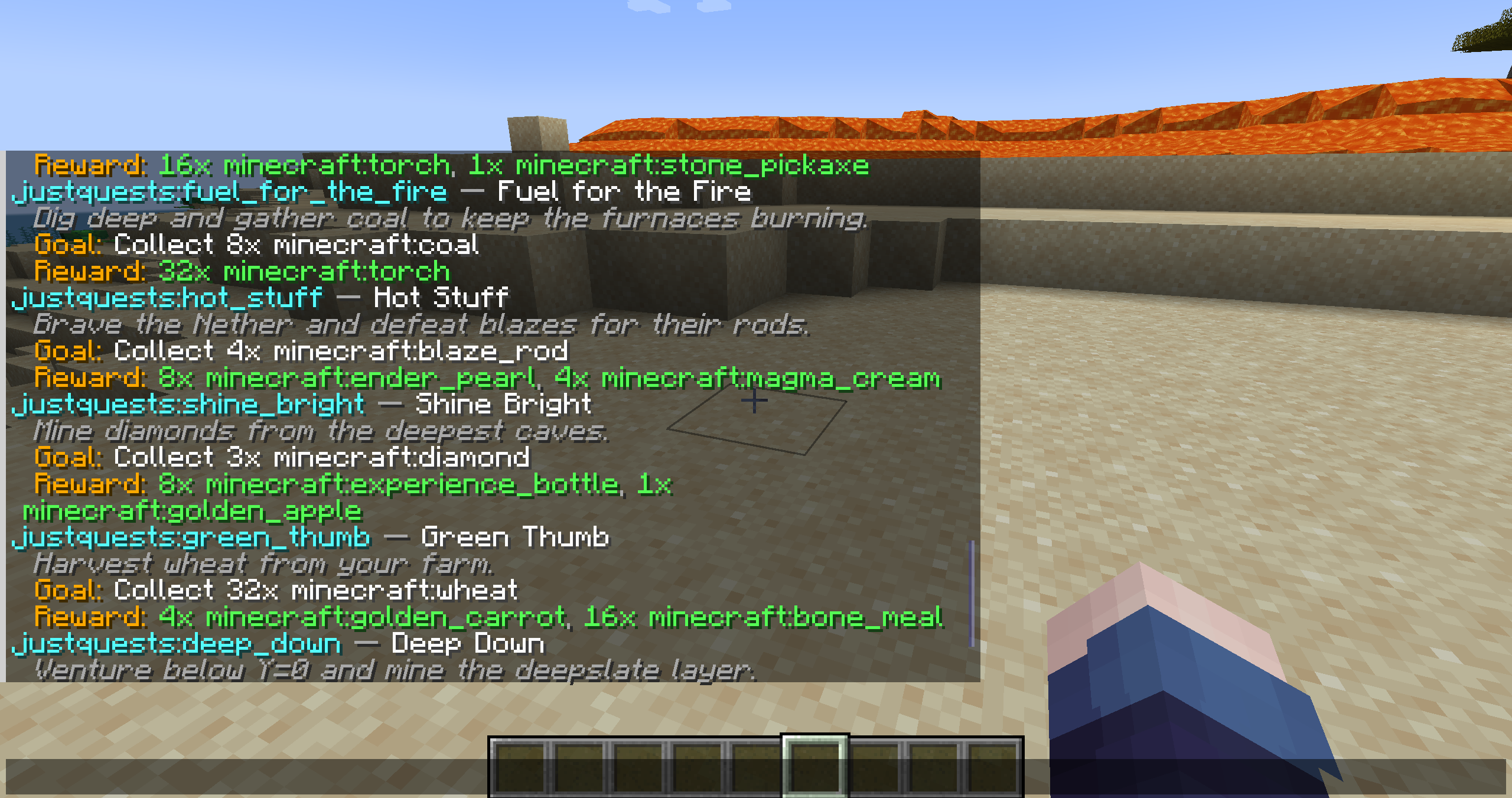
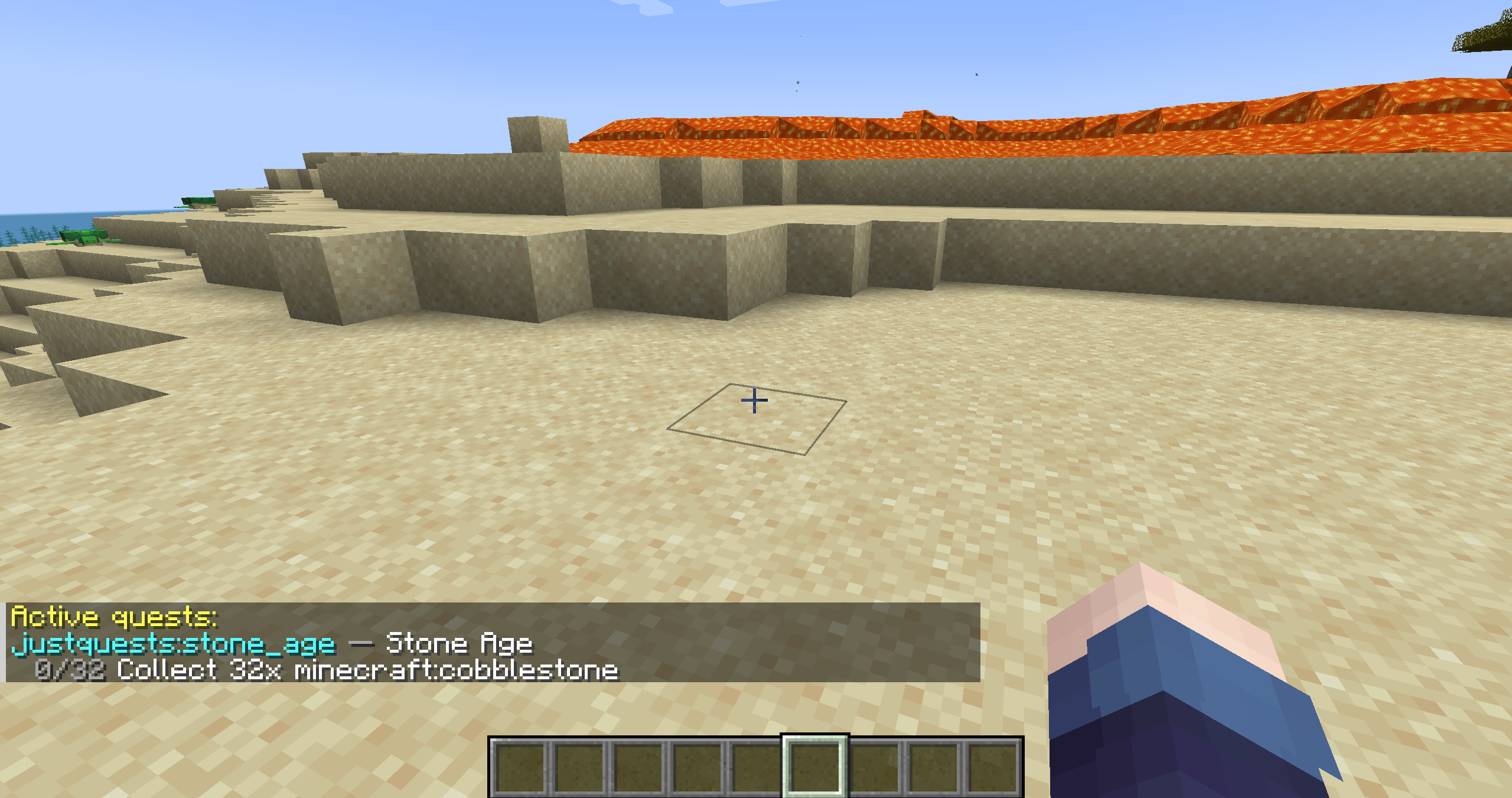
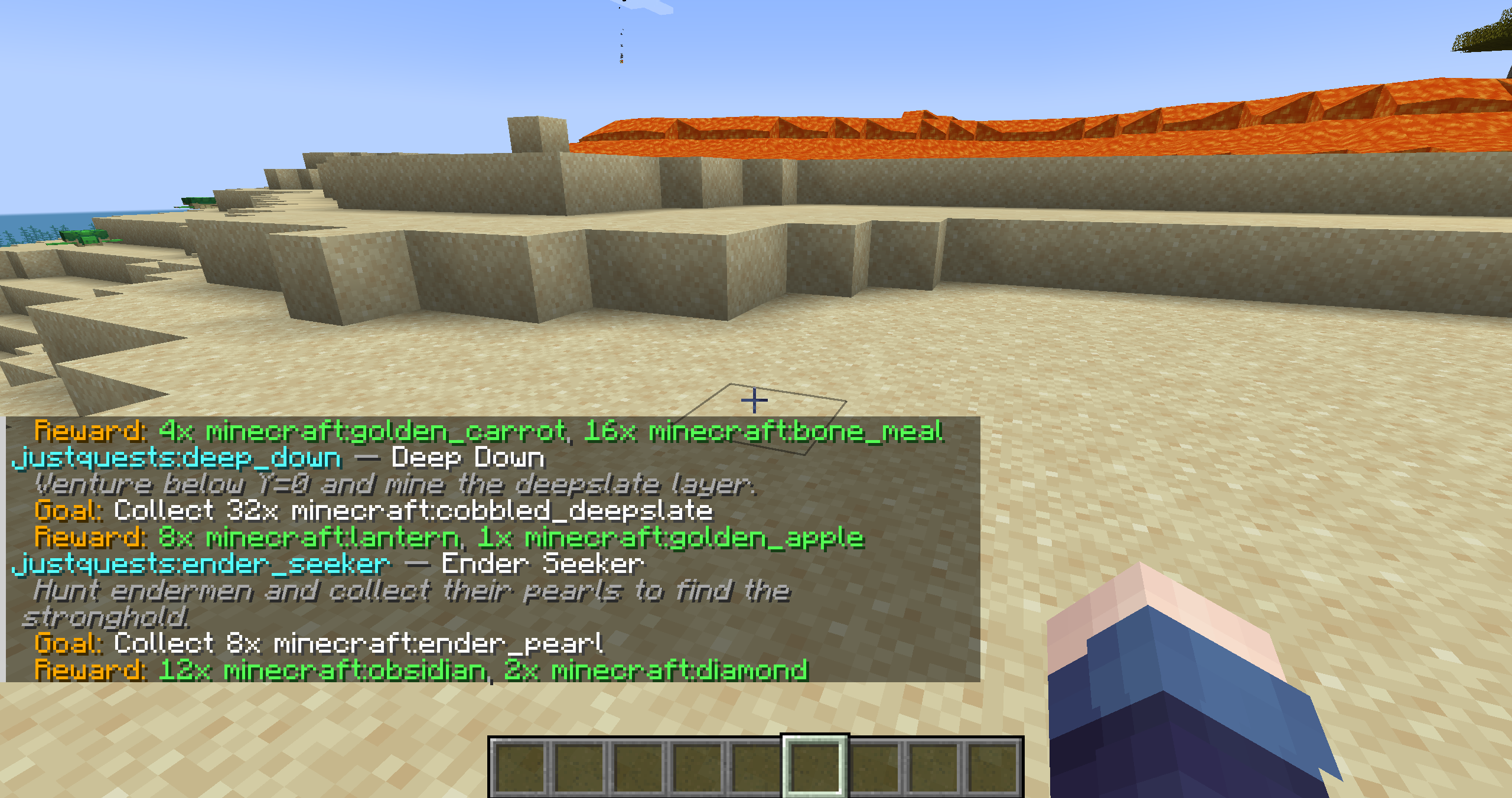
JustQuests ships with 25 ready-to-play quests across categories (gathering, farming, combat, building, crafting, exploration, challenges, survival, daily) — each in English, German, French and Spanish out of the box, so you can jump in right away. A sample:
| Quest | Goal | Reward |
|---|---|---|
| First Steps | 16 oak logs | 4 bread |
| Stone Age | 32 cobblestone | 16 torches, stone pickaxe |
| Master Miner | mine 64 stone | iron pickaxe |
| Home Builder | place 64 oak planks | 16 torches |
| Animal Friend | tame a wolf | 16 bones |
| Into the Nether | enter the Nether | 4 obsidian |
| Level Up | reach XP level 20 | XP + Strength |
| Prospector | mine 3 diamond ore | mystery loot |
| Daily Bread | eat 3 bread (repeatable, 24h) | emerald |
| …and 16 more |
Good to know:
collect_itemcounts items picked up (mining, harvesting, mob drops). To track items the player makes, usecraft_item.Want to make your own? A full example datapack with one quest per objective & reward type is on GitHub.
📥 Installation
- Install your loader for your Minecraft version: NeoForge, Fabric (+ Fabric API), or Forge.
- Download the JustQuests jar that matches your loader and version — the
file name says which, e.g.
JustQuests-fabric-1.20.1-0.2.1.jarorJustQuests-neoforge-1.21.1-0.2.1.jar— into yourmodsfolder. - Launch the game, press J for the quest book (1.20.1+) or run
/quest list.
✅ Compatibility
Pick the jar for your loader and exact Minecraft version:
-
NeoForge: 1.20.4, 1.20.6, and 1.21 – 1.21.10
-
Fabric (requires Fabric API): 1.18.2, 1.19.2, 1.19.4, 1.20.1, 1.20.4, 1.20.6, and 1.21 – 1.21.10
-
Forge: 1.18.2, 1.19.2, 1.19.4, 1.20.1
-
Environment: singleplayer and servers (runs server-side)
-
GUI: on 1.20.1 and newer; 1.18/1.19 are command-only (the full
/questset and all quest tracking still work)
Why the gaps? NeoForge only exists from 1.20.2 up, so 1.18–1.20.1 are covered by Fabric/Forge. Forge and NeoForge split at 1.20.1, so 1.20.2+ is served by NeoForge (and Fabric) rather than duplicating it on Forge.
🗺️ Roadmap
JustQuests is built step by step. Already shipped: a deep set of objective and reward types, item tags, quest modes & categories, per-world custom quests with live reload, multi-language quest text, and now NeoForge, Fabric and Forge across 1.18–1.21.
Planned next:
- Final GUI design: chosen from 3 mockups by a Discord community vote, with the polished textures, a claim button, choice rewards, an optional HUD tracker — and multiplayer support (the current GUI is singleplayer)
- Server & QoL: difficulty settings and permission gating
- Automatic quest generator: rotating, registry-aware generated quests
- Wider reach: a Paper/Bukkit plugin edition
Feedback shapes the priorities — bug reports and suggestions are very welcome on the issue tracker.
📄 License
Released under the GNU LGPL v3. Free to use in any modpack, no permission needed. Modified versions and forks must stay open source under the same license.
💬 Community & GUI polls: https://discord.gg/cMTGE9QCja Source & issues: https://github.com/ErikEdits/JustQuests
Screenshots
Gallery
Versions
Files
Relations
Project Relations
More like this
Similar Mods
Suggestions use data such as tags, dependencies, dependents, descriptions, titles, and more to rank how much they overlap with this mod.
On ModDex
Community snapshot
By the numbers
Statistics

Want to reach Minecraft players?
We're looking for a server hosting partner to feature here and other parts of the site. Interested? Send us a message!
Get in touchGet it on
Available Platforms
On ModDex
Community snapshot
By the numbers